Муқаддима
Ташаккур ба шумо барои харидasing the Gemini AS-12BLU Professional Audio Bluetooth PA Loudspeaker. This manual provides essential information for the safe and efficient operation of your new audio system. Please read this manual thoroughly before use and retain it for future reference.
Хусусиятҳои асосӣ
- 12-inch 1500W Peak Class AB Built-In Amplifier for crisp, concert-quality sound.
- Impedance at 4 Ohms with a linear frequency response between 30Hz-20Khz.
- Pure titanium 1" HF Compression Driver and Wide Dispersion Horn.
- Integrated MP3 player with USB, SD card, Bluetooth, and FM Radio capabilities.
- Two input channels with separate gain controls.
- Multiple input options: Mic and Line XLR, 1/4’’, 1/8’’, and RCA inputs.
- Mix Output for connecting to other audio devices.
- High/Low Equalization Controls for precise audio adjustment.
- Durable ABS Impact Resistant Nylon Fiber Cabinet.
- Top and side handles for easy transport.
- Flyable and stand-mountable design for versatile placement.
- Clip LED Alert to prevent overheating.
Мундариҷаи баста
Лутфан қуттии ҷузъҳои зеринро тафтиш кунед:
- Gemini AS-12BLU PA Loudspeaker
- Адаптери барқ
- Дастури корбар (ин ҳуҷҷат)
Агар ягон ашё нопадид ё вайрон бошад, лутфан фавран ба фурӯшандаи худ муроҷиат кунед.
Назоратҳо ва пайвастҳо
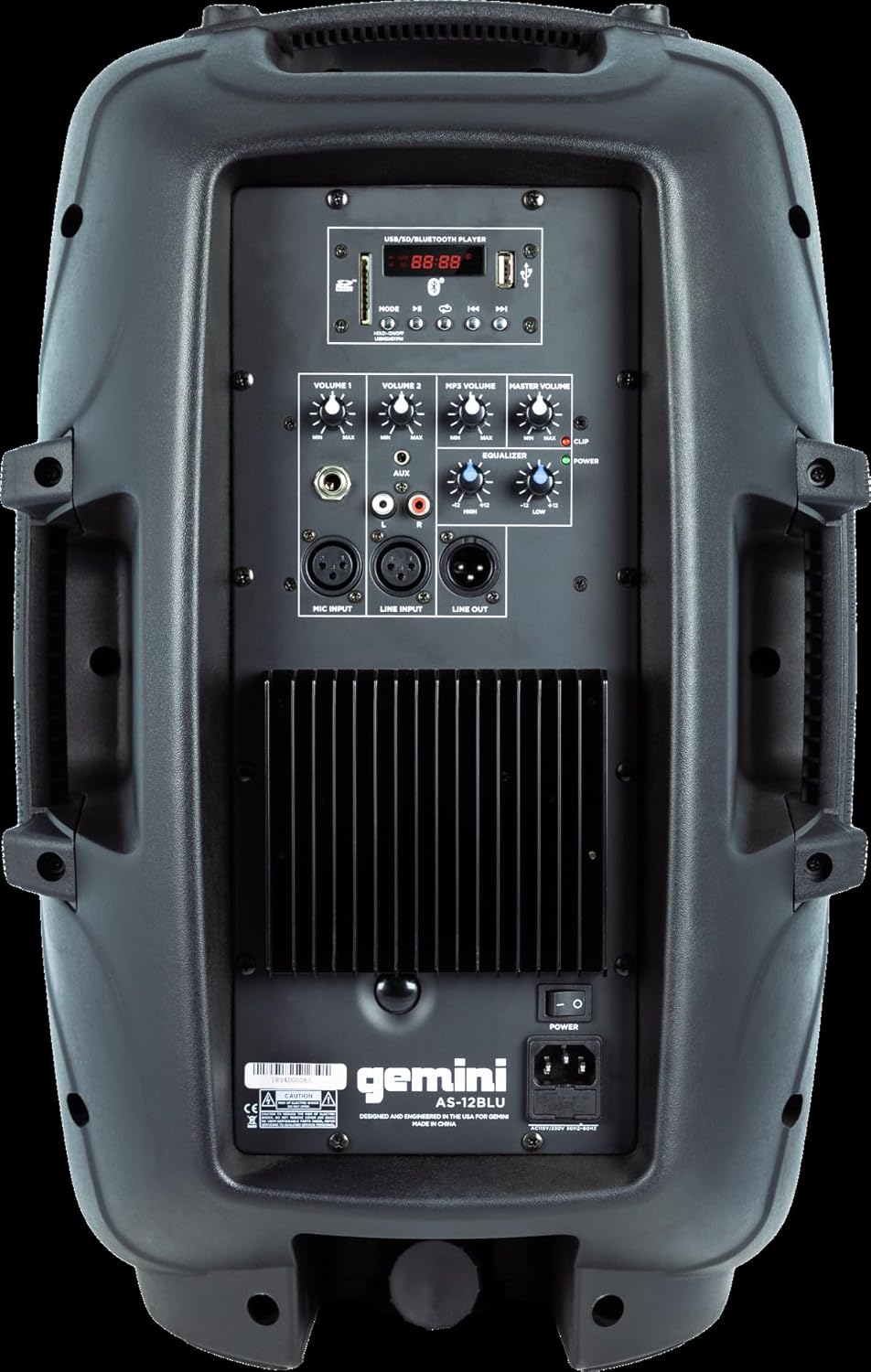
Image: Rear panel of the AS-12BLU loudspeaker. This view highlights the comprehensive control interface, including the USB/SD/Bluetooth player, volume controls, equalization knobs, and various input/output jacks.
Пеш View
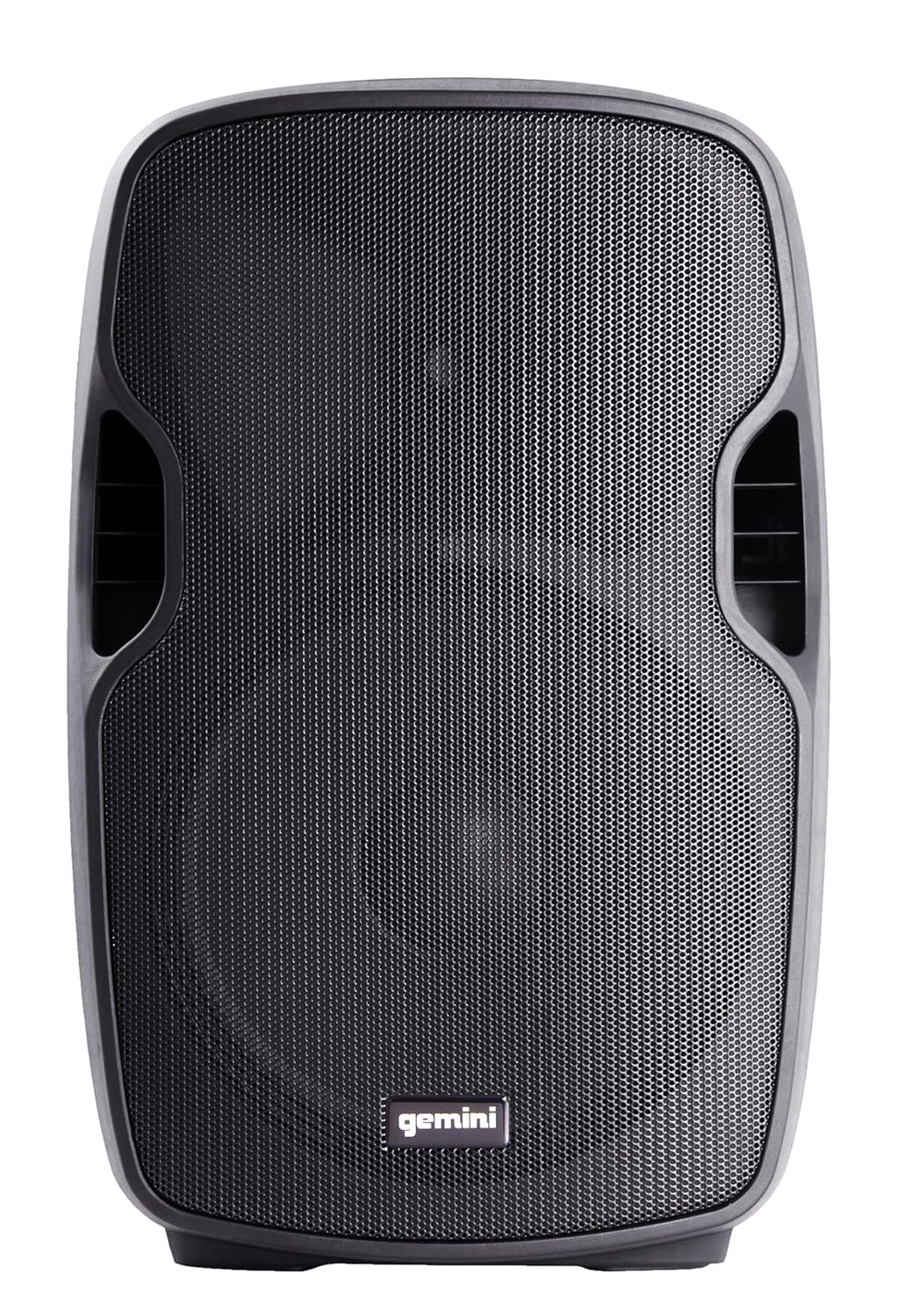
Тасвир: Пеш view of the AS-12BLU loudspeaker. This image displays the speaker's robust grille and integrated side handles, designed for both protection and portability.
кунҷӣ View
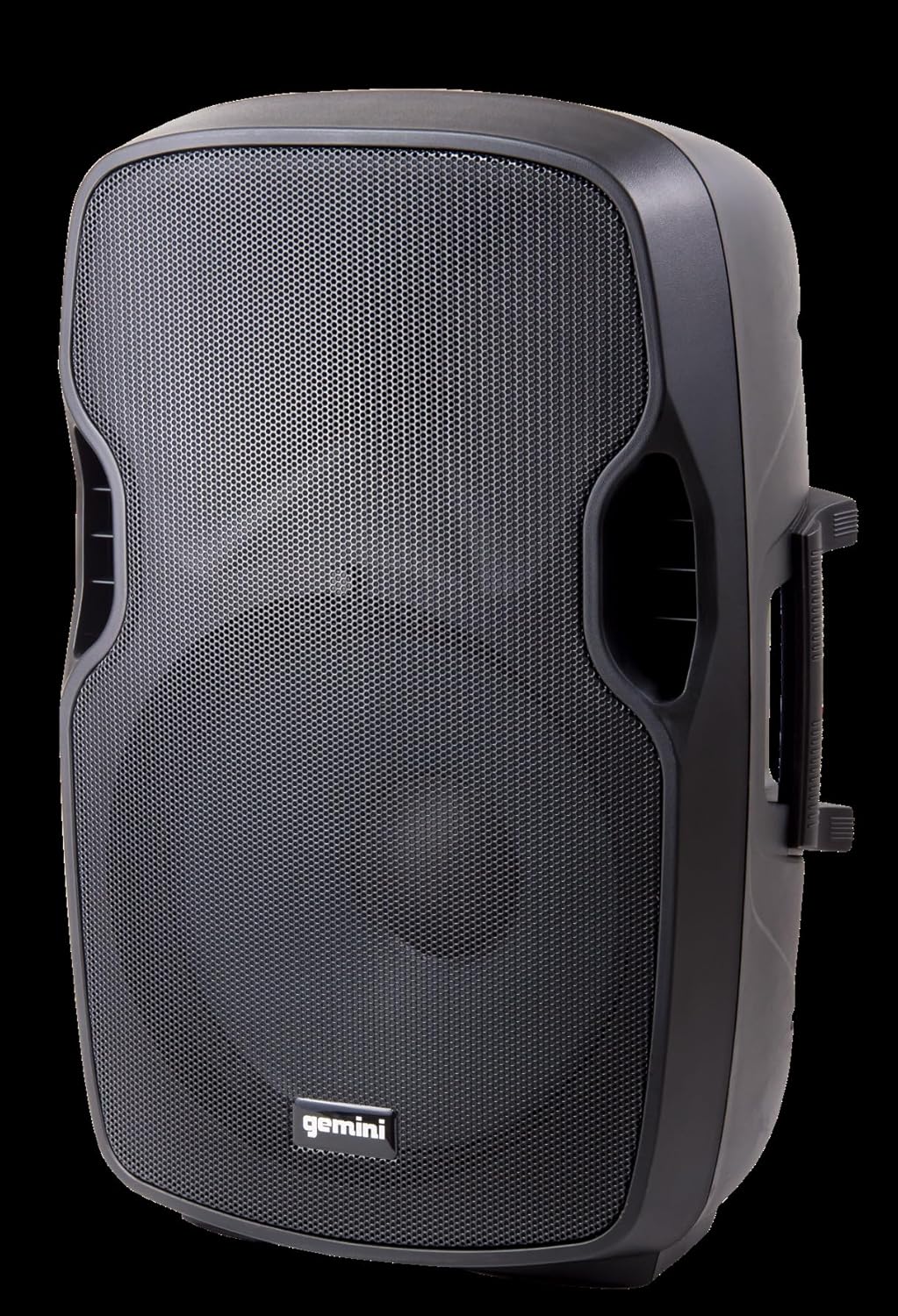
Тасвир: кунҷӣ view of the AS-12BLU loudspeaker. This perspective highlights the speaker's ergonomic design, including the integrated handles on both sides, facilitating easy transport and setup.
Панели пушти сарview:
- USB/SD/Bluetooth Player: Digital media playback interface.
- Тугмаи режим: Switches between USB, SD, Bluetooth, and FM Radio modes.
- Volume 1 & 2: Independent gain controls for Mic and Line inputs.
- MP3 Volume: Controls the volume of the integrated media player.
- Ҳаҷми магистр: Overall output volume control.
- High/Low Equalization: Adjusts treble and bass frequencies.
- Mic Input (XLR & 1/4"): Барои пайваст кардани микрофонҳо.
- Line Input (XLR, 1/4", 1/8", RCA): For connecting line-level audio sources (e.g., mixers, instruments, media players).
- Line Out (XLR): For connecting to additional PA speakers or recording devices.
- Калиди барқ: Дастгоҳро фурӯзон/хомӯш мекунад.
- Вуруди AC: Connects the power adaptor.
- Клипи LED: Illuminates when the audio signal is clipping, indicating potential distortion.
Ташкил кардан
- Ҷойгиршавӣ: Position the AS-12BLU on a stable, flat surface or mount it on a compatible speaker stand. Ensure adequate ventilation around the unit.
- Пайвасти барқ: Connect the provided power adaptor to the AC Input on the rear panel of the speaker, then plug the other end into a suitable power outlet.
- Фаъолсозии ибтидоӣ: Ensure all volume controls are set to minimum before turning on the power switch.
- Пайваст кардани манбаъҳои аудио:
- Микрофон: Connect your microphone to the Mic Input (XLR or 1/4").
- Дастгоҳҳои сатҳи хатӣ: Connect mixers, instruments, or other audio players to the Line Input (XLR, 1/4", 1/8", or RCA).
- Connecting Additional Speakers (Optional): Use the Line Out (XLR) to connect to the input of another powered PA speaker for expanded sound coverage.
Дастурҳои амалиётӣ
Амалиёти асосӣ:
- After connecting all sources and powering on, slowly increase the Master Volume to a desired listening level.
- Adjust individual input volumes (Volume 1, Volume 2, MP3 Volume) as needed for proper balance.
- Use the High/Low Equalization controls to fine-tune the audio's treble and bass response.
- Monitor the Clip LED. If it illuminates frequently, reduce the input gain or volume to prevent distortion and potential speaker damage.
Ҷуфтсозии Bluetooth:
- Press the "Mode" button on the USB/SD/Bluetooth Player until "BLUE" or "BT" appears on the display, indicating Bluetooth mode.
- Дар дастгоҳи Bluetooth-и худ (смартфон, планшет ва ғайра) Bluetooth-ро фаъол созед ва дастгоҳҳои дастрасро ҷустуҷӯ кунед.
- Select "GEMINI AS-12BLU" from the list of devices.
- Once paired, you can play audio from your device through the speaker.
Бозии USB/SD:
- Флеш-диски USB ё корти SD-ро, ки аудиои MP3 дорад, ворид кунед files into the corresponding slot on the USB/SD/Bluetooth Player.
- The unit should automatically switch to USB or SD mode and begin playback. If not, press the "Mode" button to select the correct source.
- Use the playback controls (Play/Pause, Next/Previous Track) on the player to navigate your music.
Радиои FM:
- Press the "Mode" button until "FM" appears on the display.
- The unit will automatically scan and store available FM radio stations.
- Use the Next/Previous Track buttons to cycle through the stored stations.
Нигоҳдорӣ
- Тозакунӣ: Барои тоза кардани берунии баландгӯяк матои мулоим ва хушкро истифода баред. Тозакунакҳои абразивӣ, мумҳо ва ҳалкунандаҳоро истифода набаред.
- Нигоҳдорӣ: When not in use, store the speaker in a cool, dry place, away from direct sunlight and extreme temperatures.
- Вентилятсия: Боварӣ ҳосил кунед, ки вентилятсияҳои баландгӯяк баста нашудаанд, то аз ҳад зиёд гармшавиро пешгирӣ кунанд.
- Сими барқ: Regularly inspect the power cord for any damage. If damaged, replace it with an authorized Gemini part.
Мушкилкушо
| Мушкилот | Сабаби эҳтимолӣ | Ҳалли |
|---|---|---|
| Не қудрат | Сими барқ пайваст нест; Розеткаи барқ фаъол нест; Қулфи барқ хомӯш карда шудааст. | Боварӣ ҳосил кунед, ки сими барқӣ боэътимод пайваст аст. Розеткаи барқро бо дастгоҳи дигар санҷед. Тугмаи барқро фаъол кунед. |
| Не баромади садо | Master Volume too low; Input volume too low; Incorrect input selected; Audio source issue. | Increase Master Volume. Increase relevant input volume. Press "Mode" to select correct input. Check audio source device. |
| Овози таҳрифшуда | Volume levels too high (clipping); Damaged cable; Speaker overload. | Reduce Master Volume or input gain until Clip LED no longer illuminates. Replace faulty cables. Do not exceed speaker's rated power. |
| Bluetooth пайваст намешавад | Speaker not in Bluetooth mode; Device too far; Device already paired to another speaker. | Ensure speaker is in Bluetooth mode ("BLUE" or "BT" on display). Move device closer to speaker. Disconnect device from other Bluetooth speakers. |
| USB/SD бозӣ намекунад | нодуруст file format; USB/SD card corrupted; Incorrect mode selected. | Таъмин кунед files are MP3 format. Try a different USB/SD card. Press "Mode" to select USB or SD. |
Мушаххасоти
| Хусусият | Тафсилот |
|---|---|
| Рақами модел | AS-12BLU |
| Навъи баландгӯяк | 12-inch Portable Active PA Loudspeaker |
| Қуллаи баромади қувваи барқ | 1500 Ватт |
| AmpСинфи болокунанда | Синфи AB |
| Импеданс | 4 Ом |
| Ҷавоби басомад | 30Гц - 20КГц |
| Ронандаи HF | 1" Pure Titanium Compression Driver |
| Пайвастшавӣ | Bluetooth, USB, SD Card, FM Radio, XLR, 1/4", 1/8", RCA |
| Ҳолати баромади аудио | Стерео |
| Андозаҳои маҳсулот | 14.57 x 11.81 x 22.83 инч |
| Вазни ашё | 11.42 фунт |
| Маводи кабинет | ABS Impact Resistant Nylon Fiber |
Кафолат ва дастгирӣ
Gemini products are designed for reliability and performance. For information regarding warranty coverage, technical support, or service, please visit the official Gemini webсайт ё шӯъбаи хидматрасонии муштариёни онҳо тамос гиред.
Official Gemini Webсайт: www.geminisound.com
Лутфан далели хариди худро барои даъвоҳои кафолат нигоҳ доред.


