Муқаддима
Thank you for choosing the KROM Kernel TKL Mechanical Gaming Keyboard. This compact, tenkeyless (TKL) keyboard is designed for gaming enthusiasts, offering a responsive mechanical experience with customizable RGB backlighting and a Spanish layout. This manual provides detailed instructions for setup, operation, maintenance, and troubleshooting to ensure optimal performance and longevity of your device.
Маҳсулот ба охир расидview
Хусусиятҳои асосӣ
- Гузаришҳои механикӣ: Durable and responsive mechanical key switches for precise input.
- Tenkeyless (TKL) Design: Compact form factor without a numeric keypad, ideal for saving desk space and improving mouse movement.
- Равшании паси RGB: Customizable LED backlighting with various effects and colors.
- Функсияи макро: Assign macro functions to any key for personalized commands.
- Калидҳои мултимедиявӣ: Dedicated or function-layer multimedia controls for convenience.
- Муқовимат: Кафолат медиҳад, ки ҳамаи пахшҳои тугмаҳо, ҳатто ҳангоми сессияҳои бозии шадид, дуруст сабт карда мешаванд.
- Сохтмони устувор: Built with quality materials for long-lasting performance.
- Spanish Layout: Designed with a QWERTY Spanish key layout.
Мундариҷаи баста
- KROM Kernel TKL Mechanical Gaming Keyboard
- Сими USB (замима карда мешавад)
- Дастури корбар (ин ҳуҷҷат)
- (Note: Additional accessories may vary by region or specific product bundle.)
Тасвири 1.1: KROM Kernel TKL Mechanical Gaming Keyboard packaging, showing the front and back of the box with product features and design.

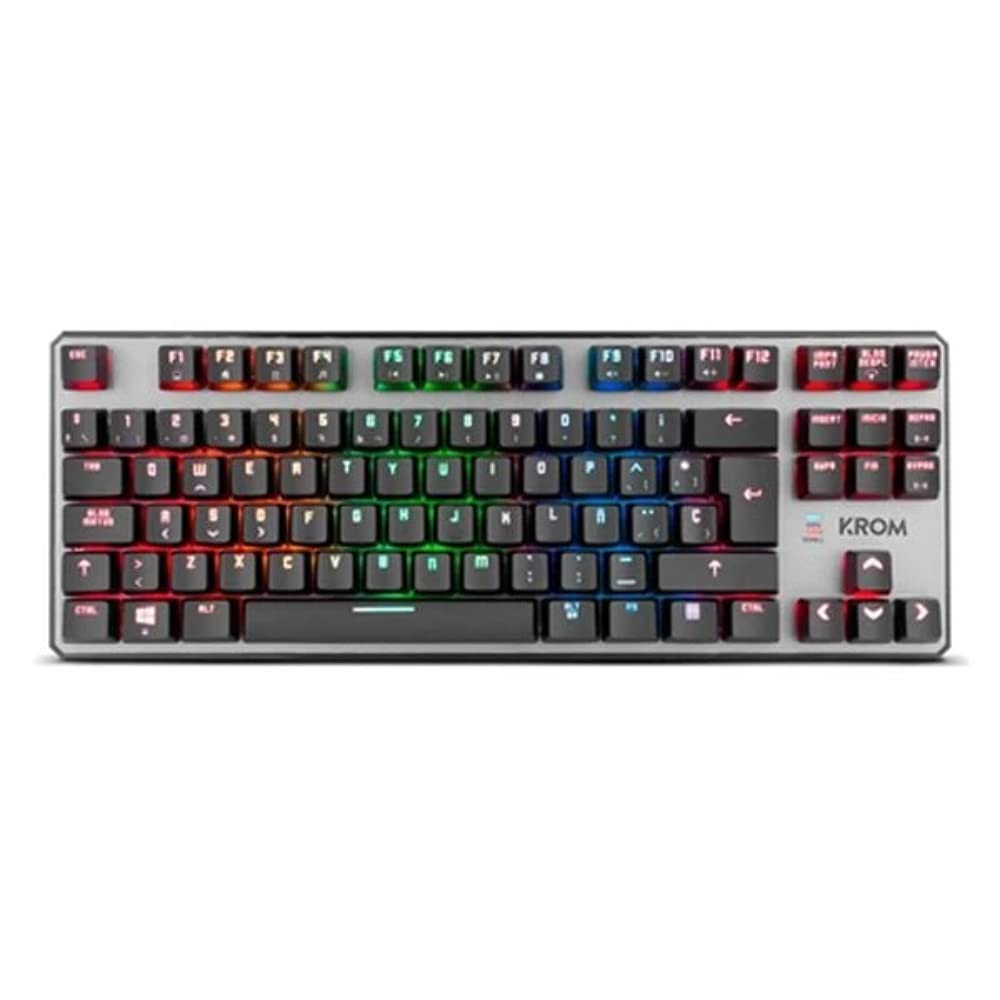
Тасвири 1.2: Аз боло ба поён view of the KROM Kernel TKL keyboard, showcasing its compact design and vibrant RGB backlighting across all keys.
Ташкил кардан
- Клавиатураро кушоед: Carefully remove the KROM Kernel TKL keyboard from its packaging.
- Ба компютер пайваст шавед: Locate the USB cable attached to the keyboard. Plug the USB connector into an available USB port on your computer (PC or laptop).
- Насби драйвер: The keyboard is plug-and-play. Your operating system (Windows 7/8/8.1/10) should automatically detect and install the necessary drivers. This process may take a few moments.
- Функсияро тафтиш кунед: Once drivers are installed, test the keyboard by typing in a text editor or browser to ensure all keys are responsive.
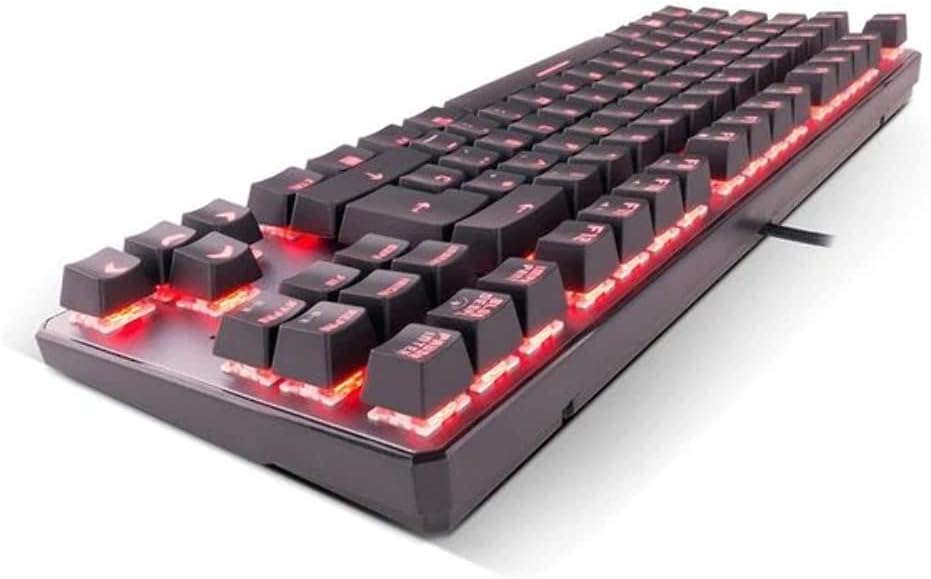
Тасвири 2.1: Тараф view of the KROM Kernel TKL keyboard, highlighting the red backlighting visible beneath the keycaps and the compact profile.
Дастурҳои амалиётӣ
Назорати равшании паси RGB
The KROM Kernel TKL keyboard features dynamic RGB backlighting. Use the following key combinations to adjust lighting effects:
- Fn + [Тугма]: Specific function keys (often F1-F12 or dedicated keys) are used in combination with the Function (Fn) key to cycle through lighting modes, adjust brightness, change speed, or select colors. Refer to the keyboard's keycap legends for specific symbols indicating lighting controls.
- Танзими равшанӣ: Typically Fn + Up/Down arrow keys or dedicated brightness keys.
- Суръати таъсир: Often Fn + Left/Right arrow keys to increase or decrease the speed of dynamic lighting effects.
- Гузариши режим: Cycle through various pre-set RGB lighting modes (e.g., wave, ripple, breathing, static color) using a dedicated Fn combination.

Тасвири 3.1: The KROM Kernel TKL keyboard displaying its full RGB spectrum backlighting, enhancing the visual appeal during use.
Macro Function Assignment
The keyboard supports on-the-fly macro recording or software-based macro assignment. For on-the-fly recording:
- Initiate Recording: Press a specific Macro Record key (often labeled "MR" or a Fn combination).
- Select Target Key: Press the key you wish to assign the macro to.
- Record Sequence: Type the sequence of keys you want to record as the macro.
- Сабти хотима: Press the Macro Record key again to save the macro.
Note: Detailed macro programming instructions may require specific software or refer to the full digital manual available on the KROM webсайт.
Мултимедиа ва тугмаҳои миёнабур
Access multimedia functions and system shortcuts using the Fn key in combination with the F-keys (F1-F12) or other designated keys. Common functions include:
- Назорати овоз: Fn + Fx (e.g., F1-F3 for Mute, Volume Down, Volume Up).
- Навозиши медиавӣ: Fn + Fx (e.g., F5-F8 for Play/Pause, Stop, Previous Track, Next Track).
- Application Shortcuts: Fn + Fx (e.g., F9-F12 for Email, Web Browser, My Computer, Calculator).

Тасвири 3.2: Нақшаи наздик view of the KROM Kernel TKL keyboard's keycaps, clearly showing the Spanish QWERTY layout and secondary functions.
Нигоҳдорӣ
Нигоҳубини дуруст кори дарозмуддат ва самаранокии клавиатураи шуморо кафолат медиҳад.
- Тозакунӣ:
- Пеш аз тоза кардани клавиатура аз компютери худ ҷудо кунед.
- Як банкаи ҳавои фишурдашударо барои тоза кардани чанг ва хошок аз байни калидҳои клавиатура истифода баред.
- Сарпӯши клавиатура ва сатҳи клавиатураро бо нарм, каме хушк кунед. damp, матои бехат. Аз намии аз ҳад зиёд канорагирӣ кунед.
- Моддаҳои кимиёвии сахт, тозакунандаи абразивӣ ё ҳалкунандаҳоро истифода набаред.
- Нигоҳдорӣ: Клавиатураро дар ҷои хушк ва хунук, дур аз нури бевоситаи офтоб ва ҳарорати аз ҳад зиёд нигоҳ доред.
- Муносибат: Avoid dropping the keyboard or exposing it to liquids. Do not attempt to disassemble the keyboard as this may void the warranty.

Тасвири 4.1: Профессионали тарафӣfile view of the KROM Kernel TKL keyboard, illustrating its ergonomic tilt and compact design.

Тасвири 4.2: A close-up image showing a mechanical switch on the KROM Kernel TKL keyboard, highlighting its design and potential for easy replacement (CIY Technology).

Тасвири 4.3: The CIY Technology logo, indicating that the keyboard features hot-swappable mechanical switches for easy customization or replacement.
Мушкилкушо
If you encounter issues with your KROM Kernel TKL keyboard, refer to the following common solutions:
- Клавиатура ҷавоб намедиҳад:
- Боварӣ ҳосил кунед, ки сими USB ҳам ба клавиатура ва ҳам ба компютер боэътимод васл шудааст.
- Кӯшиш кунед, ки клавиатураро ба порти дигари USB дар компютери худ васл кунед.
- Компютери худро бозоғоз намоед.
- Клавиатураро дар компютери дигар санҷед, то муайян кунед, ки оё мушкилот бо клавиатура ё системаи шумост.
- Равшании қафо кор намекунад ё нодуруст аст:
- Check if the backlighting is turned off. Use the Fn key combinations to cycle through lighting modes and adjust brightness.
- Ensure no software conflicts are interfering with the lighting controls.
- Калидҳо ба қайд гирифта нашудаанд ё дукарата чоп намекунанд:
- Калидҳои зарардидаро бо ҳавои фишурда тоза кунед, то ҳама гуна партовҳоро тоза кунед.
- If the keyboard uses hot-swappable switches (like the "CIY Technology" mentioned in an image), try gently removing and re-inserting the switch for the problematic key.
- Боварӣ ҳосил кунед, ки драйверҳои системаи оператсионии шумо навсозӣ шудаанд.
- Функсияҳои макрос кор намекунанд:
- Review the macro programming steps to ensure correct recording.
- Check if any software is overriding the keyboard's native macro functions.
Мушаххасоти
| Хусусият | Тафсилот |
|---|---|
| Рақами модел | NXKROMKRNLTKL |
| Навъи клавиатура | Механикӣ |
| Тарҳ | Spanish QWERTY (TKL) |
| Равшании паси | LED RGB |
| Пайвастшавӣ | Wired USB (Gold-plated) |
| Дарозии кабел | 180 cm (Braided) |
| Қувваи фаъолкунанда | 60 +/- 10 г |
| Меъёри овоздиҳӣ | 1000 Гц |
| Хотираи дохилӣ | 64 KB (for macros/profiles) |
| Истеъмоли ҷорӣ | 100-260мА |
| Ҷилдиtage | 5.0 +/- 0.25 V |
| Андозаҳо (L x W x H) | 361 x 133.5 x 22.5 мм |
| Вазн | 950 +/- 30 г |
| Мутобиқати | Windows 7/8/8.1/10 |
| Хусусиятҳои махсус | Macro function assignment, Multimedia keys, Shortcut keys |
Кафолат ва дастгирӣ
KROM products are designed for reliability and performance. This product comes with a standard manufacturer's warranty. For specific warranty terms and conditions, please refer to the warranty card included with your product or visit the official KROM webсайт.
For technical support, driver downloads, or further assistance, please visit the KROM official support page or contact their customer service. Contact information can typically be found on the KROM webсайт ё бастабандии маҳсулот.
KROM Official Webсайт: www.kromgaming.com (Эзоҳ: Ин ҷойнишин аст URL, please verify the actual KROM support webсайт.)


