1. Муқаддима
The HP Ultra-Slim Z4000 Wireless Optical Mouse is designed for portability and comfort, offering reliable 2.4 GHz wireless connectivity. Its sleek, low-profile design and ergonomic shape provide a natural fit for your hand, making it an ideal accessory for notebooks and tablets. This manual provides detailed instructions for the setup, operation, and maintenance of your mouse.

Figure 1: HP Z4000 Wireless Mouse, demonstrating its slim and stylish design alongside a keyboard.
2. Танзимот
2.1 Мундариҷаи баста
Пеш аз оғози кор, боварӣ ҳосил кунед, ки ҳама ҷузъҳо дар баста мавҷуданд:
- HP Z4000 Wireless Mouse
- 2.4GHz Micro Receiver (USB dongle)
- 1 AA Батарея
- Плакат барои оғози зуд
- Огоҳӣ оид ба маҳсулот
- Корти кафолат
2.2 Насби батарея
- Қисмати батареяро дар тарафи поёни муш ҷойгир кунед.
- Сарпӯши батареяро кушода кушоед.
- Батареяи АА-и додашударо гузоред, ки қутбияти дурустро таъмин кунед (+/-).
- Сарпӯши батареяро бехатар пӯшед.

Figure 2: Underside of the mouse, showing the battery compartment (under the main cover), CONNECT button, and ON/OFF switch.
2.3 Пайваст кардани қабулкунанда
- Locate the 2.4GHz Micro Receiver (USB dongle). This may be stored inside the mouse's battery compartment or included separately.
- Insert the USB receiver into an available USB port on your computer or tablet.
- Turn on the mouse using the ON/OFF switch located on the underside.
- Компютери шумо бояд драйверҳои заруриро ба таври худкор муайян ва насб кунад. Муш барои истифода омода аст.
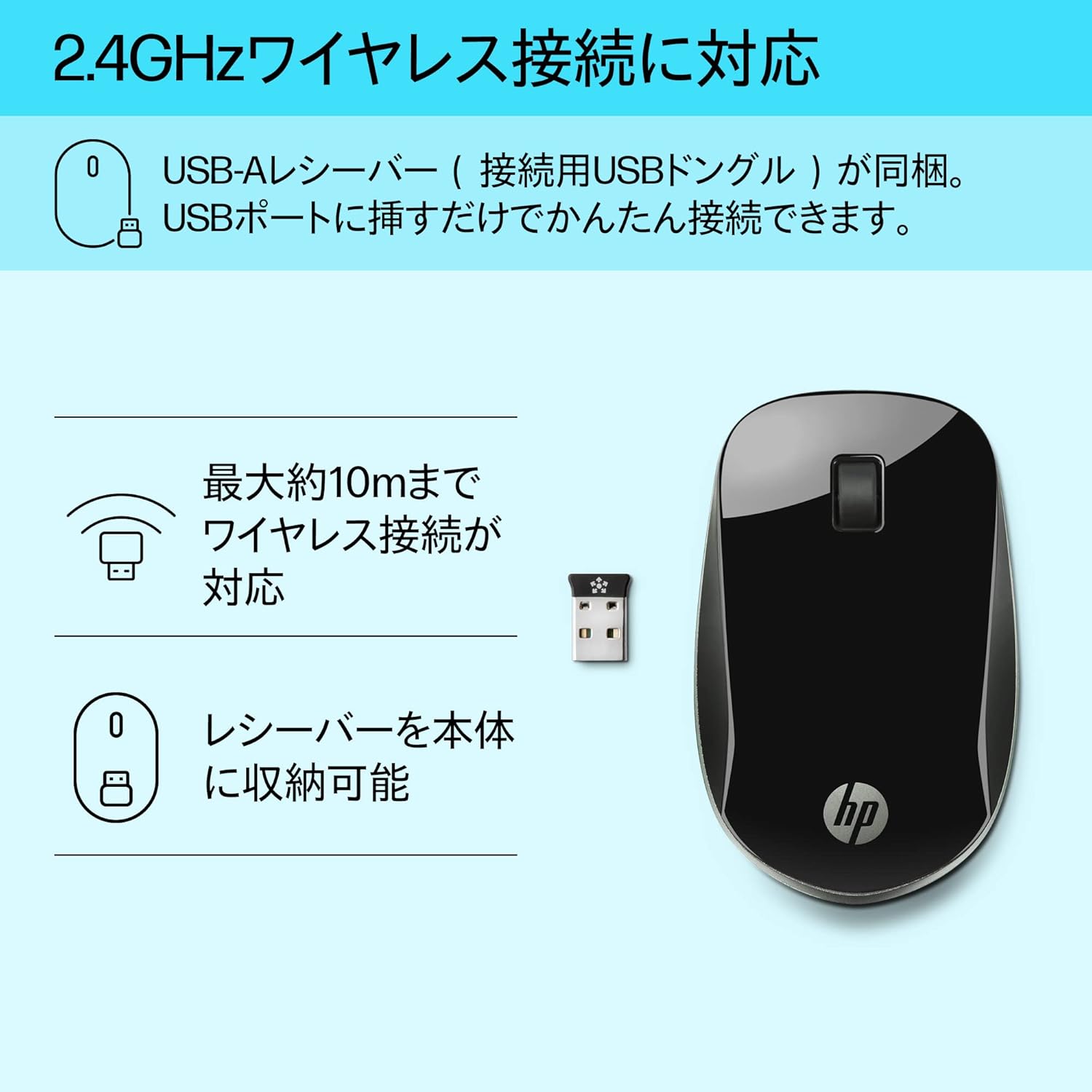
Figure 3: The HP Z4000 mouse and its 2.4GHz USB receiver, demonstrating the simple plug-and-play connection.
3. Истифода бурдани муш
The HP Z4000 mouse features a standard three-button layout and a scroll wheel for intuitive navigation.
3.1 Вазифаҳои асосӣ
- Клики чап: Тугмаи ибтидоӣ барои интихоби ашё, кушодан fileс, ва иҷрои фармонҳо.
- Клики рост: Тугмаи дуюмдараҷа барои дастрасӣ ба менюҳои контекстӣ ва имконоти иловагӣ.
- Чархи ҳаракат: Барои паймоиш дар ҳуҷҷатҳо ба боло ё поён ғелонед ва web pages. The scroll wheel is also clickable for middle-click functionality (if supported by your operating system/application).

Расми 4: боло view of the mouse, indicating the left click, right click, and rubber scroll wheel for easy operation.
3.2 Эргономика ва тарроҳӣ
The mouse features an arch-shaped, symmetrical design that comfortably fits both left and right hands. Its ultra-slim profile (less than 2.6 cm in height) promotes a natural hand and wrist position, reducing strain during extended use.
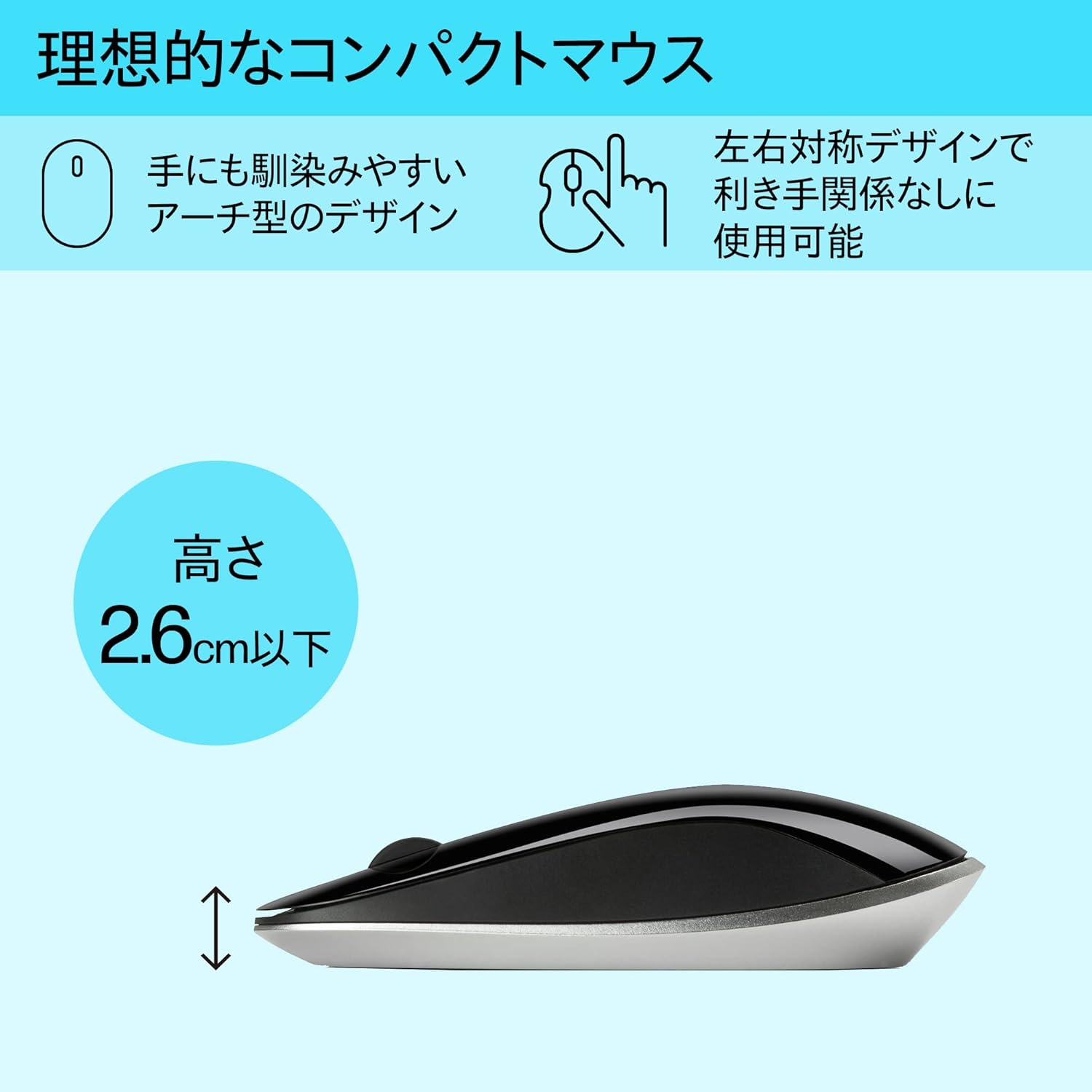
Figure 5: The ergonomic arch design and slim profile (under 2.6cm) of the HP Z4000 mouse, designed for comfortable use.
4. Нигоҳдорӣ
4.1 Тоза кардани муш
- Боварӣ ҳосил кунед, ки пеш аз тоза кардани муш хомӯш карда шудааст.
- Аз матои мулоим ва бе-лин сабук истифода баред гampбо об ё маҳлули ҳалим тоза кардан.
- Wipe the surface of the mouse gently. Avoid excessive moisture.
- Тозакунанда ё ҳалкунандаҳои абразивиро истифода набаред.
4.2 Иваз кардани батарея
The mouse uses one AA battery, with an average battery life of 12 months. When the mouse performance degrades or it stops responding, it's time to replace the battery.
- Мушро бо истифода аз тугмаи фурӯзон/хомӯшкунӣ хомӯш кунед.
- Сарпӯши қисмати батареяро дар қисми поёнии муш кушоед.
- Батареяи кӯҳнаи АА-ро хориҷ кунед.
- Батареяи нави АА-ро бо риояи қутбҳои дуруст ҷойгир кунед.
- Сарпӯши батареяро пӯшед.
- Мушро аз нав фаъол кунед.
5. Баррасии мушкилот
5.1 Муш ҷавоб намедиҳад
- Санҷиши нерӯ: Боварӣ ҳосил кунед, ки муш фаъол аст.
- Батареяро тафтиш кунед: Replace the AA battery if it is low or depleted.
- Қабулкунандаи чек: Боварӣ ҳосил кунед, ки қабулкунаки USB ба порти USB коркунандаи компютери шумо бехатар васл шудааст. Порти дигари USB-ро санҷед.
- Пайвастшавиро барқарор кунед: If your mouse has a "CONNECT" button (refer to Figure 2), press it and then press the connect button on the receiver (if applicable, or simply re-insert the receiver).
- Масофа: Ensure the mouse is within the 10-meter (30ft) operating range of the receiver.
5.2 Ҳаракати номунтазами курсор
- Сатҳи: Мушро дар сатҳи тоза, инъикоснашаванда ва якранг истифода баред. Аз шиша ё сатҳи хеле инъикоскунанда худдорӣ кунед.
- Тозагии сенсор: Check the optical sensor on the underside of the mouse for any dust or debris and clean it gently with a soft cloth.
- дахолат: Move the mouse away from other wireless devices that might cause interference.
6. Мушаххасоти
| Хусусият | Тафсилот |
|---|---|
| Бренд | HP |
| Рақами модел | H5N61AA |
| Пайвастшавӣ | 2.4 ГГц бесим (қабулкунандаи USB) |
| Муайянкунии ҳаракат | Оптикӣ |
| Шумораи тугмаҳо | 3 (Чап, рост, чархи ҳаракатро клик кунед) |
| Андозаҳо (LxWxH) | 10.1 x 2.5 x 6.4 см (тақрибан 4 x 1 x 2.5 дюйм) |
| Вазн | 231 г (тақрибан 8.1 oz) |
| Ранги | Сиёҳ |
| Навъи батарея | Батареяи 1 x AA (дохил карда шудааст) |
| Мӯҳлати миёнаи батарея | 12 моҳ |
| Системаҳои оператсионии мувофиқ | Linux, Windows 7, Windows XP (ва версияҳои навтар) |
7. Кафолат ва дастгирӣ
The HP Ultra-Slim Z4000 Wireless Optical Mouse comes with a 1-year Manufacturer's Warranty аз рӯзи харид.
For warranty claims, technical support, or further assistance, please refer to the contact information provided in your product's warranty card or visit the official HP support webсайт:
Лутфан далели хариди худро барои тасдиқи кафолат нигоҳ доред.