1. Муқаддима
This user manual provides comprehensive instructions for the setup, operation, maintenance, and troubleshooting of your BFT Mitto B RCB04 R1 4-channel 433.92Mhz remote control. This high-quality remote is designed for reliable operation with a range of up to 150 meters and comes with a battery included for immediate use.

Расми 1: Пеш view of the BFT Mitto B RCB04 R1 remote control. It features a dark grey casing with four black rectangular buttons arranged in two rows, and a prominent red square with the white "BFT" logo at the bottom.
2. Насбкунӣ ва барномасозӣ
The BFT Mitto B RCB04 R1 remote control is designed for easy programming. Refer to your specific receiver's manual for detailed programming steps, as the process can vary depending on the garage door opener or gate system it is being paired with. Generally, programming involves placing the receiver into a learning mode and then activating a button on the new remote.
2.1 Танзимоти ибтидоӣ
- Ensure the remote control has a battery installed. (A battery is included with your purchase).
- Locate the programming button or switch on your garage door opener or gate receiver unit.
2.2 Programming Steps (General Guide)
- Press and release the programming button on your receiver. An indicator light (LED) on the receiver will typically illuminate or flash, indicating it is in learning mode.
- Within a few seconds, press and hold the desired button on your new BFT remote control that you wish to program.
- Continue holding the button until the receiver's indicator light changes (e.g., turns off, flashes rapidly, or becomes solid), confirming successful pairing.
- Release the button on the remote.
- Test the remote control by pressing the programmed button. The garage door or gate should respond.
Note: If the remote does not work after programming, repeat the steps. Some systems may require multiple presses or a longer hold time. Consult your receiver's specific manual for precise instructions.
3. Истифода бурдани пулти дурдаст
The BFT Mitto B RCB04 R1 is a 4-channel remote control, meaning it has four independent buttons that can be programmed to control different devices or functions. Each button operates independently.
- Кушодан/Бастан: Press the programmed button once to activate the associated device (e.g., open or close a garage door, open a gate).
- Қатъ кардан: If your system supports it, pressing the button again during operation may stop the movement.
- Диапазон: The remote has an effective range of up to 150 meters in open areas. Obstructions like walls, vehicles, or other radio frequency interference can reduce this range.
4. Нигоҳдорӣ
4.1 Иваз кардани батарея
The remote control uses an Alkaline or Nickel-Metal Hydride battery. When the remote's range decreases significantly or the indicator light (if present) fails to illuminate, it's time to replace the battery.
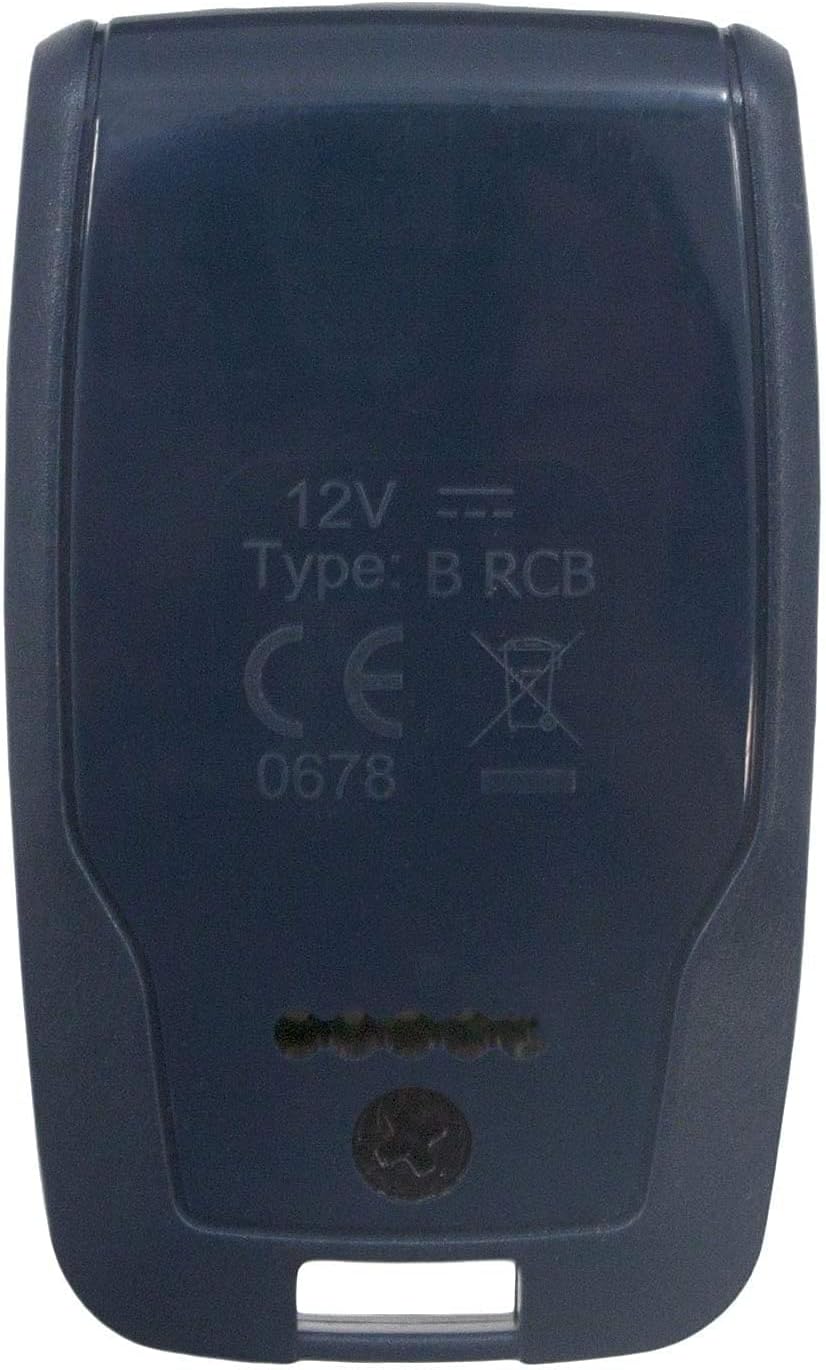
Расми 2: Бозгашт view of the BFT Mitto B RCB04 R1 remote control, displaying "12V", "Type: B RCB", "CE" mark, and a crossed-out wheeled bin symbol, indicating battery type and disposal information.
- Қисмати батареяро дар қафои идоракунии дурдаст ҷойгир кунед.
- Бо истифода аз мурваттобаки хурд ё танга, сарпӯши батареяро бодиққат кушоед.
- Remove the old battery. Note its orientation.
- Insert a new 12V battery (Alkaline or Nickel-Metal Hydride) with the correct polarity.
- Сарпӯши батареяро ба ҷои бехатар боз кунед.
4.2 Тозакунӣ
Clean the remote control with a soft, dry cloth. Do not use abrasive cleaners or solvents, as these can damage the casing ё ҷузъҳои дохилӣ.
5. Баррасии мушкилот
- Дурдаст кор намекунад:
- Батареяро тафтиш кунед. Дар ҳолати зарурӣ иваз кунед.
- Ensure the remote is properly programmed to your receiver. Re-program if unsure.
- Verify that the receiver unit has power and is functioning correctly.
- доираи кам:
- Батареяро иваз кунед.
- Check for sources of radio interference (e.g., other wireless devices, metal objects) near the receiver or remote.
- Ensure the antenna on the receiver is unobstructed and properly positioned.
- Тугмаҳо ҷавоб намедиҳанд:
- Check for physical damage to the buttons.
- Ensure the remote is not wet or dirty.
- Remote activates wrong device:
- This indicates incorrect programming. Re-program the remote, ensuring you are pairing it with the correct receiver and channel.
6. Мушаххасоти
| Хусусият | Тафсилот |
|---|---|
| Рақами модел | RCB04 R1 |
| Бренд | Remote (BFT Mitto B) |
| Шумораи каналҳо | 4 |
| Басомад | 433.92 МГц |
| Технологияи пайвастшавӣ | Фосилаи радио |
| Шумораи максималии дастгоҳҳои дастгирӣшаванда | 1 (per button) |
| Навъи батарея | 12V Alkaline or Nickel-Metal Hydride |
| Хусусияти махсус | Тарҳрезии эргономикӣ |
| Диапазони тахминӣ | То 150 метр (майдони кушод) |
7. Кафолат ва дастгирӣ
Your BFT Mitto B RCB04 R1 remote control is designed for high quality and reliability. While specific warranty details are not provided in this manual, we offer a 100% customer satisfaction guarantee. If you have any questions, concerns, or require assistance with programming or troubleshooting, please do not hesitate to contact our customer support team.
For support, please refer to the contact information provided by your retailer or the manufacturer's official webсайт.


