1. Муқаддима
The Aputure Amaran MC is a compact and versatile RGBWW LED on-camera light designed for photographers and videographers. It offers full Hue, Saturation, and Intensity (HSI) color control, adjustable white light in CCT mode, and various built-in lighting effects. With its high color rendition, Sidus Mesh technology for app control, and multiple charging options, the Amaran MC provides flexible lighting solutions for diverse creative needs.
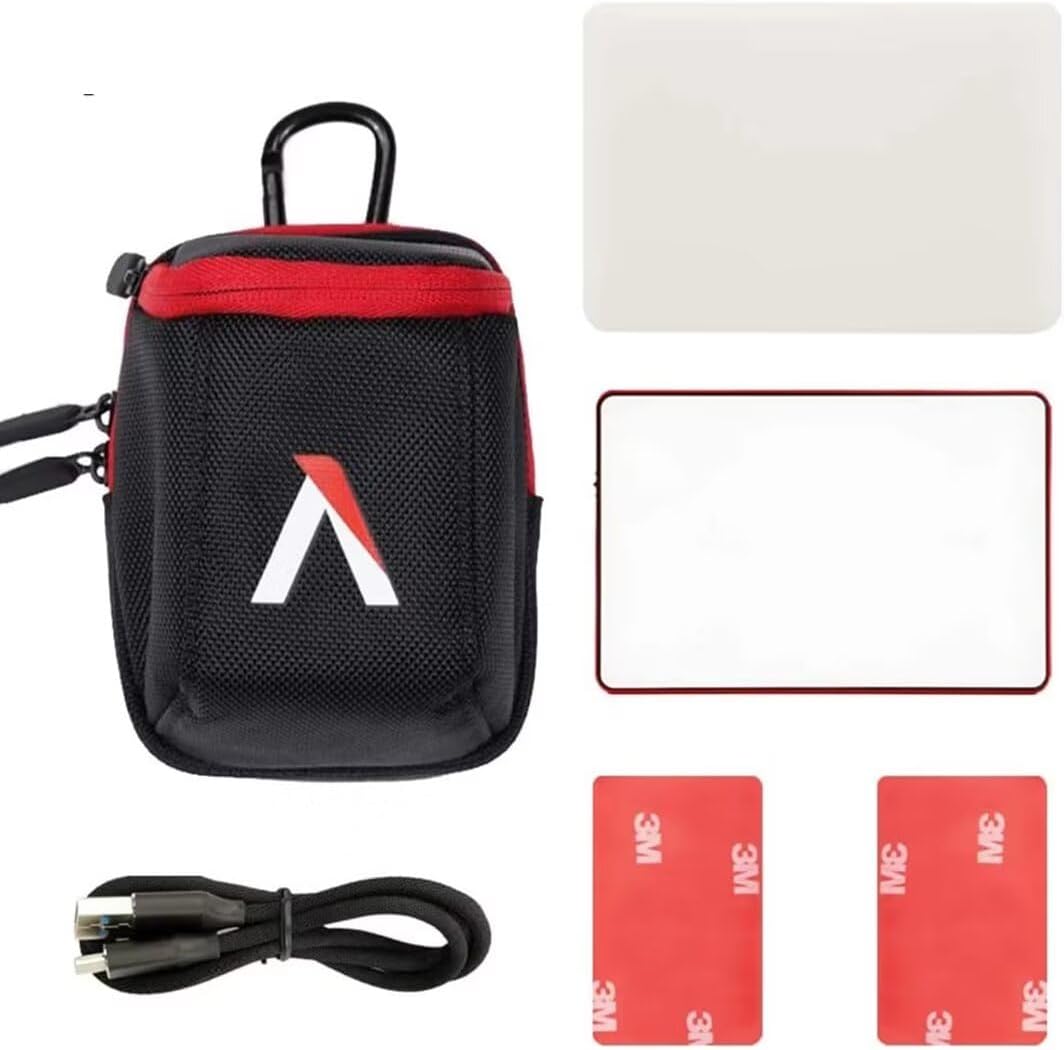
2. Дар қуттӣ чӣ мавҷуд аст
- Aputure MC Light *1
- Сими пуркунандаи USB Type-C *1
- Silicone Rubber Diffuser *1
- Adhesive Mounting Tape *2
- Aputure Carrying Bag *1
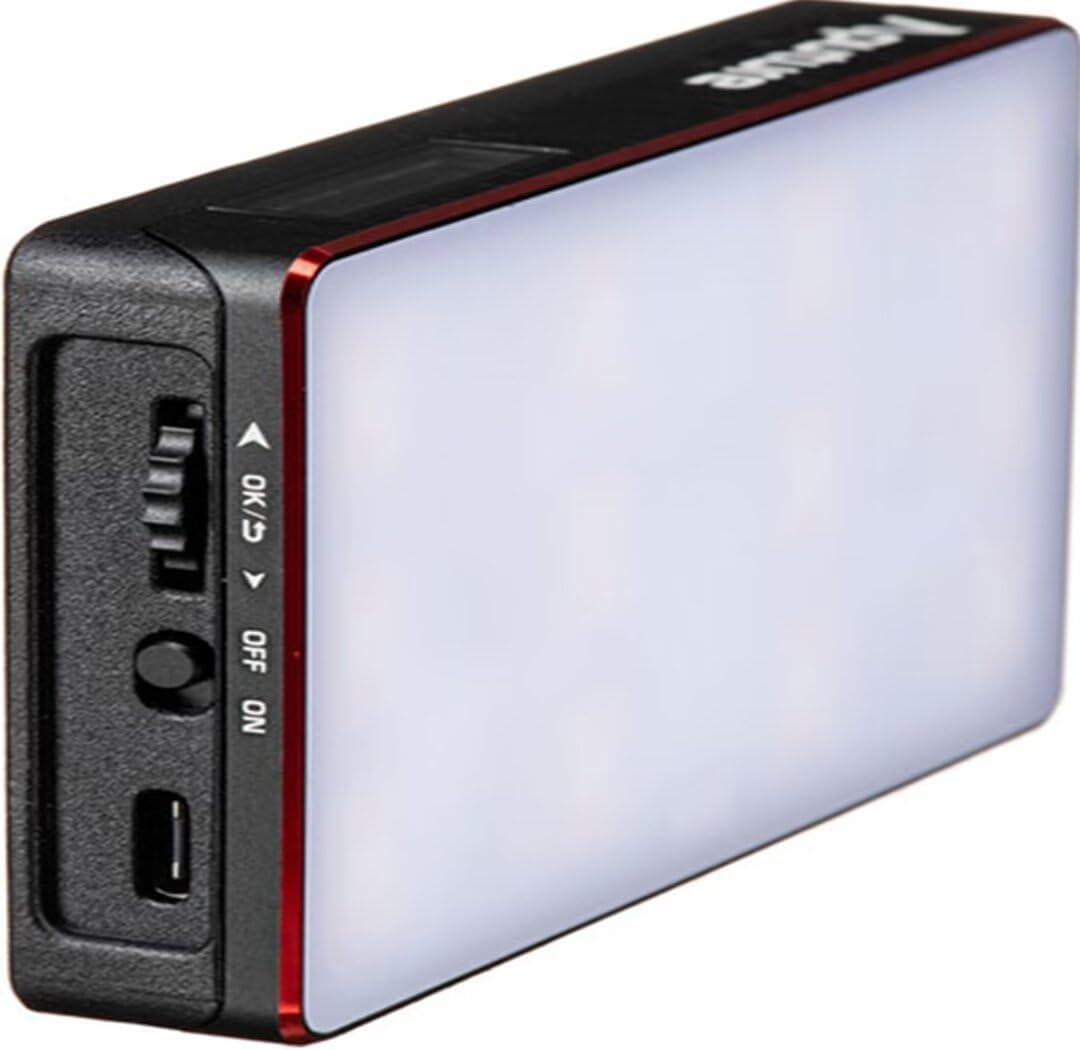
3. Хусусиятҳои маҳсулот
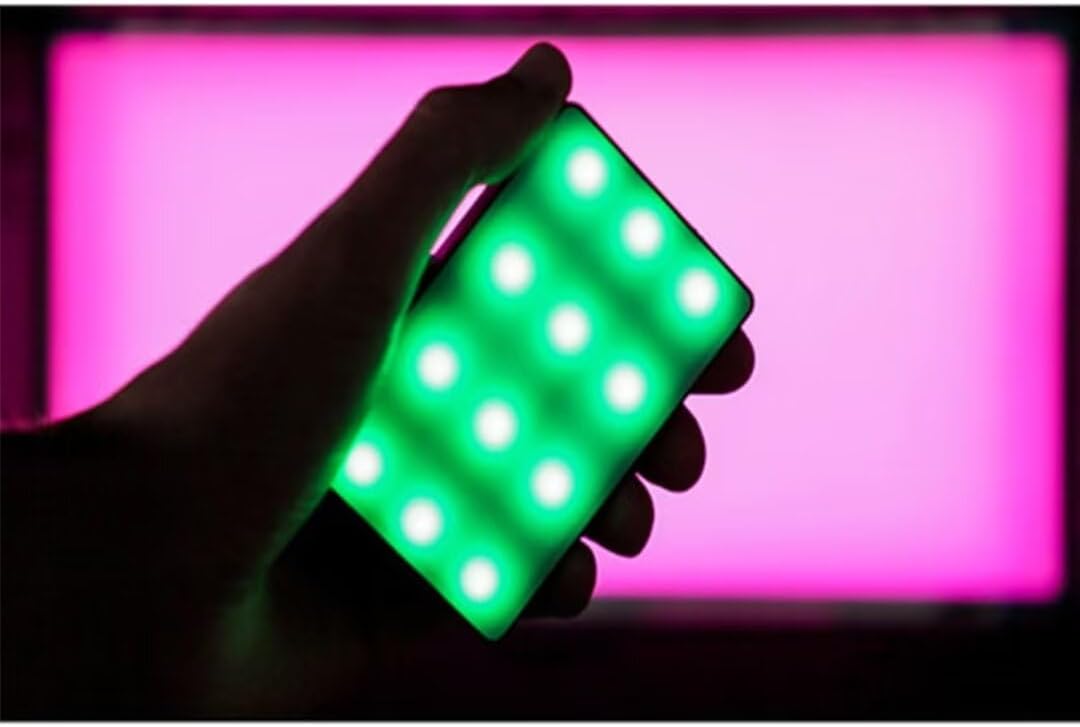
- Full HSI Color Control: The Amaran MC offers 360° of hue and 100 levels of saturation adjustment, allowing for convenient reproduction of any color.
- Усули CCT: Adjust white light color temperature from 3200K to 6500K.
- FX Lighting Modes: Includes 9 built-in lighting effects: Paparazzi, Fireworks, Faulty bulb, Lightning, TV, Pulsing, Fire, Party, and Cop Car.
- Stellar Color Quality: Achieves high color rendition with CRI and TLCI scores of 96+, and SSI scores of 84 (tungsten) and 74 (daylight).
- Sidus Link Control: Utilizes Sidus Mesh technology for controlling up to 100 lights simultaneously via the Sidus Link mobile app. Features a Color Picker function to match colors from your phone's camera.
- USB Type-C PD Charging & Wireless Charging: Supports 18W USB-C Power Delivery (PD) for a full charge in approximately 90 minutes. Compatible with Qi wireless charging protocols.


4. Танзимот
4.1 Пур кардани дастгоҳ
Before initial use, fully charge your Amaran MC. You have two charging options:
- USB Type-C: Connect the provided USB Type-C charging cable to the USB-C port on the side of the Amaran MC and to a compatible USB power adapter (not included). The device supports 18W PD quick charging.
- Пуркунии бесим: Place the Amaran MC on any Qi-compatible wireless charging pad. Ensure the light is properly aligned for efficient charging.

4.2 Имкониятҳои васлкунӣ
The Amaran MC offers several versatile mounting options:
- 1/4"-20 васлкунии винт: Use the integrated 1/4"-20 screw mount to attach the light to tripods, light stands, or camera rigs.
- Адсорбсияи магнитӣ: The light features built-in magnets, allowing it to be securely attached to metallic surfaces.
- Adhesive Mounting Tape: For non-metallic surfaces, use the included adhesive mounting tapes to create a temporary mounting point for the magnets.

5. Дастурҳои истифодабарӣ
5.1 Фаъол кардан/хомӯш кардан
Locate the power switch on the side of the Amaran MC. Slide the switch to the 'ON' position to power on the device. Slide it to 'OFF' to power it down.
5.2 Adjusting Light Settings
The Amaran MC features a function control wheel and an OLED screen for on-device adjustments:
- Интихоби режим: Press the control wheel to cycle through different lighting modes: HSI, CCT, and FX.
- Танзими параметр: Rotate the control wheel to adjust parameters within the selected mode (e.g., Hue, Saturation, Intensity, Color Temperature).
- Шиддат: In any mode, rotate the wheel to adjust the brightness (0-100% stepless dimming).
5.3 Sidus Link App Control
For advanced control and features, download the Sidus Link mobile app (available on iOS and Android).
- Ҷуфт кардан: Ensure Bluetooth is enabled on your mobile device. Open the Sidus Link app and follow the on-screen instructions to discover and pair with your Amaran MC.
- Назорати дурдаст: Adjust HSI, CCT, and FX functions remotely.
- Интихобкунандаи ранг: Use your phone's camera to capture a color from your environment, and the Amaran MC will reproduce it instantly.
- Шабакаи Mesh: Control multiple Amaran MC lights (up to 100) in a stable network, extending the control range.
6. Нигоҳдорӣ
- Тозакунӣ: Барои тоза кардани беруни чароғ аз матои нарм ва хушк истифода баред. Аз маводи кимиёвии сахт ё маводҳои абразивӣ истифода набаред.
- Нигоҳдорӣ: Store the Amaran MC in its carrying bag in a cool, dry place away from direct sunlight and extreme temperatures.
- Нигоҳубини батарея: Барои мӯҳлати беҳтарини батарея, аз холӣ кардани пурраи батарея зуд-зуд худдорӣ кунед. Агар батареяро муддати тӯлонӣ нигоҳ доред, онро тақрибан то 50-70% пур кунед.
7. Баррасии мушкилот
| Мушкилот | Сабаби эҳтимолӣ | Ҳалли |
|---|---|---|
| Чароғ фурӯзон намешавад | Low battery or power switch off | Charge the battery or ensure the power switch is in the 'ON' position. |
| Ба барномаи Sidus Link пайваст шуда наметавонад | Bluetooth off, app not updated, or light not in pairing mode | Ensure Bluetooth is on, update the app, and restart the light. Refer to app instructions for pairing. |
| Баромади нури номувофиқ | Батареяи кам ё дахолат | Charge the light fully. Ensure no strong magnetic or electronic interference nearby. |
8. Мушаххасоти
| Хусусият | Тафсилот |
|---|---|
| Андозаҳои маҳсулот | 6.22 x 3.43 x 1.34 инч (15.8 x 8.7 x 3.4 см) |
| Вазни ашё | 1.12 фунт (0.51 кг) |
| Рақами модели ашё | 926308 |
| Батареяҳо | 1 Nonstandard Battery required |
| Истеҳсолкунанда | Апутура |
| Технологияи пайвастшавӣ | блутуз |
| Интерфейси сахтафзор | USB, USB Type C |
| UPC | 712350147426 |
9. Кафолат ва дастгирӣ
For warranty information and technical support, please refer to the official Aputure webсайт ё бевосита бо хадамоти муштариёни худ тамос гиред. Квитансияи хариди худро барои даъвоҳои кафолат нигоҳ доред.
Aputure Official Webсайт: www.aputure.com


