Муқаддима
The Xfinity HD 720p Wireless Indoor/Outdoor Home Security Camera allows you to monitor your home environment with live video accessible from anywhere. Designed for both indoor and outdoor use, this camera provides essential security features to keep you informed.
Дар қуттӣ чӣ ҳаст
- Xfinity HD 720p Wireless Security Camera (Model: SCHC2AEW)
- Адаптери барқ
- Сими USB
- Таҷҳизоти васлкунӣ (винтҳо ва лангарҳо)

Image: Xfinity Home Security Camera and accessories neatly packaged in its box.
Дастури насб
- Пайвасти барқ: Connect the camera to the power adapter using the provided USB cable, then plug the adapter into a standard electrical outlet.
- Боргирии барнома: Download the official Xfinity Home app from your smartphone's app store (iOS App Store or Android Google Play).
- Пайвасткунии дастгоҳ: Open the Xfinity Home app and follow the on-screen instructions to add a new device. You will typically need to scan a QR code on the camera or manually enter its details to pair it with your home Wi-Fi network. Ensure your Wi-Fi network is 2.4 GHz for compatibility.

Image: The Xfinity Home Security Camera placed on a surface, ready for setup.
Дастурҳои амалиётӣ
Зиндагӣ View ва идоракунии асосӣ
Once paired, access the live video feed through the Xfinity Home app. The app provides controls for:
- Ҷараёни мустақим: View дар вақти воқеӣ footage аз камераи шумо.
- Сабт: Клипҳои видеоиро дастӣ сабт кунед.
- Скриншот: Тасвирҳои ҳаракатро аз канали зинда сабт кунед.
- Аудио дутарафа: Speak through the camera's speaker and hear audio from its microphone.
Нигоҳи шабона
The camera features night vision capabilities for clear monitoring in low-light conditions. This feature automatically activates when ambient light is insufficient, providing a black-and-white image. Some models may offer color night vision depending on ambient light and settings.
Муайянкунии ҳаракат ва огоҳиҳо
Configure motion detection settings within the Xfinity Home app to receive alerts on your smartphone when activity is detected. You can customize sensitivity levels and notification preferences.
Имконоти нигаҳдорӣ
The camera supports local storage via a MicroSD card (not included). Insert a compatible MicroSD card into the designated slot to store recorded video clips directly on the device. Cloud storage options may also be available through your Xfinity Home service subscription.
Насбкунӣ ва васлкунӣ
The Xfinity Home Security Camera can be placed on a flat surface or mounted to a wall. Use the included mounting hardware for secure wall installation. Ensure the camera is positioned to cover the desired monitoring area.
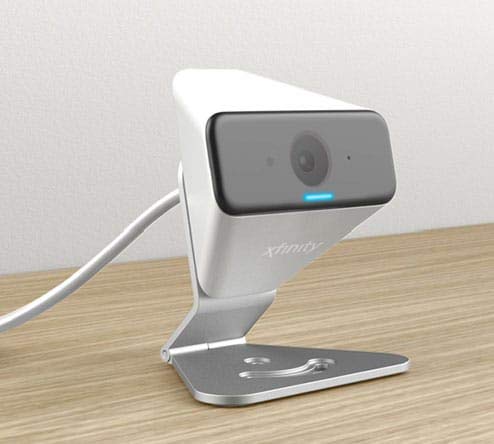
Image: The Xfinity Home Security Camera positioned on a desk, demonstrating its compact design.
Мушаххасоти маҳсулот
| Хусусият | Тафсилот |
|---|---|
| Рақами модел | SCHC2AEW |
| Қарори сабти видео | 720p |
| Технологияи пайвастшавӣ | Бесимӣ (Wi-Fi) |
| Протоколи пайвастшавӣ | Wi-Fi (2.4 GHz compatible) |
| Истифодаи дарунӣ/берунӣ | Дарунӣ, берунӣ |
| Хусусиятҳои махсус | Сенсори ҳаракат, биноии шабона |
| Манбаи нерӯ | DC (12 Volts, 1 Watt) |
| Андозаҳо (L x W x H) | 3 x 3 x 2 инч |
| Вазни ашё | 1.57 фунт |
| Рейтинги байналмилалии муҳофизат | IP65 |
Мушкилкушо
- Не қудрат: Боварӣ ҳосил кунед, ки адаптери барқ ҳам ба камера ва ҳам ба розеткаи барқии корӣ пайваст аст.
- Масъалаҳои пайвастшавӣ: Verify your Wi-Fi network is 2.4 GHz. Restart your router and the camera. Ensure the camera is within range of your Wi-Fi signal.
- Барнома ҷавоб намедиҳад: Close and reopen the Xfinity Home app. If the issue persists, try reinstalling the app.
- Сифати пасти видео: Қувваи сигнали Wi-Fi-и худро санҷед. Боварӣ ҳосил кунед, ки линзаи камера тоза ва аз монеаҳо холӣ аст.
Кафолат ва дастгирии мизоҷон
For warranty information, please refer to the documentation included with your purchase or visit the official Xfinity support website. For technical assistance or customer service, please contact Xfinity customer support directly.


