Муқаддима
The HyperX Alloy Core RGB Gaming Keyboard is designed to provide a responsive and durable typing experience with dynamic RGB lighting. This manual provides detailed instructions for setting up, operating, and maintaining your keyboard, ensuring optimal performance.

Image: The HyperX Alloy Core RGB Gaming Keyboard, showcasing тарҳбандӣ ва тарҳи пурраи он.
Вижагиҳо
- Равшании динамикӣ RGB: Features a distinctive light bar and dynamic RGB lighting effects with multiple customizable patterns.
- Сохтмони устувор: Built with a reinforced plastic frame for enhanced durability and stability.
- Тугмаҳои хомӯш ва ҷавобгӯ: Equipped with soft-touch membrane keys that offer a quiet typing experience and anti-ghosting functionality for accurate input.
- Тарҳрезии ба рехтан тобовар: Tested to withstand up to 120ml of liquid spills, providing protection against accidental damage.
- Назорати ВАО махсус: Convenient buttons for audio playback, volume adjustment, and mute functions.
- Тугмаҳои дастрасии зуд: Dedicated buttons for adjusting brightness, changing lighting modes, and activating game mode.
- Keyboard Lock Mode: Prevents accidental key presses during intense gaming sessions.
- Мутобиқат: Supports Windows 7, 8, 8.1, and 10.
- Андозаҳо: Тақрибан 443.20 мм (паҳно) x 175.31 мм (умқ) x 35.68 мм (баландӣ).
Ташкил кардан
- Клавиатураро кушоед: Клавиатураро бодиққат аз бастабандиаш берун кунед.
- Ба компютер пайваст шавед: Plug the USB-A connector of the keyboard cable into an available USB port on your computer. The keyboard is a plug-and-play device and typically does not require additional drivers for basic functionality.
- Танзими пойҳои клавиатура: For ergonomic comfort, you can extend the adjustable feet located on the underside of the keyboard to tilt it to your preferred angle.
Video: This video demonstrates the physical handling of the keyboard, including adjusting the feet for optimal typing angle, and showcases the initial RGB lighting effects upon connection.

Image: A hand connecting the USB-A cable of the keyboard to a computer's USB port.
Дастурҳои амалиётӣ
Назорати равшании RGB
The HyperX Alloy Core RGB keyboard features dynamic RGB lighting. Use the dedicated quick access buttons located above the function keys to customize your lighting experience.
- Танзими равшанӣ: Press the sun icon button to cycle through different brightness levels.
- Интихоби режими равшанӣ: Press the color palette icon button to switch between various lighting effects (e.g., Color Cycle, Spectrum Wave, Breathing, Solid, 5 Zones, Aurora).
- Суръати таъсир: Use the FN key + Up/Down arrow keys to increase or decrease the speed of lighting effects.
- Solid Color Selection: Use the FN key + Left/Right arrow keys to switch between solid colors.
- 5-Zone Customization: For 5-zone lighting, press the FN key + F1-F5 keys multiple times to customize the color of each zone.
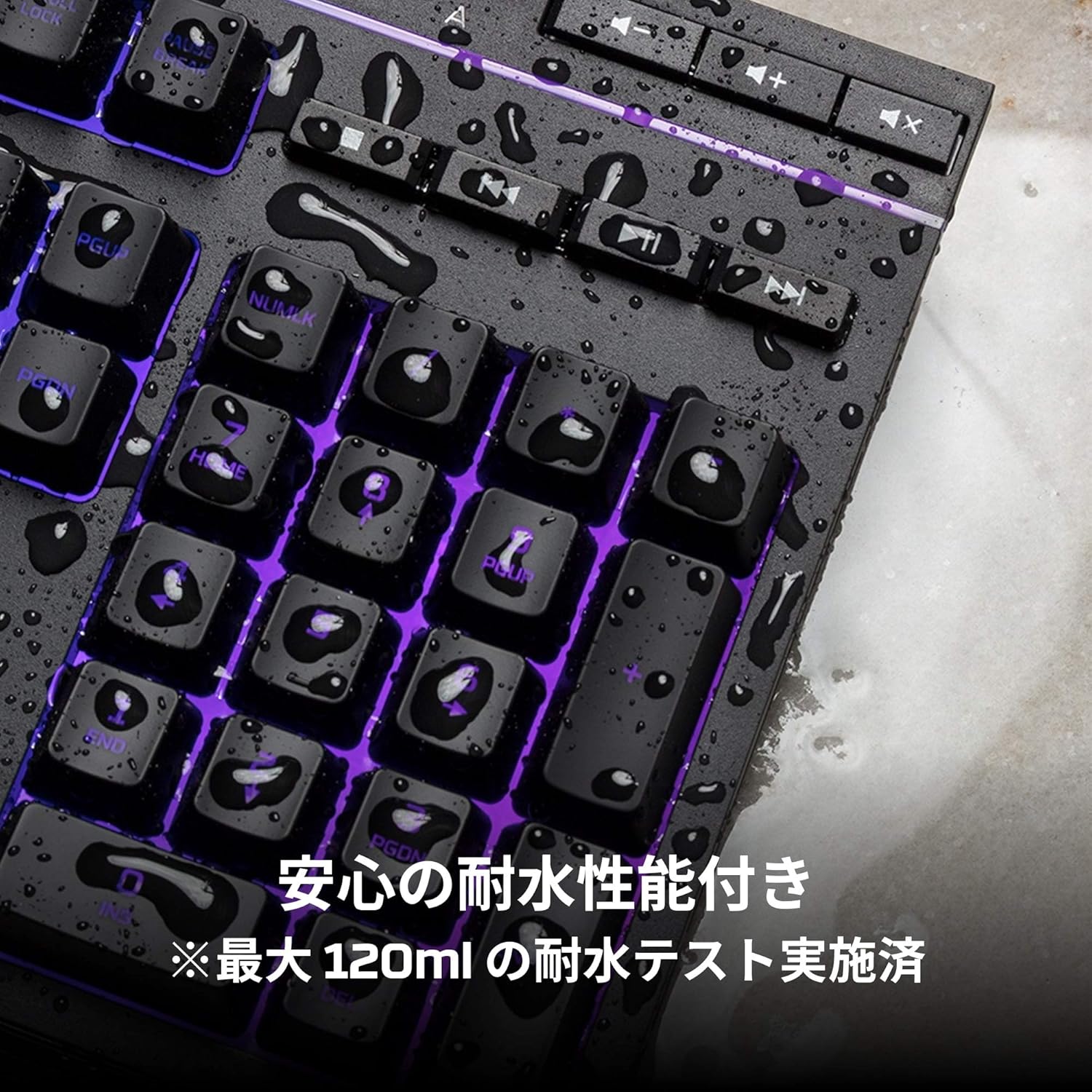
Image: Visual representation of various RGB lighting patterns and key combinations for controlling them.
Назорати ВАО
Dedicated media control buttons are located on the top right of the keyboard for easy access to audio functions.
- Баланд/Поёни овоз: Баландии системаро танзим кунед.
- Хомӯш кардан: Аудио хомӯш ё боз кунед.
- Бозӣ/Таваққуф: Бозии медиаро назорат кунед.
- Треки қаблӣ/ояндӣ: Skip to the previous or next media track.

Image: Close-up of the dedicated media control buttons on the top right of the keyboard.
Game Mode and Keyboard Lock
- Усули бозӣ: Press the game controller icon button to activate Game Mode, which disables the Windows key to prevent accidental interruptions during gameplay.
- Қулфи клавиатура: Press FN + F12 to enable keyboard lock mode, which temporarily disables all key inputs.
Нигоҳдорӣ
To ensure the longevity and optimal performance of your HyperX Alloy Core RGB keyboard, follow these maintenance guidelines:
- Тозакунӣ: Regularly clean the keyboard with a soft, dry cloth. For stubborn dirt, a slightly damp матоъро истифода бурдан мумкин аст, то боварӣ ҳосил кунед, ки моеъ ба тугмаҳои калидӣ ворид намешавад.
- Муқовимат ба рехтан: While the keyboard is spill-resistant (up to 120ml), it is not waterproof. In case of a spill, immediately disconnect the keyboard from your computer, wipe off any liquid, and allow it to air dry completely before reconnecting.
- Аз ҳолатҳои шадид канорагирӣ кунед: Клавиатураро дар зери таъсири ҳарорати аз ҳад зиёд, намӣ ё нури бевоситаи офтоб қарор надиҳед.

Image: The keyboard with water droplets on its surface, illustrating its spill-resistant feature.
Мушкилкушо
If you encounter issues with your HyperX Alloy Core RGB keyboard, refer to the following common solutions:
- Клавиатура ҷавоб намедиҳад:
- Боварӣ ҳосил кунед, ки сими USB ҳам ба клавиатура ва ҳам ба компютер боэътимод пайваст шудааст.
- Кӯшиш кунед, ки клавиатураро ба порти дигари USB дар компютери худ пайваст кунед.
- Компютери худро бозоғоз намоед.
- Check if Keyboard Lock Mode (FN + F12) is active.
- Равшании RGB кор намекунад:
- Ensure the brightness is not set to the lowest level using the brightness adjustment button.
- Cycle through different lighting modes using the lighting mode selection button.
- Verify that the keyboard is properly connected and receiving power.
- Keys Not Registering Correctly:
- Дар атрофи калидҳои зарардида тоза кунед, то ҳама гуна партовҳоро тоза кунед.
- Ensure your operating system is compatible (Windows 7/8/8.1/10).
- Game Mode Issues:
- Ensure Game Mode is properly activated by pressing the game controller icon button. The indicator light should be on.
If the issue persists after trying these steps, please contact HyperX customer support for further assistance.
Мушаххасоти
| Хусусият | Тафсилот |
|---|---|
| Бренд | HyperX |
| Рақами модел | HX-KB5ME2-JP |
| Пайвастшавӣ | USB-А |
| Навъи клавиатура | Клавиатураи бозикунии мембрана |
| Ранги равшании паси | RGB |
| Хусусиятҳои махсус | Backlit, Spill-Resistant |
| Андозаҳо (L x W x H) | 44.32 х 17.53 х 3.57 см |
| Вазн | 1.1 кг |
| OS мувофиқ | Windows 7/8/8.1/10 |
Кафолат ва дастгирӣ
The HyperX Alloy Core RGB Gaming Keyboard comes with a Кафолати 2 сол аз рӯзи харид. Лутфан далели хариди худро барои даъвоҳои кафолат нигоҳ доред.
For technical support, warranty inquiries, or additional information, please visit the official HyperX support webсайт ё шӯъбаи хидматрасонии муштариёни онҳо тамос гиред.
HyperX-и расмӣ Webсайт: www.hyperx.com


