1. Муқаддима
This manual provides essential information for the safe and effective operation, assembly, and maintenance of your Vive 3 Wheel Mobility Scooter. Designed for adults, this electric-powered device offers stable assistance for navigating smooth indoor and light outdoor surfaces, ensuring comfort and independence.
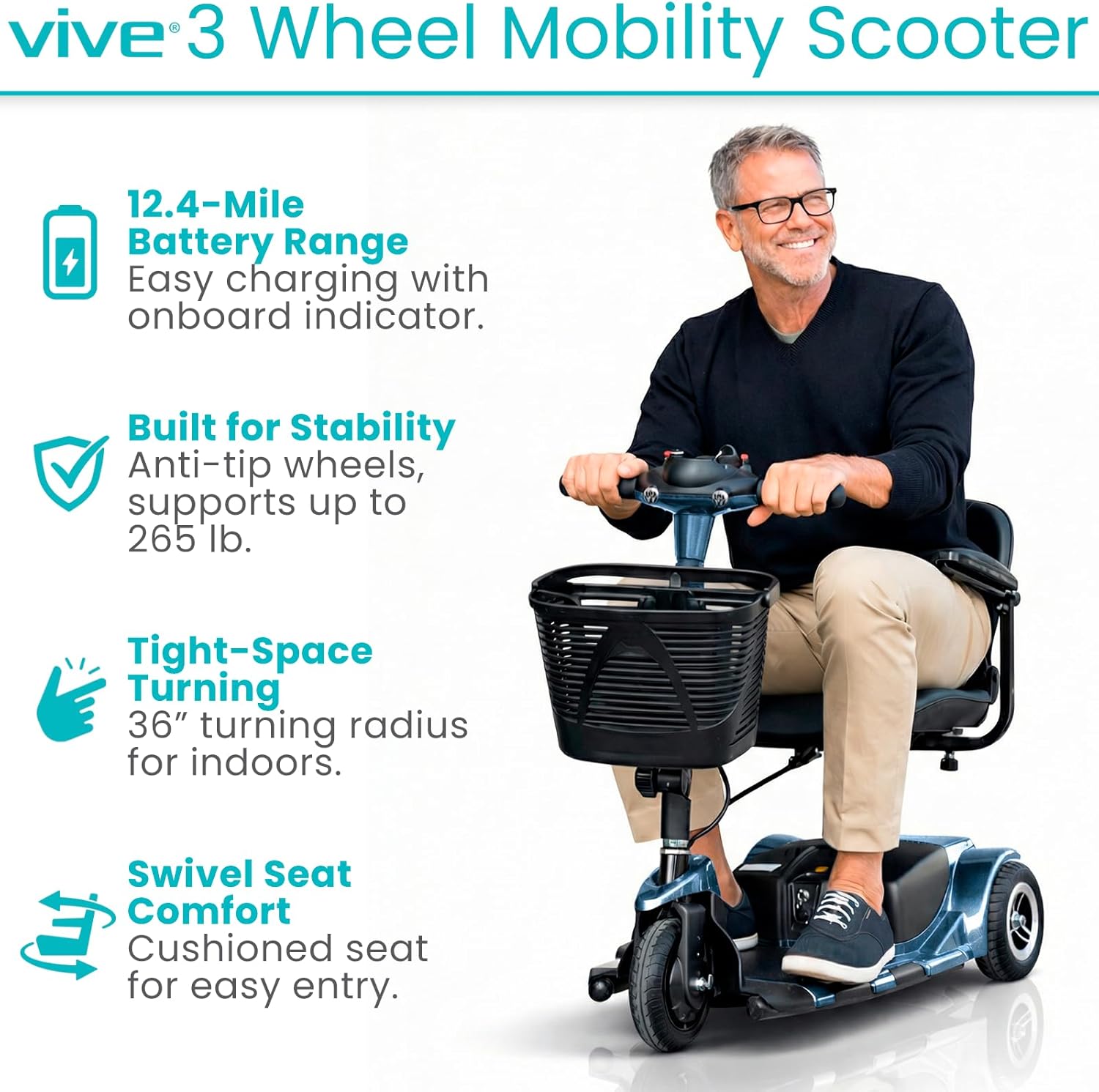
Image: A man riding the Vive 3 Wheel Mobility Scooter, showcasing its compact design and ease of use.
2. Маълумот оид ба бехатарӣ
Always prioritize safety when operating the mobility scooter. Adhere to the following guidelines:
- Иқтидори вазн: The scooter is designed to safely support up to 265 pounds. Do not exceed this limit.
- Релеф: Suitable for smooth indoor surfaces and light outdoor terrains such as concrete, pavement, and short grass. Avoid rugged terrain, very steep inclines, or uneven surfaces to prevent instability.
- Шинҳо: Equipped with flat-free, non-marking 8-inch tires for worry-free rides.
- Субот: Features anti-tip wheels for enhanced stability.
- Тормозкунӣ: The scooter is equipped with an automatic braking system. Ensure the drive lever is released to engage the brakes.
- Манёвр: Exercise caution when navigating tight spaces or around obstacles.

Тасвир: Муфассал view of the scooter's flat-free tires, suitable for different smooth terrains.
3. Мундариҷаи баста
Боварӣ ҳосил кунед, ки ҳамаи ҷузъҳо ҳангоми кушодани қуттӣ мавҷуданд:
- Vive 3 Wheel Mobility Scooter (main unit)
- Comfortably padded seat with flip-up armrests
- Front-mounted storage basket
- Батареяи васеъшуда
- Quick-connect battery charger
- Калиди оташгиранда
4. Монтаж ва насб
The Vive 3 Wheel Mobility Scooter is designed for quick and easy assembly and disassembly. It can be separated into four lightweight pieces for convenient transport and storage.
- Компонентҳоро кушоед: Ҳама қисмҳоро аз бастабандӣ бодиққат хориҷ кунед.
- Attach Rear Section: Connect the rear drive section to the main chassis.
- Батареяро насб кунед: Securely place the extended battery into its compartment.
- Ҷойгир кардани курсӣ: Mount the padded seat onto the seat post, ensuring it locks into place.
- Install Tiller: Raise and secure the folding tiller into the upright position.
- Сабадро замима кунед: Hook the front storage basket onto the tiller.

Image: The scooter disassembled into its main components, demonstrating its portability for vehicle transport.
For a visual guide on assembly, please refer to the "About the Vive 3 Wheel Mobility Scooter" video below.
Видео: Ба охир расидview of the Vive 3 Wheel Mobility Scooter, including assembly and key features.
5. Дастурҳои истифодабарӣ
5.1 Tiller Console Controls
The tiller console provides all necessary controls for operating your scooter:

Тасвир: Муфассал view of the scooter's control panel, showing the power switch, battery indicator, speed dial, horn, and headlight controls.
- Калид Калид: Insert the key and turn to the 'ON' position to power on the scooter.
- Нишондиҳандаи сатҳи батарея: Located at the top of the console, this color-coded display shows the current battery charge.
- Рақами тағирёбанда: Adjust the maximum speed of the scooter. Turn left for slower speeds, right for faster speeds (up to 3.7 mph).
- Drive Lever: Press the right side of the lever to move forward. Press the left side to engage reverse. Releasing the lever will activate the automatic brake.
- Калиди чароғҳои пешӣ: Activates the scooter's headlight.
- Тугмаи шох: Барои садо додани шох пахш кунед.
For a detailed demonstration of the control panel, watch the video below:
Video: A demonstration of the Vive 3 Wheel Mobility Scooter's control panel functions.
5.2 Ҷойгиршавӣ ва бароҳатӣ
The scooter features a comfortably padded 16.9-inch wide seat and backrest. The seat can be adjusted for height and swivels to facilitate easier entry and exit. Padded armrests can be adjusted and flipped upward for added convenience.

Image: A user demonstrating the adjustable and flip-up armrests, highlighting the comfortable padded seat.
5.3 Қобилияти ҳаракат
The 3-wheel design provides a tight 36-inch turning radius, allowing for easy navigation through doorways, hallways, and other narrow indoor and outdoor spaces.

Image: A woman demonstrating the scooter's maneuverability by navigating around cones, showcasing its tight turning radius.
6. Пуркунии батарея
The scooter is equipped with an extended battery providing a driving range of up to 12.4 miles per charge. The battery is removable, allowing for convenient off-board charging.
- Боварӣ ҳосил кунед, ки скутер хомӯш аст.
- Қисмати батареяро ҷойгир кунед ва батареяро хориҷ кунед.
- Connect the quick-connect charger to the battery and a standard power outlet.
- Allow the battery to charge fully. The battery indicator lights on the charger will indicate charging status.
- Once fully charged, disconnect the charger and re-install the battery into the scooter.

Image: The quick-connect charger and the scooter's battery, illustrating the charging process.
7. Disassembly for Transport
For easy transport and storage, the scooter quickly disassembles into four manageable pieces. The heaviest piece weighs approximately 29 pounds, making it suitable for lifting into standard vehicle trunks.
- Remove the front storage basket.
- Fold down the tiller.
- Ҷойро гиред.
- Separate the main chassis from the rear drive section.
Reverse these steps for reassembly.
8. Нигоҳдорӣ
Regular maintenance ensures optimal performance and longevity of your scooter:
- Тозакунӣ: Скутерро мунтазам бо таблиғ тоза кунедamp матоъ. Аз истифодаи кимиёвии сахт ё тозакунандаи абразив худдорӣ намоед.
- Нигоҳубини батарея: Keep the battery charged, especially during periods of non-use, to prolong its lifespan.
- Санҷиши шина: Periodically check tires for wear and tear. Although flat-free, excessive wear can affect performance.
- Пайвастшавӣ: Боварӣ ҳосил кунед, ки ҳама пайвастҳои барқӣ бехатар ва аз зангзанӣ холӣ мебошанд.
- Нигоҳдорӣ: Скутерро ҳангоми истифода нашудан дар ҷои хушк ва хунук нигоҳ доред.
9. Баррасии мушкилот
If your scooter experiences an issue, the battery indicator lights on the tiller console may blink in a specific sequence to indicate an error code. Refer to your user manual (physical copy) for a comprehensive list of error codes and their corresponding troubleshooting steps.
Масъалаҳои умумӣ:
- Скутер фаъол нест: Check if the key is fully inserted and turned to the 'ON' position. Ensure the battery is charged and properly connected. Verify the manual/drive mode lever is in the correct position (drive mode).
- Reduced speed or range: This may indicate a low battery charge. Charge the battery fully.
- Назорати беҷавоб: Ensure all connections are secure and the scooter is powered on.
10. Мушаххасоти
| Хусусият | Мушаххасоти |
|---|---|
| Андозаҳои маҳсулот | 38"D x 19.5"W x 33"H |
| Вазни ашё | 84 фунт |
| Иқтидори вазн | То 265 фунт |
| Суръати боло | 3.7 мил / соат |
| Майдони ронандагӣ | То 12.4 мил барои як заряд |
| Радиуси гардиш | 36 инч |
| Андозаи шина | 8 inches (flat-free, non-marking) |
| Heaviest Piece (Disassembled) | 29 фунт |
| Навъи батарея | Батареяи ғайристандартӣ (дохил карда шудааст) |
| Истеҳсолкунанда | Vive Health |

Image: The scooter's durable aluminum frame, designed for everyday reliability.
11. Кафолат ва дастгирӣ
The Vive 3 Wheel Mobility Scooter comes with a КАФОЛАТИ 5-СОЛА, reflecting our commitment to quality and customer satisfaction. For any questions, technical assistance, or warranty claims, please contact Vive Health Direct customer support.

Image: Highlighting the Vive Health 5-Year Guarantee, ensuring product reliability and customer confidence.


