1. Муқаддима
Ташаккур ба шумо барои харидasing the 2BOOM BX390 Bass King Wireless Bluetooth Boombox Stereo Speaker. This manual provides essential information for setting up, operating, and maintaining your speaker to ensure optimal performance and longevity. Please read this manual thoroughly before using the product.

Image 1.1: The 2BOOM BX390 Bass King Wireless Bluetooth Boombox Stereo Speaker.
This image shows the 2BOOM BX390 Bass King speaker in blue, featuring a cylindrical design with a handle/strap attached. The front panel displays the control interface and speaker grille.
2. Мундариҷаи баста
Лутфан бастаро барои ҷузъҳои зерин тафтиш кунед:
- 1 x 2BOOM BX390 Bass King Speaker
- 1 x 3.5 мм кабели ёрирасон
- 1 x кабели пуркунандаи USB
- 1 x Дастури корбар (ин ҳуҷҷат)
- 1 x Attachable Shoulder Strap

Image 2.1: The 2BOOM BX390 speaker shown with its detachable shoulder strap, 3.5mm Aux cable, and USB charging cable.
This image displays the blue 2BOOM BX390 speaker from an angled perspective, highlighting the included shoulder strap attached to its side rings. The USB charging cable and 3.5mm Aux cable are visible in the foreground.
3. Хусусиятҳои маҳсулот
- Powerful Bass Sound: Equipped with 4-inch subwoofers and vibrating disks for crisp, clear, loud sound, booming low tones, and dynamic sound effects.
- Пайвасти Bluetooth: Connects wirelessly to smartphones, tablets, and other Bluetooth-enabled devices up to 33 ft.
- Микрофони дарунсохт: Supports hands-free calls.
- Тарҳрезии устувор ва сайёр: Features a rugged, rubberized exterior and an attachable strap for easy carrying.
- Якчанд вариантҳои вуруд: Includes FM Radio, Aux-in Line, USB port, and SD Card slot.
- Панели идоракунии ҳамгирошуда: Direct control over volume, bass, and sound equalizer.

Image 3.1: The 2BOOM BX390 speaker with visual callouts for Deep Digital Bass, FM Radio, Long-Lasting Battery, and Straps Included.
This image shows the blue 2BOOM BX390 speaker from the front, with graphic overlays pointing out its key features: deep digital bass, FM radio capability, long-lasting battery, and the inclusion of straps for portability.
4. Назоратҳо ва портҳо
Familiarize yourself with the control panel and input ports of your BX390 speaker:

Image 4.1: Detailed diagram of the 2BOOM BX390 control panel and input ports.
Ин тасвир тасвири наздикро таъмин мекунад view of the speaker's front panel, clearly labeling each button, port, and indicator. Labels include USB, DC 5V (charging), AUX, Previous, Play/Pause, Next, Mode, EQ, SD card slot, LED display, Power ON/OFF switch, Volume controls, and Bass controls.
- Порти USB: Барои бозикунии диски USB.
- DC 5V (Charging Port): Connect the USB charging cable here to charge the speaker.
- Вуруди AUX: 3.5mm jack for connecting external audio devices via an Aux cable.
- Қаблӣ / Ҷилди -: Барои суруди қаблӣ кӯтоҳ пахш кунед; барои кам кардани баландии овоз тугмаи дароз пахш кунед.
- Бозӣ/Таваққуф: Press to play or pause audio. In FM mode, short press to auto-scan.
- Баъдӣ / Ҷилди +: Барои суруди навбатӣ кӯтоҳ пахш кунед; барои баланд бардоштани баландии овоз тугмаи дароз пахш кунед.
- Режим: Press to switch between Bluetooth, FM Radio, USB, SD Card, and AUX modes.
- EQ (эквалайзер): Press to cycle through different equalizer presets.
- Ковокии корти SD: Insert an SD card for audio playback.
- Намоиши LED: Ҳолати ҷорӣ, рақами трек ё басомади FM-ро нишон медиҳад.
- Калиди фаъол / хомӯш: Slide to turn the speaker on or off.
- Ҷилди +/-: Тугмаҳо барои зиёд ё кам кардани ҳаҷми умумӣ.
- Бас +/-: Buttons to increase or decrease the bass level.
5. Танзимот
5.1 Пур кардани баландгӯяк
Before first use, fully charge the speaker. Connect the supplied USB charging cable to the DC 5V port on the speaker and the other end to a USB power adapter (not included) or a computer's USB port. The LED display may indicate charging status.
- Вақти пуркунии барқ метавонад фарқ кунад.
- Disconnect the charger once fully charged to preserve battery life.
5.2 Фурӯзон/хомӯш кардан
Барои гардонидани баландгӯяк ON, slide the Power ON/OFF switch to the 'ON' position. You will hear an audible prompt, and the LED display will light up.
Барои гардонидани баландгӯяк ХОМӮШ, slide the Power ON/OFF switch to the 'OFF' position.
6. Дастурҳои истифодабарӣ
6.1 Ҳолати Bluetooth
The speaker automatically enters Bluetooth pairing mode when powered on if no other input source is connected, or after pressing the РЕЖИМ button until "Bluetooth" is indicated.
- Боварӣ ҳосил кунед, ки баландгӯяк фаъол аст.
- Дар дастгоҳи Bluetooth-и худ (смартфон, планшет ва ғайра) Bluetooth-ро фаъол созед ва дастгоҳҳои дастрасро ҷустуҷӯ кунед.
- Интихоб кунед "2BOOM BX390" or similar from the list.
- Once paired, the speaker will confirm with an audible prompt.
- Шумо ҳоло метавонед аудиоро аз дастгоҳи худ тавассути баландгӯяк бозӣ кунед.
Шарҳ: The speaker will automatically reconnect to the last paired device if it's within range and Bluetooth is enabled.
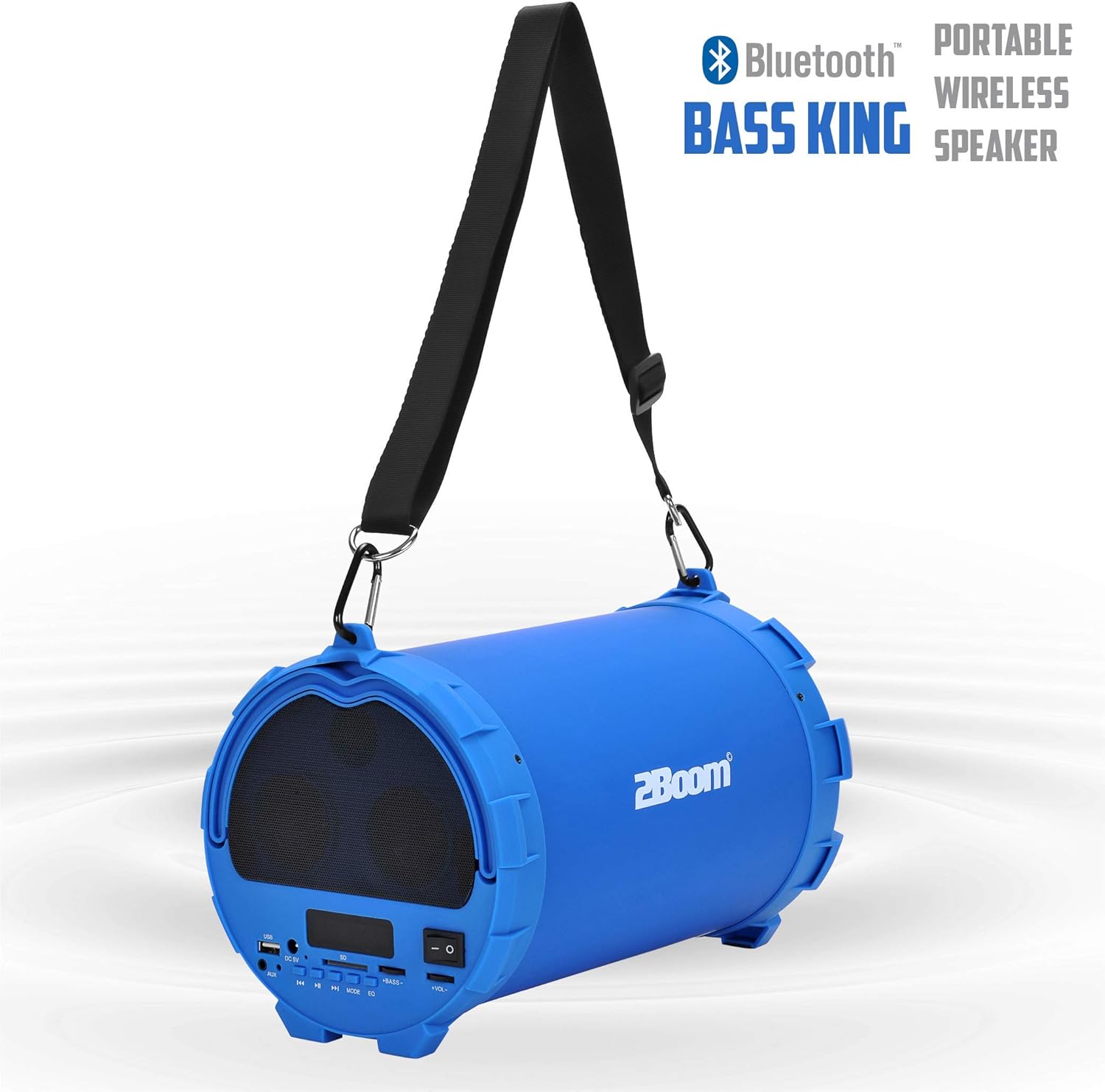
Image 6.1: The 2BOOM BX390 speaker highlighting its Bluetooth connectivity.
This image shows the blue 2BOOM BX390 speaker with a prominent "Bluetooth" logo and "PORTABLE WIRELESS BASS KING SPEAKER" text, emphasizing its wireless audio capabilities.
Ҳолати радиои 6.2 FM
To switch to FM Radio mode, press the РЕЖИМ button until "FM" or the radio frequency is displayed.
- In FM mode, short press the Бозӣ/Таваққуф тугмаро барои скан ва захира кардани худкори мавҷҳои FM-и мавҷуда пахш кунед. Баландгӯяк аз байни басомадҳо мегузарад ва онҳоро захира мекунад.
- -ро истифода баред Гузашта ва Баъдӣ тугмаҳо барои паймоиш дар байни истгоҳҳои захирашуда.
- For better reception, extend the antenna (if applicable, or reposition the speaker).
6.3 USB / SD Card Mode
The speaker supports audio playback from USB flash drives and SD cards.
- Диски флеши USB-ро ба Порти USB ё корти SD-ро ба Ковокии корти SD.
- The speaker will automatically switch to the corresponding mode (USB or SD) and begin playing audio fileс. Агар не, тугмаро пахш кунед РЕЖИМ тугма барои интихоб.
- -ро истифода баред Гузашта, Бозӣ/Таваққуф, ва Баъдӣ тугмаҳо барои назорати бозикунии.
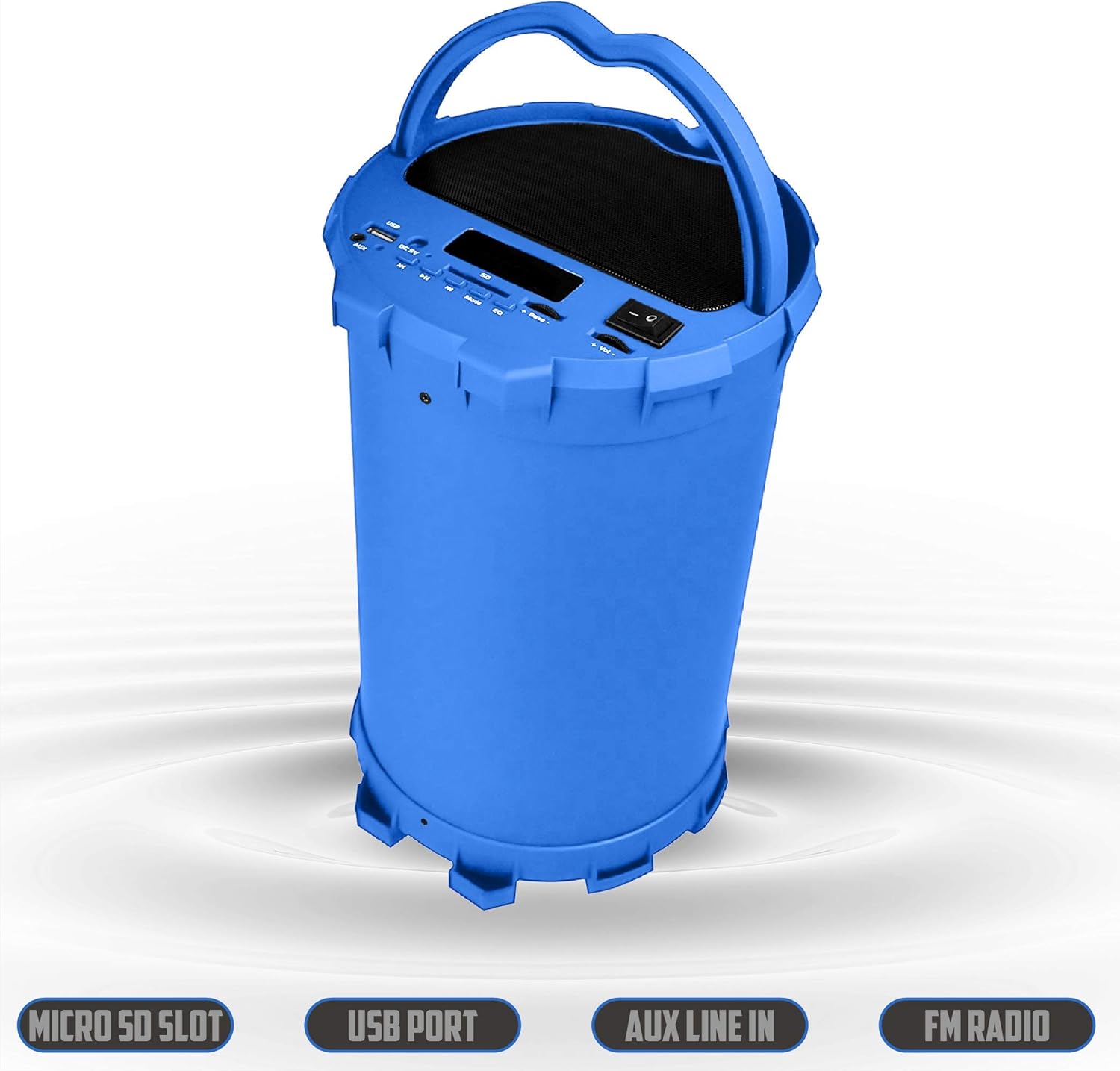
Image 6.2: The 2BOOM BX390 speaker shown upright, emphasizing the Micro SD Slot, USB Port, Aux Line In, and FM Radio capabilities.
This image displays the blue 2BOOM BX390 speaker in an upright position, with graphic overlays highlighting the Micro SD Slot, USB Port, Aux Line In, and FM Radio features on its control panel.
6.4 Реҷаи вуруди AUX
Connect external audio devices (e.g., MP3 players, computers) using the supplied 3.5mm Aux cable.
- Connect one end of the 3.5mm Aux cable to the Вуруди AUX порт дар баландгӯяк.
- Нуги дигарро ба васлаки баромади аудиоии дастгоҳи берунии худ пайваст кунед.
- The speaker will automatically switch to AUX mode. If not, press the РЕЖИМ тугма барои интихоб.
- Навозишро аз дастгоҳи берунии худ идора кунед.
6.5 Adjusting Volume, Bass, and Equalizer
- Ҳаҷм: -ро истифода баред Ҳаҷм +/- buttons (long press Previous/Next) to increase or decrease the overall volume.
- Бас: -ро истифода баред Басс +/- buttons to adjust the bass level to your preference.
- Эквалайзер (EQ): -ро пахш кунед EQ button to cycle through various preset equalizer modes (e.g., Pop, Rock, Jazz, Classical, Normal) to optimize sound for different music genres.
7. Нигоҳдорӣ
- Тозакунӣ: Барои тоза кардани берунии баландгӯяк матои мулоими хушкро истифода баред. Тозакунанда ё ҳалкунандаҳои абразивиро истифода набаред.
- Нигоҳдорӣ: Динамикро дар ҷои хунук ва хушк дур аз нури бевоситаи офтоб ва ҳарорати аз ҳад зиёд нигоҳ доред, вақте ки барои муддати тӯлонӣ истифода намешаванд.
- Нигоҳубини батарея: Барои дароз кардани мӯҳлати хизмати батарея, аз пурра холӣ кардани батарея зуд-зуд худдорӣ намоед. Баландгӯякро, ҳатто агар истифода набошанд, мунтазам пур кунед.
- Муқовимат ба об: Ин баландгӯяк обногузар нест. Аз таъсири об ё нами аз ҳад зиёд худдорӣ кунед.
8. Баррасии мушкилот
| Мушкилот | Сабаби эҳтимолӣ | Ҳалли |
|---|---|---|
| Не қудрат | Батарея кам ё мурдааст. | Charge the speaker fully using the supplied USB cable. |
| Садо нест | Садои баланд хеле паст аст; ҳолати нодуруст интихобшуда; дастгоҳ дуруст пайваст нашудааст. | Increase volume on speaker and connected device. Press РЕЖИМ to select correct input. Reconnect Bluetooth or Aux cable. |
| Пайвасткунии Bluetooth ноком шуд | Баландгӯяк дар ҳолати ҷуфткунӣ нест; дастгоҳ хеле дур; дахолат кардан. | Ensure speaker is in Bluetooth mode. Move device closer to speaker. Turn off other Bluetooth devices. Forget "2BOOM BX390" on your device and re-pair. |
| Қабули сусти FM | Weak signal; speaker position. | Баландгӯякро аз нав ҷойгир кунед. Боз як бори дигар сканкунии худкорро санҷед. |
| Корти USB/SD бозӣ намекунад | Дастгирнашаванда file форматкунӣ; корт/диск дуруст гузошта нашудааст; вайрон шудааст files. | Таъмин кунед files are in a supported format (e.g., MP3). Reinsert the USB drive/SD card. Try a different drive/card. |
9. Мушаххасоти
| Хусусият | Тафсилот |
|---|---|
| Бренд | 2BOOM |
| Модели | BX390 Bass King |
| Технологияи пайвастшавӣ | Ёрӣ, Bluetooth, USB |
| Навъи баландгӯяк | Стерео |
| Дастгоҳҳои мувофиқ | Ноутбук, смартфон, планшет |
| Сабвуферҳо | 4-inch (Quantity not specified, but implied by "subwoofers" and "dual subwoofers" in image) |
| Диапазони Bluetooth | То 33 фут (10 метр) |
| Портҳои воридотӣ | USB, SD Card, 3.5mm AUX |
| Радио | Радиои FM |
10. Кафолат ва дастгирӣ
The 2BOOM BX390 Bass King speaker comes with an UNLIMITED 2BOOM WARRANTY.
For warranty claims or technical support, please contact 2BOOM customer service. Refer to the product packaging or 2BOOM's official webсайт барои маълумоти тамос.
Лутфан далели хариди худро бо мақсади кафолат нигоҳ доред.


