
1. Муқаддима
This user manual provides detailed instructions for the installation, configuration, and operation of your Jennov 5.0MP PTZ Outdoor WiFi Security Camera. Please read this manual thoroughly before using the product to ensure proper functionality and safety. Keep this manual for future reference.
Хусусиятҳои маҳсулотview:
- 5.0 Megapixel Resolution: Delivers clear and detailed video footage.
- 5X зуми оптикӣ: Allows for detailed magnification of distant objects without loss of clarity.
- Pan/Tilt/Zoom (PTZ) Functionality: Offers a 355° horizontal rotation and 100° vertical tilt for comprehensive area coverage.
- Аудио дутарафа: Микрофон ва баландгӯяки дарунсохт имкон медиҳанд, ки муоширати воқеӣ сурат гирад.
- Мукаммали биниши шабона: Equipped with infrared LEDs for clear monitoring up to 65ft in low-light conditions.
- Муайянкунии ҳаракат ва огоҳиҳо: Configurable motion detection zones and sensitivity with push notifications and email alerts.
- Рейтинги IP66 барои обу ҳаво: Металли устувор вasing designed to withstand various outdoor weather conditions.
- Корти SD 64 ГБ дохил карда шудааст: Provides local storage for continuous 24/7 recording.
- Дастрасии дурдаст: Monitor and control the camera from your smartphone, tablet, or PC.
2. Мундариҷаи баста
Боварӣ ҳосил кунед, ки ҳамаи ашёҳои дар зер номбаршуда дар бастаи шумо мавҷуданд. Агар ягон ашё гум шуда ё вайрон шуда бошад, лутфан бо хадамоти дастгирии муштариён тамос гиред.
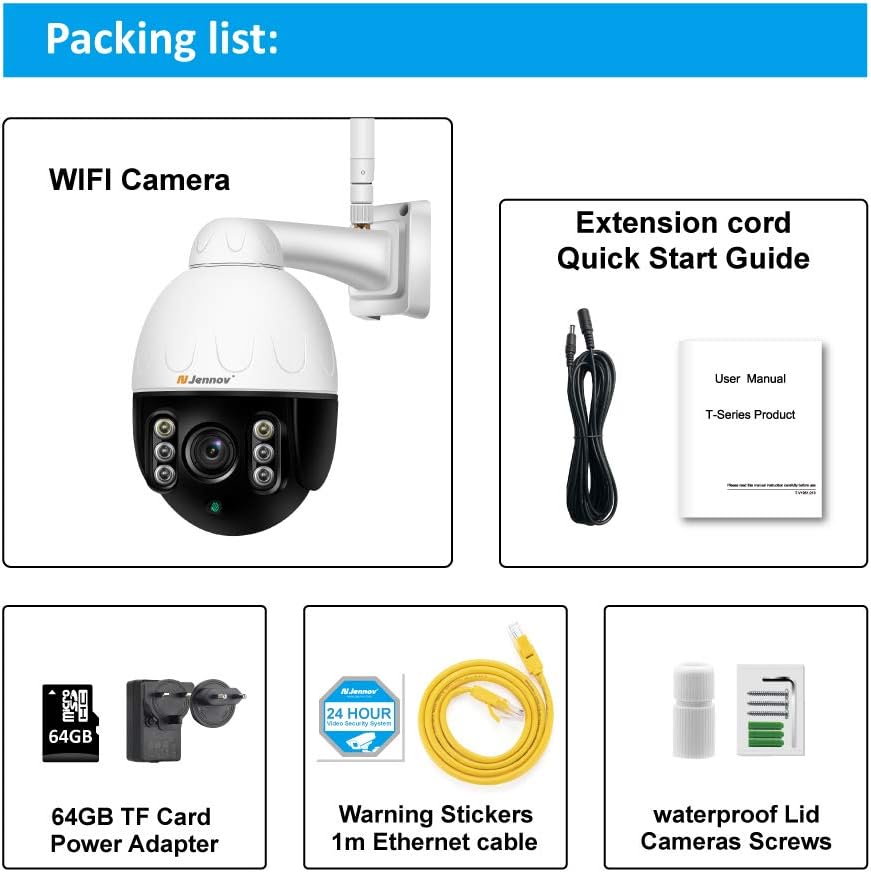
Image: Visual representation of the Jennov PTZ Camera and its included accessories.
- Jennov 5.0MP PTZ WiFi Camera (1 unit)
- 12V1A Power Adapter (1 unit)
- 3.3ft Ethernet Cable (1 unit)
- Винтҳои васлкунӣ (маҷмӯа)
- Waterproof Cap for Ethernet connection (1 unit)
- Warning Label (1 unit)
- Корти Micro SD 64 ГБ (қаблан насбшуда)
- Дастури оғози зуд / Дастури корбар
3. Дастурамал оид ба насб
3.1 Насби ҷисмонӣ
- Ҷойгирро интихоб кунед: Select a suitable outdoor location for mounting the camera. Ensure it has a clear line of sight to the area you wish to monitor and is within range of your 2.4GHz Wi-Fi network. The camera is designed for wall or ceiling mounting.
- Камераро насб кунед: Use the provided mounting screws to securely attach the camera bracket to the chosen surface. Ensure the camera is positioned correctly for optimal viewкунҷи дохилӣ.
- Пайваст кардани барқ: Connect the 12V1A power adapter to the camera's power input and plug it into a power outlet.
- Пайвасти Ethernet (ихтиёрӣ): For a more stable connection, you can use the provided Ethernet cable to connect the camera directly to your router. Use the waterproof cap to protect the Ethernet port if installed outdoors.
3.2 Насб ва танзимоти ибтидоии барнома
- Барномаро зеркашӣ кунед: Ҷустуҷӯ the recommended camera application (e.g., 'HiCam' or similar as per quick start guide) on your smartphone's app store (iOS or Android) and install it.
- Ҳисобро ба қайд гиред: Барномаро кушоед ва дастурҳои дар экран бударо барои сабти номи ҳисоби нави корбар иҷро кунед.
- Илова кардани камера: Power on the camera. In the app, select 'Add Device' or '+' icon. Follow the prompts to connect the camera to your home 2.4GHz Wi-Fi network. Ensure your phone is also connected to the 2.4GHz network during setup.
- Танзимотро танзим кунед: Once connected, you can rename the camera, set a password, and adjust initial video settings.
4. Дастурҳои истифодабарӣ
4.1 Зиндагӣ View ва назорати PTZ
Access the live video feed through the mobile app or PC client.

Image: A smartphone screen displaying the camera's live feed with pan and tilt controls, indicating 355° horizontal and 100° vertical rotation.
- Панҷ/тағйиш: Use the directional controls within the app to rotate the camera horizontally (355°) and vertically (100°) to adjust the viewкунҷи дохилӣ.
- Масштаби оптикӣ: Utilize the zoom controls (often a pinch-to-zoom gesture or dedicated buttons) to activate the 5X optical zoom for closer inspection of details.
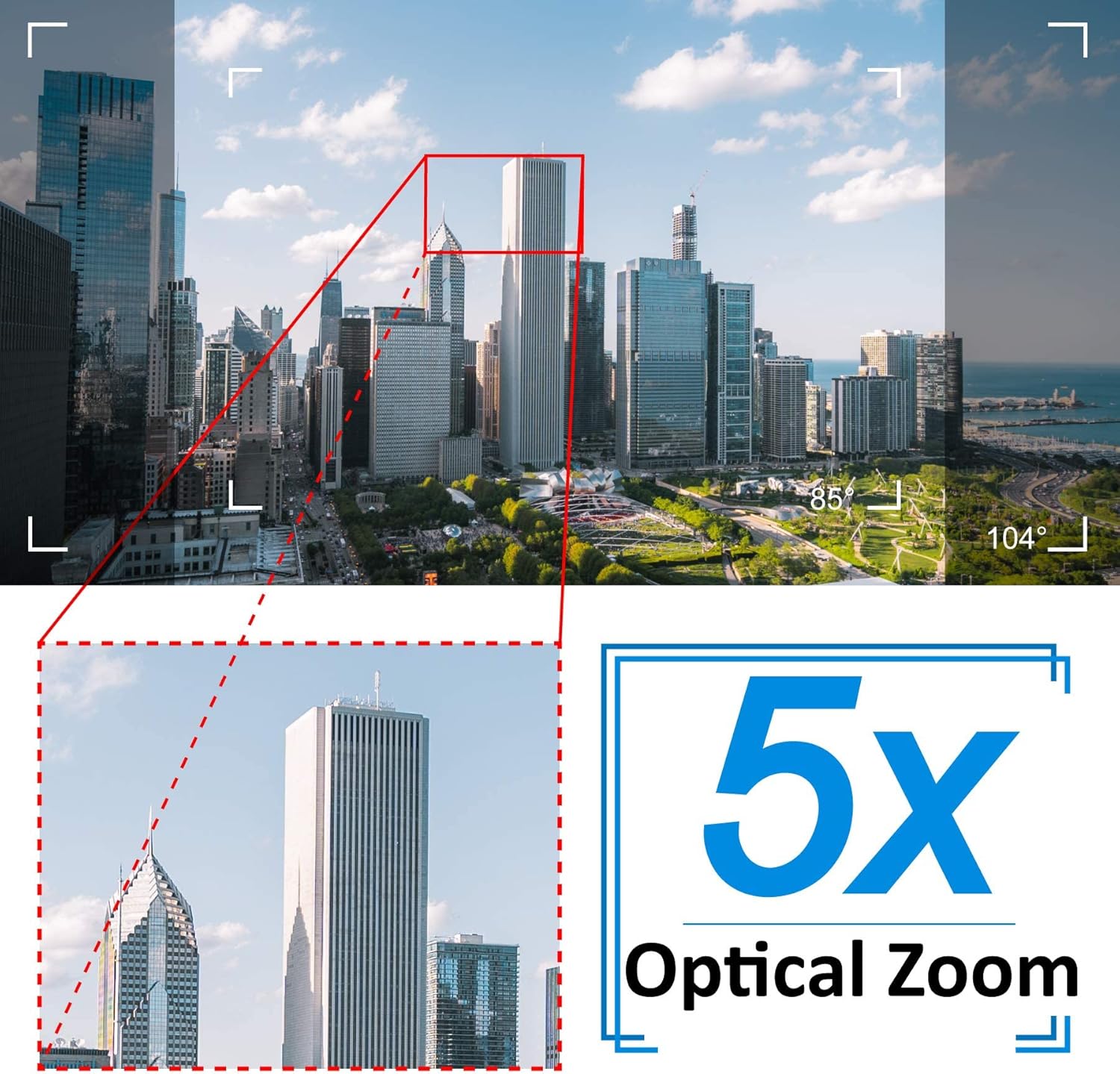
Image: A cityscape view demonstrating the 5X optical zoom feature, highlighting the ability to magnify distant objects clearly.
4.2 Аудио дуҷониба
The camera supports two-way audio communication.

Image: A person interacting with the camera's two-way audio feature via a smartphone, showing speech bubbles for communication.
- Гӯш кунед: Tap the speaker icon in the app to hear audio from the camera's location.
- Гап кунед: Press and hold the microphone icon to speak through the camera's speaker. Release to stop speaking.
4.3 Намоиши шабона
Камера ба таври худкор ба ҳолати биниши шабона мегузарад.

Image: A comparison showing a daytime view of a house and its clear night vision equivalent captured by the 5MP 1920P camera.
- The integrated IR-Cut filter and infrared LEDs provide clear black-and-white video up to 65ft (20 meters) in complete darkness.
4.4 Муайянкунии ҳаракат ва огоҳиҳо
Configure motion detection settings to receive alerts for suspicious activity.

Image: A visual representation of the camera's human detection, email alert, and app notification features, with highlighted detection zones.
- Set Detection Zone: In the app settings, define specific areas within the camera's view барои муайян кардани ҳаракат.
- Ҳассосиятро танзим кунед: Modify the motion detection sensitivity to minimize false alarms.
- Configure Alerts: Enable push notifications to your smartphone and/or email alerts with snapshots when motion is detected.
4.5 Сабт ва нигоҳдорӣ
The camera comes with a pre-installed 64GB SD card for local storage.
- Сабти пайваста: The camera supports 24/7 continuous recording to the SD card.
- Сабти давр: When the SD card is full, new recordings will automatically overwrite the oldest footage.
- Бозӣ: Дастрасӣ ба foo сабтшудаtagд тавассути функсияи бозикунии барнома.
5. Нигоҳдорӣ
Нигоҳубини мунтазам кори беҳтарин ва мӯҳлати кори камераи амниятии шуморо таъмин мекунад.

Image: The Jennov PTZ camera shown outdoors in various weather conditions (rain, snow, sun, wind), emphasizing its IP66 weatherproof rating.
- Тозакунӣ: Линзаи камераро мунтазам бо матои нарм тоза кунед,amp cloth to remove dust, dirt, or water spots that may affect image quality. Do not use harsh chemicals.
- Пайвастҳоро тафтиш кунед: Regularly inspect power and Ethernet cable connections for any signs of wear or damage. Ensure waterproof caps are securely in place.
- Навсозии нармафзор: Check the app regularly for available firmware updates. Keeping the camera's firmware updated can improve performance and security.
- Ҳифзи муҳити зист: While the camera is IP66 weatherproof, extreme conditions (e.g., direct lightning strikes, prolonged submersion) should be avoided.
6. Баррасии мушкилот
Агар шумо бо камераи худ бо мушкилот рӯ ба рӯ шавед, ба мушкилоти умумӣ ва роҳҳои ҳалли зерин муроҷиат кунед.
| Мушкилот | Сабаби эҳтимолӣ | Ҳалли |
|---|---|---|
| Камера ба Wi-Fi пайваст намешавад. | Incorrect Wi-Fi password; Camera too far from router; Only supports 2.4GHz Wi-Fi. | Verify password. Move camera closer to router. Ensure your router is broadcasting a 2.4GHz network and your phone is connected to it during setup. |
| No image or black screen in live view. | Power issue; Network disconnection; Camera malfunction. | Check power connection. Verify Wi-Fi/Ethernet connection. Restart camera and router. |
| Night vision is unclear. | Dirty lens; Obstruction; Insufficient IR illumination. | Clean the camera lens. Ensure no objects are blocking the IR LEDs. |
| Motion detection alerts are too frequent or not triggered. | Sensitivity too high/low; Detection zone not configured correctly. | Adjust motion detection sensitivity in the app. Redefine the detection zone to focus on critical areas. |
| Аудио дутарафа кор намекунад. | Microphone/speaker muted; App permissions; Network latency. | Check mute settings in the app. Ensure the app has microphone permissions on your phone. Verify stable network connection. |
7. Мушаххасоти
Detailed technical specifications for the Jennov 5.0MP PTZ Outdoor WiFi Security Camera.
| Хусусият | Мушаххасоти |
|---|---|
| Рақами модел | JE-P22HT55-5X-FAS-64-UK |
| Ҳалли самараноки видео | 5 MP (1920p) |
| Масштаби оптикӣ | 5X (2.7-13.5mm autofocus lens) |
| Кунҷи Панҷ/Тилт | Уфуқӣ: 355 °, амудӣ: 100 ° |
| Технологияи бесим | Wi-Fi (танҳо 2.4 ГГц) |
| Диапазони биниши шабона | Up to 65ft (20 meters) with Infrared LED |
| Рейтинги тобовар | IP66 |
| Нигоҳдорӣ | Корти Micro SD 64 ГБ (қаблан насбшуда) |
| Таъмини нерӯ | 12V1A DC (24 Watts) |
| Материал | Металл Сasing |
| Андозаҳо (L x W x H) | 21.5 х 19.5 х 11.5 см |
| Вазн | 1.2 килограмм |
| Дастгоҳҳои мувофиқ | Android/iOS Smartphones, Tablets, PCs |
| Навъи насб | Монтажи девор, васлкунии шифт |
8. Кафолат ва дастгирӣ
For warranty information and technical support, please refer to the official Jennov website or contact their customer service directly. Details regarding warranty periods and support channels are typically provided with your purchase documentation or on the manufacturer's product page.
Лутфан далели хариди худро барои ҳама даъвоҳои кафолат нигоҳ доред.


