1. Муқаддима
1.1 Маҳсулот ба охир расидview
This manual provides comprehensive instructions for the installation, operation, and maintenance of your KMC 55 Inch LED Standard TV, Model K16M55260. This television features a 55-inch Full HD LED display with a resolution of 1920x1080, offering a clear and vibrant viewing experience. It includes various input options such as USB, Component, AV, and PC/VGA for versatile connectivity.
1.2 Маълумот дар бораи бехатарӣ
Лутфан пеш аз истифода бурдани ин маҳсулот барои пешгирӣ кардани осеб ё осеб, ҳама огоҳиҳо ва дастурҳои бехатариро бодиққат хонед. Ин дастурро барои истинод дар оянда нигоҳ доред.
- Телевизорро зери борон ё намӣ нагузоред.
- Сӯрохиҳои вентилятсияро манъ накунед.
- Таъмини таъмини қувваи барқ voltage.
- Аз ҷойгир кардани телевизор дар сатҳи ноустувор худдорӣ намоед.
- Ҳангоми тӯфони барқӣ ё дар муддати тӯлонӣ истифода нашудани телевизорро аз барқ ҷудо кунед.
- Ҳама хидматрасониро ба кормандони соҳибихтисос муроҷиат кунед.
2. Танзимот
2.1 Кушодани баста
Телевизор ва тамоми замимаҳоеро, ки аз бастабандӣ боэҳтиёт хориҷ кунед. Маводи бастабандиро барои интиқол ё нигоҳдории оянда нигоҳ доред.
- KMC 55 Inch LED Standard TV
- Назорати дурдаст
- Батареяҳо барои идоракунии дурдаст
- Компонентҳои стенди телевизионӣ
- Дастури корбар (ин ҳуҷҷат)
2.2 Маҷмаи стенд
To assemble the table stand, align the stand components with the designated slots at the bottom of the TV. Secure them using the provided screws. Ensure the stand is firmly attached before placing the TV on a flat, stable surface.
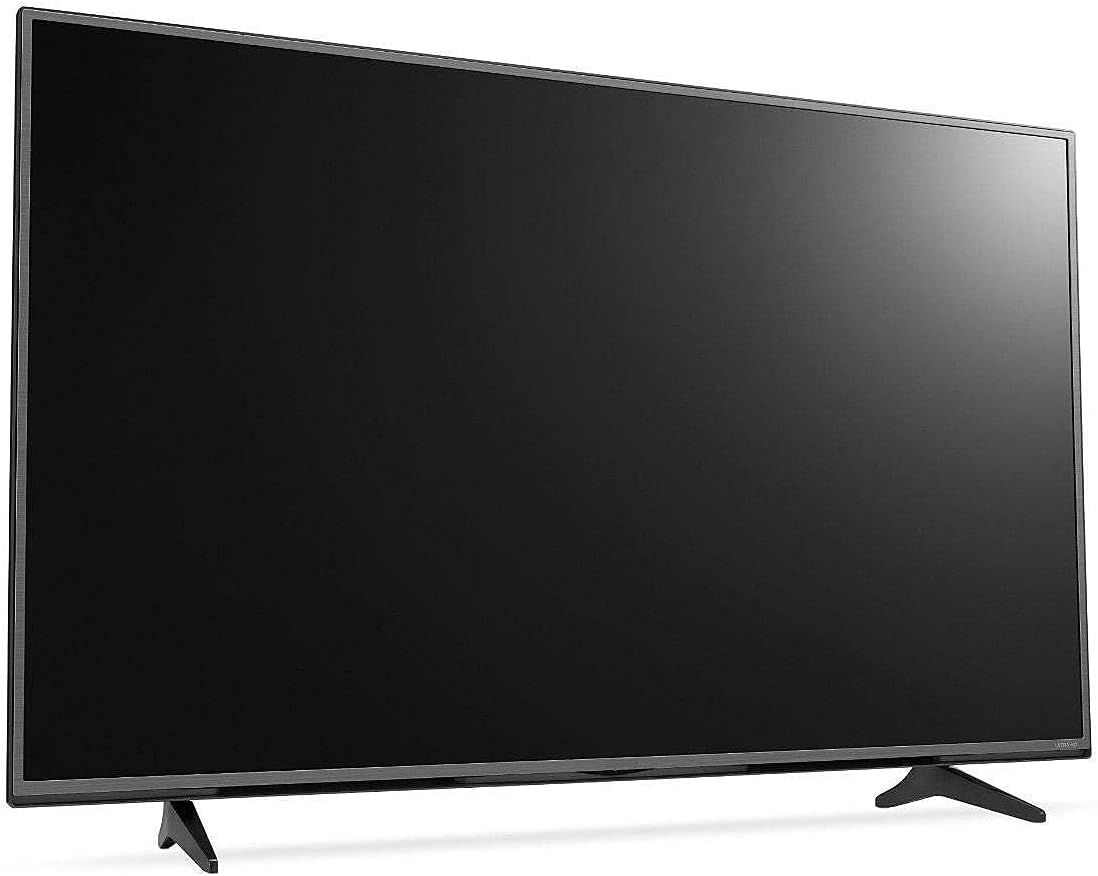
Расми 2.1: Пеш view of the KMC 55 Inch LED Standard TV with its table stand assembled. The screen is black, and the slim bezels are visible.
2.3 Пайвастшавӣ
Connect your external devices to the appropriate ports on the rear of the TV. The KMC K16M55260 supports USB, Component, AV, and PC/VGA inputs.
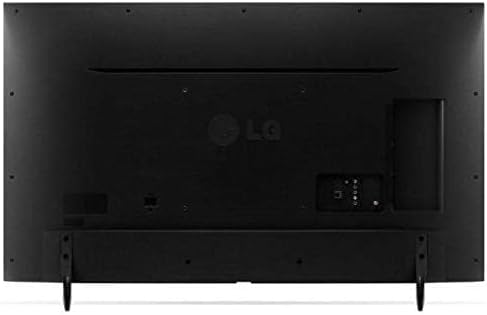
Расми 2.2: Қафо view of the KMC 55 Inch LED Standard TV, displaying the various input ports including USB, Component, AV, and PC/VGA connections.
- Пайвасти барқ: Сими барқро ба телевизор ва сипас ба васлаки деворӣ пайваст кунед.
- Вуруди USB: Барои пайваст кардани дастгоҳҳои нигаҳдории USB барои навозиш медиа.
- Component Input: For high-quality analog video and audio connections.
- Вуруди AV: For standard definition video and stereo audio connections.
- PC/VGA Input: Барои пайваст кардани компютер ё ноутбук.
3. Амалиёт
3.1 Амалиёти асосӣ
After connecting the TV to power, press the Power button on the remote control or on the TV itself to turn it on. The initial setup wizard may guide you through language selection and channel scanning.
3.2 Идоракунии дурдаст
The included remote control allows you to access all TV functions. Insert the provided batteries into the remote control, ensuring correct polarity.
- Тугмаи барқ: Телевизорро фурӯзон ё хомӯш мекунад.
- Вуруд/Манбаъ: Selects the input source (HDMI, AV, USB, etc.).
- Баланд/Поёни овоз: Сатҳи садоро танзим мекунад.
- Канал боло/поён: Шабакаҳои телевизиониро иваз мекунад.
- Меню: Менюи асосиро барои танзимоти танзимот мекушояд.
- Тугмаҳои паймоиш (боло/поён/чап/рост): Ба воситаи имконоти меню паймоиш мекунад.
- Хуб/Ворид: Интихобҳоро тасдиқ мекунад.
- Баромад/Бозгашт: Returns to the previous screen or exits the menu.
3.3 Навигатсияи меню
-ро пахш кунед Меню button on the remote control to access the TV's settings. Use the navigation buttons to move between categories such as Picture, Sound, Channel, Time, and Setup. Press OK to enter a sub-menu or confirm a setting. Press Баромадгоҳ барои пӯшидани меню.
4. Нигоҳдорӣ
4.1 Тозакунӣ
To clean the TV screen, gently wipe it with a soft, lint-free cloth. For stubborn marks, slightly dampen the cloth with water or a specialized screen cleaner. Do not spray cleaner directly onto the screen. For the TV casing, матои мулоими хушкро истифода баред.
- Пеш аз тоза кардан ҳамеша телевизорро аз розетка ҷудо кунед.
- Истифодаи тозакунакҳои абразивӣ ё ҳалкунандаҳоро худдорӣ кунед.
- Do not apply excessive pressure to the screen.
4.2 Нигоҳдорӣ
If you need to store the TV for an extended period, ensure it is unplugged and stored in a cool, dry place, away from direct sunlight and extreme temperatures. It is recommended to use the original packaging for protection during storage or transport.
5. Баррасии мушкилот
This section provides solutions to common issues you might encounter with your KMC TV. If the problem persists, please contact customer support.
| Мушкилот | Сабаби эҳтимолӣ | Ҳалли |
|---|---|---|
| Не қудрат | Сими барқ пайваст нашудааст; Васлаки барқ кор намекунад. | Боварӣ ҳосил кунед, ки сими барқ ба таври бехатар пайваст карда шудааст; Санҷиши розетка бо дастгоҳи дигар. |
| Тасвир нест, аммо садо мавҷуд аст | Incorrect input source selected; Backlight issue. | -ро пахш кунед Вуруд/Манбаъ button to select the correct input; Contact support if backlight is suspected. |
| Садо нест, аммо тасвир мавҷуд аст | Volume is muted or too low; Audio cables not connected properly. | Unmute volume or increase level; Check audio cable connections. |
| Правленияи дурдаст кор намекунад | Батареяҳо мурдаанд ё нодуруст гузошта шудаанд; Монеа байни дурдаст ва телевизион. | Батареяҳоро иваз кунед; Боварӣ ҳосил кунед, ки сенсори инфрасурхи телевизор ба таври равшан намоён аст. |
6. Мушаххасоти
Technical specifications for the KMC 55 Inch LED Standard TV, Model K16M55260.
- Бренд: КМ
- Рақами модел: К16М55260
- Андозаи экран: 55 инч (140 см диагонали намоён)
- Технологияи намоиш: НН - НУРНИШОН
- Қарор: 1920x1080 (Full HD, 1080p)
- Ранги: Сиёҳ
- Хусусиятҳои махсус: Намоиши ҳамвор
- Технологияи пайвастшавӣ: USB, VGA, Component, AV
- Компонентҳои дохилшуда: TV, Remote Control, Batteries, Stand
- Навъи васлкунӣ: Монтажи миз
- Андозаҳои баста: 129 х 77 х 13 см
- Вазни баста: 16 кг
7. Кафолат ва дастгирӣ
For warranty information or technical support, please contact KMC customer service. Details regarding warranty coverage and service procedures are typically provided with your purchase documentation or can be found on the official KMC webсайт.
When contacting support, please have your TV's model number (K16M55260) and serial number ready.


