Муқаддима
This manual provides instructions for the ALLIMITY N2QAYB000925 Replacement Remote Control. This infrared (IR) remote is designed to function as a direct replacement for various Panasonic 3D Smart LED LCD TV models, offering immediate usability without requiring any programming.
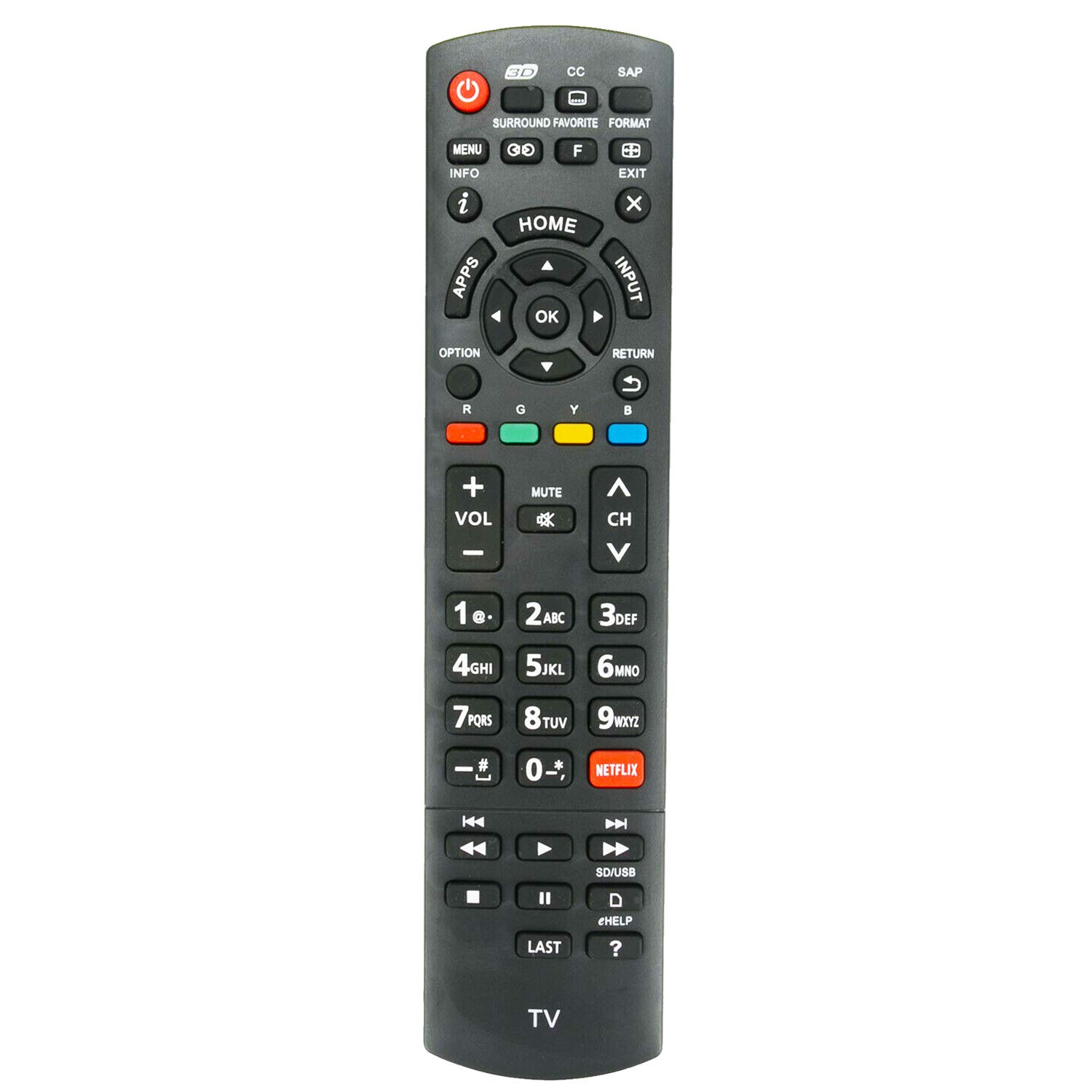
Image: The ALLIMITY N2QAYB000925 Replacement Remote Control, showing its full button layout.
Ташкил кардан
The ALLIMITY N2QAYB000925 remote control operates using two AAA batteries. No programming is required; simply insert new batteries for immediate use.
Насби батарея
- Қисмати батареяро дар қафои идоракунии дурдаст ҷойгир кунед.
- Slide the battery compartment cover downwards or press the latch to open it.
- Ду батареяи нави AAA-ро гузоред, ки терминалҳои мусбат (+) ва манфии (-) бо аломатҳои дохили қисм дуруст мувофиқат мекунанд.
- Сарпӯши қисмати батареяро ба ҷои худ гузоред ва боварӣ ҳосил кунед, ки он ба таври мӯътадил дар ҷои худ клик мекунад.

Image: The remote control with its battery compartment open, illustrating where to insert AAA batteries.
Дастурҳои амалиётӣ
To operate the remote control, point it directly towards the infrared sensor on your Panasonic TV. Ensure there are no obstacles between the remote control and the TV sensor for optimal performance.
Функсияҳои асосӣ
- Тугмаи барқ: Телевизорро фурӯзон ё хомӯш мекунад.
- Тугмаи вуруд: Selects the input source (e.g., HDMI 1, AV).
- Баланд/Поёни овоз: Овози телевизионро танзим мекунад.
- Канал боло/поён: Шабакаҳои телевизиониро иваз мекунад.
- Тугмаи хомӯш: Овози телевизионро хомӯш мекунад.
- Тугмаи хонагӣ: Accesses the TV's main menu or smart features.
- Панели навигатсионӣ (боло/поён/чап/рост/OK): Аз менюҳо паймоиш мекунад ва интихобҳоро тасдиқ мекунад.
- Бозгашт / Хуруҷ: Ба экрани қаблӣ бармегардад ё аз меню мебарояд.
- Тугмаи Netflix: Дастрасии мустақимро ба барномаи Netflix таъмин мекунад.
- Тугмаҳои рақамӣ (0-9): Рақамҳои каналро мустақиман ворид мекунад.
- Тугмаҳои ранг (сурх, сабз, зард, кабуд): Used for specific functions within certain TV menus or applications.
Нигоҳдорӣ
Proper care ensures the longevity and reliable operation of your remote control.
- Тозакунӣ: Wipe the remote control with a soft, dry cloth. Avoid using liquid cleaners or abrasive materials.
- Иваз кардани батарея: Replace batteries when the remote's response becomes sluggish or stops working. Always replace both batteries at the same time with new ones.
- Нигоҳдорӣ: Дастгоҳро дар ҷои хушк, дур аз нури бевоситаи офтоб ва ҳарорати аз ҳад зиёд нигоҳ доред.
Мушкилкушо
If you experience issues with your remote control, refer to the following common solutions:
- Ҷавоб намедиҳад:
- Ensure batteries are correctly installed and are not depleted. Replace with new AAA batteries if necessary.
- Verify that there are no obstructions between the remote control and the TV's infrared sensor.
- Confirm the remote is pointed directly at the TV's sensor.
- Диапазони маҳдуд:
- Боварӣ ҳосил кунед, ки батареяҳо нав ҳастанд.
- Масофаи байни пульти дурдаст ва телевизорро кам кунед.
If problems persist after attempting these steps, please contact the manufacturer for further assistance.
Моделҳои телевизиони мувофиқ
This replacement remote control is compatible with the following Panasonic 3D Smart LED LCD TV models:
- TC-55AS650U
- TC-60AS650U
- TC-60AS640U
- TC-55AS680U
- TC-65AX900U
- TC-50AS660C
- TC-55AS660C
- TC-60AS660C
- TC-50AS650UE
This list includes both hyphenated and non-hyphenated versions of the model numbers for comprehensive compatibility.
Мушаххасоти
| Рақами модел | N2QAYB000925 (AMT-N2QAYB000925) |
| Бренд | АЛЛОМИ |
| Технологияи пайвастшавӣ | Инфрасурх (IR) |
| Дастгоҳҳои мувофиқ | Телевизион |
| Манбаи нерӯ | 2 x батареяҳои AAA (дохил карда намешаванд) |
| Андозаҳои маҳсулот | 7 x 2 x 0.7 дюйм (тақрибан) |
| Вазни ашё | 2.82 унсия (тақрибан) |
Дастгирӣ
For any inquiries or if you cannot find your specific TV model listed, please contact the manufacturer, ALLIMITY inc, for assistance. They can help verify compatibility or provide further support.
