1. Муқаддима
The FreedConn TCOM-SC is a Bluetooth communication system designed for motorcycle helmets. It allows for wireless communication, music streaming, FM radio, and GPS voice instructions, enhancing safety and convenience during rides. This manual provides detailed instructions for installation, operation, and maintenance of your TCOM-SC unit.
2. Хусусиятҳои маҳсулот
- Пайвастшавӣ ба Bluetooth 3.0: For stable wireless connections.
- Функсияи интерком: Supports pairing of up to 3 riders, with 2 riders communicating simultaneously over a range of up to 800 meters.
- Намоиши LCD: Provides clear visual information on status, battery, and FM radio frequency.
- Тарҳрезии обногузар: Иҷрои боэътимоди корро дар шароити гуногуни обу ҳаво таъмин мекунад.
- Радиои FM: Радиои FM-и дарунсохт барои вақтхушӣ.
- Advanced Noise Control: Reduces background noise for clear audio.
- Бозии мусиқӣ: Stereo music streaming with playback control.
- Батареяи барқгиранда: Long standby time and usage duration.
- Мутобиқати универсалӣ: Suitable for full-face and flip-up helmets.

Тасвир: тамомview of FreedConn TCOM-SC product features, including 3-rider connection, 800m duplex intercom, phone connectivity, last number redial, FM radio, advanced noise control, stereo music, playback control, individual volume control, rechargeable battery, waterproof, sunproof, dustproof, and hard & soft microphone options.
3. Мундариҷаи баста
Лутфан бастаро тафтиш кунед, то боварӣ ҳосил кунед, ки ҳама ашё мавҷуд аст:
- 1 x Intercom Host
- 1 x Headset (Soft Mic/Hard Mic options)
- 1 x кабели USB
- 1 x 3M Clip
- 1 х клип
- 1 x буранда
- 1 x Дастури корбар
- 6 x Headset Velcro Pads

Image: Visual representation of the FreedConn TCOM-SC package contents, including the intercom host, headset with microphone, USB cable, mounting clips, screwdriver, user manual, and headset velcro pads.
4. Маҳсулот ба охир расидview ва ҷузъҳо
Familiarize yourself with the main components of the TCOM-SC unit:
- Экрани дисплейи LCD: Ҳолати амалиётиро нишон медиҳад.
- Чархи давидан: Multi-function control for volume, track skipping, and menu navigation.
- Тугмаи бисёрфунксия: For power, intercom, and phone calls.
- Charger and Headset Socket: For connecting the charging cable and headset.
- Stereo Ear Speakers: Барои баромади аудио.
- Микрофони бекоркунии садо: Available in hard cable (boom mic) and soft cable (flexible mic) versions.

Image: Diagram illustrating the components of the FreedConn TCOM-SC headset, including stereo ear speakers, power on/off and intercom button, LCD display screen, jog wheel, multi-function button, charger and headset socket, noise canceling microphone (hard and soft cable options), and slot cable.
5. Насбкунӣ
Follow these steps to install the TCOM-SC unit on your helmet:
- Усули насбро интихоб кунед: Decide between the clamp mount (for helmets with an edge) or the adhesive mount (for helmets without a suitable edge).
- Пайваст кардани васл: Securely attach the chosen mount to the left side of your helmet.
- Воҳиди домофонро ворид кунед: Slide the TCOM-SC unit onto the mount until it clicks into place.
- Баландгӯякҳоро насб кунед: Attach the Velcro pads to the inside of your helmet, then place the stereo speakers over the Velcro pads, aligning them with your ears.
- Микрофонро насб кунед: For full-face helmets, use the soft cable microphone and position it inside the chin bar. For open-face or flip-up helmets, use the hard cable boom microphone and position it in front of your mouth.
- Гӯшмонакро пайваст кунед: Plug the headset cable into the headset socket on the TCOM-SC unit.
- Кабелҳои масир: Neatly tuck all cables under the helmet padding to avoid obstruction and ensure comfort.
6. Пуркунии батарея
The TCOM-SC unit is powered by a rechargeable battery. Ensure it is fully charged before first use.
- Connect the provided USB cable to the charging port on the TCOM-SC unit.
- Connect the other end of the USB cable to a USB power adapter (not included) or a computer USB port.
- The LCD display will indicate charging status.
- Пуркунии барқ одатан тақрибан 2.5 соат вақтро мегирад.
- A full charge provides up to 10 hours of phone calling time, 8 hours of intercom time, and up to 300 hours of standby time.
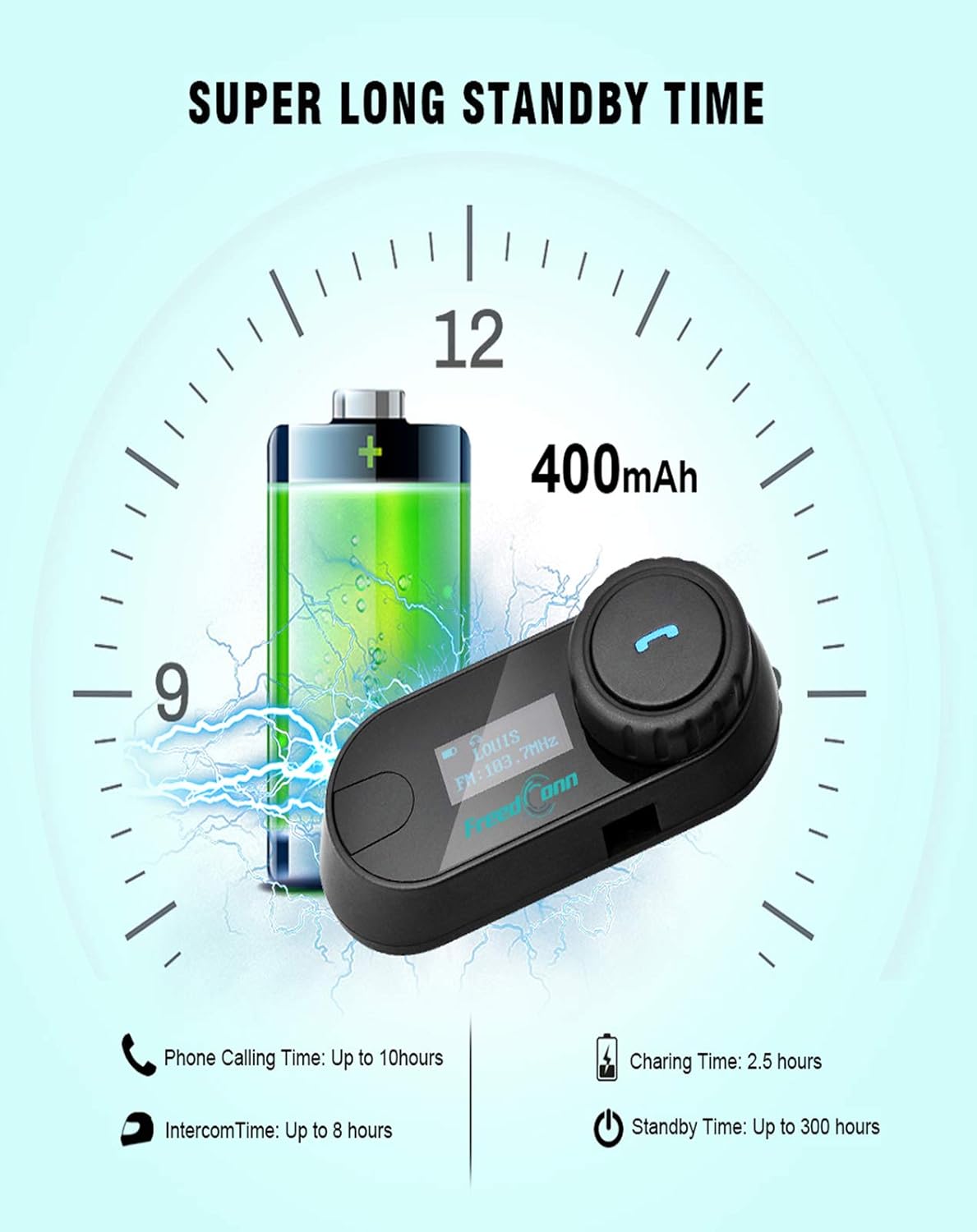
Image: Illustration of FreedConn TCOM-SC battery life and charging details, showing a 400mAh battery, 2.5 hours charging time, up to 10 hours phone calling time, up to 8 hours intercom time, and up to 300 hours standby time.
7. Амалиёти асосӣ
7.1 Фаъол кардан/хомӯш кардан
- Фаъол: Press and hold the Multi-function Button for approximately 3 seconds until you hear a voice prompt and the LCD screen illuminates.
- Хомӯш: Press and hold the Multi-function Button for approximately 5 seconds until you hear a voice prompt and the LCD screen turns off.
7.2 Танзими садо
- Rotate the Jog Wheel forward to increase volume.
- Rotate the Jog Wheel backward to decrease volume.
8. Ҷуфти Bluetooth
8.1 Пайвастшавӣ бо телефони мобилӣ
- Ensure the TCOM-SC unit is powered off.
- Press and hold the Multi-function Button for approximately 5-7 seconds until the LCD screen shows "Pairing" and the indicator light flashes red and blue alternately.
- Дар телефони мобилии худ Bluetooth-ро фаъол созед ва дастгоҳҳоро ҷустуҷӯ кунед.
- Select "FreedConn TCOM-SC" from the list of available devices.
- If prompted, enter the PIN code "0000".
- Once paired, the LCD will show "Connected" and the indicator light will flash blue slowly.
8.2 Pairing with Another TCOM-SC Unit (Intercom)
To establish intercom communication between two TCOM-SC units:
- Ensure both TCOM-SC units are powered off.
- On both units, press and hold the Multi-function Button for approximately 5-7 seconds until they enter pairing mode (red and blue indicator lights flashing alternately).
- Briefly press the Multi-function Button on як of the units. It will search for the other unit.
- Once connected, both units will show "Intercom" on their LCD screens and the indicator lights will flash blue slowly.
For multi-rider intercom (up to 3 units), repeat the pairing process with the third unit, ensuring only two units are actively communicating at any given time.
9. Вазифаҳои амалиётӣ
9.1 Зангҳои телефонӣ
- Ҷавоб ба занг: Briefly press the Multi-function Button.
- Занги хотимавӣ: Briefly press the Multi-function Button.
- Рад кардани занг: Тугмаи бисёрфунксионалиро 2 сония пахш карда нигоҳ доред.
- Рақами охирини такрорӣ: Тугмаи бисёрфунксионалиро ду маротиба пахш кунед.
9.2 Навозиши мусиқӣ
- Бозӣ/Таваққуф: Briefly press the Multi-function Button.
- Треки навбатӣ: Rotate the Jog Wheel forward and hold for 2 seconds.
- Track гузашта: Rotate the Jog Wheel backward and hold for 2 seconds.
9.3 Радиои FM
- FM-ро фаъол/хомӯш кунед: Double-press the Multi-function Button to switch between music/intercom and FM radio.
- Пойгоҳҳои сканер: Rotate the Jog Wheel forward or backward to change stations.
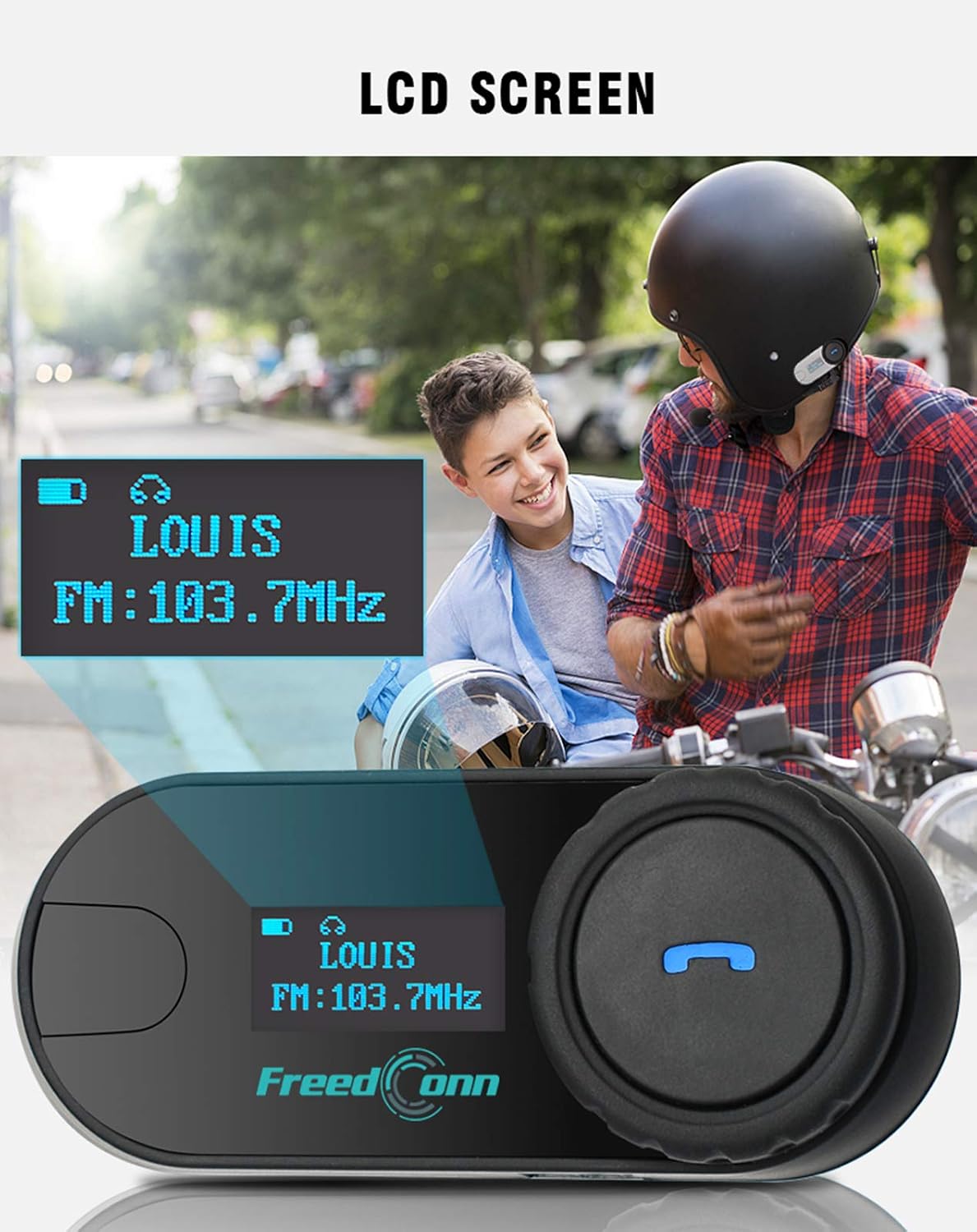
Тасвир: Наздик view of the FreedConn TCOM-SC LCD screen, displaying information such as connected device name (e.g., LOUIS) and FM radio frequency (e.g., FM: 103.7MHz).
10. Нигоҳдорӣ
- Агрегатро бо нарм тоза кардан гamp матоъ. Моддаҳои кимиёвӣ ё ҳалкунандаҳои сахтро истифода набаред.
- Ҳангоми пур накардан, барои нигоҳ доштани муқовимат ба об, боварӣ ҳосил кунед, ки сарпӯши порти пуркунӣ маҳкам пӯшида шудааст.
- Дастгоҳро дар ҷои хунук ва хушк нигоҳ доред, вақте ки истифода намебаред.
- Нагузоред, ки дастгоҳро ба ҳарорати аз ҳад зиёд дучор кунед.

Image: The FreedConn TCOM-SC unit shown with water splashing around it, illustrating its waterproof, sun protection, and dust-proof capabilities, highlighting its durable and protective design.
11. Баррасии мушкилот
- Не қудрат: Боварӣ ҳосил кунед, ки батарея пур карда шудааст. Ба пуркунандаи барқ пайваст шавед ва бори дигар кӯшиш кунед.
- Ҷуфт кардан мумкин нест: Make sure both devices are in pairing mode. Turn off and restart both devices, then try pairing again. Ensure no other Bluetooth devices are interfering.
- Овоз нест: Check volume levels on both the TCOM-SC and the connected device. Ensure the headset is properly plugged into the unit.
- Қатъшавии домофон: Ensure units are within the 800m range and there are no major obstructions. Re-establish the intercom connection.
- Сифати аудио: Check microphone placement. Ensure speakers are correctly positioned over your ears. Reduce background noise if possible.
12. Мушаххасоти
| Рақами модел | TCOM-SC |
| Версияи Bluetooth | 3.0 |
| Диапазони интерком | То 800 метр (2 савора) |
| Иқтидори батарея | 400 мАч |
| Phone Calling Time | То 10 соат |
| Вақти интерком | То 8 соат |
| Вақти интизорӣ | То 300 соат |
| Вақти пуркунии барқ | Тақрибан 2.5 соат |
| Сатҳи муқовимат ба об | Обногузар |
| Андозаҳои маҳсулот | 1.22 x 0.98 x 3.19 инч |
| Вазни ашё | 10.2 унция |
13. Кафолат ва дастгирӣ
For warranty information and technical support, please refer to the official FreedConn webсайт ё фурӯшандаи худ тамос гиред. Квитансияи хариди худро ҳамчун далели харид нигоҳ доред.


