1. Муқаддима
This manual provides comprehensive instructions for the setup, operation, and maintenance of your CPVAN Wireless Security Camera (Model BC01). Please read this guide thoroughly before using the product to ensure optimal performance and safety.

Figure 1: CPVAN Wireless Security Camera (Model BC01)
2. Хусусиятҳои маҳсулот
- Видеои 1080P HD: Captures clear 1080P HD video and images with a 120-degree wide-angle view.
- AI Recognition & Smart Motion Detection: Accurately analyzes and recognizes people, vehicles, pets, and packages, sending instant notifications.
- Ранги биниши шабона: Integrated white and infrared light sources provide full-color and infrared night vision up to 33 ft.
- 2-Роҳ аудио: Built-in microphone and speaker for real-time two-way communication.
- Siren Alarm & Spotlight: Deter unwanted visitors with an audible siren and flashing white light.
- Wire-Free & Waterproof: Rechargeable battery for 1-5 months of use on a single charge and IP65 waterproof rating for outdoor installation.
- Имконоти нигаҳдорӣ: Supports up to 128GB SD card and free 3-day rolling cloud storage.
3. Дар қуттӣ чӣ мавҷуд аст
Боварӣ ҳосил кунед, ки ҳама ҷузъҳо дар баста мавҷуданд:
- CPVAN Wireless Security Camera (BC01)
- Барасмиятдарории қавс
- Сими пуркунандаи USB
- Виддаҳо ва лангарҳои деворӣ
- Дастури корбар
4. Дастури насб
4.1 Пуркунии ибтидоӣ
Before first use, fully charge the camera. Connect the provided USB cable to the camera's charging port and a compatible USB power adapter (not included). The indicator light will be yellow during charging and turn green when fully charged. A full charge may take 8-10 hours.

Figure 2: Camera charging port and indicator light. The yellow light indicates charging, green indicates fully charged.
4.2 Насби барнома ва эҷоди ҳисоб
- Download the 'VicoHome' app from your smartphone's App Store (iOS) or Google Play Store (Android).
- Open the VicoHome app and create a new account using your email address. Follow the on-screen prompts to set up your account details and password.
- Verify your account using the confirmation code sent to your registered email.
4.3 Camera Pairing & Wi-Fi Connection
- In the VicoHome app, select 'Add a new camera' or the '+' icon to begin the pairing process.
- Turn on the camera by long-pressing the power button for 3 seconds. The camera will emit voice prompts and its indicator light will flash.
- Дар барнома тасдиқ кунед, ки камера садои бип мебарорад.
- Input your 2.4GHz Wi-Fi network password when prompted by the app. Ensure your Wi-Fi signal is strong in the camera's intended location.
- The app will display a QR code. Position the camera to scan this QR code from your phone screen. Hold the camera about 4-12 inches from the phone.
- Once the camera successfully scans the QR code, it will emit a voice prompt indicating connection. The app will then show 'Connection succeeded'.
- Name your camera and set its location within the app (e.g., 'Front Door', 'Garden').
Video 1: This video demonstrates the step-by-step process of connecting the CPVAN Wireless Security Camera to the VicoHome app, including account creation, camera power-on, and scanning the QR code for Wi-Fi pairing.
4.4 Ҷойгиркунии камера
The camera can be installed indoors or outdoors. Choose a location with a clear view ва сигнали қавии Wi-Fi.
- Secure the mounting bracket to the desired surface using the provided screws and wall anchors.
- Attach the camera to the mounting bracket and adjust its angle for optimal coverage.
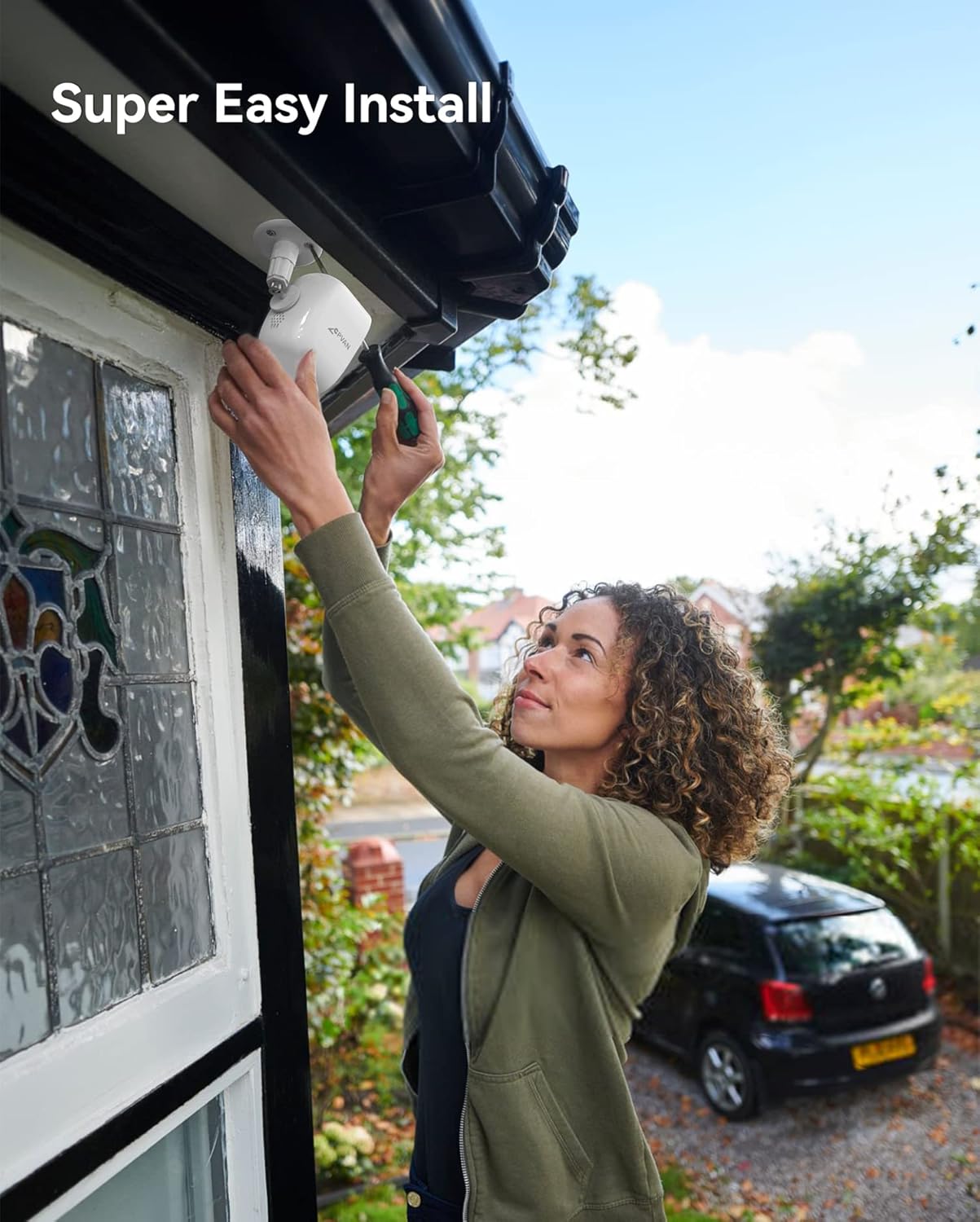
Figure 3: Illustration of easy camera installation on an outdoor wall.
5. Дастурҳои истифодабарӣ
5.1 Зиндагӣ View & Бознигарӣ
Access the VicoHome app to view зинда бошиtage from your camera at any time. You can also review recorded events stored on the SD card or cloud.
Figure 4: VicoHome app interface displaying recorded events and cloud storage options.
5.2 Motion Detection & AI Recognition
The camera uses PIR motion detection and AI recognition to identify specific objects and send alerts.
- Sensor PIR: Detects heat signatures for accurate motion detection.
- Шинохти зеҳни сунъӣ: Distinguishes between people, vehicles, pets, and packages to reduce false alarms.

Figure 5: AI recognition actively identifying a person and a pet within the camera's view.
5.3 Минтақаҳои фаъолият
Минтақаҳои мушаххасро дар дохили камера муайян кунед view for motion detection. This helps in focusing on critical areas and minimizing unwanted notifications.
Video 2: This video illustrates how to set up custom activity zones within the VicoHome app, allowing users to define specific areas for motion detection and alerts.
5.4 Усулҳои биниши шабона
The camera offers two night vision modes:
- Усули инфрасурх: Provides clear black-and-white footagд дар шароити нури кам.
- Реҷаи пурраи ранга: Utilizes the built-in spotlight to capture color video at night.

Figure 6: Comparison of day, white light (color night vision), and infrared night vision modes.
Video 3: This video showcases the camera's night vision capabilities, demonstrating its ability to capture clear footagд дар шароити нури кам.
5.5 2-Way Audio & Siren Alarm
Use the 2-way audio feature to communicate with visitors or deter intruders. Activate the siren alarm directly from the app for added security.

Figure 7: Two-way audio communication feature in use.
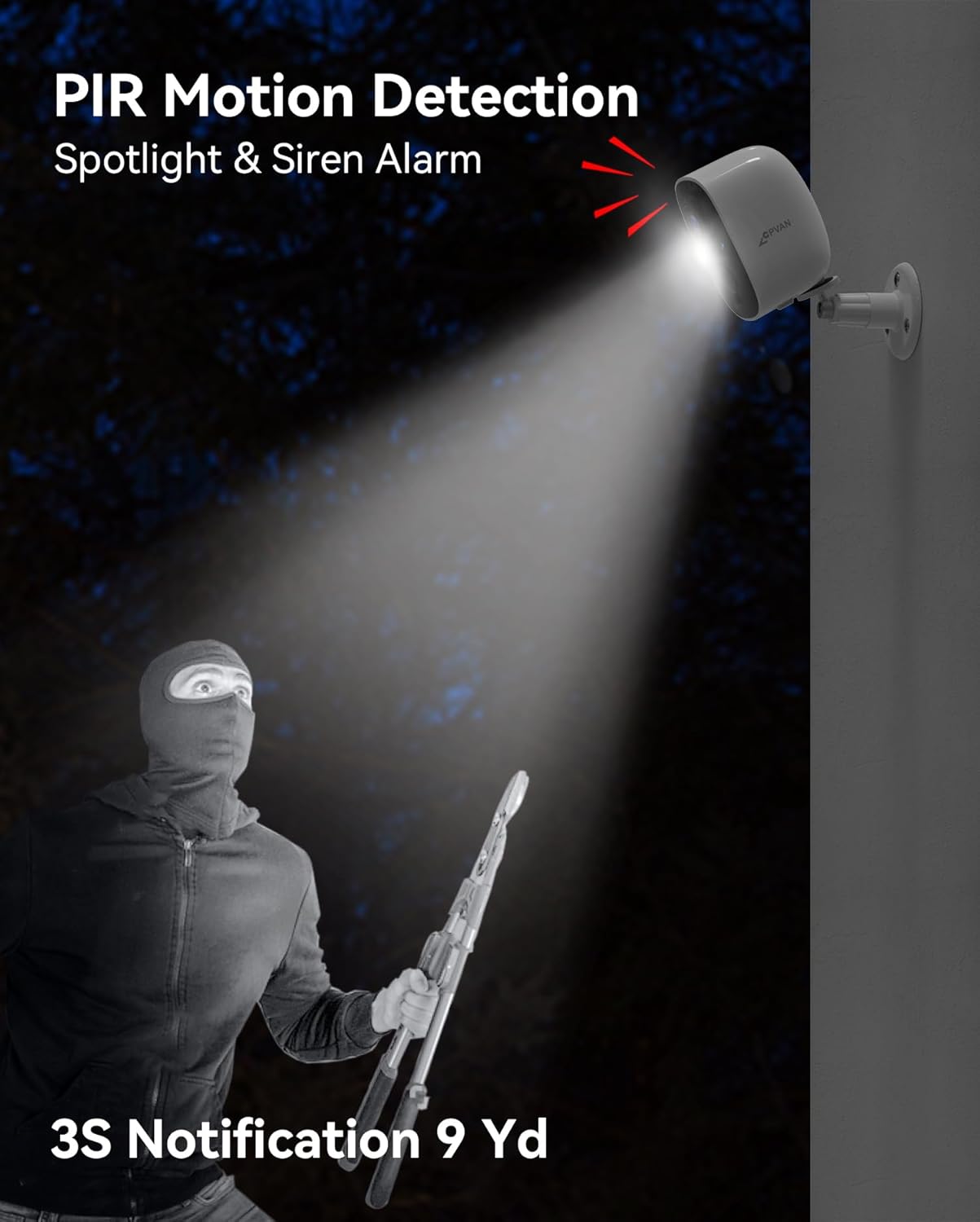
Figure 8: The camera's spotlight and siren alarm activating upon detecting an intruder.
6. Нигоҳдорӣ
6.1 Идоракунии батарея
The camera is powered by a rechargeable lithium-ion battery, offering 1 to 5 months of usage depending on activity. Monitor battery levels via the VicoHome app and recharge as needed using the provided USB cable.

Figure 9: The camera can be paired with an optional solar panel for continuous charging.
6.2 Муқовимат ба обу ҳаво
With an IP65 waterproof rating, the camera is designed to withstand various weather conditions, including rain, snow, and extreme temperatures.

Figure 10: The camera's IP65 rating ensures durability in various weather conditions.
6.3 Тозакунӣ
Линза ва корпуси камераро мунтазам бо матои нарм тоза кунед,amp матоъ барои таъмини сифати равшани тасвир. Аз истифодаи маводи кимиёвии сахт худдорӣ кунед.
7. Баррасии мушкилот
- Камера ба Wi-Fi пайваст нест: Ensure the camera is within range of your 2.4GHz Wi-Fi network. Verify the Wi-Fi password entered in the app is correct.
- Сифати пасти тасвир: Check if the camera lens is clean and free from obstructions. Ensure adequate lighting, especially at night.
- Батарея зуд холӣ мешавад: Reduce the sensitivity of motion detection or the frequency of recordings. Ensure the camera is fully charged.
- Огоҳӣ дар бораи муайян кардани ҳаракат вуҷуд надорад: Verify that motion detection is enabled in the app settings and that activity zones are correctly configured.
- Мушкилоти барнома: Ensure your VicoHome app is updated to the latest version. Restart the app or your smartphone if issues persist.
8. Мушаххасоти
| Хусусият | Тафсилот |
|---|---|
| Рақами модел | BC01 |
| Қарори сабти видео | 1080p |
| Ҳалли самараноки видео | 1080 пиксел |
| Ҳалли самаранок | 16 МП |
| Технологияи пайвастшавӣ | Бесимӣ (Wi-Fi) |
| Манбаи нерӯ | Батарея бо батарея (1 батареяи литий-ион дохил карда шудааст) |
| Истифодаи дарунӣ/берунӣ | Дарунӣ, берунӣ |
| Сатҳи муқовимат ба об | Обногузар (IP65) |
| Диапазони биниши шабона | 33 фут |
| Хусусиятҳои махсус | Motion Sensor, Night Vision, 2-Way Audio, AI Recognition, Siren Alarm, Spotlight |
| Нигоҳдорӣ | Корти SD (то 128 ГБ), нигоҳдории абрӣ |
| Андозаҳои ашё (L x W x H) | 2.64 x 2.28 x 3.5 инч |
| Вазни ашё | 7 унсия (0.2 килограмм) |
| Усули назорат | App (VicoHome) |
9. Кафолат ва дастгирӣ
For warranty information and technical support, please refer to the documentation included with your product or visit the official CPVAN website. If you encounter any issues not covered in this manual, please contact CPVAN customer service for assistance.


