1. Муқаддима
1.1 Маҳсулот ба охир расидview
The lightmaXX Vega BAT LED is a versatile, battery-powered uplight designed for various lighting applications. It features four 12-watt RGBAWUV (Red, Green, Blue, Amber, White, UV) LEDs, providing a broad spectrum of color mixing capabilities. With an 80W power output, this fixture supports both 6 and 10 DMX channels for precise control in professional setups. Operating modes include automatic programs, sound-activated effects, master/slave configurations, and convenient control via an infrared (IR) remote.
1.2 Маълумот дар бораи бехатарӣ
- Дастгоҳро ҳамеша ба васлаки барқии заминӣ пайваст кунед.
- Хонаро накушоед; дар дохили он қисмҳои аз ҷониби корбар хидматшаванда вуҷуд надоранд. Ҳама хидматрасониро ба кормандони соҳибихтисос муроҷиат кунед.
- Аз таъсири бевоситаи чашм ба манбаи рӯшноӣ худдорӣ намоед.
- Барои пешгирӣ кардани гармии аз ҳад зиёд дар атрофи дастгоҳ вентилятсияи мувофиқро таъмин кунед.
- Дастгоҳро аз намӣ ва ҳарорати аз ҳад зиёд дур нигоҳ доред.
- Ин асбоб бояд ба замин пайваст карда шавад.
2. Мундариҷаи баста
Please check that all items listed below are present and in good condition upon unpacking:
- lightmaXX Vega BAT LED 4x12 W RGBAWUV unit
- Идоракунии дурдасти IR
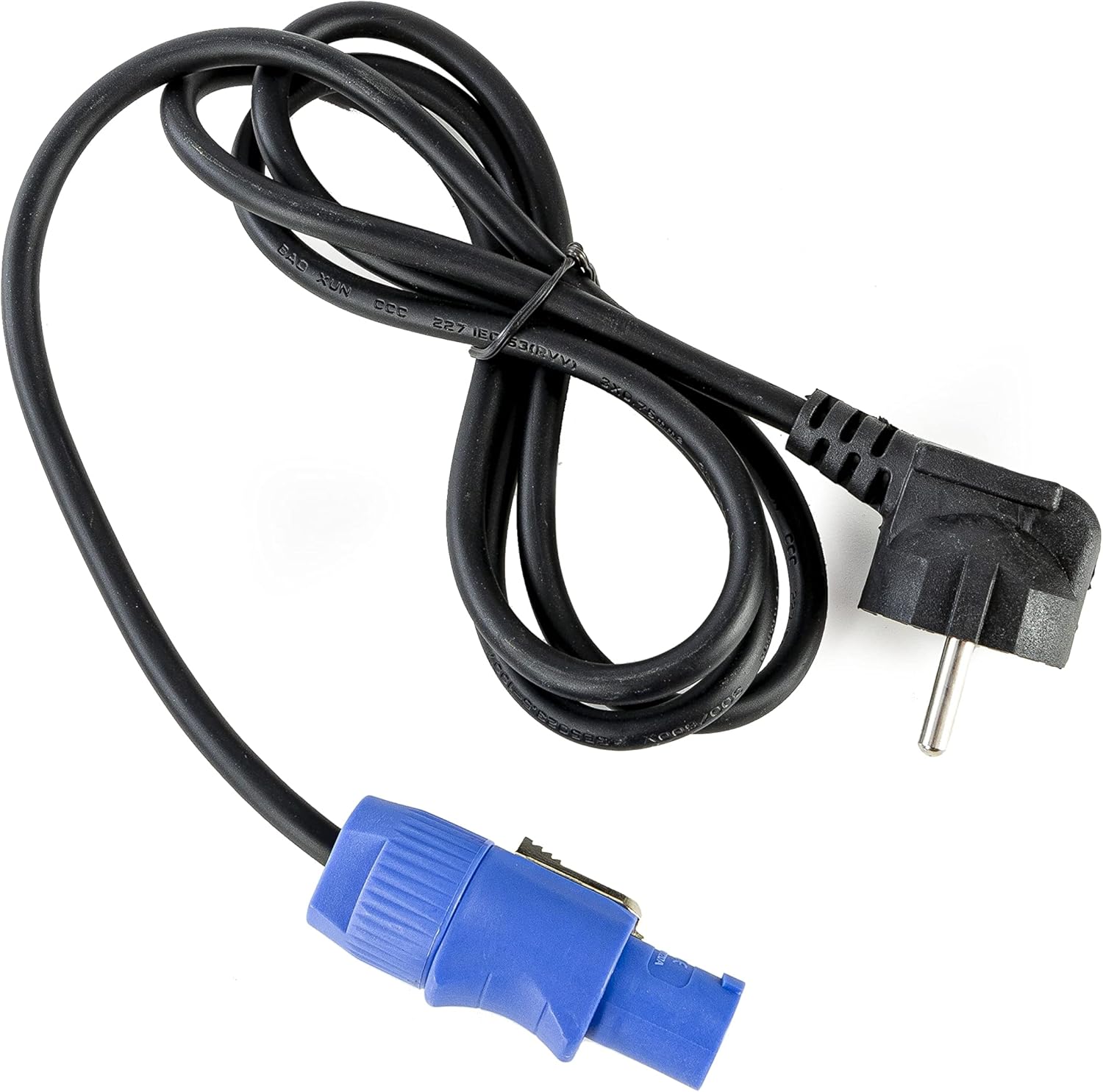
- Кабели барқ
- Дастури таълимӣ (ин ҳуҷҷат)

Тасвири 2.1: Power cable with a standard European plug and a blue locking connector for the light fixture.
Тасвири 2.2: Infrared remote control with various color, mode, and numerical buttons for operating the LED spot.
3. Танзимот
3.1 Пуркунии ибтидоӣ
Before first use, fully charge the internal battery. Connect the provided power cable to the unit's power input and then to a suitable 240V AC power outlet. The charging indicator (if available on the display) will show the charging status. A full charge typically takes several hours.
3.2 Ҷойгиркунӣ
Position the Vega BAT LED on a stable, flat surface or mount it using appropriate clamps and safety cables (not included) to a truss or stand. Ensure the unit is placed in a location with good air circulation and away from direct heat sources or flammable materials.
3.3 Пайвастшавӣ
For standalone operation, simply power on the unit after charging. For DMX control, connect a DMX cable from your DMX controller to the DMX IN port of the Vega BAT LED. If linking multiple units, connect the DMX OUT of the first unit to the DMX IN of the next, and so on.

Тасвири 3.1: Поён view of the light fixture showing the power input, DMX ports, and regulatory labels.
4. Амалиёт
4.1 Панели идоракунӣ
The unit features an onboard control panel with a display and four buttons: MENU, DOWN, UP, and ENTER. This panel allows for direct access to settings and operating modes.

Тасвири 4.1: Пеш view of the control panel with display and navigation buttons.

Тасвири 4.2: боло view of the control panel, showing the display and button layout.
- Меню: Аз имконоти менюи асосӣ мегузарад.
- ПОШ: Decreases values or navigates down through menu options.
- ТО: Increases values or navigates up through menu options.
- Ворид кардан: Интихобҳоро тасдиқ мекунад ё ба зерменюҳо ворид мешавад.
4.2 Идоракунии дурдасти IR
The included IR remote control provides convenient wireless operation for various functions, including color selection, mode changes, and power on/off.
- ФУРУШ/ХОМУШ: Дастгоҳро фаъол ё хомӯш мекунад.
- R, G, B, A, W, UV: Direct access to Red, Green, Blue, Amber, White, and Ultraviolet colors.
- 0-9: Numerical buttons for selecting specific programs or DMX addresses.
- АВТО: Activates automatic program mode.
- МАСOBАЛА: Activates strobe effect.
- РАНГ ПАРИДАН: Ҳолати пажмурдани рангро фаъол мекунад.
- Овоз: Ҳолати бо садо фаъолшударо фаъол мекунад.
4.3 Усулҳои корӣ
The Vega BAT LED offers several operating modes:
- Ҳолати худкор: The unit cycles through pre-programmed color changes and effects. Selectable via the control panel or IR remote.
- Ҳолати садо: The light reacts to ambient sound, creating dynamic effects. Sensitivity can often be adjusted via the control panel.
- Ҳолати Master/Slave: Link multiple units where one acts as the master, controlling all connected slave units. Connect DMX cables in a daisy chain.
- Ҳолати DMX: For professional control using a DMX controller. The unit supports 6 or 10 DMX channels, allowing for granular control over color mixing, dimming, strobe, and internal programs. Set the DMX address via the control panel.

Тасвири 4.3: The light fixture emitting ultraviolet (UV) light.

Тасвири 4.4: The light fixture emitting amber-colored light.
5. Нигоҳдорӣ
5.1 Тозакунӣ
Regularly clean the lens and exterior housing with a soft, lint-free cloth. For stubborn dirt, a slightly damp cloth can be used. Do not use abrasive cleaners or solvents, as they may damage the finish or optical components.
5.2 Нигоҳубини батарея
To prolong battery life, avoid fully discharging the unit frequently. If storing the unit for an extended period, ensure the battery is charged to approximately 50-70% and recharge it every 3-6 months. Store in a cool, dry place.
5.3 Нигоҳдорӣ
When not in use, store the Vega BAT LED in its original packaging or a suitable protective case to prevent damage from dust, moisture, and impacts.
6. Баррасии мушкилот
- Дастгоҳ фаъол нест: Ensure the battery is charged or the power cable is securely connected to a live outlet. Check the power switch.
- No light output: Verify the unit is powered on and not in standby mode. Check selected operating mode and brightness settings.
- IR remote not working: Ensure there are no obstructions between the remote and the unit's IR receiver. Check the remote's battery.
- DMX control issues: Verify DMX cable connections, DMX address settings on the unit, and DMX channel mode. Ensure your DMX controller is functioning correctly.
- Муҳлати батарея кӯтоҳ аст: The battery may require a full charge cycle. Over time, battery capacity can decrease; consider battery replacement if performance significantly degrades.
7. Мушаххасоти
| Хусусият | Мушаххасоти |
|---|---|
| Бренд | lightmaXX |
| Модели | Vega BAT LED 4x12 W RGBAWUV |
| Манбаи нур | 4 x 12W RGBAWUV LEDs |
| Ватаи умумӣtage | 80 Вт |
| Каналҳои DMX | 6 ё 10 канал |
| Усулҳои корӣ | Automatic, Sound, Master/Slave, DMX |
| Назорат | Onboard display/buttons, IR Remote |
| Ҷилдиtage | 240 вольт |
| Андозаҳои маҳсулот | 24.2 х 21 х 19.6 см |
| Маълумотномаи истеҳсолкунанда | LIG0016385-000 |
| Кишвари аслӣ | Олмон |
| Аввалин дастрас | 16 августи соли 2021 |
8. Кафолат ва дастгирӣ
For warranty information and technical support, please refer to the documentation provided at the time of purchase or contact your authorized lightmaXX dealer. Keep your proof of purchase for warranty claims.


