Муқаддима
Ташаккур ба шумо барои харидasing the Groov-e Ultra Wireless Bluetooth Headphones. These headphones are designed to provide a superior audio experience with features such as wireless connectivity, extended battery life, and comfortable design. This manual will guide you through the setup, operation, and maintenance of your new headphones.
Мундариҷаи баста
Please ensure all items are present in your Groov-e Ultra headphone package:
- Groov-e Ultra Wireless Bluetooth Headphones
- Сими пуркунандаи USB
- Кабели аудио 3.5 мм
- Дастури корбар (ин ҳуҷҷат)
Маҳсулот ба охир расидview
Familiarize yourself with the various components of your Groov-e Ultra headphones.
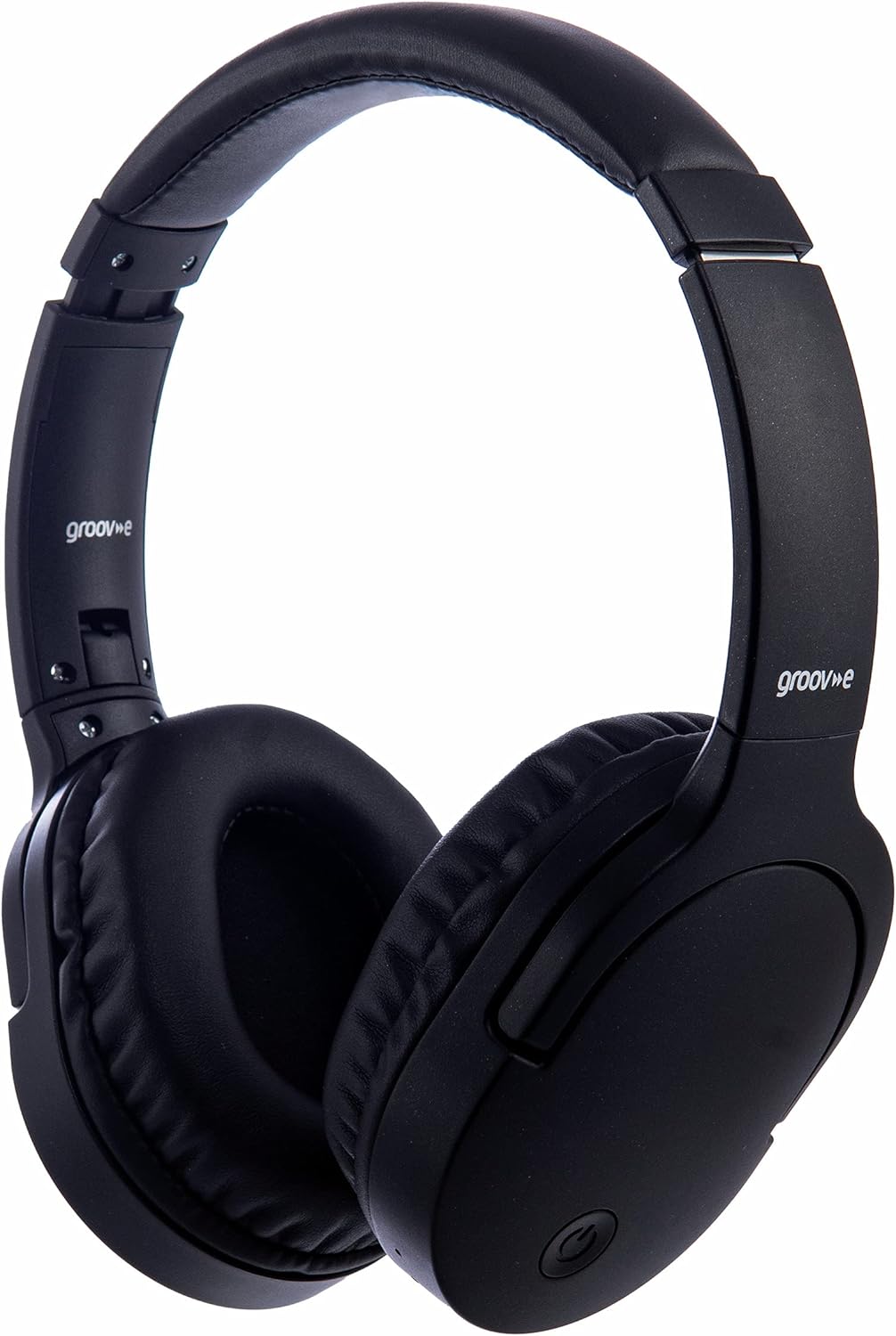
Тасвир: Пеш view of the Groov-e Ultra Wireless Bluetooth Headphones in black.
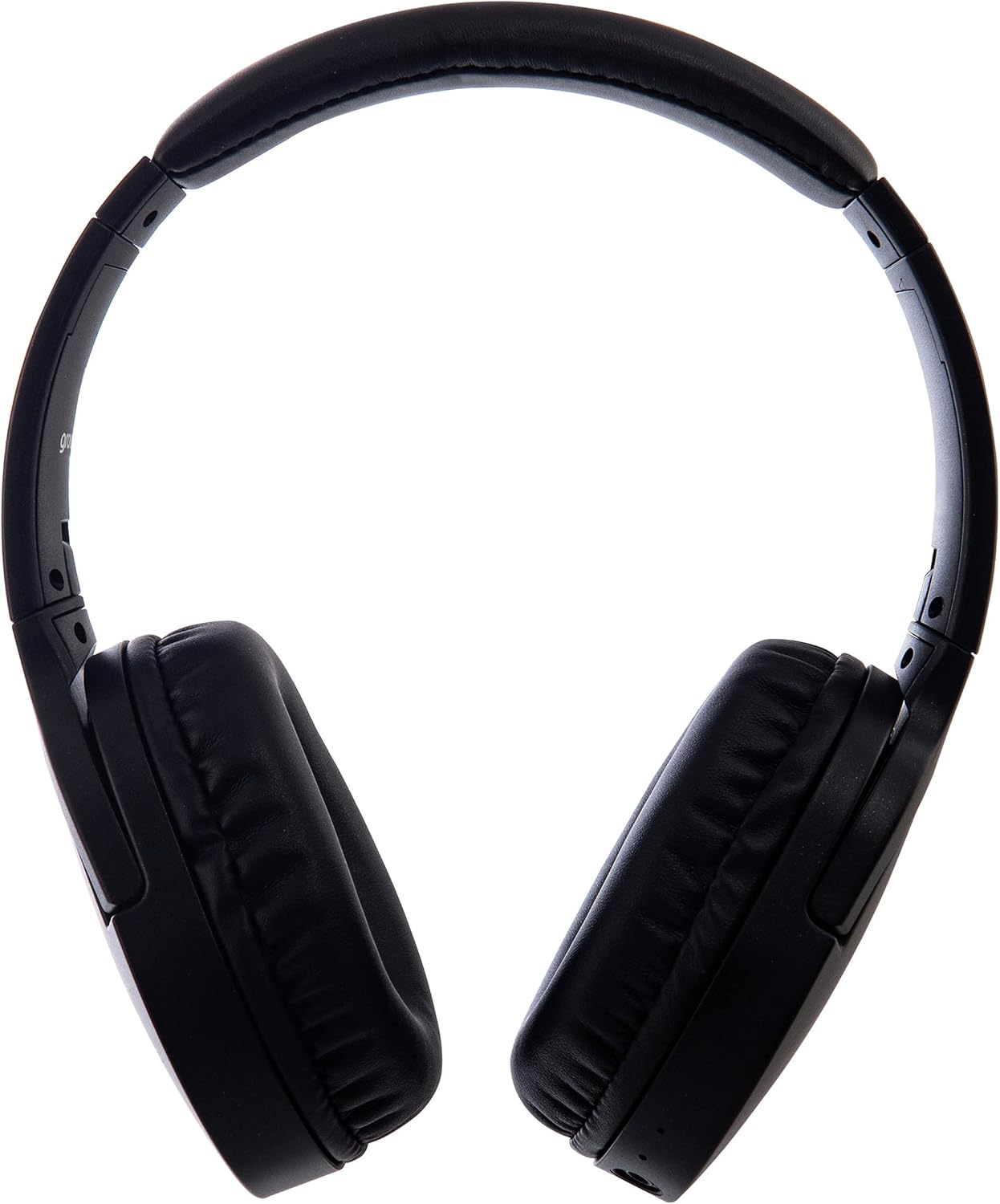
Тасвир: тараф view of the Groov-e Ultra Wireless Bluetooth Headphones, showing the earcups and headband.
Key features and controls include:
- Тугмаи барқ: Located on the earcup, used for powering on/off and initiating pairing mode.
- Назорати овозҳо: Тугмаҳо барои танзими баландии овози аудио.
- Тугмаи бисёрфунксия: For play/pause, answer/end calls, and activating voice assistant.
- Микрофон: Интегралӣ барои занги бе дасти худ.
- 3.5 мм Jack аудио: Барои пайвасти симӣ ба манбаъҳои аудио.
- Порти барқи USB: For charging via the included USB cable.
- Wireless Charging Area: Located on the right earcup for compatible wireless charging pads.
- Нишондиҳандаи LED: Displays power, charging, and Bluetooth pairing status.
Ташкил кардан
1. Пуркунии ибтидоӣ
Before first use, fully charge your headphones. The Groov-e Ultra headphones support both wired and wireless charging.
Пуркунии симдор:
- Connect the supplied USB charging cable to the headphone's charging port.
- Нӯги дигари сими USB-ро ба манбаи мувофиқи қувваи барқи USB пайваст кунед (масалан, порти USB-и компютер, адаптери девории USB).
- Нишондиҳандаи LED ҳангоми пуркунӣ фурӯзон мешавад ва ҳангоми пуркунии пурра хомӯш мешавад ё рангашро иваз мекунад.
Пуркунии бесим:
- Place the right earcup of the headphones onto a compatible Qi-certified wireless charging pad.
- Ensure the headphones are correctly positioned on the charging pad for optimal contact.
- Нишондиҳандаи LED ҳангоми пуркунӣ фурӯзон мешавад ва ҳангоми пуркунии пурра хомӯш мешавад ё рангашро иваз мекунад.
Пардохти пурра одатан тақрибан мегирад 2 соат.
Image: Groov-e Ultra headphones charging wirelessly on a pad, with a laptop in the background.
Дастурҳои амалиётӣ
1. Фаъол/хомӯш
- Фаъол: Тугмаи барқро тақрибан 3 сония пахш карда нигоҳ доред, то он даме, ки нишондиҳандаи LED медурахшад.
- Хомӯш: Press and hold the Power button for approximately 3-5 seconds until the LED indicator turns off.
2. Ҷуфти Bluetooth
- Боварӣ ҳосил кунед, ки гӯшмонакҳо хомӯш карда шудаанд.
- Тугмаи барқро тақрибан 5-7 сония пахш карда нигоҳ доред, то он даме ки нишондиҳандаи LED ба таври навбатӣ сурх ва кабуд медурахшад, ки ин ҳолати ҷуфтшавиро нишон медиҳад.
- Дар дастгоҳи худ (смартфон, планшет, ноутбук) Bluetooth-ро фаъол созед ва дастгоҳҳои дастрасро ҷустуҷӯ кунед.
- Select "Groov-e Ultra" from the list of found devices.
- Пас аз ҷуфт кардан, нишондиҳандаи LED оҳиста-оҳиста кабуд медурахшад ва шумо метавонед тасдиқи садоӣ бишнавед.
- Агар парол талаб карда шавад, "0000" ворид кунед.
Гӯшмонакҳо ба таври худкор кӯшиш мекунанд, ки ба дастгоҳи охирини ҷуфтшуда ҳангоми фурӯзон дубора пайваст шаванд.
3. Пайвасти симдор (кабели аудио 3.5 мм)
For devices without Bluetooth or to conserve battery, you can use the supplied 3.5mm audio cable.
- Як канори сими аудиоии 3.5 мм-ро ба сурохии аудио дар гӯшмонакҳо пайваст кунед.
- Нӯги дигарро ба баромади аудиоии 3.5 мм дастгоҳи худ пайваст кунед.
- The headphones will operate in passive mode, and Bluetooth functionality will be disabled.
4. Бозикунии мусиқӣ
- Бозӣ/Таваққуф: Тугмаи бисёрфунксияро як маротиба пахш кунед.
- Треки навбатӣ: Тугмаи Баланд бардоштани овозро пахш карда нигоҳ доред.
- Track гузашта: Тугмаи паст кардани овозро пахш карда нигоҳ доред.
- Баланд бардоштани овоз: Тугмаи баланд бардоштани овозро кӯтоҳ пахш кунед.
- Ҷилди поён: Тугмаи паст кардани баландии овозро кӯтоҳ пахш кунед.
5. Идоракунии зангҳо
- Ҷавоб додан/Занги хотимавӣ: Тугмаи бисёрфунксияро як маротиба пахш кунед.
- Рад кардани занг: Тугмаи бисёрфунксияро барои 2 сония пахш карда нигоҳ доред.
- Ёвари овоз: Double-press the Multi-function button to activate your device's voice assistant (e.g., Siri, Google Assistant).
Нигоҳдорӣ
To ensure the longevity and optimal performance of your Groov-e Ultra headphones, follow these maintenance guidelines:
- Тозакунӣ: Use a soft, dry cloth to clean the earcups and headband. Do not use abrasive cleaners or solvents.
- Нигоҳдорӣ: Ҳангоми истифода нашудан, гӯшмонакҳоро дар ҷои хунук ва хушк, дур аз нури бевоситаи офтоб ва ҳарорати аз ҳад зиёд нигоҳ доред. Тарҳрезии пӯшиш барои нигоҳдории паймон имкон медиҳад.
- Нигоҳубини батарея: To preserve battery life, avoid fully discharging the headphones frequently. Charge them regularly, even if not in constant use.
- Муқовимат ба об: The headphones are rated as "waterproof" (as per specifications), but this typically refers to resistance against splashes or light rain. Avoid submerging them in water.
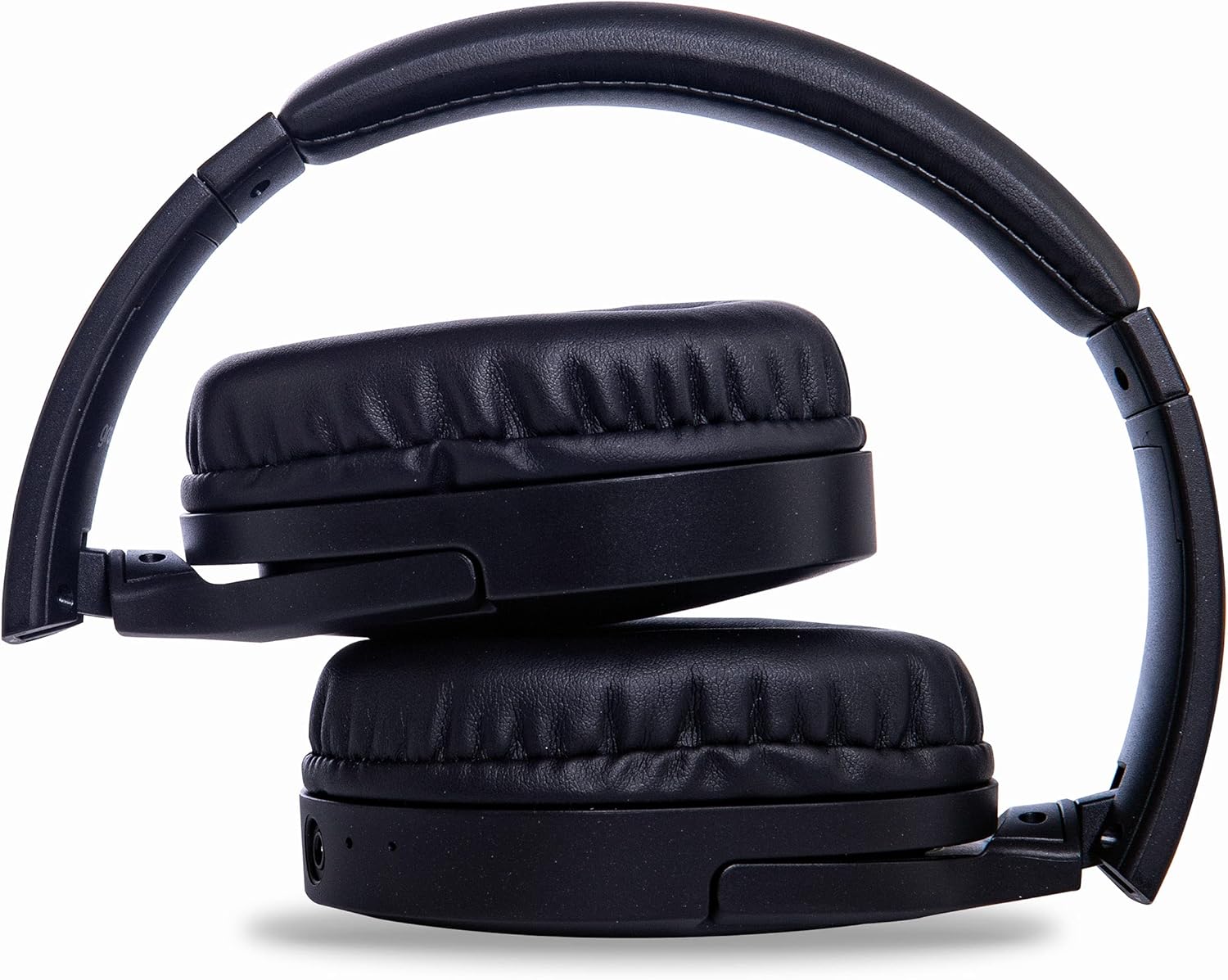
Image: Groov-e Ultra headphones folded, demonstrating their compact storage design.
Мушкилкушо
Агар шумо бо гӯшмонакҳои худ мушкилот дошта бошед, ба роҳҳои ҳалли маъмулии зерин муроҷиат кунед:
| Мушкилот | Сабаби эҳтимолӣ | Ҳалли |
|---|---|---|
| Гӯшмонакҳо фаъол нестанд. | Батареяи кам. | Charge the headphones fully using either wired or wireless charging. |
| Тавассути Bluetooth пайваст карда намешавад. | Гӯшмонакҳо дар ҳолати ҷуфткунӣ нестанд; дастгоҳ Bluetooth хомӯш; дахолат кардан. | Ensure headphones are in pairing mode (flashing red/blue). Turn Bluetooth off and on on your device. Move closer to the device. |
| Овоз нест ё сифати пасти садо. | Volume too low; incorrect source; loose wired connection; Bluetooth interference. | Increase volume on headphones and device. Check if the correct audio output is selected. Ensure 3.5mm cable is fully inserted. Re-pair Bluetooth. |
| Пуркунии бесим кор намекунад. | Headphones not positioned correctly; incompatible charging pad. | Adjust headphone position on the charging pad. Ensure the charging pad is Qi-certified and functioning. |
| Buzzing or too loud on Bluetooth. | Bluetooth signal issue; volume settings. | Try moving closer to the source device. Adjust volume levels on both the headphones and the connected device. |
| Cannot connect to Apple Mac Book Pro. | Compatibility issue or specific Bluetooth driver problem. | Ensure your Mac's Bluetooth drivers are up to date. Try resetting Bluetooth on your Mac. Consult Apple support or Groov-e support for specific compatibility advice. |
Мушаххасоти
| Хусусият | Тафсилот |
|---|---|
| Номи модел | Ультра |
| Рақами модел | GVBT750BK |
| Бренд | Гров-е |
| Технологияи пайвастшавӣ | Бесимӣ (Bluetooth) |
| Технологияи алоқаи бесим | блутуз |
| Формаи форма | Supra-Aural (Over-ear) |
| Ҷойгиркунии гӯш | Supra-auriculaire |
| Изолятсияи садо | Қатъи садои фаъол |
| Ҷеки гӯшмонак | Ҷек 3.5 мм |
| Хусусиятҳои махсус | Microphone included, Sweat resistant |
| Муҳлати батарея | Up to 30 hours (wireless audio playback) |
| Вақти пуркунии барқ | Тақрибан 2 соат |
| Усули назорат | Ламс (ламс) |
| Диапазони басомад | 20 Hz - 20,000 Hz (Possible) |
| Сатҳи муқовимат ба об | Обногузар |
| Дастгоҳҳои мувофиқ | Smartphones, laptops, tablets, car audio systems, music production equipment, televisions |
| Материал | Пӯст |
Маълумот оид ба бехатарӣ
Please read and follow these safety guidelines to prevent damage to your headphones or personal injury:
- Do not expose headphones to extreme temperatures, humidity, or corrosive environments.
- Нагузоред, ки гӯшмонакҳоро партофтан ё ба таъсири сахт дучор накунед.
- Кушиш накунед, ки гӯшмонакҳоро ҷудо кунед ё тағир диҳед. Ин кафолатро бекор мекунад.
- Аз кӯдакон ва ҳайвонот дур нигоҳ доред.
- Гӯш кардани тӯлонӣ бо садои баланд метавонад ба шунавоӣ осеб расонад. Овозро ба сатҳи бехатар танзим кунед.
- Exercise caution when using headphones in situations requiring awareness of your surroundings (e.g., driving, cycling, walking in traffic).
- Use only approved charging cables and power adapters.
Кафолат ва дастгирӣ
Groov-e products are designed and manufactured to the highest standards. For warranty information, please refer to the warranty card included with your purchase or visit the official Groov-e webсайт.
For technical support, troubleshooting assistance, or general inquiries, please contact Groov-e customer service through their official channels. Contact details can typically be found on the product packaging or the Groov-e webсайт.
Дастгирии онлайн: www.groov-e.co.uk/support


