Дастури корбарии Google Nest Cam (берунӣ ё дарунӣ, батарея)
Модел: GA02411-ИМА | Бренд: Google
Муқаддима
The Google Nest Cam (Outdoor or Indoor, Battery) is a versatile security camera designed for both indoor and outdoor use. It offers advanced features to help you monitor your home effectively. This manual provides detailed instructions for setting up, operating, and maintaining your Nest Cam.
Хусусиятҳои асосӣ
- Огоҳиҳои интеллектуалӣ: Differentiates between people, animals, and vehicles.
- Wire-Free & Weather Resistant: Flexible placement indoors or outdoors.
- 1080p HDR Video with Night Vision: Clear video day and night.
- 3 Hours Free Event Video History: Review recent activity without a subscription.
- Гуфтугӯи дуҷониба: Communicate with visitors or deter unwanted guests.
- Захираи маҳаллӣ: Stores up to an hour of recorded events during outages.
- Google Home App Integration: Control and manage your camera from one app.
Чӣ дар бар мегирад
Your Google Nest Cam package includes the following items:
- 2 Nest Cam Cameras
- Magnetic and Wall Plates
- Анкерҳо ва винтҳои деворӣ
- Кабели барқ
- Адаптери барқ

Figure 1: Two Google Nest Cams included in the package.
Насб ва насб
Setting up your Nest Cam is designed to be straightforward. Follow the instructions in the Google Home app for a guided installation process.
Талаботи барнома
The Nest Cam requires the Google Home app and a free Google Account. It is not compatible with the older Nest app or Nest webсайт.
Wire-Free Installation
The battery-powered design allows for wire-free installation, making it easy to place almost anywhere.

Figure 2: Wire-free installation is as simple as hanging a picture frame.
Имконоти барқ
Your Nest Cam is primarily battery-powered. For continuous power and 24/7 video recording (with Nest Aware Plus subscription), you can add a weatherproof power cable or an indoor stand with a power cable (both sold separately).

Figure 3: Nest Cam with optional weatherproof power cable for continuous operation.
Идоракунии камераи Nest-и шумо
The Google Home app is your central hub for controlling and monitoring your Nest Cam.
Огоҳиҳои интеллектуалӣ
The Nest Cam has built-in intelligence to detect and differentiate between people, animals, and vehicles, sending specific alerts to your phone.
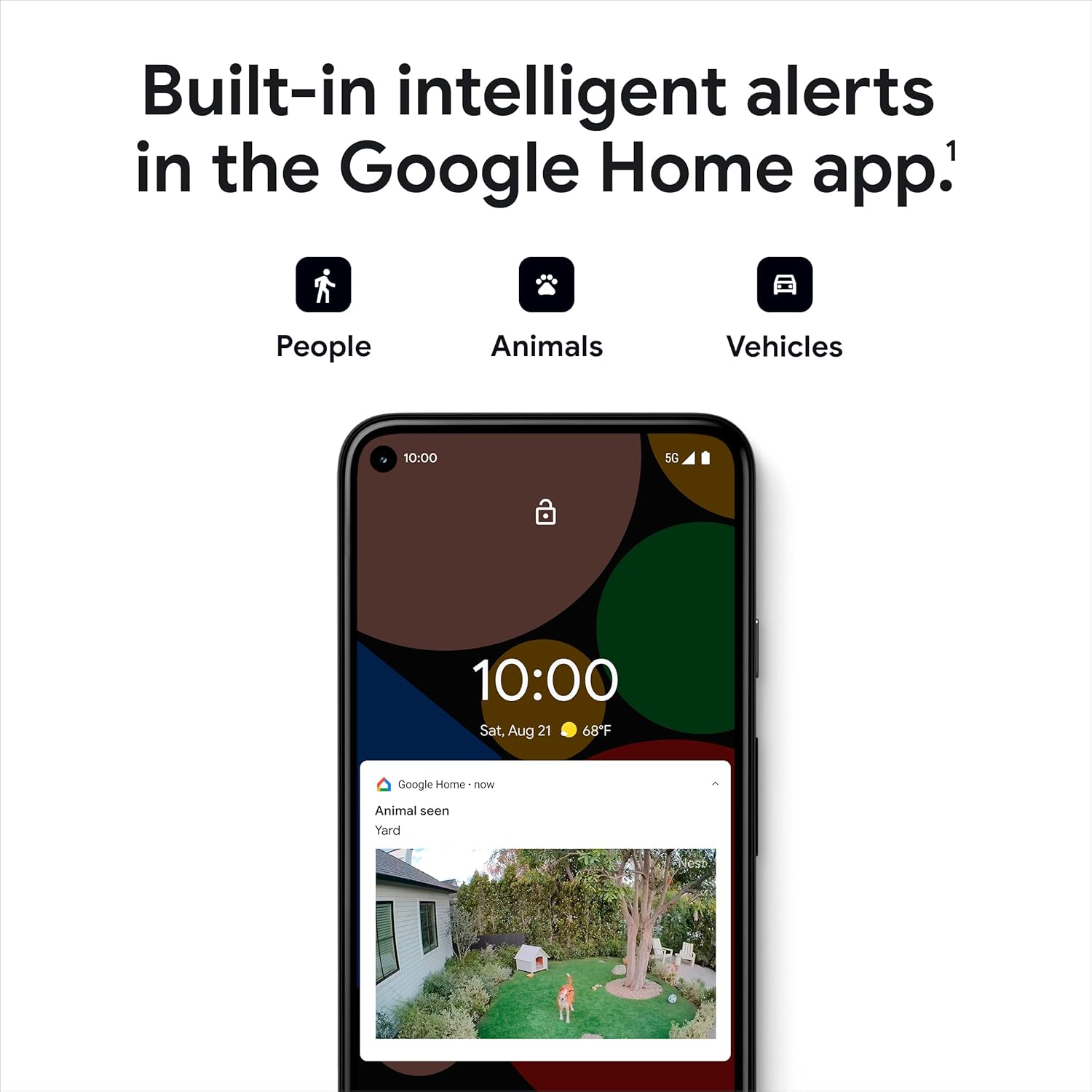
Figure 4: Intelligent alerts for people, animals, and vehicles.
Зиндагӣ View ва таърихи видео
Access a live 1080p HDR video feed from anywhere, 24/7. The camera also provides night vision for clear viewing in low-light conditions. You get 3 hours of free event video history, with options to extend up to 60 days with a Nest Aware subscription (sold separately).
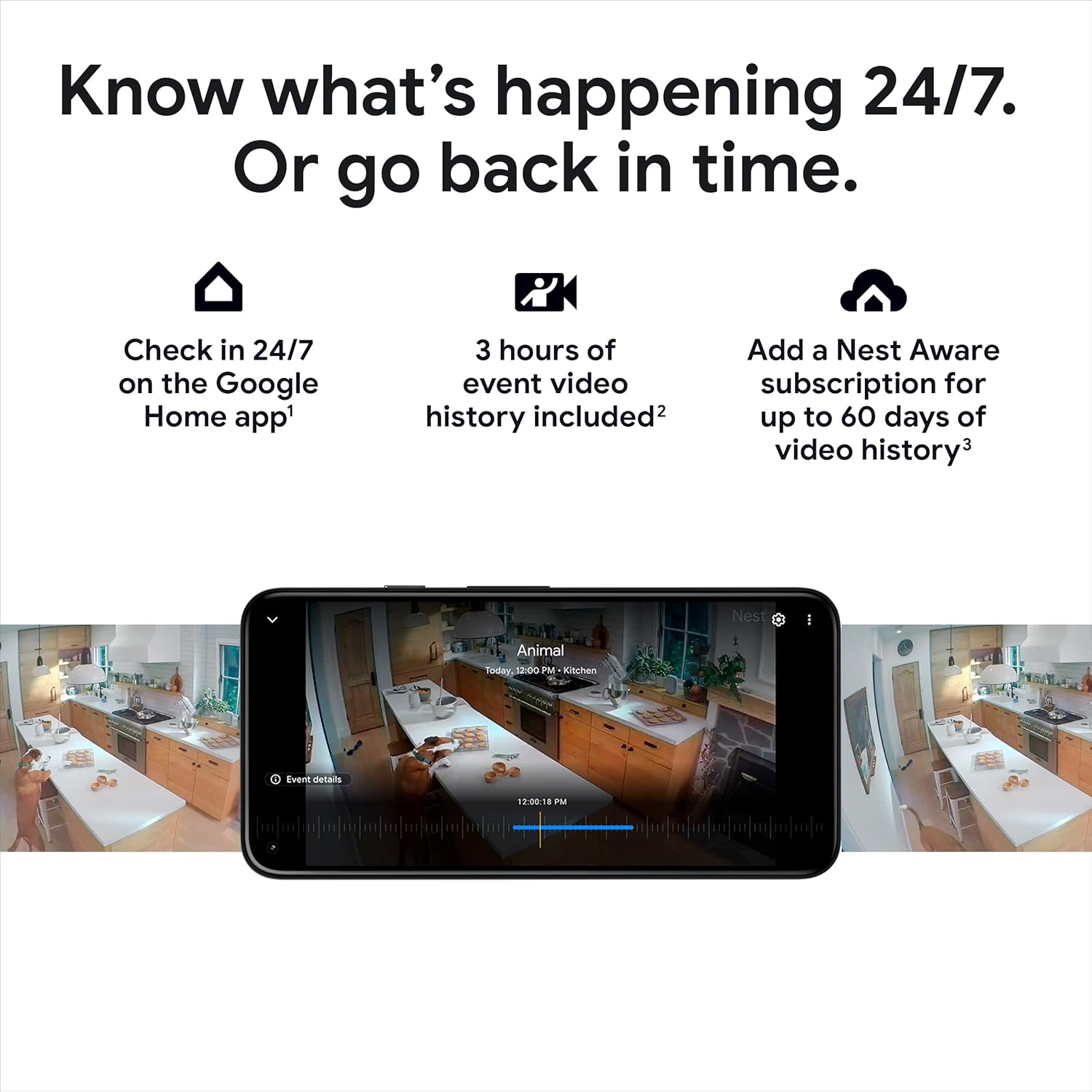
Расми 5: Reviewing video history in the Google Home app.

Расми 6: Зиндагӣ view of your home through the Nest Cam.

Figure 7: Night vision provides clear images in the dark.
Сӯҳбати дуҷониба
Use the built-in speaker and microphone to talk to visitors or communicate with family members through the camera.

Figure 8: Two-way talk and emergency service calling from the app.

Figure 9: Activating two-way talk via the Google Home app.
Минтақаҳои фаъолият
Минтақаҳои мушаххасро дар дохили камера муайян кунед view as Activity Zones to receive notifications only when activity is detected in those critical areas.

Figure 10: Customizing Activity Zones for targeted alerts.
Захираи офлайн
Агар Wi-Fi-и шумо кор накунад ё барқ қатъ шавадtage, the Nest Cam will store up to an hour of recorded events locally, so you don't miss important moments.

Figure 11: Nest Cam continues to record during outages.
Нигоҳдорӣ
To ensure optimal performance of your Nest Cam, consider the following maintenance aspects:
Пуркунии батарея
As a battery-powered device, the Nest Cam will require periodic recharging. The Google Home app will notify you when the battery is low.
Continuous Power Options
For uninterrupted operation and 24/7 video recording (with Nest Aware Plus), consider purchasing a weatherproof power cable for outdoor use or an indoor stand with a power cable for indoor use.
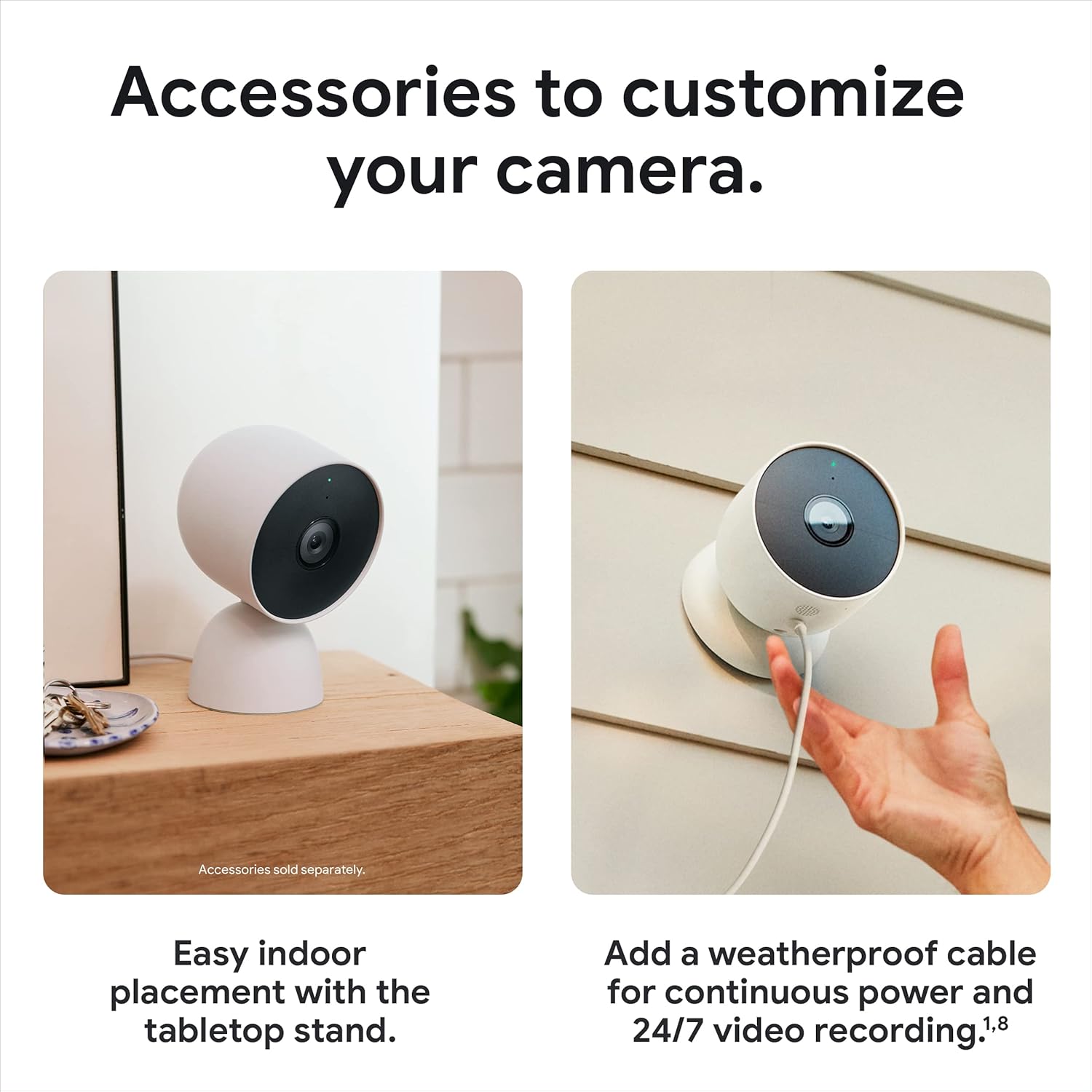
Figure 12: Optional accessories for enhanced power and placement.
Мушкилкушо
If you encounter issues with your Nest Cam, try the following steps:
Масъалаҳои пайвастшавӣ
If your camera shows as 'offline' or is not connecting to your Wi-Fi network, ensure your Wi-Fi is stable. Remember that the camera stores up to an hour of events during outages. If reconnection fails, you may need to reset the camera. Locate the reset button (refer to the device diagram in the app) and press it for 15 seconds to perform a factory reset, then repeat the connection process.
Мутобиқати барнома
Ensure you are using the Google Home app. The Nest Cam is not compatible with the older Nest app.
Мушаххасоти
| Хусусият | Тафсилот |
|---|---|
| Истифодаи дарунӣ/берунӣ | Дарунӣ, дарунӣ |
| Манбаи нерӯ | Батареяе |
| Протоколи пайвастшавӣ | Bluetooth, Wi-Fi (802.11a/b/g/n 2.4GHz/5GHz) |
| Қарори сабти видео | 1080p |
| Майдони Оф View | 130 дараҷа |
| Технологияи нури паст | Ранги шабона |
| Навъи огоҳӣ | Motion Only (Intelligent alerts for person, animal, vehicle) |
| Рейтинги байналмилалии муҳофизат | IP65 (тобовар ба обу ҳаво) |
| Андозаҳои ашё (L x W x H) | 3.27 x 3.27 x 3.27 инч |
| Вазни ашё | 1.76 фунт (28.08 унсия) |
| Батареяҳо | 4 батареяи литий-ион лозим аст (дохил карда шудааст) |
| Дастгоҳҳои мувофиқ | Amazon Alexa, Google Assistant |
Кафолат ва дастгирӣ
For warranty information and technical support, please refer to the official Google support channels. You can also visit the Дӯкони Google дар Amazon барои захираҳои иловагӣ ва маълумоти маҳсулот.


