1. Муқаддима
This manual provides detailed instructions for the safe and efficient operation of your Denver DMP-391 Portable CD Player. Please read this manual thoroughly before using the device and retain it for future reference.
2. Маълумот оид ба бехатарӣ
- Дастгоҳро ба борон ё намӣ нагузоред.
- Дастгоҳро ба қисмҳо ҷудо накунед. Ҳама хидматрасониро ба кормандони соҳибихтисос муроҷиат кунед.
- Аз ҳарорати аз ҳад зиёд канорагирӣ кунед.
- Дастгоҳро дар наздикии об истифода набаред.
- Танҳо бо матои хушк тоза кунед.
- Танҳо замимаҳо/ҷисмҳои муайянкардаи истеҳсолкунандаро истифода баред.
- Гӯш кардани тӯлонӣ дар сатҳи баланд метавонад ба шунавоӣ осеб расонад.
3. Мундариҷаи баста
Лутфан тафтиш кунед, ки ҷузъҳои зерин ба бастаи шумо дохил карда шудаанд:
- Denver DMP-391 Portable CD Player
- Гӯшмонакҳои стерео
- Дастури корбар
4. Маҳсулот ба охир расидview
Familiarize yourself with the components and controls of your portable CD player.
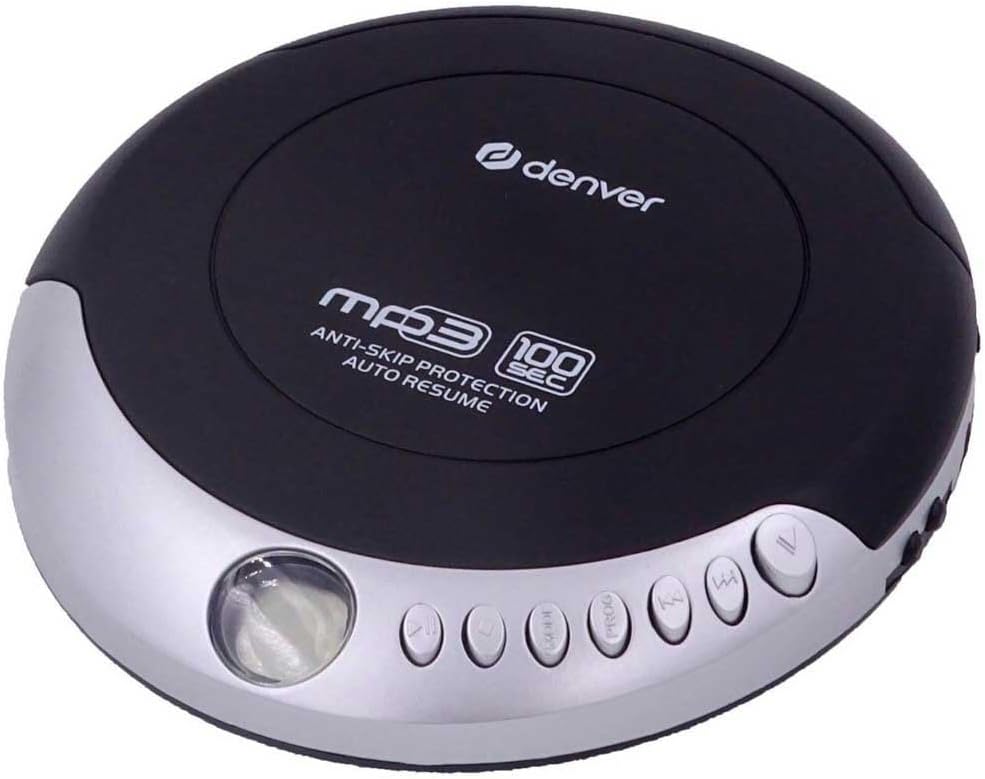
Расми 1: боло view of the Denver DMP-391 Portable CD Player, showing the disc cover and control buttons.
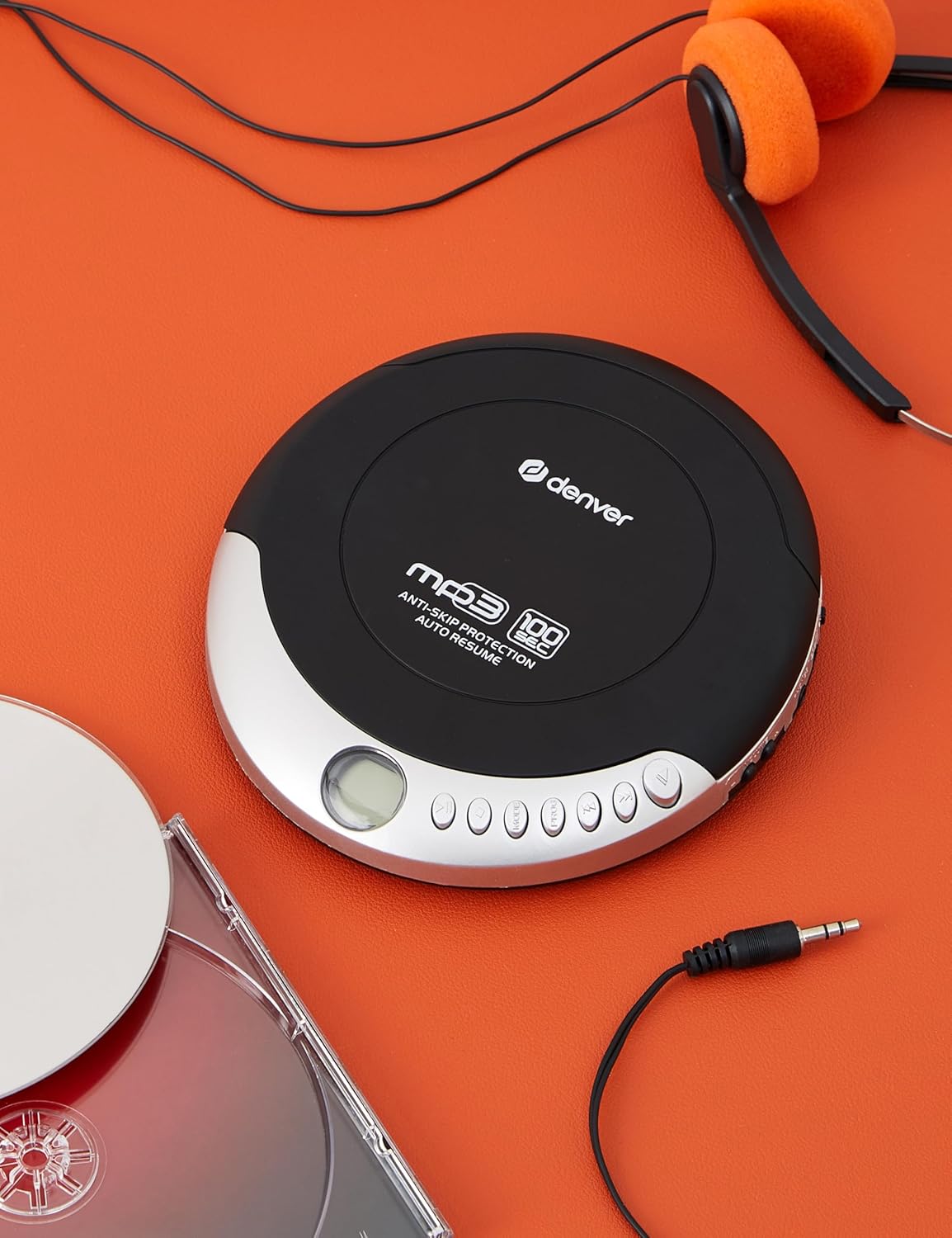
Расми 2: The Denver DMP-391 Portable CD Player displayed with included headphones and compact discs, illustrating its portable nature.
Назорат ва хусусиятҳо:
- Disc Cover: Opens to insert or remove CDs.
- Намоиши LCD: Shows track number, playback mode, and battery status.
- Тугмаи Бозӣ/Таваққуф: Навозишро оғоз мекунад ё таваққуф мекунад.
- Тугмаи қатъ: Бозиро қатъ мекунад.
- Skip/Search Buttons (Forward/Backward): Трекҳоро гузаронед ё дар дохили трек зуд ба пеш/қафо мепечонед.
- Назорати овоз: Сатҳи баромади аудиоро танзим мекунад.
- Тугмаи барнома: Used for programming track order.
- Тугмаи режим: Selects playback modes (Repeat, Random).
- Гӯшаки гӯшмонак: 3.5mm stereo output for earphones.
- Jack вуруди DC: For connecting an optional power adapter.
- Бахши батарея: Holds batteries for portable use.
5. Танзимот
5.1 Таъмини барқ
The DMP-391 can be powered by batteries or an optional AC/DC power adapter.
Насби батарея:
- Сарпӯши қисми батареяро, ки дар поёни дастгоҳ ҷойгир аст, кушоед.
- Insert the required batteries (e.g., 2 x AA batteries) according to the polarity markings (+ and -) inside the compartment.
- Сарпӯши қисмати батареяро бехатар пӯшед.
Using an AC/DC Adapter (Optional):
- Connect the AC/DC adapter (not included) to the DC input jack on the unit.
- Адаптерро ба васлаки стандартии деворӣ пайваст кунед.
5.2 Пайваст кардани гӯшмонакҳо
Insert the 3.5mm stereo plug of your earphones into the headphone jack on the side of the unit.
6. Дастурҳои истифодабарӣ
6.1 Loading a CD
- Gently press the OPEN button or slide the latch to open the disc cover.
- Place a CD, CD-R, CD-RW, or MP3 CD onto the center spindle with the label side facing up.
- Press down gently on the center of the disc until it clicks into place.
- Сарпӯши дискро то он даме ки маҳкам шавад, маҳкам пӯшед.
6.2 Бозии асосӣ
- -ро пахш кунед Бозӣ/Таваққуф button to start playback. The track number and elapsed time will appear on the LCD display.
- Барои таваққуфи навозиш, -ро пахш кунед Бозӣ/Таваққуф боз тугмаи. Барои идома додан онро бори дигар пахш кунед.
- Барои қатъ кардани навозиш, -ро пахш кунед ИСТ тугма.
- Барои гузаштан ба суруди навбатӣ, -ро пахш кунед БА ПЕШ ГУЗАРЕД тугма.
- To skip to the beginning of the current track or the previous track, press the БА АКБ ГУЗАРЕД тугма.
- To fast-forward or rewind within a track, press and hold the БА ПЕШ ГУЗАРЕД or БА АКБ ГУЗАРЕД тугмаи мутаносибан.
- Баландии овозро бо ёрии ҲАҶМ control dial or buttons.
7. Ҳолатҳои бозикунӣ
The DMP-391 offers several playback modes:
- Якумро такрор кунед: Repeats the current track. Press the РЕЖИМ button until "REP1" or a similar indicator appears.
- Ҳамаро такрор кунед: Repeats all tracks on the disc. Press the РЕЖИМ button until "ALL" or a similar indicator appears.
- Бозии тасодуфӣ: Plays tracks in a random order. Press the РЕЖИМ button until "RND" or a similar indicator appears.
- Барномаи бозӣ: Allows you to create a custom playback sequence.
- Дар ҳолати боздоштан тугмаи ПРОГРАММАМ тугма.
- -ро истифода баред SKIP FORWARD/BACKWARD тугмаҳоро барои интихоби суруди дилхоҳ пахш кунед.
- пахш кунед ПРОГРАММАМ again to add the track to the program list.
- Repeat steps b and c to add more tracks.
- пахш кунед Бозӣ/Таваққуф барои оғози бозикунии барномарезишуда.
7.1 Ҳифзи зидди лағжиш
The DMP-391 features an anti-skip protection system (e.g., 100 seconds for MP3 CDs, 40 seconds for audio CDs) to ensure uninterrupted playback during movement or minor vibrations. This system temporarily stores audio data in a buffer memory.
8. Нигоҳдорӣ
8.1 Тоза кардани дастгоҳ
- Қисми берунии дастгоҳро бо матои мулоим ва хушк пок кунед.
- Тозакунакҳои абразивӣ, мумҳо ва ҳалкунандаҳоро истифода набаред.
- To clean the lens, use a specialized CD lens cleaner disc. Do not touch the lens directly.
8.2 Нигоҳдорӣ
- When not in use for extended periods, remove batteries to prevent leakage.
- Дастгоҳро дар ҷои хунук ва хушк аз нурҳои бевоситаи офтоб ва ҳарорати аз ҳад зиёд нигоҳ доред.
9. Баррасии мушкилот
| Мушкилот | Сабаби эҳтимолӣ | Ҳалли |
|---|---|---|
| Не қудрат | Батареяҳо мурдаанд ё нодуруст гузошта шудаанд. Адаптери барқӣ пайваст нест ё вайрон шудааст. | Батареяҳоро иваз кунед ё поляриро тафтиш кунед. Connect AC adapter securely or try a different adapter. |
| Садо нест | Headphones not connected properly. Ҳаҷм хеле паст. Диск ифлос ё харошида шудааст. | Боварӣ ҳосил кунед, ки гӯшмонакҳо пурра пайваст шудаанд. Ҳаҷмро зиёд кунед. Дискро тоза кунед ё иваз кунед. |
| Disc skips or playback is interrupted | Disc is dirty, scratched, or warped. Unit is subjected to excessive vibration. Anti-skip protection is overwhelmed. | Дискро тоза кунед ё иваз кунед. Дастгоҳро дар сатҳи устувор ҷойгир кунед. Reduce movement during playback. |
| Диск бозӣ намекунад | Disc inserted incorrectly. Disc format not supported. Disc cover not closed. | Re-insert disc with label side up. Ensure it's a CD, CD-R, CD-RW, or MP3 CD. Close the disc cover firmly. |
10. Мушаххасоти
- Модели: ДМП-391
- Бренд: Денвер
- Форматҳои дискҳои дастгирӣшаванда: CD, CD-R, CD-RW, MP3 CD
- Муҳофизати зидди гузариш: Yes (e.g., 100 seconds for MP3, 40 seconds for CD)
- Усулҳои бозӣ: Repeat One, Repeat All, Random, Program
- Натиҷаи аудио: Ҷеки гӯшмонаки стерео 3.5 мм
- Манбаи нерӯ: Batteries (e.g., 2 x AA) or DC 4.5V Power Adapter (optional)
- Ранги: Сиёҳ
- Хусусияти махсус: Портатив
11. Кафолат ва дастгирӣ
For warranty information or technical support, please refer to the warranty card included with your product or contact your local Denver retailer or service center. Keep your purchase receipt as proof of purchase.


