1. Муқаддима
This manual provides detailed instructions for the installation, operation, and maintenance of your Hombli Smart Doorbell 2 and Chime 2. Please read this guide thoroughly before using the product to ensure proper functionality and safety. The Hombli Smart Doorbell 2 allows you to see, hear, and speak to visitors from anywhere, while the Chime 2 provides an audible alert inside your home.
2. Маълумот оид ба бехатарӣ
- Пеш аз насб ё нигоҳдорӣ, барои пешгирӣ аз зарбаи барқ, боварӣ ҳосил кунед, ки тамоми барқ қатъ карда шудааст.
- Do not expose the doorbell to extreme temperatures, direct sunlight for prolonged periods, or excessive moisture.
- Use only the provided or recommended accessories and power sources.
- Дастгоҳро аз дастрасии кӯдакон дур нигоҳ доред.
- Do not attempt to disassemble or repair the device yourself. Contact Hombli support for assistance.
3. Мундариҷаи баста
Verify that all items are present in your Hombli Smart Doorbell 2 Promo Pack:
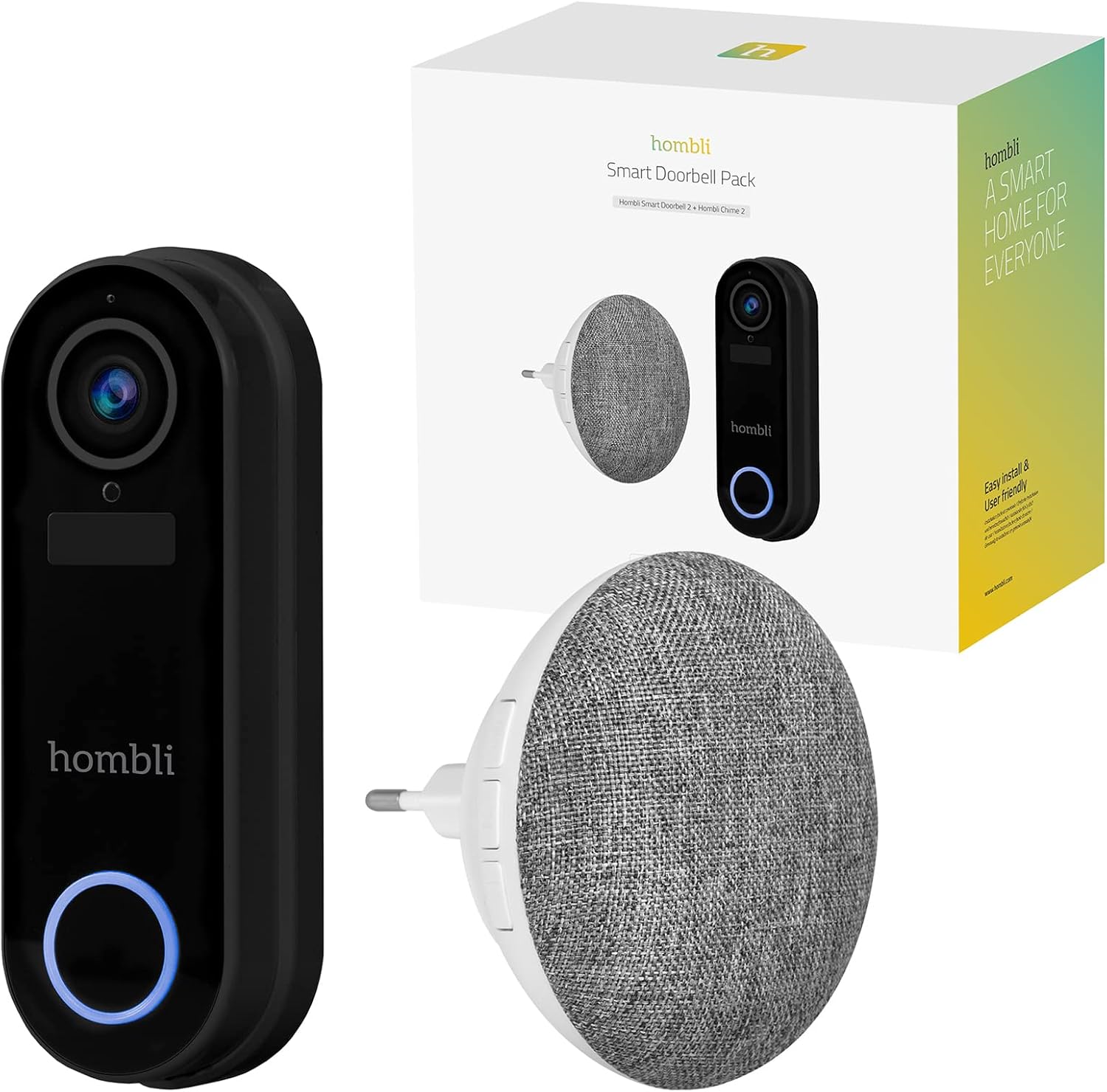
Image: The retail box for the Hombli Smart Doorbell 2 and Chime 2, showing both devices and the packaging.

Image: All components included in the Hombli Smart Doorbell 2 package, including the doorbell unit, mounting bracket, screws, wall anchors, wiring harness, USB charging cable, and adhesive pads.
- Hombli Smart Doorbell 2 (Black)
- Hombli Chime 2
- Барасмиятдарории қавс
- Винтҳои насбкунӣ ва лангарҳои деворӣ
- Сими пуркунандаи USB
- Wiring Harness (for optional wired installation)
- Пойгоҳҳои часпанда
- Дастури корбар (ин ҳуҷҷат)
4. Маҳсулот ба охир расидview
Familiarize yourself with the components of your Hombli Smart Doorbell 2 and Chime 2.
4.1 Hombli Smart Doorbell 2
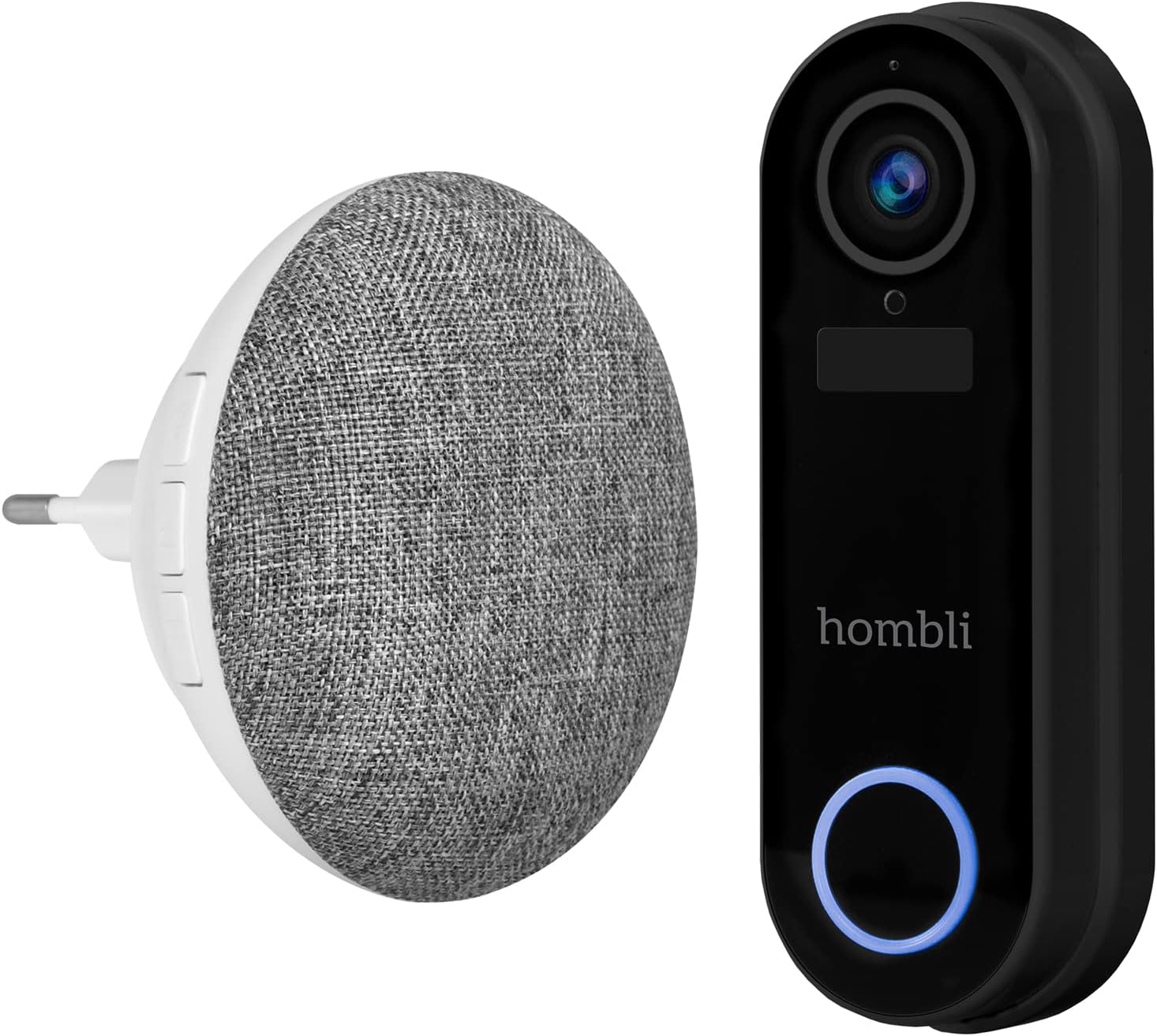
Image: The Hombli Smart Doorbell 2 and the Hombli Chime 2 displayed side-by-side.

Image: A visual representation of the Hombli Smart Doorbell 2 with icons and text highlighting its key features.
- Камера: 140 ° кунҷи васеъ view, Full HD 1080p resolution at 15 frames per second.
- Муайянкунии ҳаракат: Alerts you to activity at your door.
- Батареяи дохилӣ: 5000mAh capacity for wireless operation.
- Имконоти нигаҳдорӣ: Supports optional cloud storage and a Micro SD card slot (up to 128GB).
- Аудио дутарафа: Speak and listen to visitors remotely.
- Биниш шаби инфрасурх: Намоии равшан дар шароити нури кам.
- Ба обу ҳаво тобовар: IP65 rating ensures protection against dust and water splashes.
- GDPR Compliant: Designed with data privacy in mind.
4.2 Hombli Chime 2
The Hombli Chime 2 is a wireless indoor chime that pairs with your Smart Doorbell 2 to provide an audible alert when the doorbell is pressed. It plugs directly into a standard wall outlet.
5. Танзимот
5.1 Пур кардани занги дар
Before installation, fully charge the Hombli Smart Doorbell 2 using the provided USB cable. Connect the USB cable to the doorbell's charging port and a standard USB power adapter (not included). The indicator light will show charging status.
5.2 Installing the Hombli Smart Doorbell 2
The doorbell can be installed wirelessly using adhesive pads or permanently mounted with screws. For wired installation, connect to existing doorbell wiring (5V AC).

Image: The Hombli Smart Doorbell 2 securely mounted on an exterior wall next to a door frame.
- Ҷойгирро интихоб кунед: Select a suitable location near your front door, ensuring a clear view ва сигнали хуби Wi-Fi.
- Монтаж:
- часпак: Clean the surface, apply the adhesive pads to the back of the mounting bracket, and firmly press the bracket onto the desired location.
- Бурҳо: Use the mounting bracket as a template to mark drill holes. Drill holes, insert wall anchors if necessary, and secure the bracket with screws.
- Wired (Optional): If connecting to existing doorbell wiring, ensure power is off. Connect the doorbell's wiring harness to your existing doorbell wires (5V AC).
- Занги дарро пайваст кунед: Slide the Hombli Smart Doorbell 2 onto the mounted bracket until it clicks into place.
5.3 Installing the Hombli Chime 2

Image: The Hombli Chime 2 plugged into a standard electrical wall outlet, ready for use.
- Васлкун: Plug the Hombli Chime 2 into a standard electrical outlet in a central location within your home.
- Ҷуфт кардан: Follow the instructions in the Hombli app to pair the Chime 2 with your Smart Doorbell 2.
5.4 Hombli App Setup
The Hombli app is essential for controlling and managing your Smart Doorbell 2 and Chime 2.
- Барномаро зеркашӣ кунед: Download the Hombli app from the App Store (iOS) or Google Play Store (Android).
- Ҳисоб кушоед: Барномаро кушоед ва ҳисоби нав эҷод кунед ё агар шумо аллакай дошта бошед, ворид шавед.
- Илова кардани дастгоҳ: Tap the '+' icon to add a new device. Select 'Smart Doorbell' from the list.
- Дастурҳои дар экранро иҷро кунед: The app will guide you through connecting the doorbell to your Wi-Fi network and pairing the chime. Ensure your Wi-Fi network is 2.4GHz.
6. Амалиёт
Once set up, you can use your Hombli Smart Doorbell 2 and Chime 2 to monitor your entrance and communicate with visitors.

Image: A smartphone displaying the Hombli app interface for the Smart Doorbell 2, showing live video feed and control options like screenshot, speak, record, playback, cloud storage, and buzzer.
6.1 Doorbell Functions
- Зиндагӣ View: Open the Hombli app to view live video from your doorbell camera at any time.
- Аудио дутарафа: When a visitor presses the doorbell or motion is detected, you will receive a notification. Tap the notification to answer and speak to the visitor using the app's microphone and speaker functions.
- Муайянкунии ҳаракат: The doorbell will send notifications to your phone when motion is detected. You can adjust sensitivity settings in the app.
- Сабт: Видео фойtage can be recorded manually or automatically upon motion detection/doorbell press. Recordings are stored on a Micro SD card (if inserted) or in optional cloud storage.
- Бозӣ: Access recorded events through the app's playback feature.
6.2 Chime Functions
- Огоҳии овозӣ: When the doorbell button is pressed, the Chime 2 will sound an alert inside your home.
- Volume and Tone: Adjust the chime volume and select different melodies through the Hombli app.
7. Нигоҳдорӣ
- Пуркунии батарея: The Smart Doorbell 2's battery life depends on usage. When the battery is low, you will receive a notification. Remove the doorbell from its bracket and charge it using the USB cable.
- Тозакунӣ: Wipe the doorbell and chime with a soft, damp матоъ. Моддаҳои кимиёвии сахт ё тозакунандаи абразивиро истифода набаред.
- Навсозии нармафзор: Periodically check the Hombli app for available firmware updates to ensure optimal performance and security. Follow the app's instructions for updating.
8. Баррасии мушкилот
8.1 Масъалаҳои умумӣ ва роҳҳои ҳалли
- Занги дар ба Wi-Fi пайваст нест:
- Боварӣ ҳосил кунед, ки шабакаи Wi-Fi-и шумо 2.4 ГГц аст.
- Қувваи сигнали Wi-Fi-ро дар макони занги дар санҷед.
- Роутер ва занги дари худро бозоғоз намоед.
- Ensure correct Wi-Fi password is entered in the app.
- Chime not sounding:
- Ensure the Chime 2 is plugged in and powered on.
- Verify that the Chime 2 is successfully paired with the doorbell in the Hombli app.
- Check the volume settings for the chime in the app.
- Сифати пасти видео:
- Check your Wi-Fi signal strength. A weak signal can affect video streaming.
- Боварӣ ҳосил кунед, ки линзаи камера тоза ва аз монеаҳо холӣ аст.
- Муайянкунии ҳаракат кор намекунад:
- Adjust motion detection sensitivity in the Hombli app.
- Ensure there are no physical obstructions blocking the sensor's view.
- Doorbell battery draining quickly:
- Чорабиниҳои ошкоркунии зуд-зуди ҳаракат ё зинда view access can consume battery faster. Adjust settings if needed.
- Ensure the doorbell is fully charged after each charging cycle.
9. Мушаххасоти
9.1 Hombli Smart Doorbell 2

Image: Detailed measurements of the Hombli Smart Doorbell 2, showing its height, width, and depth in centimeters.
| Рақами модел | HBDP-0100 |
| Андозаҳо (L x W x H) | 7.28 x 3.94 x 6.81 инч (18.5 x 10 x 17.3 см) |
| Вазн | 1.61 фунт (0.73 кг) |
| Қарори камера | Full HD 1080p |
| Майдони View | 140 ° кунҷи васеъ |
| Иқтидори батарея | 5000 мАч |
| Муқовимати обу ҳаво | IP65 |
| Нигоҳдорӣ | Micro SD (up to 128GB), Cloud Storage (optional) |
| Пайвастшавӣ | Wi-Fi (2.4 ГГц) |
9.2 Hombli Chime 2

Image: Detailed measurements of the Hombli Chime 2, showing its diameter and depth in centimeters.
| Андозаҳо (Диаметр x Чуқурӣ) | 9.3 cm x 8.5 cm (plug part 4.9 cm width) |
| Вуруди нерӯ | 5 вольт (AC) |
| Пайвастшавӣ | Wireless (paired with Doorbell 2) |
10. Кафолат ва дастгирӣ
Hombli products come with a standard manufacturer's warranty. For specific warranty terms and conditions, please refer to the warranty card included with your product or visit the official Hombli website. If you encounter any issues or require technical assistance, please contact Hombli customer support through their website or the Hombli app.


