1. Муқаддима
This manual provides essential information for the proper setup, operation, and maintenance of your Tibuta 10-inch Android 13 Tablet. Designed for versatility, this tablet features a 10.1-inch IPS display, a Quad-core processor, 4GB RAM, 32GB internal storage (expandable), and dual cameras, making it suitable for various daily activities from entertainment to productivity.

Image: The Tibuta 10-inch Android 13 Tablet, showcasing its sleek design and the included protective case.
2. Танзимот
2.1 Кушодани қуттӣ ва санҷиши ибтидоӣ
Carefully remove all components from the packaging. Verify that the tablet and its protective case are present and undamaged. The package typically includes the tablet, a protective case, and a charging cable.

Image: The Tibuta tablet with its protective case, ready for use.
2.2 Пур кардани планшет
Before first use, fully charge the tablet. Connect the provided USB-C charging cable to the tablet's USB-C port and the other end to a compatible power adapter (not always included) or a computer's USB port. The battery indicator on the screen will show charging status. A full charge typically takes several hours.
2.3 Фурӯзон/хомӯш кардан
- Барои фаъол кардан: Press and hold the Power button (located on the side) until the Tibuta logo appears on the screen.
- Барои хомӯш кардани барқ: Тугмаи барқро то пайдо шудани менюи имконоти барқ пахш кунед ва нигоҳ доред. "Хомӯш кардан" -ро интихоб кунед ва тасдиқ кунед.
- Барои аз нав оғоз кардан: From the power options menu, select 'Restart'.
2.4 Танзимоти ибтидоӣ
Upon first power-on, the tablet will guide you through the initial setup process. This includes selecting your language, connecting to a Wi-Fi network, setting up your Google account, and configuring basic security settings. Follow the on-screen prompts.
2.5 Пайвастшавӣ ба Wi-Fi
- Ба "Танзимотҳо"> "Шабака ва интернет"> "Wi-Fi" гузаред.
- "Wi-Fi-ро фаъол созед" -ро фаъол созед.
- Аз рӯйхат шабакаи дилхоҳи Wi-Fi-ро интихоб кунед.
- Агар дархост карда шавад, пароли шабакаро ворид кунед ва сипас тугмаи "Пайвастшавӣ"-ро клик кунед.
3. Дастурҳои истифодабарӣ
3.1 Навигатсияи асосӣ
The Tibuta tablet utilizes a responsive touchscreen for navigation. Common gestures include:
- Клик кунед: Барои интихоби ашё ё кушодани барнома.
- Лағжиш: Барои ҳаракат дар саҳифаҳо ё рӯйхатҳо.
- Пич-то-масштаб: Барои калон кардан ё хурд кардани тасвирҳо ё web саҳифаҳо.
- Пахшкунии дароз: Барои дастрасӣ ба менюҳои контекстӣ ё кӯчонидани нишонаҳои барнома.
3.2 Истифодаи камера
Your tablet is equipped with a 5.0MP front camera and an 8.0MP rear camera for photos and video calls.
- Барномаи "Камера" -ро кушоед.
- Барои иваз кардани камераҳои пеш ва ақиб, нишонаи гузариши камераро ламс кунед.
- Барои гирифтани акс ё оғоз/қатъ кардани сабти видео, тугмаи пардаро клик кунед.

Image: The tablet highlighting its dual camera capabilities for capturing moments.
Image: The tablet being used for a video call, showcasing its front camera functionality.
3.3 Хусусиятҳои аудио
The tablet includes built-in speakers for audio playback and a 3.5mm stereo headphone jack for private listening. Volume can be adjusted using the physical volume buttons on the side of the tablet.
3.4 Идоракунии нигаҳдорӣ
The tablet comes with 32GB of internal storage. You can expand this storage up to 128GB using a microSD card (not included). To insert a microSD card, locate the card slot on the side of the tablet and gently push the card in until it clicks into place.

Image: Illustration of the tablet's 32GB internal storage and expandability up to 128GB, ideal for saving photos and files.
3.5 Applications and Google Mobile Services (GMS)
The tablet runs on Android 13 and is GMS certified, providing full access to the Google Play Store. You can download and install a wide range of applications, including popular social media apps like Facebook, Twitter, YouTube, and TikTok.
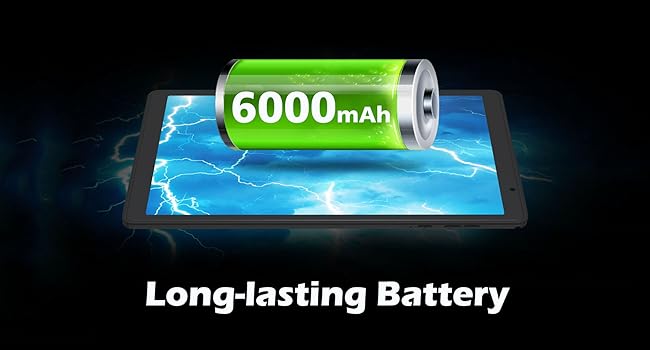
Image: The tablet displaying various GMS-certified applications, indicating broad app compatibility.
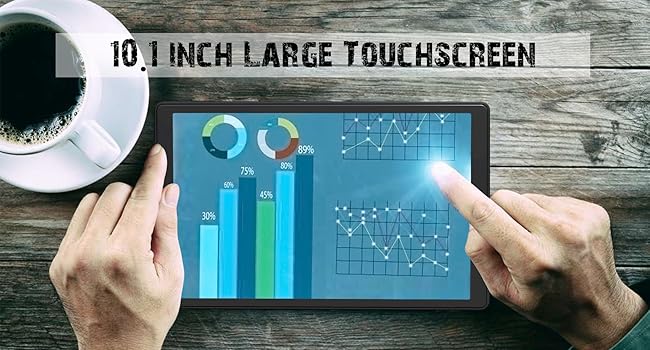
Image: The tablet in use for diverse activities such as studying, shopping, video calls, reading, and watching movies.
3.6 Муҳлати батарея
The 6000mAh battery provides approximately 8 hours for video playback, 9 hours for daily use, and 10 hours for music playback. Actual battery life may vary based on usage patterns and settings.

Image: Visual representation of the tablet's large battery capacity and estimated usage times for various activities.
4. Нигоҳдорӣ
4.1 Тоза кардани планшет
Барои тоза кардани экран ва бадани планшет аз матои мулоим ва ифлос истифода баред. Барои доғҳои якрав, каме гampматоъро бо об ё маҳлули тозакунандаи экран. Аз истифодаи кимиёвии сахт ё маводи абразивӣ худдорӣ намоед.
4.2 Навсозии нармафзор
Regularly check for and install system updates to ensure optimal performance, security, and access to new features. Go to 'Settings' > 'System' > 'System update' to check for available updates.
4.3 Нигоҳубини батарея
Барои дароз кардани мӯҳлати батарея:
- Аз таъсири планшет дар ҳарорати аз ҳад зиёд (гарм ё хунук) худдорӣ кунед.
- Нагузоред, ки батарея зуд-зуд пурра холӣ шавад.
- Use the original charging cable or a certified equivalent.
4.4 Идоракунии нигаҳдорӣ
To maintain smooth performance, periodically manage your tablet's storage:
- Барномаҳои истифоданашударо нест кунед.
- Clear cache data for apps in 'Settings' > 'Apps' > [App Name] > 'Storage & cache'.
- Интиқоли калон files (photos, videos) to external storage or cloud services.
5. Баррасии мушкилот
Ин бахш мушкилоти маъмулиеро, ки шумо метавонед бо планшетатон дучор шавед, баррасӣ мекунад.
5.1 Дастгоҳ фурӯзон нест
- Ensure the tablet is sufficiently charged. Connect it to a power source for at least 30 minutes.
- Try a forced restart by holding the Power button for 10-15 seconds.
5.2 Иҷрои суст
- Барномаҳои пасзаминаи истифоданашударо пӯшед.
- Clear app cache and temporary files.
- Фазои кофии нигаҳдории озодро таъмин кунед.
- Планшетро давра ба давра аз нав оғоз кунед.
5.3 Масъалаҳои пайвастшавӣ ба Wi-Fi
- Wi-Fi-ро дар танзимот фаъол ва хомӯш кунед.
- Роутери Wi-Fi-и худро аз нав оғоз кунед.
- Шабакаро фаромӯш кунед ва дубора пайваст шавед.
5.4 Мушкилоти пуркунии барқ
- Check if the charging cable and adapter are securely connected.
- Сими дигари пуркунандаи барқ ё адаптери барқро санҷед.
- Inspect the charging port for any debris.
5.5 Баркароркунии заводӣ
Агар мушкилот боқӣ монад, барқароркунии завод метавонад мушкилоти зиёди марбут ба нармафзорро ҳал кунад. Огоҳӣ: Ин ҳама маълумотро дар планшетатон нест мекунад. Пеш аз идома додан маълумоти муҳимро нусхабардорӣ кунед.
- Go to 'Settings' > 'System' > 'Reset options'.
- "Тоза кардани ҳамаи маълумот (аз нав танзимкунии заводӣ)" -ро интихоб кунед.
- Қарори худро тасдиқ кунед ва дастурҳои дар экран бударо иҷро кунед.
6. Мушаххасоти
Key technical specifications for the Tibuta E100 Tablet:
| Хусусият | Мушаххасоти |
|---|---|
| Номи модел | E100 |
| Низоми амал | Android 13 |
| Андозаи экран | 10.1 инч |
| Ҳалли экран | 1280 x 800 pixels (IPS) |
| Протсессор | 1.6 ГГц чор ядроӣ |
| RAM | 4 ГБ |
| Захираи дохилӣ | 32 ГБ |
| Захираи васеъшаванда | То 128 ГБ (microSD) |
| Камераи пушти | 8 МП |
| Камераи пеши | 5 МП |
| Иқтидори батарея | 6000 мАч литий-ион |
| Пайвасти бесим | 2.4G WiFi (802.11n), Bluetooth 4.2 |
| Андозаҳои маҳсулот (LxWxH) | 8.86 x 11.02 x 2.01 инч |

Image: A summary of the tablet's key performance specifications and features.

Image: The tablet's 10.1-inch IPS display, highlighting its high-quality visual output.
7. Кафолат ва дастгирӣ
For warranty information or technical support, please refer to the documentation included with your purchase or visit the official Tibuta website. You may also contact customer service through the platform where you purchased the product.


