1. Муқаддима
Welcome to the world of smart cooking with the CREATE IKOHS Chefbot Touch. This innovative kitchen robot is designed to simplify your cooking process, offering a wide range of functions and pre-programmed recipes to help you prepare delicious meals with ease. With its intuitive touch screen and integrated WiFi, the Chefbot Touch brings convenience and versatility to your kitchen.
Лутфан пеш аз истифода бурдани дастгоҳ ин дастурро бодиққат хонед, то кори бехатар ва оптималиро таъмин кунед. Ин дастурро барои истинод дар оянда нигоҳ доред.

Image: The CREATE IKOHS Chefbot Touch, a versatile kitchen robot featuring a stainless steel mixing bowl and an interactive touchscreen interface.
2. Хусусиятҳои асосӣ
The CREATE IKOHS Chefbot Touch is equipped with advanced features to enhance your culinary experience:
- WiFi ҳамгирошуда: Allows for periodic updates of recipes and software.
- 5-дюймаи экрани сенсорӣ: For easy navigation and recipe selection.
- 24 Барномаҳои худкор: Pre-set functions for various cooking tasks.
- 12 Speeds + Turbo Function: For precise control over mixing and processing.
- Диапазони ҳарорат: Аз 37°C то 120°C танзимшаванда.
- Вақти пухтупаз: Up to 90 minutes of continuous operation.
- 140+ Preloaded Recipes: A wide variety of recipes available directly on the device.
- Функсияҳои бисёрҷониба: Capable of beating, whipping, emulsifying, mixing, stirring, confiting, precision cooking (degree by degree), kneading, boiling, keeping warm, fermenting, poaching, bain-marie, low-temperature cooking, slow cooking, steaming, crushing, chopping, grinding, grating, peeling, slicing, dicing, and pulverizing.
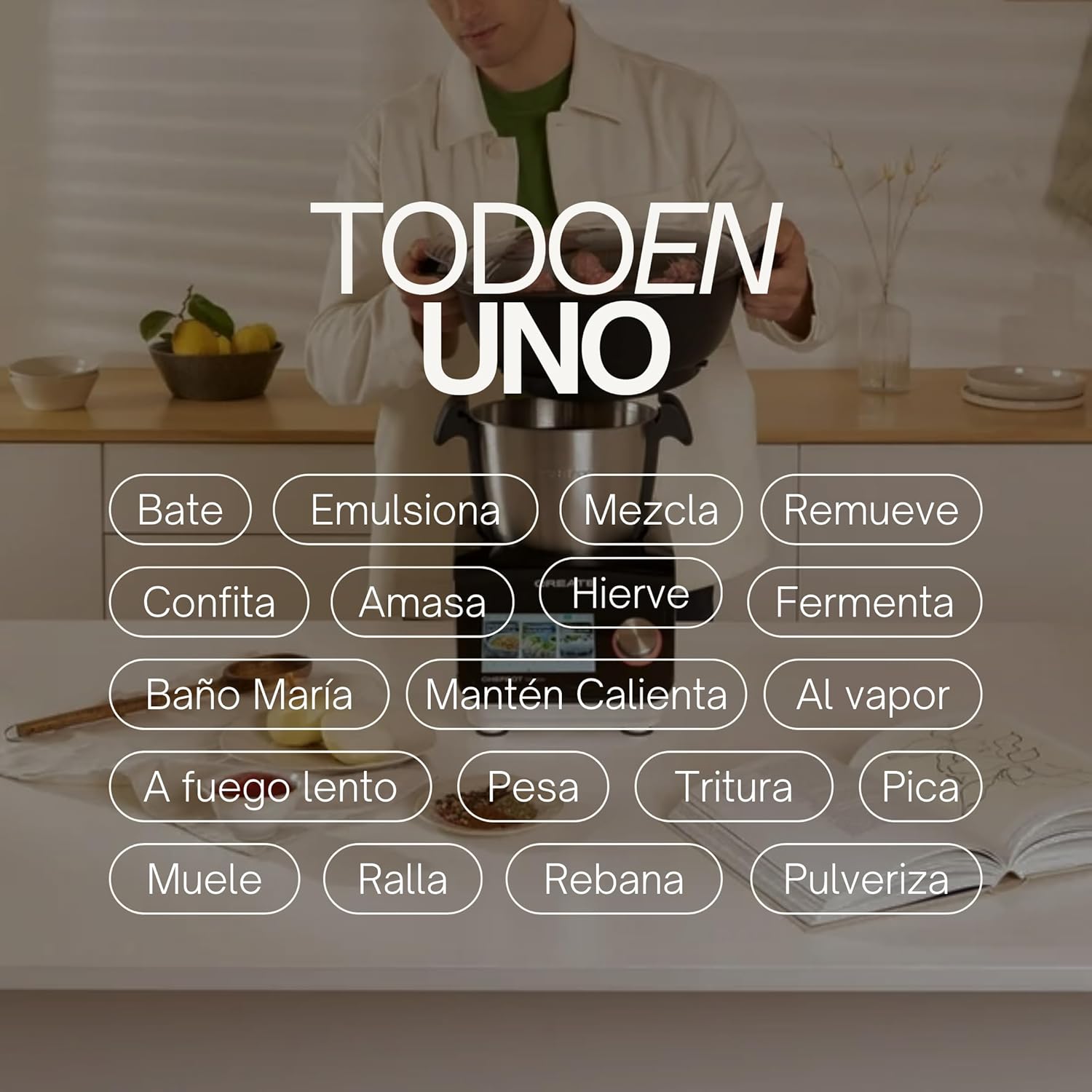
Image: An illustration highlighting the "All-in-One" capabilities of the Chefbot Touch, including functions such as beating, emulsifying, mixing, and more.

Image: A visual summary of the Chefbot Touch's core features: 24 automatic programs, 12 speeds with turbo, and over 140 pre-installed recipes.
3. Қисмҳо ва лавозимот
The Chefbot Touch comes with a comprehensive set of accessories to support its many functions:
- Ice-crushing Blades: For crushing ice and hard ingredients.
- Қалмоқчаи омехта: Барои омехта кардан ва нарм кардан.
- Hand Spatula: Барои пошидан ва омехта кардан.
- Separator Basket: For cooking ingredients separately within the bowl.
- Ҷоми андозагирӣ: Барои андозагирии дақиқи моеъ.
- Butterfly Whisk: For whipping and emulsifying.
- Reversible Cutting Disc: For slicing and grating.
- Сарпӯши коркардкунандаи хӯрокворӣ: For use with the cutting disc.
- Пуркунандаи ғизо: For safely guiding food into the cutting disc.
- 2-level Steamer Basket: For steaming multiple ingredients simultaneously.

Image: The Chefbot Touch displayed with its full set of ten accessories, designed for various cooking tasks.
4. Танзимот
4.1 Кушодани қуттӣ ва ҷойгиркунии ибтидоӣ
Carefully remove all components from the packaging. Place the Chefbot Touch on a stable, flat, and dry surface. Ensure there is adequate ventilation around the unit. Keep the appliance away from heat sources and direct sunlight.
4.2 Пайвастшавии барқ
Сими барқро ба васлаки барқии заминӣ пайваст кунед. Боварӣ ҳосил кунед, ки ҷtage ба хусусиятҳои дастгоҳи шумо мувофиқат мекунад (110 вольт).
4.3 Тозакунии ибтидоӣ
Before first use, clean all removable parts (bowl, lid, accessories) with warm soapy water. Rinse thoroughly and dry completely. Wipe the main unit with a damp матоъ. Асбоби асосиро ба об нагузоред.
4.4 Пайвастшавӣ ба WiFi
To access online recipes and updates, connect your Chefbot Touch to your home WiFi network.
- Turn on the Chefbot Touch.
- Navigate to the settings menu on the touch screen.
- Select "WiFi" or "Network Settings".
- Choose your WiFi network from the list.
- Агар дархост карда шавад, пароли WiFi-и худро ворид кунед.
- Confirm the connection. Once connected, the device will be able to download recipe updates.
5. Дастурҳои истифодабарӣ
5.1 Амалиёти умумӣ
The Chefbot Touch is operated primarily through its 5-inch touch screen and the control knob.
- Шишаи ламсӣ: Use to select programs, recipes, and adjust settings.
- Тугмаи идоракунӣ: Rotate to adjust values (time, temperature, speed) and press to confirm selections.
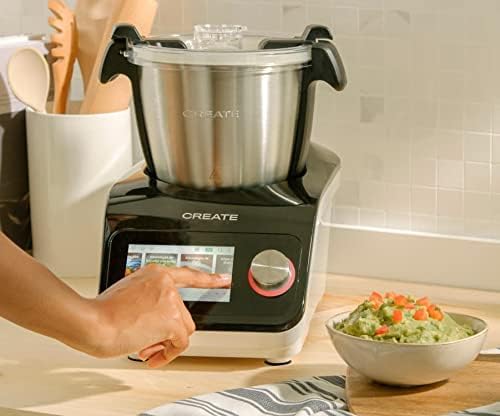
Image: A user demonstrating interaction with the Chefbot Touch's intuitive touchscreen interface.
5.2 Истифодаи барномаҳои автоматӣ
The 24 automatic programs simplify complex cooking tasks.
- From the main menu, select "Programs".
- Browse through the available programs (e.g., Knead, Steam, Chop).
- Select the desired program. The device will guide you through the necessary steps and settings.
5.3 Following Preloaded Recipes
Access over 140 preloaded recipes directly on the device.
- Select "Recipes" from the main menu.
- Browse or search for a recipe.
- Select the recipe. The screen will display step-by-step instructions, including ingredients, quantities, and cooking parameters.
- Follow the on-screen prompts to add ingredients and operate the machine.
5.4 Ҳолати дастӣ
For custom cooking, use the manual mode to set time, temperature, and speed independently.
- Select "Manual" or "Custom" mode.
- Use the touch screen and control knob to set the desired cooking time (up to 90 minutes), temperature (37°C to 120°C), and speed (1-12 or Turbo).
- Барои оғози пухтупаз оғозро пахш кунед.
5.5 Safety Precautions During Operation
- Always ensure the lid is properly secured before operating, especially when using high speeds or hot liquids.
- Косаро аз ҳад зиёд пур накунед.
- Be cautious when handling hot liquids or steam.
- Use the provided spatula or other appropriate utensils to scrape down ingredients, always stopping the machine first.
- Keep hands and utensils away from moving blades.
6. Нигоҳдорӣ ва тозакунӣ
Regular cleaning ensures the longevity and optimal performance of your Chefbot Touch.
6.1 Cleaning the Bowl and Accessories
- The stainless steel bowl should be washed by hand with warm soapy water. Rinse thoroughly and dry immediately to prevent water spots.
- Most accessories are dishwasher safe. Refer to individual accessory instructions for specific cleaning guidelines.
- For stubborn food residue, soak parts in warm soapy water before cleaning.
6.2 Тоза кардани агрегати асосӣ
- берунии агрегати асосиро бо нарм пок кунед, гamp матоъ.
- Тозакунакҳои абразивӣ ва матои тозакуниро истифода набаред, зеро онҳо метавонанд ба сатҳи зарар расонанд.
- Ҳеҷ гоҳ агрегати асосиро ба об ё дигар моеъ ғарқ накунед.
- Боварӣ ҳосил кунед, ки дастгоҳ пеш аз тозакунӣ аз розетка ҷудо карда шудааст.
6.3 Нигоҳдорӣ
Store the Chefbot Touch and its accessories in a clean, dry place when not in use. Ensure all parts are completely dry before storage.
7. Баррасии мушкилот
If you encounter issues with your Chefbot Touch, refer to the following common problems and solutions:
| Мушкилот | Сабаби эҳтимолӣ | Ҳалли |
|---|---|---|
| Таҷҳизот фурӯзон намешавад. | васл карда нашудааст; хомӯш кардани барқ; қудрати туtage. | Ensure power cord is securely plugged in. Check the main power switch. Verify power supply. |
| Мотор ҳангоми кор ё аз ҳад зиёд гарм шудан қатъ мешавад. | Overload; prolonged continuous use; safety mechanism activated. | Reduce the amount of ingredients. Allow the appliance to cool down for at least 30-60 minutes before resuming use. This is a safety feature to prevent damage. |
| Сарпӯш дуруст баста намешавад. | Obstruction; incorrect alignment. | Check for any food particles or accessories blocking the lid. Ensure the lid is correctly aligned and locked into place. |
| Масъалаҳои пайвасти WiFi. | Incorrect password; weak signal; router issues. | Double-check the WiFi password. Move the unit closer to the router. Restart your router. |
| Паёми хатогӣ дар экран. | Масъалаи мушаххаси амалиётӣ. | Note the error code or message. Refer to the digital manual on the device or contact customer support for specific guidance. |
If the problem persists after attempting these solutions, please contact CREATE customer support.
8. Мушаххасоти
Technical specifications for the CREATE IKOHS Chefbot Touch:
| Хусусият | Мушаххасоти |
|---|---|
| Бренд | Эҷод кунед |
| Модели | Chefbot Touch |
| Ранги | Сиёҳ |
| Қувва | 1400 Ватт |
| Ҷилдиtage | 110 вольт |
| Материал | Stainless Steel (bowl), Aluminum (body) |
| Шумораи суръатҳо | 12 + Турбо |
| Диапазони ҳарорат | 37°С то 120°С |
| Max Continuous Operation | дақиқа 90 |
| Дастгоҳҳои мувофиқ | IOS, Android |
| Андозаҳои маҳсулот (L x W x H) | 38 х 24 х 23 см |
| Вазни маҳсулот | 10 кг |

Тасвир: Пеш view of the Chefbot Touch, illustrating its dimensions (465mm height, 380mm width) and 3.5L bowl capacity.
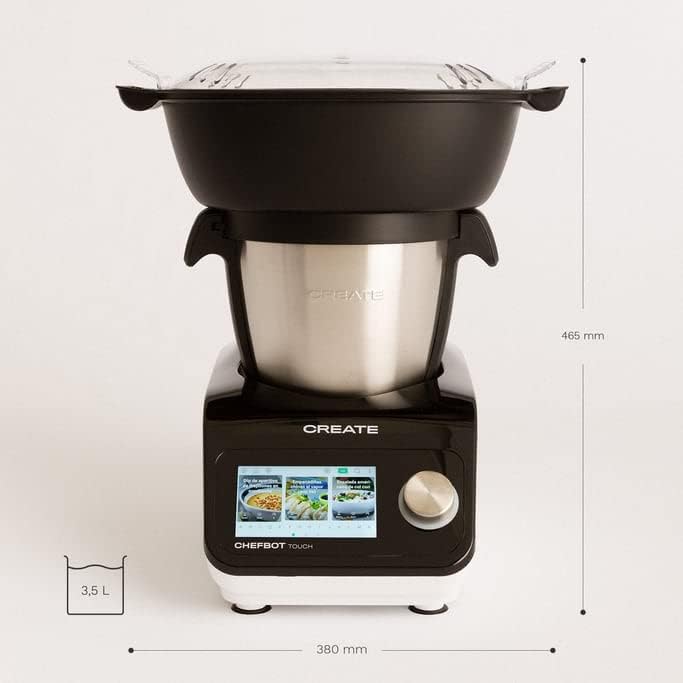
Тасвир: тараф view of the Chefbot Touch, showing its depth dimension of 380mm.
9. Кафолат ва дастгирӣ
For information regarding warranty coverage, terms, and conditions, please refer to the documentation included with your purchase or visit the official CREATE webсайт.
If you require technical assistance, have questions about your product, or need to report an issue, please contact CREATE customer support through their official channels.
Истеҳсолкунанда: Эҷоди IKOHS


