Муқаддима
This manual provides comprehensive instructions for the setup, operation, and maintenance of your Tesla Smart Pet Feeder (Model TSL-PC-BL4). Please read this manual thoroughly before using the device to ensure proper functionality and safety for your pet.
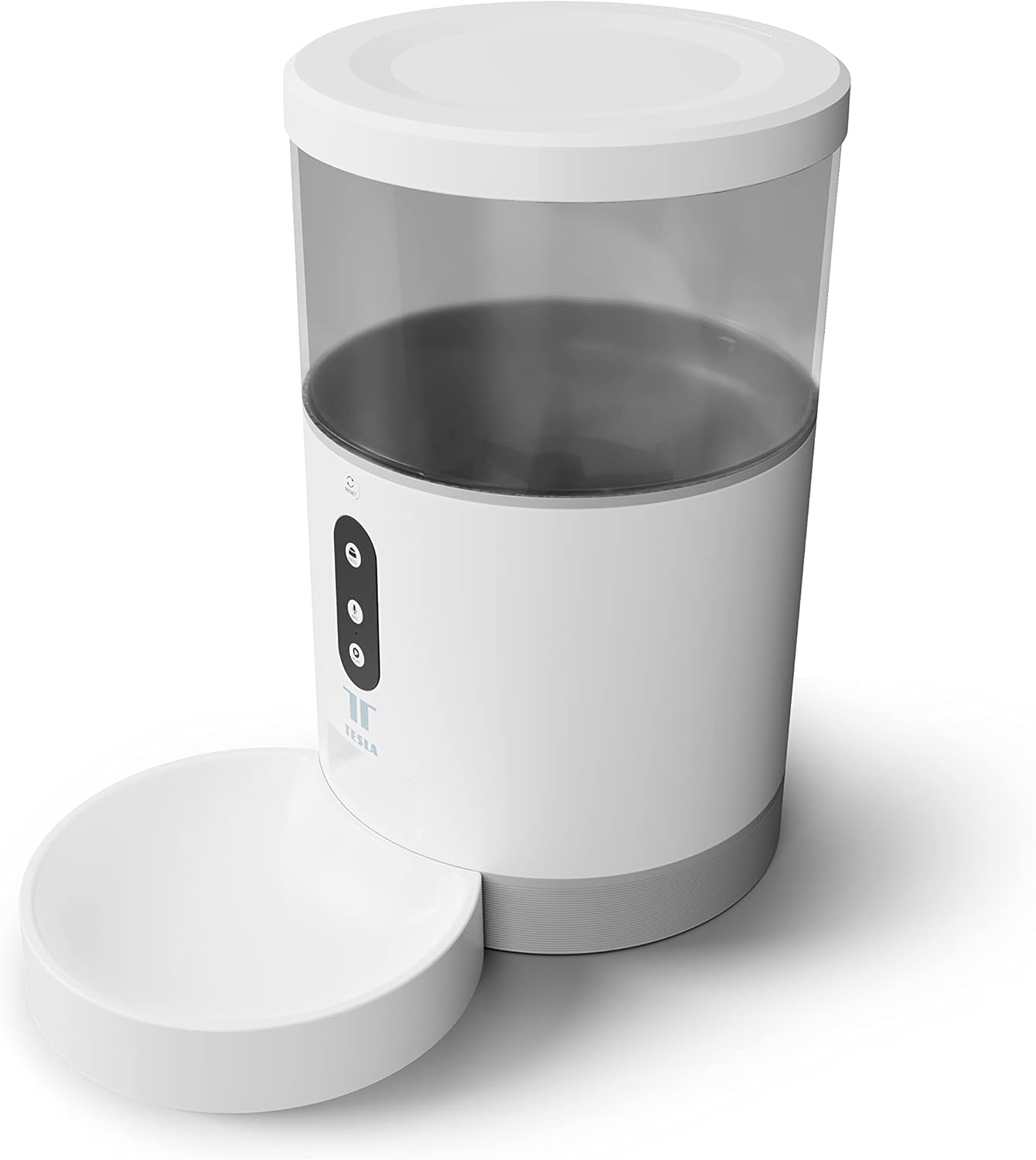
Тасвир: Пеш view of the Tesla Smart Pet Feeder, showing the main unit with a transparent food reservoir, control buttons, and an attached white food bowl.
Маълумоти муҳим оид ба бехатарӣ
Барои пешгирӣ аз ҷароҳат ё вайроншавии дастгоҳ, лутфан чораҳои бехатарии зеринро риоя кунед:
- Дастгоҳи асосиро ба об ё дигар моеъҳо нагузоред.
- Боварӣ ҳосил кунед, ки ғизодиҳанда дар сатҳи устувор ва ҳамвор ҷойгир карда шудааст.
- Keep out of reach of small children and pets when not in use or during assembly.
- Use only dry pet food with a kibble size up to 10 mm.
- Дастгоҳро худатон ба қисмҳо ҷудо кунед ё таъмир накунед. Барои кӯмак бо дастгирии мизоҷон тамос гиред.
- Пеш аз тоза кардан, ҳамеша фидерро аз розетка ҷудо кунед.
Мундариҷаи баста
Боварӣ ҳосил кунед, ки ҳама ҷузъҳо дар баста мавҷуданд:
- Tesla Smart Pet Feeder Main Unit
- Косаи хӯрокворӣ
- Адаптери барқ
- Дастури корбар (ин ҳуҷҷат)
Дастури насб
1. Маҷлис
- Қисми асосии фидерро дар сатҳи ҳамвор ва устувор ҷойгир кунед.
- Attach the food bowl to the designated slot at the base of the main unit. Ensure it clicks securely into place.

Тасвир: Пеш view of the feeder highlighting the control panel with feed, record, and play buttons.
2. Таъмини барқ
- Қувваи AC: Connect the power adapter to the feeder's power input port and plug it into a standard wall outlet.
- Нусхабардории батарея (ихтиёрӣ): Барои кори бефосила дар давоми кувваи уtages, insert three LR20 (D-cell) batteries into the battery compartment located at the bottom of the unit. Батареяҳо дохил карда нашудаанд ва бояд алоҳида харидорӣ карда шаванд.

Тасвир: Қафо view of the Tesla Smart Pet Feeder, showing the power input and battery compartment location.
3. Пур кардани зарфи ғизо
- Сарпӯшро аз болои қуттии ғизодиҳӣ хориҷ кунед.
- Pour dry pet food into the transparent container. The feeder has a capacity of 4 liters. Ensure kibble size does not exceed 10 mm to prevent jamming.
- Сарпӯшро бехатар иваз кунед.

Тасвир: Нақшаи наздик view of dry pet food kibble in the feeder's bowl, demonstrating the type of food suitable for the device.
4. App Download and Wi-Fi Connection
- Download the Tesla Smart app from the App Store (iOS) or Google Play Store (Android).
- Open the app and follow the on-screen instructions to create an account and add your Tesla Smart Pet Feeder.
- Барои пайвасти муваффақ, боварӣ ҳосил кунед, ки шабакаи Wi-Fi-и шумо 2.4 ГГц аст.
Дастурҳои амалиётӣ
1. Scheduling Feeds via App
The primary method for controlling the feeder is through the Tesla Smart app. The app allows you to:
- Set feeding schedules: Define specific times for food dispensing.
- Adjust portion sizes: Control the amount of food dispensed per feeding. The feeder can dispense up to 10 portions per feeding.
- View feeding history.

Image: An orange cat resting beside the Tesla Smart Pet Feeder, illustrating the feeder in a home environment.
2. Ғизодиҳии дастӣ
To dispense food manually, press the "Feed" button on the feeder's control panel. Each press will dispense one portion of food.
3. Voice Recording and Playback
The feeder includes a built-in microphone and speaker, allowing you to record a short message to call your pet at feeding times.
- Сабт: Press and hold the "Record" button (microphone icon) on the control panel. Speak your message. Release the button to save.
- Бозӣ: Press the "Play" button (speaker icon) to play your recorded message. The message will also play automatically at scheduled feeding times.
4. Интегратсияи хонагии Smart
The Tesla Smart Pet Feeder is compatible with Google Assistant and Amazon Alexa. You can control the feeder using voice commands after linking it through the respective smart home applications.
Нигоҳдорӣ ва тозакунӣ
Тозакунии мунтазам кори дарозмуддат ва гигиении хӯроки ҳайвоноти шуморо таъмин мекунад.
- Food Bowl: The food bowl can be detached and washed by hand with mild soap and water. Rinse thoroughly and dry completely before reattaching.
- Контейнери ғизо: The transparent food container can be wiped clean with a damp матоъ. Пеш аз пур кардани ғизо, боварӣ ҳосил кунед, ки он комилан хушк аст.
- Воҳиди асосӣ: Wipe the exterior of the main unit with a soft, dry cloth. Тозакунакҳои абразивиро истифода набаред ё агрегати асосиро ба об нагузоред.
- Нуқтаи озуқаворӣ: Periodically check the food outlet for any blockages or food residue and clear as necessary.
Important: Always unplug the feeder from the power source before cleaning.
Мушкилкушо
| Мушкилот | Сабаби эҳтимолӣ | Ҳалли |
|---|---|---|
| Мошини фидер фаъол нест. | No power from outlet; batteries depleted or incorrectly installed. | Check power adapter connection and wall outlet. Replace or install D-cell batteries correctly. |
| Хӯрок тақсим намешавад. | Food jammed; container empty; incorrect kibble size; feeder offline. | Check for food blockages in the outlet. Refill container. Ensure kibble is max 10mm. Check Wi-Fi connection and app status. |
| Ба Wi-Fi пайваст шуда наметавонад. | Пароли нодурусти Wi-Fi; шабакаи 5 ГГц; фидер аз роутер хеле дур аст. | Verify Wi-Fi password. Ensure you are connecting to a 2.4 GHz network. Move feeder closer to router. Restart feeder and router. |
| Voice recording not working. | Microphone issue; recording procedure incorrect. | Ensure you are pressing and holding the record button correctly. Try restarting the feeder. |
Мушаххасоти
| Хусусият | Тафсилот |
|---|---|
| Рақами модел | TSL-PC-BL4 |
| Андозаҳо (L x W x H) | 30 х 30 х 20 см |
| Вазн | 1.92 килограмм |
| Материал | Пластмасса |
| Ранги | Сафед |
| Иқтидор | 4 литр |
| Андозаи Kibble | То 10 мм |
| Манбаи нерӯ | AC Adapter, 3x LR20 (D-cell) batteries (not included) |
| Пайвастшавӣ | Wi-Fi (2.4 ГГц) |
| Хусусиятҳои махсус | Wi-Fi and App Control, Voice Recording, Google Assistant/Amazon Alexa Compatible |
Кафолат ва дастгирӣ
For warranty information, technical support, or service inquiries, please refer to the official Tesla Smart webсайт ё шӯъбаи хидматрасонии муштариёни онҳо тамос гиред. Квитансияи хариди худро ҳамчун далели харид нигоҳ доред.
For the most up-to-date information and support resources, visit: www.teslasmart.com