1. Маҳсулот ба охир расидview
The Provision CAM-WiFi 2MP HD Security Camera (Model WP-919) is a high-definition outdoor surveillance device designed for reliable monitoring. It features 2-megapixel resolution, infrared night vision up to 10 meters, and two-way audio communication with a built-in speaker and microphone. The camera supports Wi-Fi connectivity for easy integration into your network and can be managed via a mobile application on iOS and Android devices.

Расми 1.1: Пеш ва паҳлӯ view of the Provision CAM-WiFi 2MP HD Security Camera, showing the lens, antenna, and mounting bracket.

Figure 1.2: Key features of the camera including 2MP resolution, Day & Night (ICR), 10m IR, SD card support, 2-Way Audio, WiFi connectivity, and mobile app compatibility.
2. Маълумот оид ба бехатарӣ
- Ensure the power supply matches the camera's requirements to prevent damage.
- Do not expose the camera to extreme temperatures, humidity, or strong magnetic fields.
- Avoid direct exposure of the lens to strong light sources, as this may affect image quality or damage the sensor.
- Бо камера эҳтиёткор бошед. Онро наафтонед ва ба ларзишҳои сахт дучор накунед.
- Камераро аз кӯдакон ва ҳайвоноти хонагӣ дур нигоҳ доред.
- For outdoor installation, ensure proper waterproofing of all connections.
3. Мундариҷаи баста
Лутфан бастаро барои ҷузъҳои зерин тафтиш кунед:
- Provision CAM-WiFi 2MP HD Security Camera (WP-919)
- Виддаҳо ва симҳои деворӣ
- Power Adapter (may be sold separately in some regions)
- Дастури оғози зуд
4. Танзимот
4.1 Насби ҷисмонӣ
- Ҷойгирро интихоб кунед: Select a suitable outdoor location for installation, ensuring a clear view and strong Wi-Fi signal.
- Монтаж:
- Mark the drilling points using the camera's mounting base as a template.
- Агар дар рӯи хишт васл карда шавад, сӯрохиҳоро парма кунед ва вилкаҳои девориро гузоред.
- Secure the camera's mounting base to the wall or ceiling using the provided screws.
- Кунҷи камераро мувофиқи зарурат танзим кунед.
- Пайваст кардани барқ: Connect the power adapter to the camera's power input port and plug it into a power outlet.
- SD Card Installation (Optional):

Расми 4.1: Тараф view of the camera showing the cover for the SD card slot and the integrated speaker.
- Locate the SD card slot cover on the side of the camera.
- Carefully open the cover.
- Insert a compatible microSD card (up to 128GB, Class 10 recommended) into the slot with the contacts facing down.
- Close the cover securely to maintain weather resistance.
- Пайвасти симӣ (ихтиёрӣ): If a wired connection is preferred, connect an Ethernet cable to the camera's RJ45 port and to your router.

Figure 4.2: The camera's connection cables, including power input, Ethernet (RJ45), and a reset button.
4.2 Танзими барномаҳои мобилӣ
- Барномаро зеркашӣ кунед: Ҷустуҷӯ the "Provision Cam2" or "Provision PnV" app (refer to your Quick Start Guide for the exact app name) on the Apple App Store (for iOS) or Google Play Store (for Android).
- Ҳисобро ба қайд гиред: Open the app and follow the on-screen instructions to register a new user account.
- Илова кардани камера:
- Tap the "+" icon or "Add Device" option in the app.
- Select "Wi-Fi Camera" or scan the QR code on the camera (if available).
- Follow the in-app prompts to connect the camera to your Wi-Fi network. This usually involves entering your Wi-Fi password and allowing the camera to connect.
- Once connected, give your camera a name and set a password for security.
5. Истифода бурдани камера
5.1 Зиндагӣ View
After adding the camera, tap on its name in the app to access the live video feed. You can view дар вақти воқеӣ footage аз камераи шумо.
5.2 Аудио дуҷониба
The camera is equipped with a built-in speaker and microphone, enabling two-way audio communication.
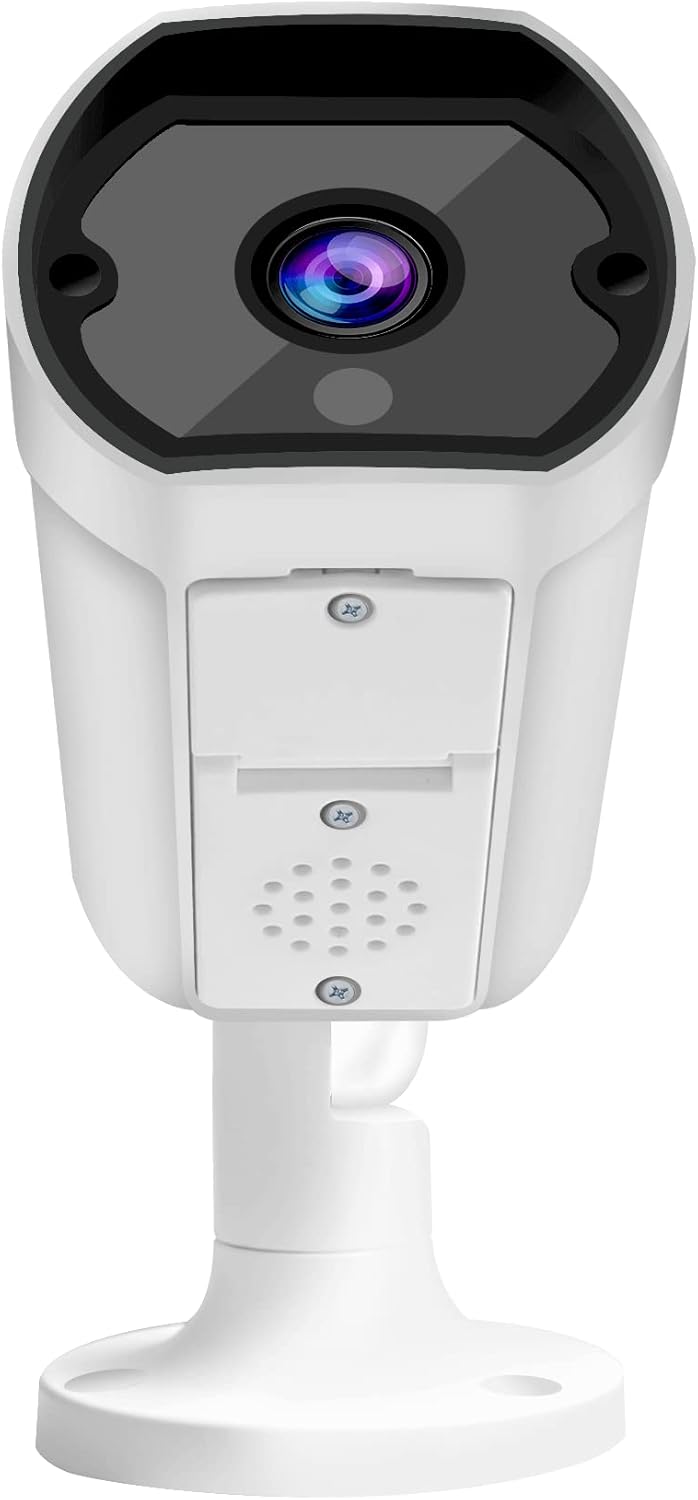
Расми 5.1: Пеш view of the camera, highlighting the lens and the integrated speaker/microphone area below it.
- To Listen: Ensure the speaker icon in the app is enabled to hear audio from the camera's location.
- To Speak: Press and hold the microphone icon in the app to transmit your voice through the camera's speaker. Release to stop speaking.
5.3 Намоиши шабона
The camera automatically switches to infrared (IR) night vision mode in low-light conditions, providing clear black-and-white images up to 10 meters.
5.4 Сабт ва навозиш
- Сабти пайваста: If an SD card is installed and configured, the camera can record continuously.
- Сабти муайянкунии ҳаракат: Configure motion detection settings in the app to record only when movement is detected.
- Бозӣ: Дастрасӣ ба foo сабтшудаtage through the app's playback feature, typically found in the camera's settings or timeline view.
5.5 Mobile Notifications
Enable push notifications in the app settings to receive alerts on your mobile device when motion or other events are detected by the camera.
6. Нигоҳдорӣ
- Тозакунӣ: Барои тоза кардани линзаи камера ва бадан матои мулоим ва хушкро истифода баред. Моддаҳои кимиёвии сахт ё тозакунандаи абразивиро истифода набаред.
- Навсозии нармафзор: Regularly check for and install firmware updates via the mobile app to ensure optimal performance and security.
- Устувории шабака: Ensure your Wi-Fi network is stable and strong for uninterrupted camera operation.
- Идоракунии нигаҳдорӣ: Periodically check the SD card storage status and format it if necessary (this will erase all recorded data).
7. Баррасии мушкилот
| Мушкилот | Сабаби эҳтимолӣ | Ҳалли |
|---|---|---|
| Камера ба Wi-Fi пайваст нест | Incorrect Wi-Fi password; Weak Wi-Fi signal; Camera too far from router; Router firewall settings. |
|
| Не канали видеои зинда | Camera offline; Network issue; App glitch. |
|
| Сифати бади тасвир | Линзаи ифлос; Шароити рӯшноии кам; Паҳнои банди шабака. |
|
| Аудио дутарафа кор намекунад | Microphone/speaker blocked; App volume settings; Network delay. |
|
| Корти SD сабт намекунад | SD card full; SD card corrupted; Incorrect recording settings. |
|
8. Мушаххасоти
| Хусусият | Тафсилот |
|---|---|
| Рақами модел | WP-919 |
| Резолюция | 2MP (1080p video capture resolution) |
| Пайвастшавӣ | Бесимӣ (Wi-Fi), Сими (Ethernet) |
| Нигоҳи шабона | IR-10M (Infrared up to 10 meters), Day & Night (ICR) |
| Аудио | Two-Way Audio with Built-in Speaker/Microphone |
| Нигоҳдорӣ | Supports MicroSD card (details not specified, typically up to 128GB) |
| Муҳити истифода | Дар берун |
| Манбаи нерӯ | Кабели электр |
| Материал | Металл |
| Андозаҳо (L x W x H) | 49.99 х 30 х 19 см |
| Вазн | 640 гр |
| Мутобиқати барномаҳои мобилӣ | iOS/Android Mobile App |
9. Дастгирӣ
For technical assistance, warranty claims, or further inquiries, please contact Provision ISR customer support. Refer to the contact information provided with your product packaging or visit the official Provision ISR webсайт.
Note: This manual provides general instructions. Specific features and app interfaces may vary with firmware updates.


