1. Маҳсулот ба охир расидview
The tectake Zola Electric Height-Adjustable Desk is designed to provide a dynamic and ergonomic workspace. Featuring continuous electric height adjustment, a robust particle board tabletop, and a solid steel frame, this desk offers stability and comfort. Its powerful motor ensures smooth transitions between sitting and standing positions, while the flexible frame design maximizes legroom. The integrated touchpad allows for easy height adjustments and memory function for preferred settings. An anti-collision system enhances safety during operation.

Image 1.1: The tectake Zola Electric Height-Adjustable Desk, showcasing its sleek black design and sturdy construction.
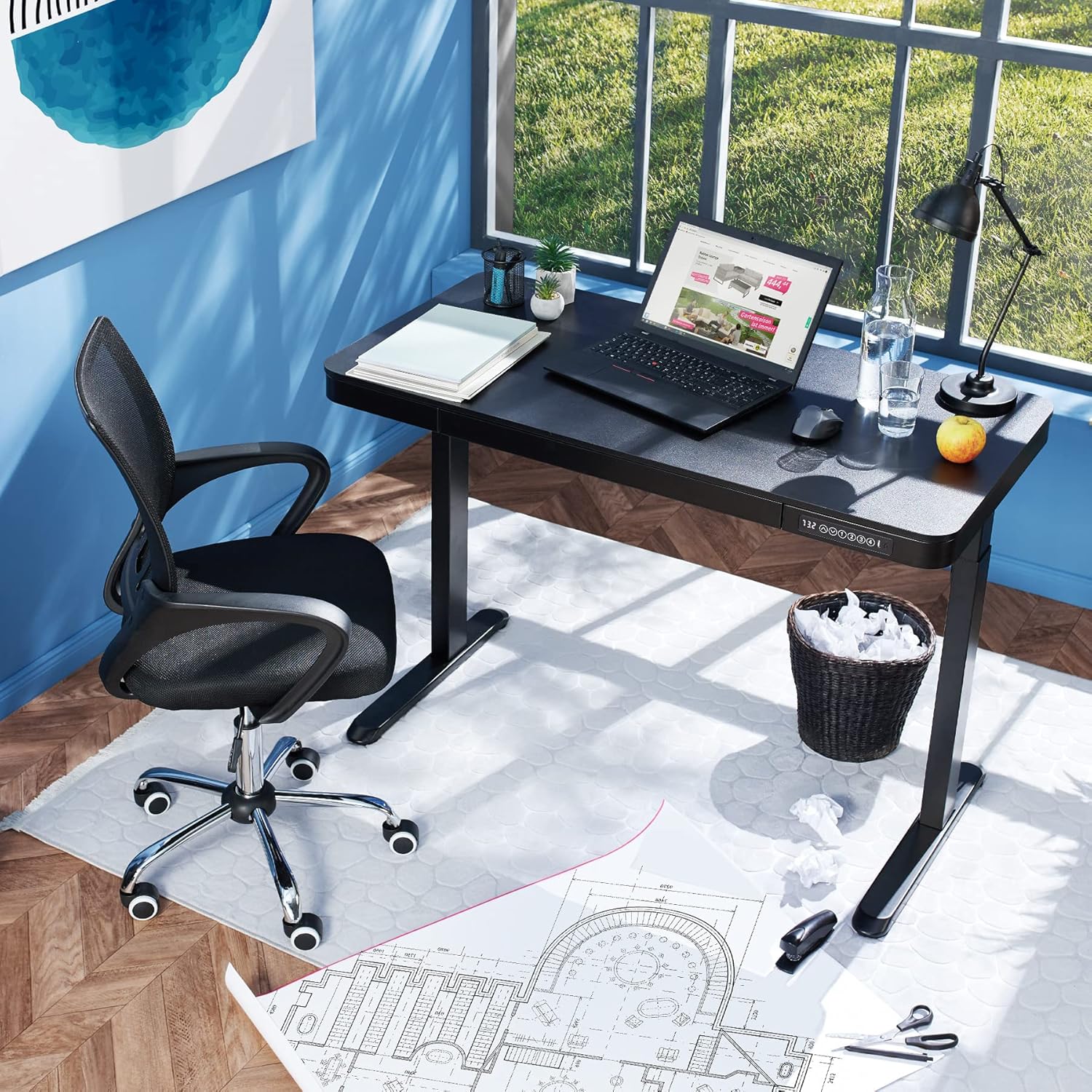
Image 1.2: The desk integrated into a modern office environment, demonstrating its practical use.
2. Дастурамал оид ба бехатарӣ
- Пеш аз насб кардан ва истифода бурдан ҳама дастурҳоро бодиққат хонед.
- Ҳангоми кор кӯдакон ва ҳайвоноти хонагиро аз мизи корӣ дур нигоҳ доред.
- Пеш аз истифода боварӣ ҳосил кунед, ки ҳамаи винтҳо ва болтҳо маҳкам маҳкам карда шудаанд. Дар ҳолати зарурӣ, онҳоро мунтазам тафтиш ва аз нав маҳкам кунед.
- Do not overload the desk. The maximum load capacity is 45 kg.
- Keep hands and fingers clear of moving parts during height adjustment. The desk is equipped with an anti-collision system, but caution is still advised.
- Танҳо адаптери барқро истифода баред.
- Do not disassemble or modify the motor or control unit. Contact qualified personnel for repairs.
- Place the desk on a level surface. Adjustable feet can compensate for minor unevenness.
3. Мундариҷаи баста
Пеш аз оғози васлкунӣ боварӣ ҳосил кунед, ки ҳамаи ҷузъҳо мавҷуданд ва осеб надидаанд. Агар ягон қисм гум шуда ё осеб дида бошад, бо хадамоти дастгирии муштариён тамос гиред.
- Tabletop with integrated drawer and control panel
- Маҷмаи пои чап
- Маҷлиси пои рост
- Пойҳо (2х)
- Адаптери барқ ва кабел
- Assembly Hardware (screws, Allen key, etc.)
- Дастури таълимӣ (ин ҳуҷҷат)
4. Дастури васлкунӣ
Assembly is required for this product. It is recommended to have two people for easier and safer assembly. Clear a spacious area for assembly and lay out all components.
Қадам ба қадам Ассамблея:
- Attach Leg Assemblies to Tabletop: Carefully place the tabletop upside down on a soft, clean surface to prevent scratches. Align the left and right leg assemblies with the pre-drilled holes on the underside of the tabletop. Secure them using the provided screws and Allen key. Ensure the motor cables are not pinched.
- Attach Feet to Leg Assemblies: Slide the feet onto the bottom of each leg assembly. Secure them with the appropriate screws.
- Пайваст кардани сими барқ: Locate the power input port on the control unit (usually on the underside of the tabletop near the control panel). Connect the power cable firmly.
- Position the Desk: With assistance, carefully flip the desk upright and move it to its desired location. Adjust the plastic feet at the bottom of the legs to ensure the desk is stable and level on uneven floors.
- Қувваи ибтидоӣ: Plug the power adapter into a wall outlet. The control panel display should light up.

Image 4.1: Dimensional drawing of the desk, useful for planning space and assembly.

Тасвир 4.2: Тараф view illustrating the robust leg structure and height adjustment mechanism.
5. Дастури амалиёт
The tectake Zola desk features an intuitive control panel for easy height adjustment and memory functions.
Функсияҳои панели идоракунӣ:

Image 5.1: The control panel, showing the digital height display and control buttons.
- Намоиши рақамӣ: Shows the current height of the desk in centimeters.
- Up/Down Arrows (↑ / ↓): Press and hold to continuously adjust the desk height upwards or downwards. Release the button to stop at the desired height.
- Тугмаҳои хотира (1, 2, 3, 4): These buttons allow you to save and recall up to four preferred height settings.
- Барои захира кардани баландии: Adjust the desk to your desired height using the up/down arrows. Press and hold one of the memory buttons (1-4) until the display flashes or beeps, indicating the height has been saved.
- Барои ба ёд овардани баландии: Simply press the corresponding memory button (1-4). The desk will automatically move to the saved height.
- Системаи зидди бархӯрд: The desk is equipped with a sensitive anti-collision system. If the desk encounters an obstruction during height adjustment, it will stop and slightly reverse direction to prevent damage.
- Портҳои USB-A ва USB-C: Located on the control panel, these ports can be used to charge small electronic devices.

Image 5.2: Detail of the USB-A and USB-C charging ports for convenient device charging.

Image 5.3: Visual representation of the desk's adjustable height range.
Integrated Drawer:
The desk includes a convenient integrated drawer for storing small office supplies, helping to keep your workspace tidy.

Image 5.4: The desk's integrated drawer, providing discreet storage.

Image 5.5: Detail of the drawer's smooth-gliding mechanism.
6. Нигоҳдорӣ ва нигоҳубин
- Тозакунӣ: Wipe the desk surface and legs with a soft, damp матоъ. Аз истифодаи кимиёвии сахт ё тозакунандаҳои абразивӣ худдорӣ намоед, зеро онҳо метавонанд ба қабат зарар расонанд.
- Санҷишҳои мунтазам: Ҳама винтҳо ва пайвастҳоро давра ба давра тафтиш кунед, то боварӣ ҳосил кунед, ки онҳо сахт нигоҳ дошта мешаванд. Агар лозим бошад, дубора сахт кунед.
- Идоракунии кабелӣ: Ensure power cables are not tangled or pinched, which could lead to damage or malfunction.
7. Баррасии мушкилот
| Мушкилот | Сабаби эҳтимолӣ | Ҳалли |
|---|---|---|
| Мизи корӣ ҳаракат намекунад. | No power; cable disconnected; motor error. | Check power connection to wall outlet and desk. Ensure all cables are securely connected. Unplug and replug the power cable to reset the system. |
| Мизи корӣ нобаробар ҳаракат мекунад ё садоҳои ғайриоддӣ мебарорад. | Пайвастҳои суст; монеа; бори нобаробар. | Check all assembly screws for tightness. Ensure there are no obstructions under or around the desk. Distribute weight evenly on the tabletop. |
| Anti-collision system frequently activates. | Монеа; муҳити ҳассос. | Ensure the path of movement is clear. If the issue persists without clear obstruction, consult customer support. |
| Memory function not working. | Раванди нодурусти нигоҳдорӣ. | Refer to 'Operation Guide' section 5 for correct saving procedure (press and hold memory button until confirmation). |
8. Мушаххасоти техникӣ
| Хусусият | Мушаххасоти |
|---|---|
| Рақами модел | 404316 |
| Андозаҳои умумӣ (L x W x H) | Approx. 1204 x 604 x 720 - 1220 mm |
| Tabletop Dimensions (L x W x H) | тахминан. 1204 x 604 x 64.5 мм |
| Андозаҳои дохилии ҷевон (дарозӣ x паҳнӣ x баландӣ) | Тақрибан. 60 x 29 x 5 см |
| Lifting Columns per Side | 2 main columns (approx. 4.5 x 7.5 cm) |
| Диапазони пойҳои танзимшаванда | тахминан. 1.2 см |
| Сатҳи садои муҳаррик | <50 дБ |
| Суръати бардоштан | 25 мм/с |
| Қувваи мотор | 52.2 В |
| Вуруди ҷилдиtage | 100-240 В |
| Дарозии кабел | тахминан. 310 см |
| Иқтидори борбардорӣ | 45 кг |
| Вазни маҳсулот | тахминан. 32 кг |
| Материалхо | Powder-coated steel, particle board, polychloride, ABS plastic |
9. Кафолат ва дастгирӣ
For information regarding warranty terms and conditions, please refer to the purchase documentation or contact your retailer. For technical support or inquiries about replacement parts, please visit the official tectake webсайт ё шӯъбаи хидматрасонии муштариёни онҳо тамос гиред. Квитансияи хариди худро ҳамчун далели харид нигоҳ доред.
Истеҳсолкунанда: тектаке
Бренд: ТекТаке


