Муқаддима
The Naxa NSH-3001 Wi-Fi Smart Camera provides reliable home security monitoring with 24/7 HD recording capabilities. This camera allows you to check in on your home remotely from anywhere using your smartphone. It features motion detection, two-way audio communication, night vision, and customizable activity alerts.
This manual provides detailed instructions for setting up, operating, and maintaining your Naxa NSH-3001 Wi-Fi Smart Camera to ensure optimal performance and security.
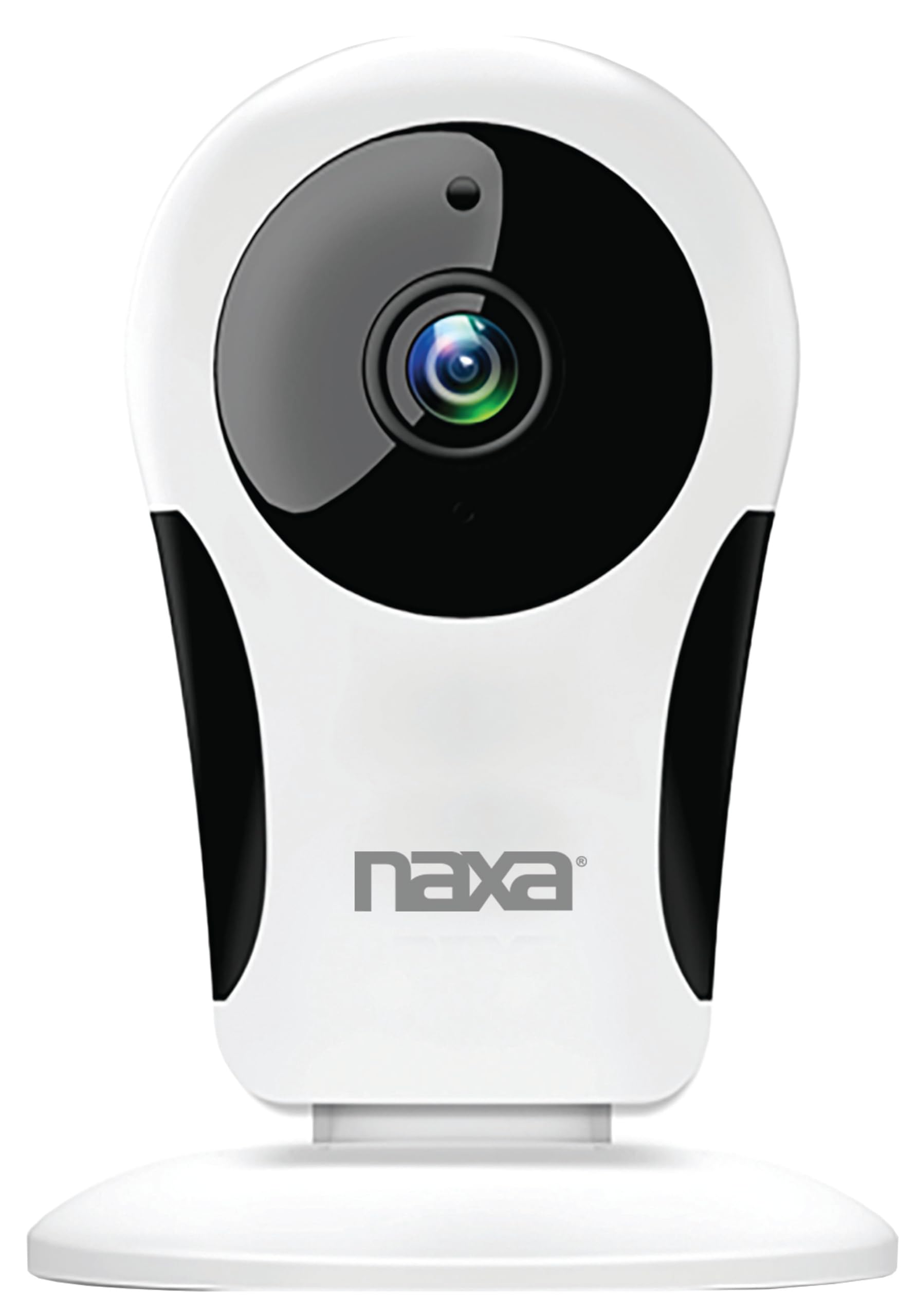
Тасвир: Пеш view of the Naxa NSH-3001 Wi-Fi Smart Camera, showing the lens and Naxa logo.
Дар қуттӣ чӣ ҳаст
Upon unpacking your Naxa NSH-3001 Wi-Fi Smart Camera, please ensure all the following components are present:
- Камераи Smart Wi-Fi
- Адаптери барқии AC
- Сими USB
- Дастури корбар (ин ҳуҷҷат)
Маҳсулот ба охир расидview
Familiarize yourself with the main components of your Naxa NSH-3001 Wi-Fi Smart Camera.

Image: The Naxa NSH-3001 Wi-Fi Smart Camera displayed alongside icons representing its key features: HD Resolution, Encrypted ID, 2-Way Audio, Cloud Service, Motion Detection, IR Night Vision, Time Scheduling, and Hotspot capability.
- Линзаи камера: Видеои форо сабт мекунадtage.
- Infrared (IR) LEDs: Имкониятҳои биниши шабонаро фароҳам меорад.
- Микрофон: Барои вуруди аудио ва иртиботи дуҷониба.
- Маърузачй: Барои баромади аудио ва алоқаи дуҷониба.
- Порт -микро USB: Барои пайвастшавӣ ба барқ.
- Тугмаи Reset: Барои барқарор кардани камера ба танзимоти завод истифода мешавад.
- Ковокии корти micro SD: Барои нигоҳдории маҳаллии маҳсулоти хӯроквории сабтшудаtage (Micro SD card not included).
Дастури насб
1. Фаъолсозии камера
- Connect the provided USB cable to the camera's Micro USB port.
- Қисми дигари сими USB-ро ба адаптери барқи AC пайваст кунед.
- Plug the AC power adapter into a standard electrical outlet.
- The camera will power on, and an indicator light will show its status (refer to the camera's LED indicator guide for specific light patterns).
2. Downloading the Smart Life App
The Naxa NSH-3001 camera is controlled via the Smart Life app. Download it to your smartphone:
- For iOS devices, search for "Smart Life" in the Apple App Store.
- For Android devices, search for "Smart Life" in the Google Play Store.
- Агар шумо аллакай барнома надошта бошед, барномаро насб кунед ва ҳисоб эҷод кунед.

Image: The Naxa NSH-3001 Wi-Fi Smart Camera shown with the Smart Life app logo and icons for the Apple App Store and Google Play, indicating app compatibility.
3. Пайвастшавӣ ба Wi-Fi
Ensure your smartphone is connected to a 2.4 GHz Wi-Fi network. The NSH-3001 camera only supports 2.4 GHz Wi-Fi.
- Open the Smart Life app and tap "Add Device" or the "+" icon.
- Select "Security & Video Surveillance" and then "Smart Camera".
- Follow the on-screen instructions in the app to connect your camera to your Wi-Fi network. This typically involves scanning a QR code generated by the app with the camera's lens.
- Once connected, the camera's indicator light will change (refer to the LED indicator guide), and you will see the camera added to your app.
4. Ҷойгиркунии камера
The NSH-3001 camera is designed for wall mount installation, but can also be placed on a flat surface. Choose a location that provides the desired viewing angle (105 degrees) and is within range of your Wi-Fi signal.

Image: The Naxa NSH-3001 Wi-Fi Smart Camera positioned on a nightstand in a bedroom, demonstrating a typical indoor placement.
- For wall mounting, use appropriate screws and anchors (not included) to secure the camera's base to the wall.
- Кунҷи камераро барои пӯшонидани майдони дилхоҳ танзим кунед.
Дастурҳои амалиётӣ
Зиндагӣ View ва Дастрасии дурдаст
Once connected, you can access your camera's live feed from anywhere using the Smart Life app on your smartphone.
- Open the Smart Life app and select your NSH-3001 camera from the device list.
- The live video stream will appear.
Муоширати дуҷонибаи аудио
The camera supports two-way audio, allowing you to hear and speak through the camera.
- Дар зинда view interface of the app, tap the microphone icon to speak.
- Барои гӯш кардани аудио аз макони камера, нишонаи баландгӯякро ламс кунед.
Муайянкунии ҳаракат ва огоҳиҳо
The camera can detect motion and send real-time push notifications to your phone.
- Navigate to the camera settings within the Smart Life app.
- "Муайянкунии ҳаракат"-ро фаъол созед ва сатҳи ҳассосиятро дар ҳолати зарурӣ танзим кунед.
- Configure alert schedules and notification preferences.
Нигоҳи шабона
The NSH-3001 features an IR-cut filter for clear night vision, automatically switching between day and night modes based on ambient light.
- Night mode activates automatically in low-light conditions.
- The IR-cut filter ensures optimal clarity in both day and night recordings.
Video Recording and Storage
The camera supports 24/7 HD recording. Footage can be stored locally or via cloud service (subscription may be required).
- Нигоҳдории корти Micro SD: Insert a compatible Micro SD card (up to 128GB, not included) into the camera's SD card slot for continuous or event-based recording.
- Нигоҳдории абрӣ: Check the Smart Life app for available cloud storage options and subscription details.
- Review foo сабт шудаастtage directly through the Smart Life app.
Video Tuning
Adjust video parameters directly from your smartphone for optimal image quality.
- Within the Smart Life app, access video settings to adjust contrast, brightness, saturation, and sharpness.
Банақшагирии вақт
Set schedules for camera operation, recording, or alerts.
- Use the Smart Life app's scheduling feature to define specific times for motion detection, recording, or other functions.
Нигоҳдорӣ
Proper maintenance ensures the longevity and optimal performance of your Naxa NSH-3001 Wi-Fi Smart Camera.
- Тозакунӣ: Объективи камера ва баданро бо матои мулоим ва хушк мулоим тоза кунед. Аз истифодаи кимиёвии сахт ё тозакунандаи абразив худдорӣ намоед.
- Навсозии нармафзор: Regularly check the Smart Life app for firmware updates for your camera. Keeping the firmware updated ensures you have the latest features and security enhancements.
- Ҷойгиршавӣ: Ensure the camera is placed in a stable location and protected from extreme temperatures, direct sunlight, and moisture.
Мушкилкушо
If you encounter issues with your Naxa NSH-3001 Wi-Fi Smart Camera, refer to the following common solutions:
| Мушкилот | Ҳалли имконпазир |
|---|---|
| Камера ба Wi-Fi пайваст нест |
|
| No video feed in the app |
|
| Огоҳиҳои ҳаракат қабул карда нашуданд |
|
| Аудио дутарафа кор намекунад |
|
If problems persist, please contact Naxa customer support.
Мушаххасоти
| Хусусият | Тафсилот |
|---|---|
| Номи модел | НШ-3001 |
| Бренд | Накса |
| Технологияи пайвастшавӣ | Wi-Fi (2.4 ГГц) |
| Қарори сабти видео | 720p |
| Viewкунҷи ангушт | 105 дараҷа |
| Хусусияти махсус | Сенсори ҳаракат, биноии шабона, аудиои дуҷониба |
| Истифодаи дарунӣ/берунӣ | Indoor, Outdoor (Note: IP54 rating suggests splash resistance, not full outdoor weatherproofing) |
| Манбаи нерӯ | Электри симдор |
| Дастгоҳҳои мувофиқ | Smartphone (via Smart Life App) |
| Навъи васлкунӣ | Монтажи девор |
| Нигоҳдорӣ | Корти Micro SD (то 128 ГБ, дохил карда нашудааст), Нигоҳдории абрӣ (ихтиёрӣ) |
| Андозаҳо (L x W x H) | 3.2 x 3.2 x 4.3 инч |
| Вазни ашё | 3.2 унция |
| Материал | Пластмасса |
| Рейтинги байналмилалии муҳофизат | IP54 |
Кафолат ва дастгирӣ
Naxa Electronics, Inc. manufactures the NSH-3001 Wi-Fi Smart Camera. For specific warranty information, please refer to the warranty card included with your product or visit the official Naxa webсайт.
For technical support, troubleshooting assistance beyond this manual, or inquiries about your product, please contact Naxa customer service. Contact details can typically be found on the Naxa webсайт ё дар бастаи маҳсулот.
Naxa Official Webсайт: www.naxa.com