1. Муқаддима
This manual provides comprehensive instructions for the setup, operation, maintenance, and troubleshooting of your Star Micronics BSH-HR2081BT Wireless Bluetooth 1D/2D Barcode Scanner. Designed for efficiency and durability, this scanner is a reliable solution for various point-of-sale and inventory management applications.
The BSH-HR2081BT scanner is equipped with a high-power CPU, enabling it to effortlessly capture high-density, high-volume, and even distorted barcodes from both printed materials and digital screens. Its robust design, coupled with advanced wireless capabilities, ensures seamless integration into your workflow.
2. Хусусиятҳои асосӣ
- Сканкунии баландсифат: Powerful CPU captures high-density, high-volume, and distorted 1D/2D barcodes on paper or screen.
- Мӯҳлати тӯлонии батарея: Offers up to 12 hours of continuous operation (one scan every six seconds) with its 2200mAh battery.
- Пайвастшавӣ бисёрҷониба: Connects directly to the host device via Bluetooth Low Energy (BLE) or wirelessly to a Star printer using the included USB dongle.
- Reliable Wireless Range: Maintains a stable wireless connection to transmit data, with communication distances up to 50 meters (approximately 164 feet).
- Сохтмони устувор: Features an IP42-rated design and a drop-resistant housing, capable of withstanding drops from up to 1.2 meters (approximately 4 feet).
3. Дастури насб
3.1. Баровардани қуттӣ ва санҷиши ибтидоӣ
Ҳама ҷузъҳоро аз бастабандӣ бодиққат хориҷ кунед. Боварӣ ҳосил кунед, ки ҷузъҳои зерин мавҷуданд:
- Star Micronics BSH-HR2081BT Barcode Scanner
- Сими пуркунандаи USB
- USB Dongle (for wireless connection to Star printers)
- Пойгоҳи сканер

Figure 3.1: Barcode scanner and its USB dongle.
3.2. Пур кардани сканер
Before first use, fully charge the scanner. Connect the USB charging cable to the scanner's charging port (located at the bottom of the handle) and plug the other end into a USB power adapter (not included) or a computer's USB port. The charging indicator light will show the charging status.

Figure 3.2: USB charging port at the base of the scanner handle.
3.3. Пайваст кардани сканер
The BSH-HR2081BT scanner offers two primary connection methods:
3.3.1. Bluetooth Connection (Direct to Host Device)
- Боварӣ ҳосил кунед, ки сканер фаъол аст.
- On your host device (smartphone, tablet, or computer), enable Bluetooth.
- Ҷустуҷӯ available Bluetooth devices. The scanner should appear as "Star Micronics BSH-HR2081BT" or similar.
- Сканнерро барои ҷуфт кардан интихоб кунед. Барои анҷом додани раванди ҷуфткунӣ ҳама гуна дастурҳои дар экран бударо иҷро кунед.
3.3.2. Wireless Connection (via USB Dongle to Star Printer)
- Insert the provided USB dongle into an available USB port on your compatible Star printer (e.g., mC-Print, mPOP).
- Power on the scanner. The scanner and dongle should automatically establish a connection.
- Refer to your Star printer's manual for specific instructions on connecting external devices.

Figure 3.3: Barcode scanner placed in its included stand.
4. Дастурҳои истифодабарӣ
4.1. Basic Scanning Operation
To scan a barcode, point the scanner's window at the barcode and press the trigger button. A successful scan will typically be indicated by an audible beep and/or a visual confirmation light.
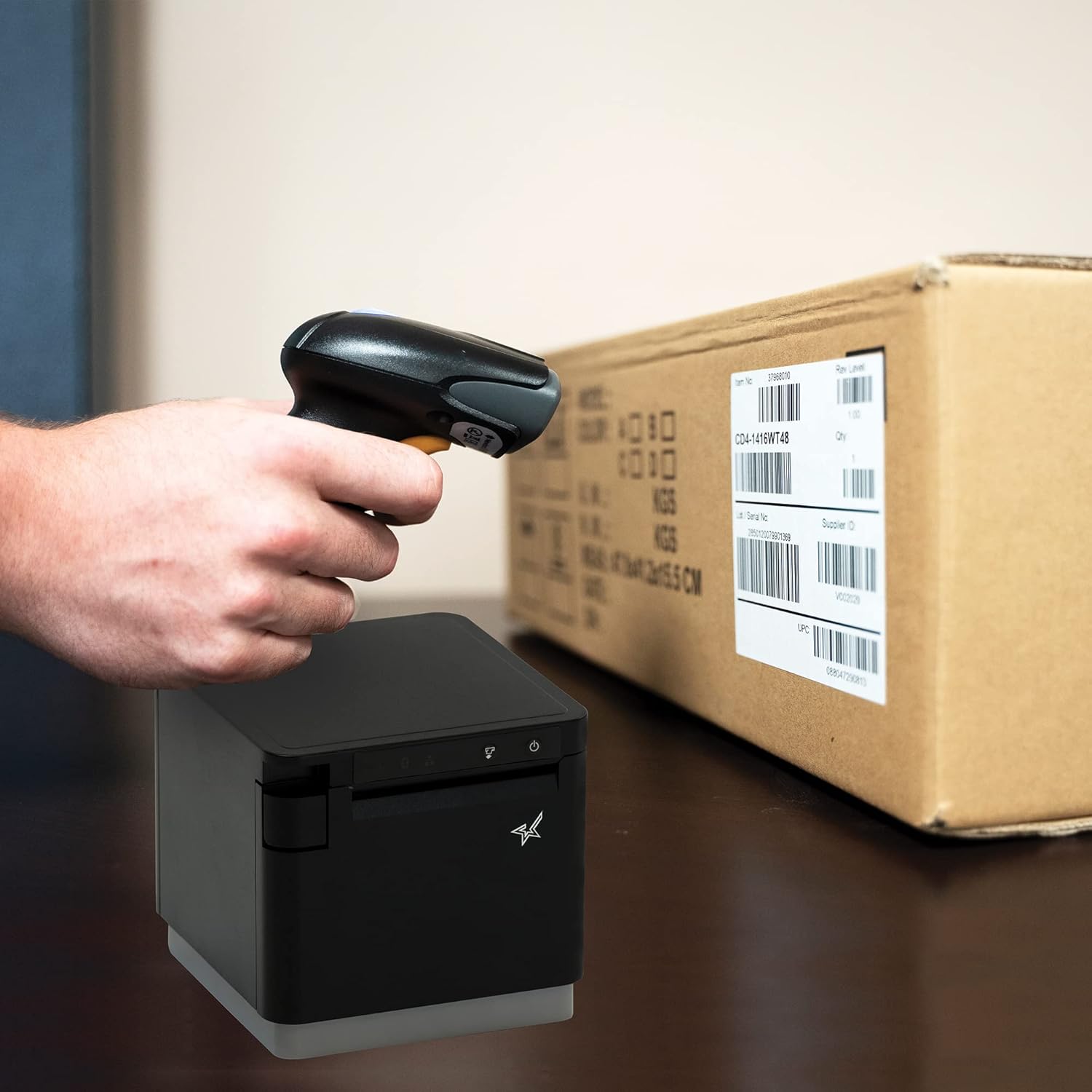
Расми 4.1: Мисample of scanning a barcode on a package.
4.2. Усулҳои сканкунӣ
The BSH-HR2081BT scanner supports six different scanning modes to accommodate various operational needs:
- Ҳолати сатҳ: The scanner's trigger will activate the decode session.
- Ҳолати триггер: A trigger pull activates a decode session.
- Ҳолати ҳис: The scanner activates a decode session every time it detects a barcode.
- Ҳолати доимӣ: The scanner automatically starts one decode session after another.
- Ҳолати набз: When the trigger is pulled and released, scanning is activated until a barcode is decoded or the decode session timeout expires.
- Реҷаи дастаҷамъӣ: When the trigger is pulled and released, scanning is activated until the trigger is released.
Refer to the full user guide (link in Section 7) for detailed instructions on how to switch between these modes and configure specific settings.
5. Нигоҳдорӣ
5.1. Тоза кардани сканер
To maintain optimal performance, keep the scanner's window clean. Use a soft, lint-free cloth lightly dampened with water or a mild, non-abrasive cleaner. Do not use harsh chemicals or abrasive materials, as they may damage the scanner's surface or optical components.
5.2. Нигоҳубини батарея
The scanner is equipped with a Lithium Ion battery. To prolong battery life:
- Батареяро зуд-зуд пурра холӣ накунед.
- Сканерро дар ҷои хунук ва хушк нигоҳ доред, вақте ки онро муддати тӯлонӣ истифода намебаред.
- Charge the battery regularly, even if the scanner is not in frequent use.
6. Баррасии мушкилот
6.1. Scanner Not Connecting
- Санҷиши нерӯ: Ensure the scanner is fully charged and powered on.
- Ҷуфтсозии Bluetooth: For Bluetooth connections, ensure Bluetooth is enabled on your host device and the scanner is in pairing mode. Try unpairing and re-pairing the device.
- USB Dongle: If using the USB dongle, ensure it is securely plugged into the Star printer and the printer is powered on.
- Диапазон: Ensure the scanner is within the effective communication range (up to 50m) of the host device or dongle.
6.2. Scanner Not Reading Barcodes
- Barcode Condition: Боварӣ ҳосил кунед, ки штрих-код шаффоф аст, доғдор нест, канда нашудааст ё аз ҳад зиёд инъикос намекунад.
- Масофа ва кунҷ: Adjust the distance and angle of the scanner to the barcode. Try different scanning modes if applicable.
- Равшанӣ: Ensure adequate lighting. Avoid direct glare on the barcode.
- Scanner Window: Clean the scanner's reading window as described in the Maintenance section.
6.3. Муҳлати кӯтоҳи батарея
- Пардохти пурра: Ensure the scanner is charged until the indicator shows a full charge.
- Usage Pattern: Continuous heavy usage will deplete the battery faster.
- Синну соли батарея: Over time, rechargeable batteries naturally lose capacity.
7. Мушаххасоти техникӣ
| Мушаххасоти | Тафсилот |
|---|---|
| Андозаҳои маҳсулот | 5.7 x 4 x 2.7 инч |
| Вазни ашё | 1.06 фунт |
| Рақами модел | BSH-HR2081BT BLK |
| Батареяҳо | 1 батареяи литий ион лозим аст (дохил карда шудааст) |
| Истеҳсолкунанда | Star Micronics |
| Дастгоҳҳои мувофиқ | Смартфон, планшет |
| Манбаи нерӯ | Батареяе |
| Технологияи пайвастшавӣ | Bluetooth, кабели USB |
| Рейтинги IP | IP42 |
| Муқовимати таркиш | То 1.2 метр |
8. Кафолат ва дастгирӣ
For warranty information and technical support, please contact Star Micronics directly or visit their official webсайт. Квитансияи хариди худро ҳамчун далели харид барои даъвоҳои кафолат нигоҳ доред.
A detailed User Guide in PDF format is available for download:


