Муқаддима
This manual provides detailed instructions for the operation and maintenance of your Kuephom Portable Bluetooth CD Walkman. Designed for versatility, this device supports CD, Bluetooth, USB, and AUX playback, featuring anti-skip protection and a built-in speaker. Please read this manual thoroughly before use to ensure proper functionality and longevity of your device.
Мундариҷаи баста
Боварӣ ҳосил кунед, ки ҳамаи ҷузъҳои дар поён овардашуда ба бастаи шумо дохил карда шудаанд:
- CD player X 1
- Гӯшмонакҳо X 1
- Кабели аудио X 1
- Сими пуркунандаи барқ X 1
- Pouch X 1
Маҳсулот ба охир расидview

Figure 1: Kuephom Portable Bluetooth CD Walkman and its accessories, including earbuds, audio cable, charging cable, and pouch.

Figure 2: Detailed diagram illustrating the various buttons and ports on the Kuephom Portable CD Walkman, including volume controls, playback buttons, mode selection, Bluetooth transmit, USB slot, AUX in jack, earphone jack, and speaker.
Ташкил кардан
Пур кардани дастгоҳ
The CD player has a built-in rechargeable lithium battery. Before first use, fully charge the device.
- Connect the provided USB charging cable to the charging port (DC 5V) on the device.
- Connect the other end of the USB cable to a compatible USB power source (e.g., wall charger, power bank, car charger, or computer USB port).
- Чароғи нишондиҳандаи пуркунӣ ҳангоми пуркунӣ фурӯзон мешавад ва ҳангоми пуркунӣ хомӯш мешавад. Пуркунии пурра тақрибан 4 соат вақтро мегирад.

Figure 3: The portable CD player connected to a power source via its USB charging cable, demonstrating various charging options.
Фурӯзон/хомӯшкунӣ
-ро лағжонед ФУРУШ/ХОМУШ switch located on the side of the device to turn it on or off.
Ворид кардани CD
- -ро лағжонед КУШОДА switch to open the CD compartment cover.
- Carefully place a CD (CD, CD-R, CD-RW, MP3, WMA, WAV formats supported) onto the spindle with the label side facing up.
- Gently press the center of the CD until it clicks into place.
- Close the CD compartment cover firmly until it latches.
Video 1: Demonstration of inserting a CD into the Kuephom Portable CD Player and closing the compartment. This video also shows the supported disc formats.
Connecting Headphones or External Speakers (AUX)
For private listening or connecting to non-Bluetooth devices:
- Insert the 3.5mm jack of your headphones into the Ҷеки гӯшмонак.
- To connect to external speakers or a car audio system, use the provided 3.5mm audio cable. Insert one end into the AUX дар Jack on the CD player and the other end into the AUX input of your external device.

Figure 4: The portable CD player connected to a car's audio system via an AUX cable, demonstrating its use in a vehicle with anti-shock protection for uninterrupted playback.
Дастурҳои амалиётӣ
Бозии асосӣ
- -ро пахш кунед Бозӣ/Таваққуф button (►▮▮) to start or pause playback.
- -ро пахш кунед Баъдӣ button (►►) to skip to the next track.
- -ро пахш кунед Гузашта button (◄◄) to go to the beginning of the current track or the previous track.
- -ро пахш кунед Ист button (■) to stop playback.
- Баландии овозро бо ёрии Ҷилди+ ва Вол- тугмаҳо.
Функсияи Bluetooth
The device supports two-way Bluetooth connection:
Bluetooth Transmitting (Connecting to Bluetooth Headphones/Speakers)
- Ensure the CD player is powered on and a CD is inserted.
- -ро пахш кунед Интиқоли Bluetooth button (labeled "TRANSMIT" or "BT" on some models) to enter Bluetooth transmitting mode. The Bluetooth icon on the display will flash.
- Гӯшмонакҳо ё баландгӯяки Bluetooth-и худро ба ҳолати ҷуфтшавӣ гузоред.
- The CD player will automatically search for and connect to nearby Bluetooth devices. Once connected, the Bluetooth icon will stop flashing.

Figure 5: The portable CD player actively transmitting audio via Bluetooth to both headphones and a separate Bluetooth speaker, illustrating its wireless output capability.
Bluetooth Receiving (Connecting to Smartphone/Laptop)
- -ро пахш кунед Ҳолати BT button (labeled "BT" or "MODE" on some models) to switch the CD player into Bluetooth receiving mode.
- Дар смартфон, планшет ё ноутбуки худ Bluetooth-ро фаъол созед ва дастгоҳҳои дастрасро ҷустуҷӯ кунед.
- Select "Kuephom CD Player" (or similar name) from the list of devices to pair.
- Once connected, you can play audio from your smart device through the CD player's built-in speaker.
Video 2: This video demonstrates the Bluetooth playback feature, showing the CD player connecting to a smartphone to stream audio, highlighting its versatility as a Bluetooth speaker.
Дигар режимҳои бозикунӣ
- Навозиши USB: Диски флеши USB-ро ба Ковокии USB. The player will automatically switch to USB mode and begin playing compatible audio files.
- Функсияи такрорӣ: -ро пахш кунед Такрор кунед button to cycle through repeat modes (e.g., repeat one, repeat all).
- A-B Repeating: -ро пахш кунед AB button to set a starting point (A) and an ending point (B) for a section of audio to repeat. Press again to clear.
- Танзими суръат: -ро истифода баред Танзими суръат buttons (labeled "SPEED" or "SPEED +/-") to increase or decrease the playback speed. This feature is particularly useful for language learning.
- Programming Playback: Refer to the detailed product diagram (Figure 2) for the "PROG." button if available on your model for custom track sequencing.
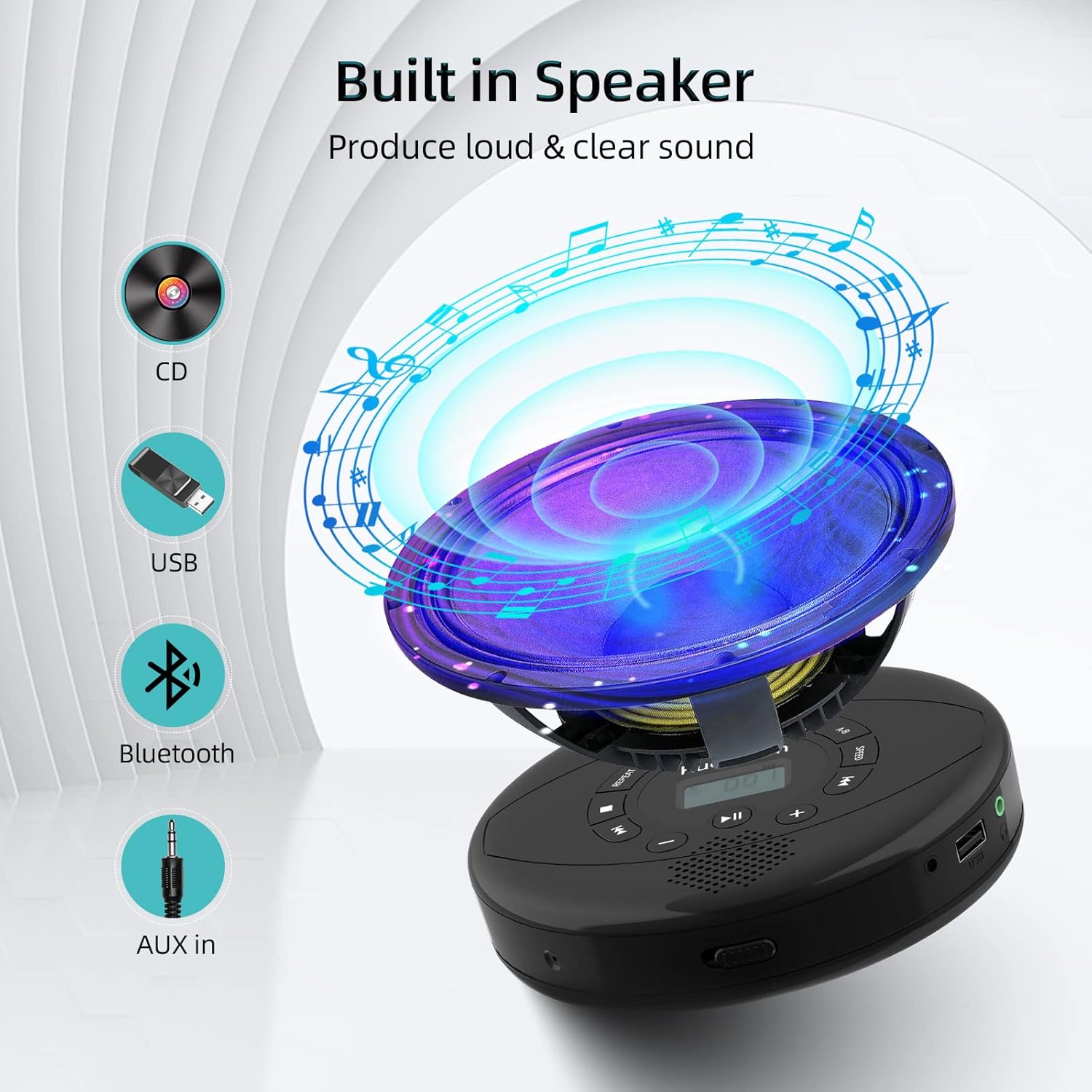
Figure 6: Illustration of the built-in speaker and the various audio input options supported by the device, including CD, USB, Bluetooth, and AUX in.
Нигоҳдорӣ
- Дастгоҳро бо матои нарм ва хушк тоза кунед. Аз истифодаи тозакунандаҳои абразивӣ ё ҳалкунандаҳо худдорӣ кунед.
- Дастгоҳро ба ҳарорати аз ҳад зиёд, нурҳои бевоситаи офтоб ё намии баланд нагузоред.
- Handle CDs by their edges to prevent scratches and smudges. Clean CDs with a soft, lint-free cloth, wiping from the center outwards.
- Ҳангоми дар муддати тӯлонӣ истифода нашудан, дастгоҳро дар ҷои хунук ва хушк нигоҳ доред.
Мушкилкушо
| Мушкилот | Сабаби эҳтимолӣ | Ҳалли |
|---|---|---|
| Дастгоҳ фаъол нест. | Battery is low or depleted. Power switch is off. | Charge the device fully. Ensure the ON/OFF switch is in the "ON" position. |
| CD гузарад ё бозӣ намекунад. | CD is dirty, scratched, or damaged. Device is unstable. | Clean the CD. Try another CD. Ensure the device is on a stable surface or utilize its anti-skip protection during movement. |
| Аз гӯшмонакҳо / баландгӯякҳо садо нест. | Volume is too low. Headphones/speakers not properly connected. Incorrect mode selected. | Increase volume. Re-insert headphone/AUX cable firmly. Ensure correct mode (CD, Bluetooth, USB, AUX) is selected. |
| Ҷуфтсозии Bluetooth номуваффақ аст. | Device not in pairing mode. Bluetooth device too far. Interference. | Ensure the CD player is in Bluetooth transmitting/receiving mode. Move devices closer. Turn off other Bluetooth devices to reduce interference. |
Мушаххасоти
| Хусусият | Тафсилот |
|---|---|
| Андозаҳои маҳсулот | 5.7 x 5.7 x 1.2 инч |
| Вазни ашё | 1.21 фунт |
| Рақами модел | PM10-Black |
| Батарея | 1 батареяи литий полимерӣ (дохил) |
| Бренд | Куепхом |
| Технологияи пайвастшавӣ | Bluetooth, ёрирасон, USB |
| Форматҳои дастгирӣшаванда | CD, CD-R, CD-RW, MP3, WMA, WAV |
| Хусусияти махсус | Portable, Anti-Skip, Built-in Speakers |
Кафолат ва дастгирӣ
For warranty information or technical support, please refer to the contact details provided with your purchase or visit the official Kuephom webсайт. Квитансияи хариди худро ҳамчун далели харид барои ҳама даъвоҳои кафолат нигоҳ доред.


