1. Муқаддима
The Saramonic Blink 100 B6 is an ultra-portable 2-person wireless microphone system designed to deliver broadcast-quality sound. It is compatible with USB-C enabled devices such as Android phones, iPhone 15, newer iPads, and computers. This system is ideal for video recording, streaming, and various audio applications, offering ease of use and reliable performance.
2. Мундариҷаи баста
Лутфан тасдиқ кунед, ки ҳамаи ҷузъҳои дар поён овардашуда ба бастаи шумо дохил карда шудаанд:
- 2 x Blink 100 TX Transmitters
- 1 x Blink 100 RXUC Receiver (USB-C)
- 2 x Furry Windscreens
- 2 x USB-A to USB-C Charging Cables
- 1 x Қуттии интиқол
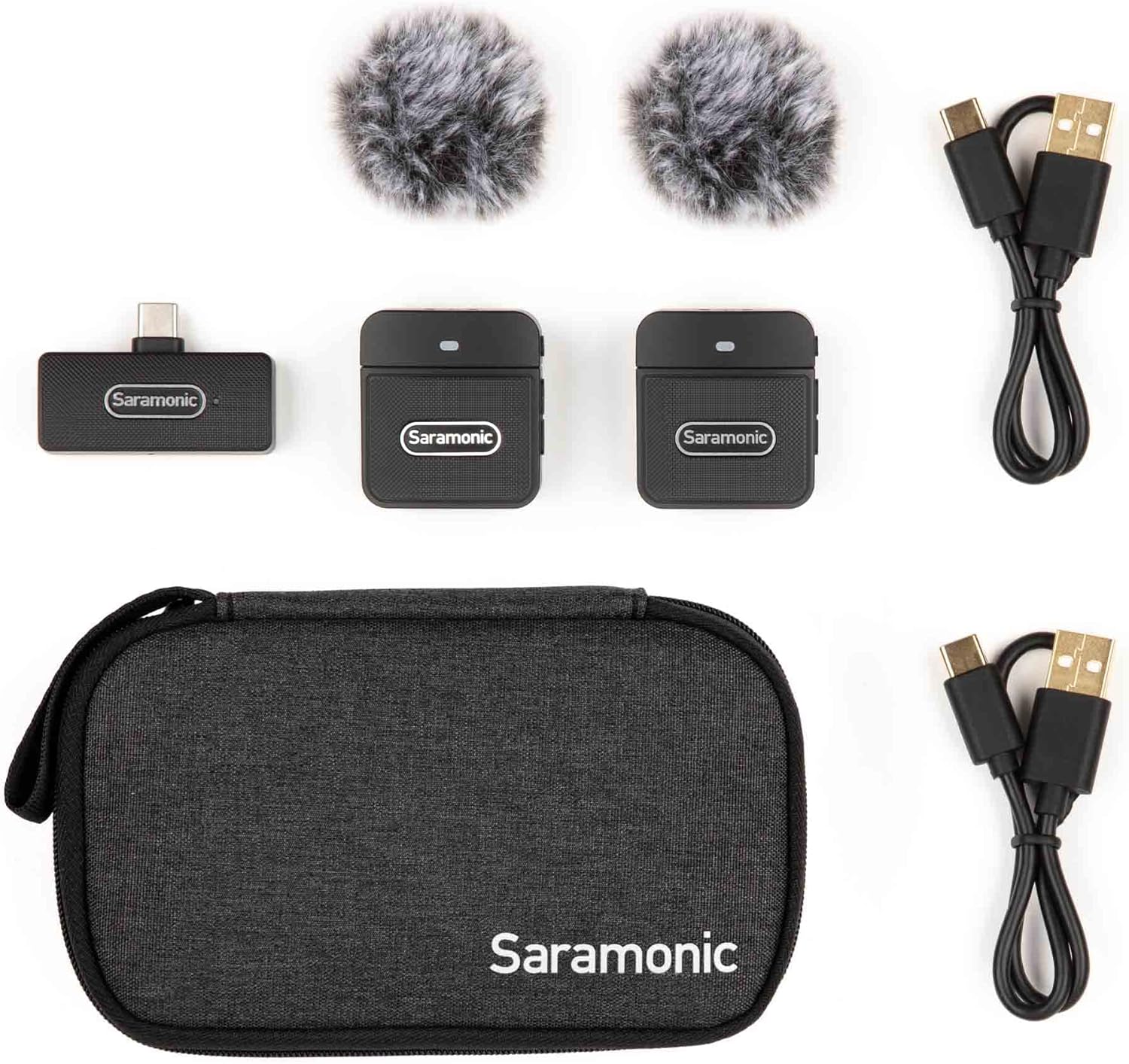
Image: Saramonic Blink 100 B6 system components and accessories neatly arranged in their carrying case.
3. Маҳсулот ба охир расидview
3.1. Blink 100 TX Transmitter
- Микрофони дарунсохт: Features an omnidirectional microphone for clear audio capture.
- Шишаи пеши пашша: Reduces wind noise in outdoor environments.
- Active Noise Cancellation (NR): Selectable feature to minimize ambient background noise.
- Назорати фоида: 12-step microphone gain adjustment for optimal audio levels.
- Функсияи хомӯш: One-touch button to quickly mute the microphone.
- Тарҳрезии клип: Lightweight and compact for easy attachment to clothing.
- Порти пуркунандаи USB-C: Барои пур кардани батареяи дохилӣ.

Тасвир: Пеш view of the Blink 100 TX transmitter with its furry windscreen.
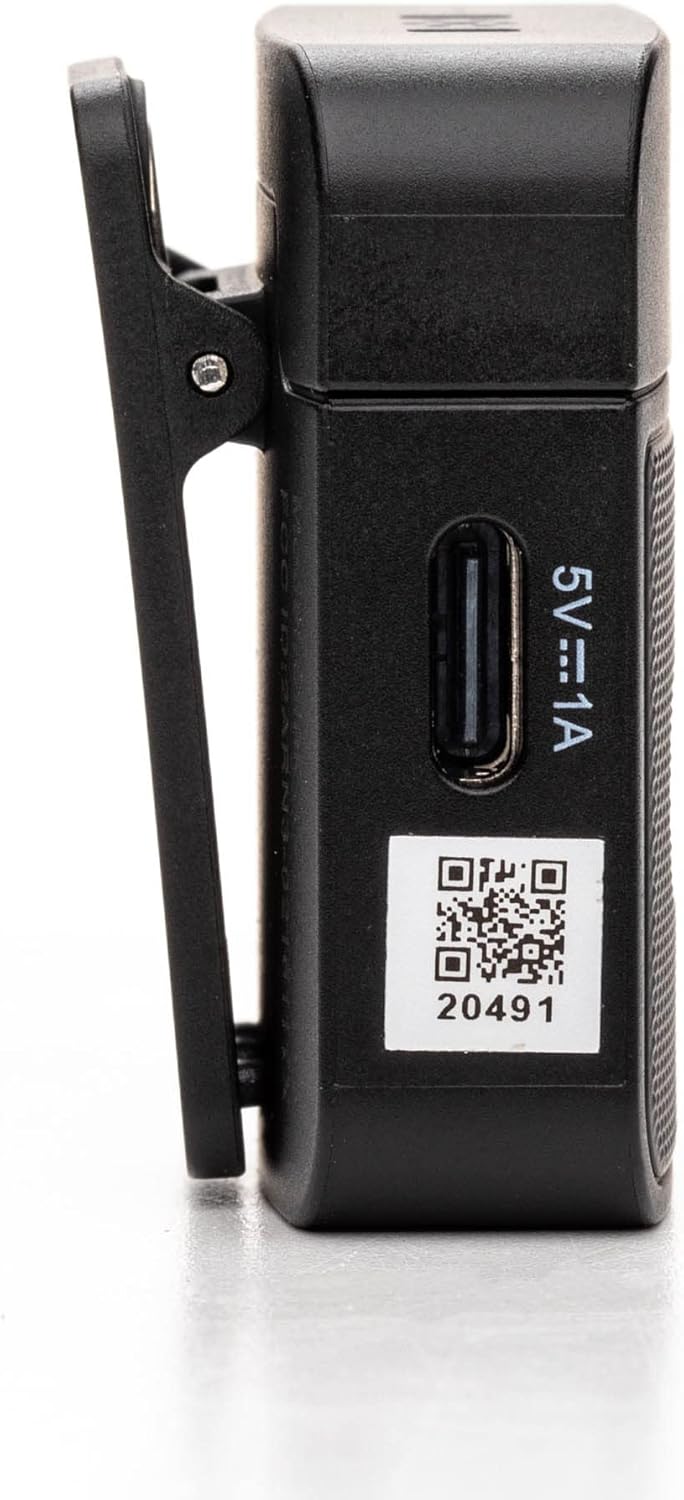
Тасвир: тараф view of the Blink 100 TX transmitter, highlighting the control buttons.
3.2. Blink 100 RXUC Receiver
- USB-C пайвасткунаки: Plugs directly into your compatible device.
- Фаъолияти бе батарея: Powered directly by the connected device.
- USB-C Through Port: Allows simultaneous charging of the host device or connection of other USB-C peripherals.

Image: Close-up of the Blink 100 RXUC receiver, showing its USB-C connector and passthrough port.

Image: All main components of the Blink 100 B6 system: two transmitters and one receiver.
4. Дастури насб
4.1. Charging the Transmitters (TX)
- Connect the supplied USB-A to USB-C charging cables to the USB-C charging ports on both TX transmitters.
- Plug the USB-A ends of the cables into a USB power adapter (not included) or a computer's USB port.
- The indicator light on the TX will show charging status. A full charge provides approximately 10 hours of operation.
4.2. Connecting the Receiver (RXUC)
- Plug the Blink 100 RXUC receiver directly into the USB-C port of your smartphone, tablet, or computer.
- The receiver is battery-free and will draw power from your device.
- If your device requires charging during use, you can connect a USB-C charging cable to the RXUC's passthrough port.

Image: The Blink 100 RXUC receiver connected to a smartphone, ready for use.
4.3. Ҷуфткунии худкор
The Blink 100 system is designed for automatic pairing. Once the TX transmitters are powered on and the RXUC receiver is connected to your device, they should automatically establish a connection. The indicator lights on both units will confirm a successful connection.
4.4. Пайваст кардани интиқолдиҳандаҳо
- Clip the TX transmitter to your clothing, such as a collar or lapel, ensuring the built-in microphone faces the sound source.
- For optimal audio quality, attach the furry windscreen to the TX transmitter, especially when recording outdoors or in windy conditions.

Image: A person demonstrating how to clip the Blink 100 TX transmitter to clothing.
5. Дастурҳои истифодабарӣ
5.1. Фурӯзон/хомӯшкунӣ
- Фаъол: Press and hold the power button on the TX transmitter for a few seconds until the indicator light illuminates.
- Хомӯш: Press and hold the power button on the TX transmitter until the indicator light turns off.
5.2. Функсияи хомӯш
Press the MUTE button on the TX transmitter once to mute or unmute the microphone. The indicator light will change to show the mute status.
5.3. Ба даст овардани назорат
Use the '+' and '-' buttons on the side of the TX transmitter to adjust the microphone gain (volume level). There are 12 steps of adjustment to fine-tune your audio input.
5.4. Active Noise Cancellation (NR)
Press the NR button on the TX transmitter to activate or deactivate the active noise cancellation feature. This helps to reduce unwanted background noise, providing clearer audio in noisy environments.
5.5. Recording with Your Device
Once the RXUC receiver is connected and the TX transmitters are paired, open your preferred audio or video recording application on your device. The system will automatically be recognized as the audio input source. Begin recording as usual.

Image: A user recording video with a smartphone and the Blink 100 B6 system.
6. Нигоҳдорӣ
6.1. Тозакунӣ
- Wipe the units with a soft, dry cloth.
- Аз кимиёвии сахт ё тозакунандагони абразив истифода набаред.
- Ensure the furry windscreens are clean and free of debris for optimal performance.
6.2. Нигоҳдорӣ
- Store the system in the provided carrying case when not in use to protect it from dust and damage.
- Keep the units in a cool, dry place, away from direct sunlight and extreme temperatures.
6.3. Нигоҳубини батарея
- For prolonged storage, charge the TX transmitters to approximately 50% every three months to maintain battery health.
- Аз холӣ кардани пурраи батареяҳо зуд-зуд худдорӣ кунед.
7. Баррасии мушкилот
- Овоз нест ё садои паст:
- Ensure both TX transmitters are powered on and paired with the RXUC receiver.
- Check the gain level on the TX transmitters using the '+' button.
- Verify that the TX transmitter is not muted.
- Confirm that your recording device's volume is turned up and the Blink 100 system is selected as the audio input.
- Interference or Dropouts:
- Ensure the TX transmitters and RXUC receiver are within the specified operating range (up to 164 feet/50m line-of-sight).
- Avoid obstacles between the transmitter and receiver.
- Minimize interference from other wireless devices operating on similar frequencies. The system features automatic channel switching to mitigate this.
- Ҷуфт накардан:
- Power cycle both the TX transmitters and the RXUC receiver (by unplugging and replugging).
- Ensure the TX transmitters are sufficiently charged.
- Дастгоҳ қабулкунандаро намешиносад:
- Ensure your device's operating system and recording application are up to date.
- Verify that your device supports external USB-C audio input.
- Кӯшиш кунед, ки дастгоҳи худро бозоғоз намоед.
8. Мушаххасоти
| Хусусият | Тафсилот |
|---|---|
| Рақами модел | BLINK100B6 |
| Омили шакли микрофон | Handheld, Mini (Clip-On) |
| Намунаи қутбӣ | Ҳамаҷониба |
| Технологияи пайвастшавӣ | Wireless (USB-C) |
| Навъи пайвасткунанда | USB Type-C |
| Дастгоҳҳои мувофиқ | Smartphone, Tablet, PC (with USB-C) |
| Моделҳои телефонҳои мувофиқ | Android, iPhone 15 |
| Диапазони амалиёт | Up to 164 feet (50m) line-of-sight |
| TX Battery Run Time | То 10 соат |
| Таносуби сигнал ба садо | 78 дБ |
| Материал | Пластмасса |
| Ранги | Сиёҳ |
| Вазни ашё | 6.3 унсия (0.18 килограмм) |
| Андозаҳои маҳсулот (L x W x H) | 3.74 x 2.32 x 6.38 инч |
9. Кафолат ва дастгирӣ
For warranty information, technical support, or service inquiries, please contact Saramonic customer support directly. You can find contact details and additional resources on the official Saramonic webсайт ё тавассути фурӯшандаи худ.
Боздид кунед Saramonic Store барои маҳсулот ва маълумоти бештар.


