Муқаддима
This manual provides comprehensive instructions for the ENDORFY Omnis Pudding Onyx White Red mechanical keyboard (Model EY5A036). This full-size keyboard features Kailh Red mechanical switches, durable PBT Pudding keycaps, and customizable ARGB backlighting. It is designed for various applications, including gaming, creative work, and general office use, offering a responsive and comfortable typing experience. Key features include a reinforced chassis, a detachable magnetic wrist rest, and a metal volume wheel for convenient audio control.
Мундариҷаи баста
- ENDORFY Omnis Pudding Onyx White Red Mechanical Keyboard
- Detachable USB-A Cable
- Истгоҳи дастони магнитӣ
- Дастури корбар (ин ҳуҷҷат)
Ташкил кардан
1. Пайваст кардани клавиатура
Connect the detachable USB-A cable to the USB-C port on the keyboard and then to an available USB-A port on your computer. The keyboard is plug-and-play and should be recognized automatically by your operating system.
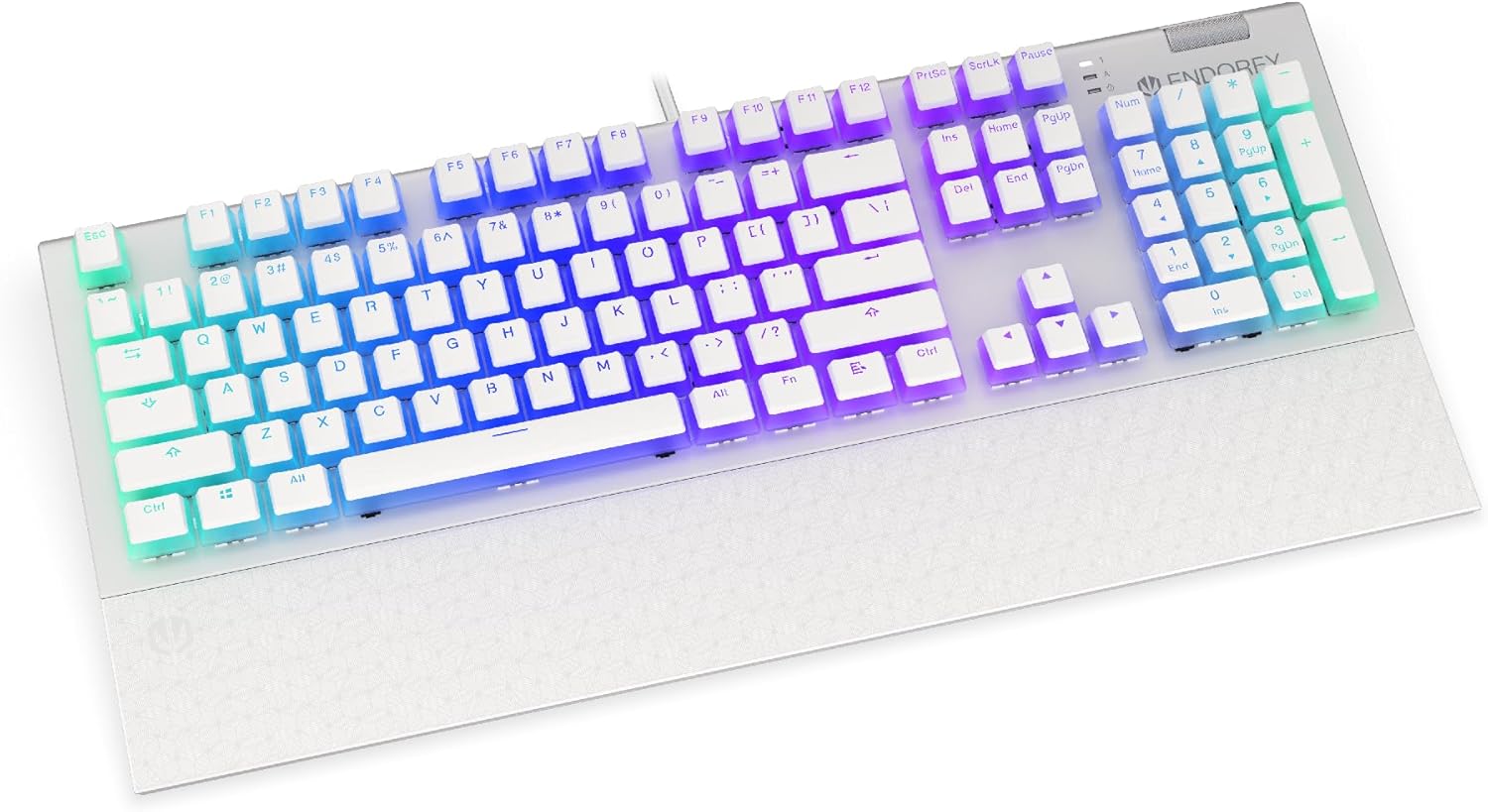
Тасвир: Пеш view of the ENDORFY Omnis Pudding Onyx White Red mechanical keyboard, showcasing its full layout and connected cable.
2. Часпондани такягоҳи даст
Align the magnetic wrist rest with the front edge of the keyboard. The magnets will automatically secure it in place, providing ergonomic support during use.

Тасвир: кунҷӣ view of the ENDORFY Omnis Pudding Onyx White Red mechanical keyboard with the magnetic wrist rest attached, highlighting the seamless integration.
3. Насби нармафзор (ихтиёрӣ)
For advanced customization of lighting effects, key assignments, and macros, download the official ENDORFY software from the manufacturer's webсомона. Барои насб дастурҳои дар экран бударо иҷро кунед.
Дастурҳои амалиётӣ
Функсияҳои асосии клавиатура
The keyboard features a standard full-size layout with a dedicated numpad, function keys (F1-F12), and navigation keys. All keys operate as standard input devices for your computer.
Volume Wheel Operation
The metal volume wheel located on the top right of the keyboard allows for quick audio adjustments:
- Rotate Up: Ҳаҷмро зиёд кунед.
- Rotate Down: Кам кардани ҳаҷми.
- Поён пахш кунед: Хомӯш кардан/Овоз кардани аудио.
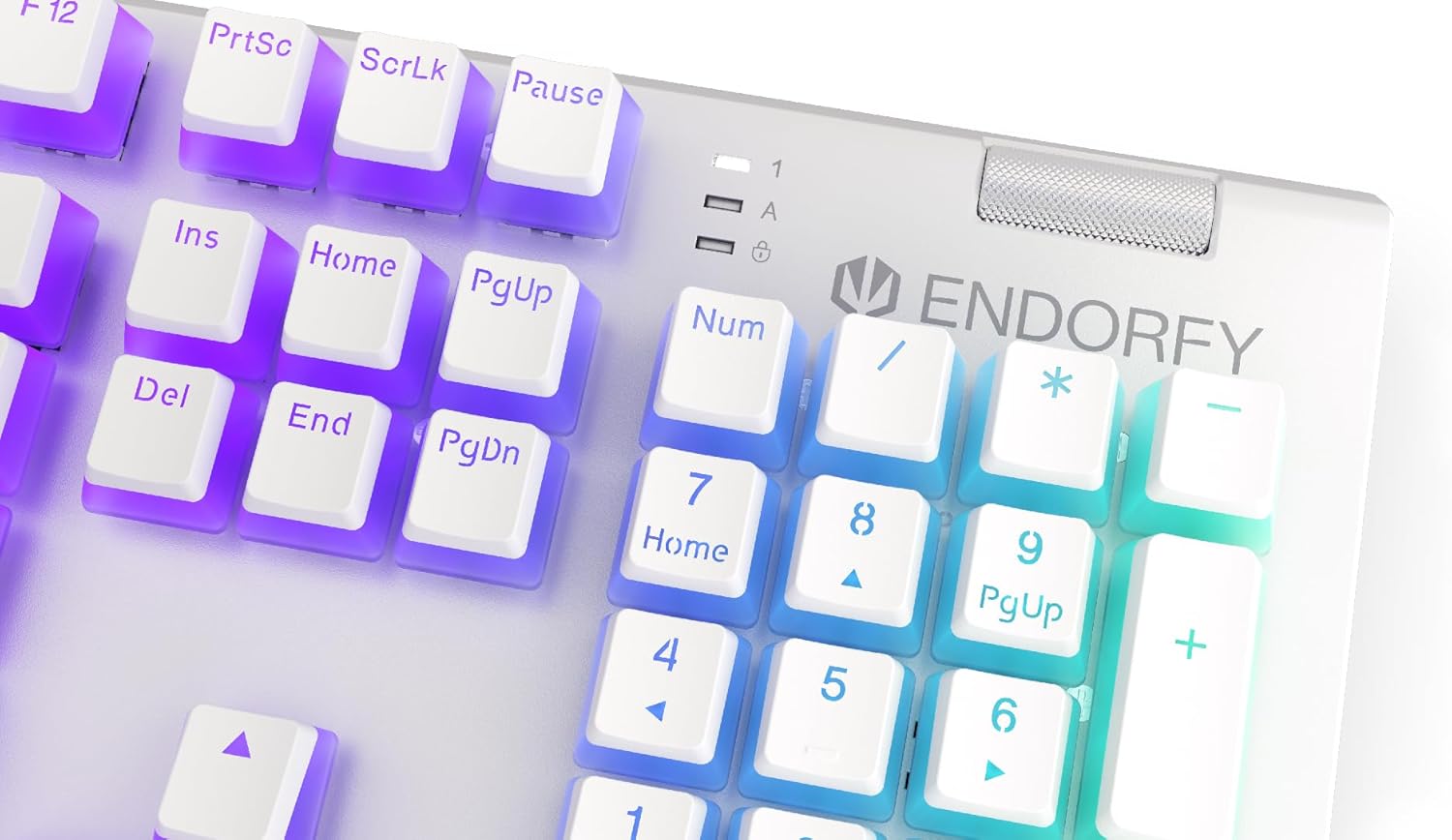
Тасвир: Наздик view of the keyboard's numpad and the prominent metal volume wheel, indicating its position for easy access.
Назорати равшании паси RGB
The keyboard features customizable ARGB backlighting. Lighting effects and brightness can be adjusted using the dedicated ENDORFY software. Some basic lighting modes and brightness levels may also be accessible via keyboard shortcuts (e.g., Fn + arrow keys or specific function keys), though advanced customization is recommended through the software.

Image: The ENDORFY Omnis Pudding Onyx White Red mechanical keyboard illuminated with vibrant RGB backlighting, showcasing the Pudding keycaps.
N-Key Rollover (NKRO)
The keyboard supports N-Key Rollover, which means every key press is registered independently, regardless of how many other keys are being pressed simultaneously. This feature is particularly beneficial for fast typists and gamers, preventing ghosting or missed inputs.
Функсияи нармафзор
The ENDORFY software allows users to:
- Customize ARGB lighting effects and colors.
- Калидҳои алоҳидаро аз нав харитабандӣ кунед.
- Create and assign macros for complex command sequences.
- Якчанд профессионалро идора кунедfiles барои барномаҳо ё бозиҳои гуногун.
Нигоҳдорӣ
Тоза кардани клавиатура
Барои нигоҳ доштани самаранокӣ ва намуди зоҳирӣ:
- Пеш аз тоза кардани клавиатура аз компютери худ ҷудо кунед.
- Аз матои мулоим ва матои пок каме истифода баред гampбо об ё маҳлули ҳалим тозакунӣ барои тоза кардани клавиатураҳо ва шасси.
- Барои чанг ва хошок байни клавиатураҳо, ҳавои фишурдашударо истифода баред.
- Аз истифодаи кимиёвии сахт ё маводи абразивӣ худдорӣ намоед.
Хориҷ ва иваз кардани клавиатура
The PBT Pudding keycaps can be removed for thorough cleaning or replacement. Use a keycap puller (not included) to gently lift keycaps straight up. When replacing, align the keycap with the switch stem and press down firmly until it clicks into place.

Тасвир: Наздик view of the Kailh Red mechanical switches, visible when keycaps are removed, illustrating the switch mechanism.
Мушкилкушо
- Клавиатура ҷавоб намедиҳад:
Ensure the USB cable is securely connected to both the keyboard and the computer. Try connecting the keyboard to a different USB port or a different computer to rule out port or system issues. Restart your computer. - Равшании қафо кор намекунад ё нодуруст аст:
Check the brightness settings via the ENDORFY software or any onboard shortcuts. Ensure the software is up to date. If specific keys have incorrect lighting, reset the lighting profile дар нармафзор. - Калидҳо ба қайд гирифта нашудаанд:
Clean under the affected keycaps to remove any debris that might be obstructing the switch. If the issue persists, it may indicate a hardware fault; refer to the Warranty and Support section. - Wrist Rest Not Attaching Securely:
Ensure there is no debris between the keyboard and the wrist rest that might interfere with the magnetic connection.
Мушаххасоти
| Хусусият | Тафсилот |
|---|---|
| Бренд | ENDORFY |
| Рақами модел | EY5A036 |
| Ранги | Сафед |
| Гузаришҳои калидӣ | Kailh Red Mechanical |
| Клавиатура | PBT Pudding |
| Тарҳ | Full-size (US Layout) |
| Равшании паси | ARGB (Configurable RGB) |
| Пайвастшавӣ | USB-A (Detachable Cable) |
| Истироҳати даст | Magnetic, Detachable |
| Назорати овоз | Metal Volume Wheel |
| Н-Калиди Оғози | Бале |
| Системаҳои оператсионии мувофиқ | Linux, Mac OS X 10.12 Sierra, Windows 7, Windows 8, Windows 10 |
| Истифодаи тавсияшаванда | Gaming, Multimedia |
| Материал | Полибутилентерефталат (PBT) |
Кафолат ва дастгирӣ
ENDORFY products are covered by a manufacturer's warranty. For detailed warranty terms, technical support, or service inquiries, please refer to the official ENDORFY webсайт ё фурӯшандаи маҳаллии худ тамос гиред. Барои даъвоҳои кафолат далели хариди худро нигоҳ доред.


