1. Муқаддима
This manual provides comprehensive instructions for the setup, operation, maintenance, and troubleshooting of your AJAZZ AK992 Wireless Mechanical Keyboard. Please read this manual thoroughly before using the product to ensure proper function and longevity.

Image 1.1: The AJAZZ AK992 Wireless Mechanical Keyboard, showcasing its full layout and coiled cable.
2. Мундариҷаи баста
Боварӣ ҳосил кунед, ки ҳама ашё дар баста мавҷуд аст:
- 1 x AJAZZ AK992 Mechanical Keyboard
- 1 x 2.4 ГГц USB Қабулкунанда
- 1 x Custom Coiled USB-C Cable
- 1 x Клавиатураи клавиатура
- 1 x Калиди интиқолдиҳанда
- 4 x Replacement Switches
- 8 x Replacement Keycaps
- 1 x Дастури корбар (ин ҳуҷҷат)
3. Мушаххасоти
| Хусусият | Тафсилот |
|---|---|
| Модели | АК992 |
| Пайвастшавӣ | Bluetooth 5.0, 2.4 ГГц бесим, сими USB-C |
| Калидҳо | 99 Калид (98% Тарҳ) |
| Гузаришҳо | Hot-swappable (3-pin/5-pin compatible) |
| Клавиатура | PBT OEM Keycaps |
| Равшании паси | RGB (18+ effects) |
| Иқтидори батарея | 4000 мАч |
| Андозаҳо | 16.5 x 2.2 x 2.8 инч |
| Вазн | 2.48 фунт |
| Истеҳсолкунанда | MAGIC-REFINER |
4. Танзимот
4.1 Пур кардани клавиатура
Before initial use, fully charge the keyboard using the provided USB-C cable. Connect the USB-C end to the keyboard and the USB-A end to a power source (e.g., computer USB port, wall adapter).
- The keyboard features a 4000mAh battery, providing extended usage time.
- To check battery level, press FN + Back (Delete Key). The number keys 1-0 will light up to indicate the power proportion.
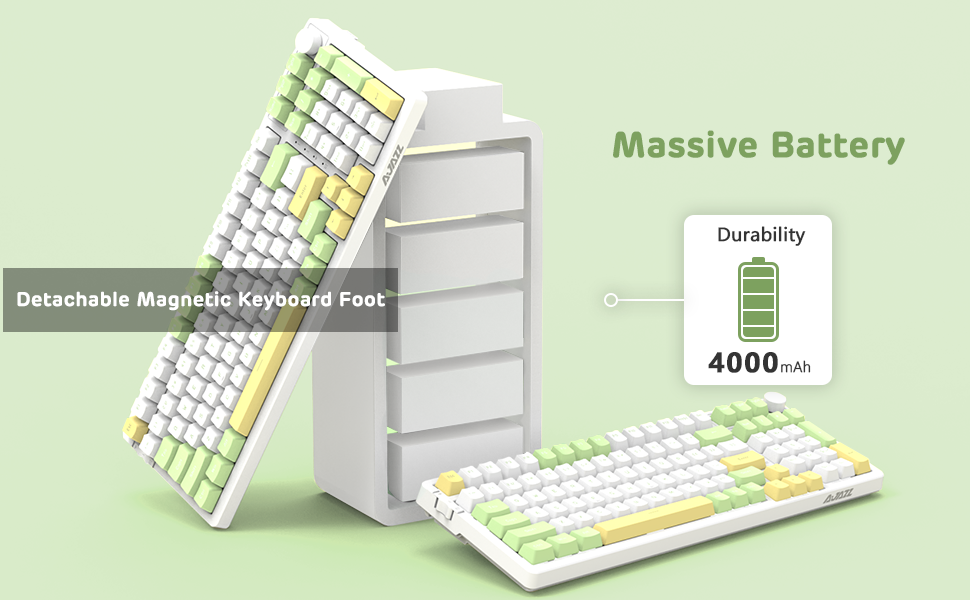
Image 4.1: Visual representation of checking the keyboard's battery level by pressing FN + Back (Delete Key).
4.2 Connecting the Keyboard (Three Modes)
The AK992 keyboard supports three connection modes: Bluetooth 5.0, 2.4GHz Wireless, and USB-C Wired. Use the sliding switch on the left side of the keyboard to select your desired mode.
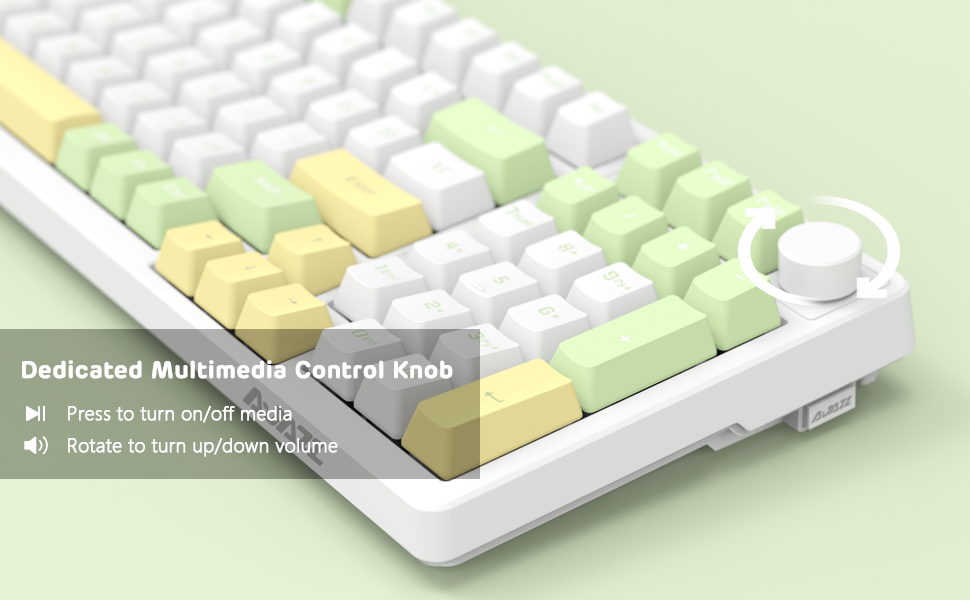
Image 4.2: Illustration of the three connection modes: USB-C, 2.4GHz, and Bluetooth 5.0, connecting to various devices.
4.2.1 2.4ГГц Пайвастшавӣ бесим
- Locate the 2.4GHz USB receiver, typically stored in a compartment on the side of the keyboard.
- Қабулкунаки USB-ро ба порти дастраси USB дар компютери худ пайваст кунед.
- Slide the connection switch on the keyboard to the "2.4G" position.
- Клавиатура бояд ба таври худкор пайваст шавад.
4.2.2 Пайвастшавӣ 5.0 Bluetooth
The keyboard can store up to 3 Bluetooth devices.
- Slide the connection switch on the keyboard to the "BT" position.
- Пахш кунед ва доред FN + 1, FN + 2, ё FN + 3 for 3-5 seconds to enter pairing mode for the desired profile. The indicator light will flash rapidly.
- On your device (PC, Mac, tablet, smartphone), enable Bluetooth and search for "AK992".
- Select "AK992" to pair. The indicator light on the keyboard will stop flashing once connected.
- Барои гузаштан байни дастгоҳҳои ҷуфтшудаи Bluetooth, пахш кунед FN + 1/2/3 мухтасар.
4.2.3 Пайвасти симӣ бо USB-C
- Connect the provided USB-C coiled cable to the keyboard's USB-C port.
- Қисми дигари симро ба порти USB дар компютери худ пайваст кунед.
- Slide the connection switch on the keyboard to the "Wired" position.
- The keyboard will be recognized as a standard USB keyboard.

Image 4.3: The custom coiled USB-C cable with a metal aviation connector, designed for durability and stable data transmission.
5. Дастурҳои истифодабарӣ
5.1 Тугмаи идоракунии мултимедиявӣ
The knob located in the upper right corner provides convenient multimedia control:
- Бо ақрабаки соат гардиш: Баланд бардоштани ҳаҷми
- Ба муқобили ақрабаки соат гардиш кунед: Кам кардани ҳаҷми
- Матбуот: Play/Pause Media or Mute/Unmute Audio

Image 5.1: Close-up of the metal knob, illustrating its functions for volume control and media play/pause/mute.
5.2 Назорати равшании паси RGB
The AK992 features dynamic RGB backlighting with multiple effects.
- FN + \| (Backslash/Pipe key): Cycle through 18+ RGB lighting effects.
- ФН + ↑ / ↓: Равшании рӯшноиро танзим кунед.
- ФН + ← / →: Суръат/самти равшании рӯшноиро танзим кунед.
- FN + 1/2/3: Customize three sets of game or office lighting effects (requires software for full customization).
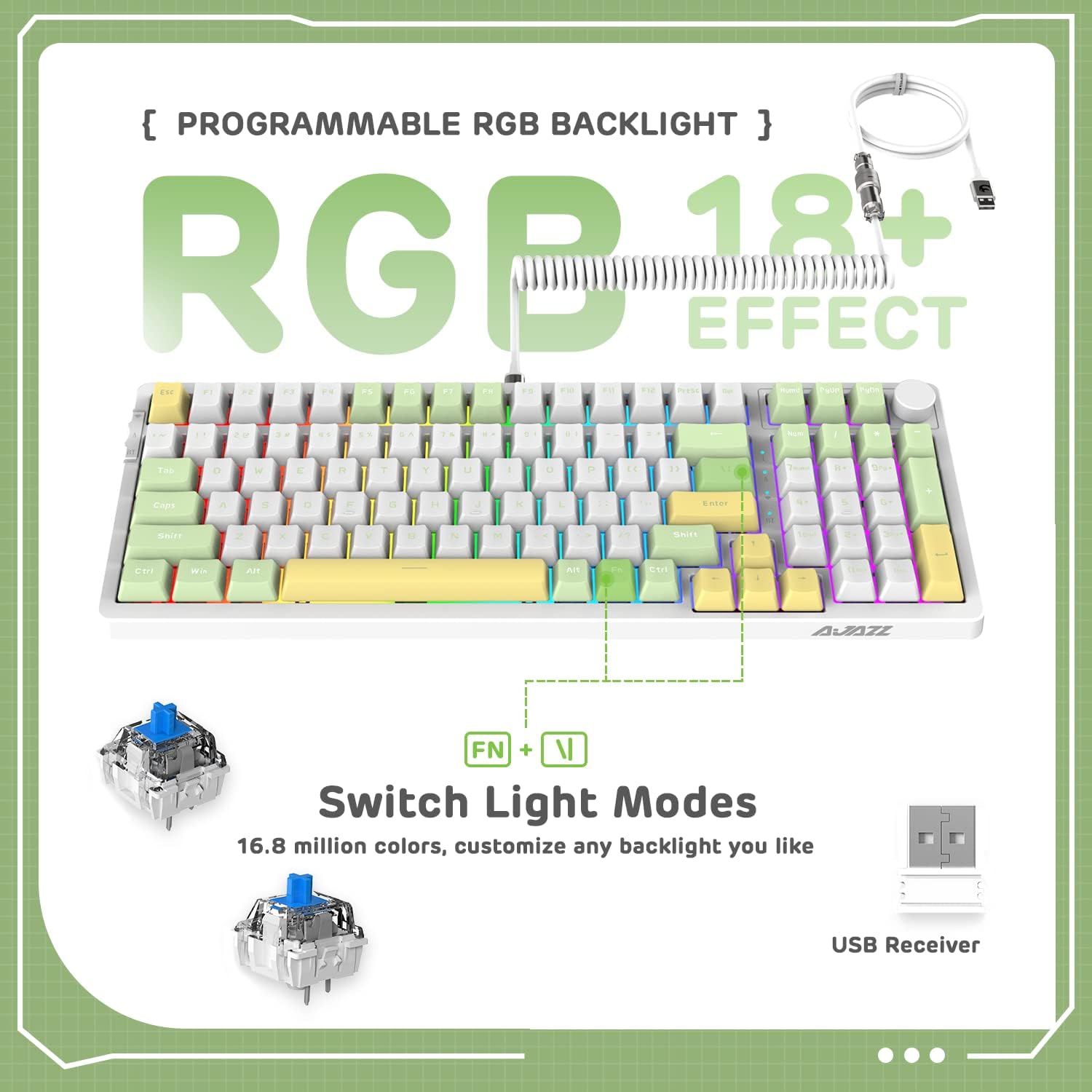
Image 5.2: The keyboard displaying various RGB lighting effects, highlighting the FN + \| key combination for switching modes.
5.3 Гузаришҳои гарм ивазшаванда
The AK992 keyboard features a hot-swappable PCB, allowing users to change mechanical switches without soldering. It supports both 3-pin and 5-pin switches.
- Барои бодиққат кушодани сарпӯши тугмаи дилхоҳ, аз кашандаи сарпӯши тугмаи додашуда истифода баред.
- Use the provided switch puller to gently grip the switch and pull it straight up to remove it from the PCB.
- Пинҳои калиди навро бо сӯрохиҳои дар платаи электронӣ буда ҳамвор кунед. Боварӣ ҳосил кунед, ки пинҳо рост ҳастанд.
- Калиди навро то даме ки клик пахш кунад, ба ҷои сахт пахш кунед.
- Сарпӯши клавиатураро иваз кунед.

Тасвири 5.3: Муфассал view of the keyboard's hot-swappable PCB, showing removed keycaps and switches, along with replacement components.
5.4 Тарҳрезии эргономикӣ
The keyboard is designed with a two-stage tripod foot system, allowing adjustment of the typing angle to 5° or 8° for improved comfort and reduced hand fatigue.

Image 5.4: The keyboard's two-stage tripod design, illustrating the 5° and 8° adjustable typing angles.
6. Нигоҳдорӣ
6.1 Тозакунӣ
- Пеш аз тоза кардан, клавиатураро аз ҳамаи манбаъҳои барқ ва дастгоҳҳо ҷудо кунед.
- Аз матои мулоим ва матои пок каме истифода баред гampбо об ё маҳлули ҳалим тозакунӣ барои тоза кардани клавиатураҳо ва шасси.
- Барои тозакунии амиқтар, аз кашандаи сарпӯши клавиатураи додашуда истифода баред, то сарпӯшҳои клавиатураро кушоед ва поёни онро бо ҳавои фишурда ё хасуи хурд тоза кунед.
- Avoid using harsh chemicals, abrasives, or solvents, as these may damage the keyboard's finish or components.
6.2 Нигоҳдорӣ
Store the keyboard in a cool, dry place away from direct sunlight and extreme temperatures. If storing for an extended period, ensure the battery is partially charged (around 50%) to preserve battery health.
7. Баррасии мушкилот
| Мушкилот | Сабаби эҳтимолӣ | Ҳалли |
|---|---|---|
| Клавиатура дар ҳолати бесим ҷавоб намедиҳад. | Low battery, incorrect mode selected, receiver not plugged in (2.4G), not paired (Bluetooth). | Charge the keyboard. Ensure the mode switch is set correctly. Re-insert the 2.4G receiver. Re-pair Bluetooth device. |
| RGB backlight not working or dim. | Чароғаки қафо хомӯш карда шудааст, равшанӣ хеле паст аст, батарея кам аст. | пахш кунед FN + \| to cycle modes. Adjust brightness with FN +. Charge the keyboard. |
| Калидҳо ба қайд гирифта нашудаанд ё дукарата чоп мекунанд. | Faulty switch, debris under keycap, software issue. | Remove keycap and clean. Replace the switch using the provided tools and spare switches. Test on another device. Update keyboard firmware if available. |
| Клавиатура зуд-зуд аз кор мемонад. | Халал, масофа аз қабулкунак/дастгоҳ, батареяи кам. | Reduce distance to receiver/device. Ensure no strong interference sources. Charge the keyboard. Try wired mode. |
8. Кафолат ва дастгирӣ
8.1 Маълумот дар бораи кафолат
The AJAZZ AK992 Wireless Mechanical Keyboard is covered by a limited warranty against manufacturing defects. Please refer to the warranty card included in your package or contact your retailer for specific warranty terms and conditions. Keep your proof of purchase for warranty claims.
Шарҳ: The warranty typically covers defects in materials and workmanship under normal use. It does not cover damage caused by misuse, accidents, unauthorized modifications, or normal wear and tear.
8.2 Дастгирии муштариён
For technical assistance, troubleshooting, or general inquiries, please contact the manufacturer or your point of purchase. You may also visit the official AJAZZ or MAGIC-REFINER website for FAQs, driver downloads, and additional support resources.
Manufacturer: MAGIC-REFINER
Модели: AK992
9. Видеои расмии маҳсулот
Видео 9.1: Намоиши видеоии расмии маҳсулотasing the AK992 99 Keys Gasket Wireless Mechanical Gaming Keyboard in use, demonstrating its features and RGB lighting. This video is provided by MAGIC-REFINER Direct.


