1. Муқаддима
Ташаккур ба шумо барои харидasing the KOORUI 27-inch IPS Full HD Monitor, Model 27N1FHD. This manual provides essential information for the proper installation, operation, and maintenance of your monitor. Please read this manual thoroughly before using the product and retain it for future reference.
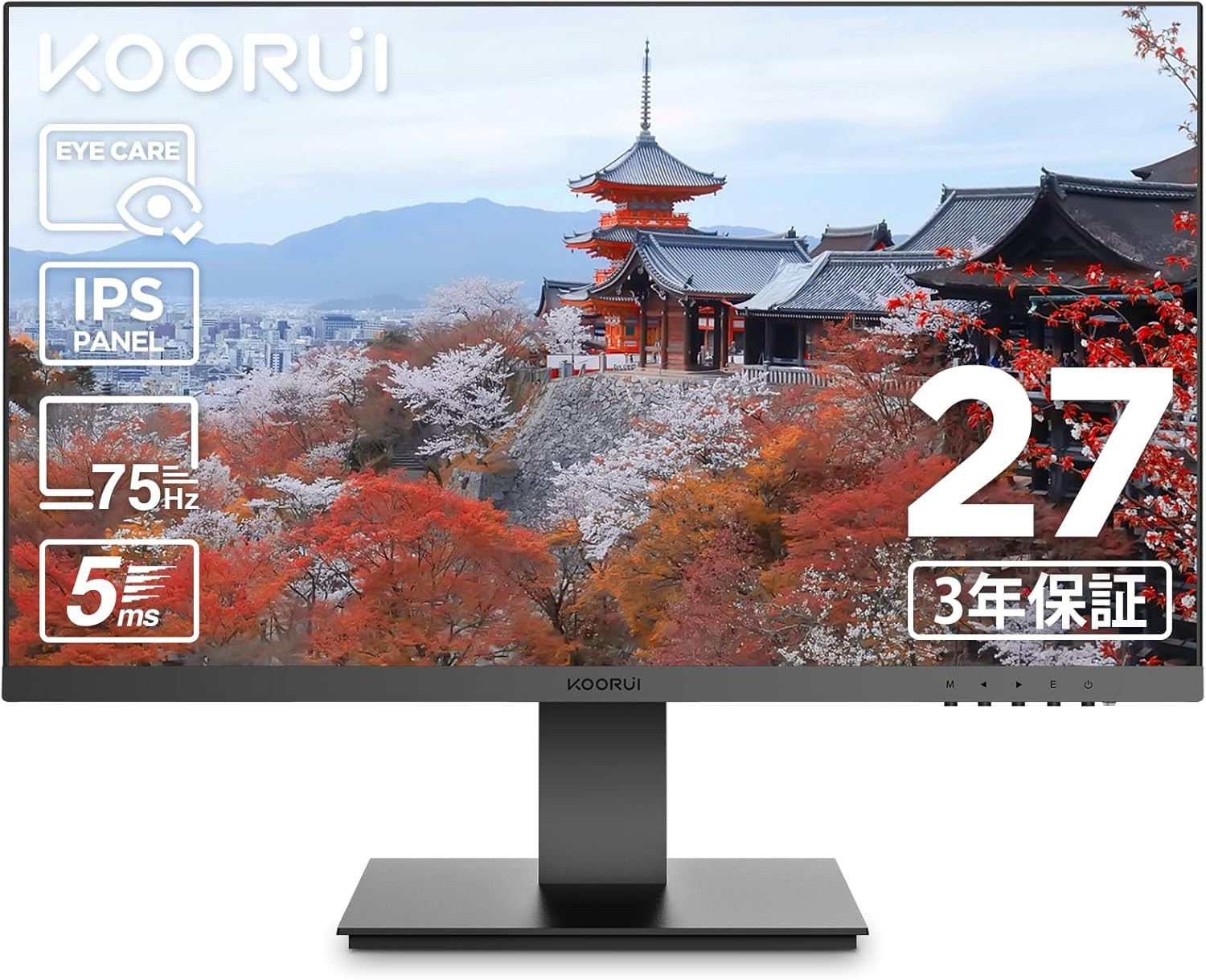
Тасвири 1.1: Пеш view of the KOORUI 27-inch IPS Full HD Monitor.
2. Маълумот оид ба бехатарӣ
Барои таъмини бехатарии кор ва пешгирии зарар, лутфан чораҳои бехатарии зеринро риоя кунед:
- Мониторро ба борон, намӣ ё ҳарорати аз ҳад зиёд нагузоред.
- Мониторро дар зери нури бевоситаи офтоб ё дар наздикии манбаъҳои гармӣ ҷойгир накунед.
- Дар атрофи монитор вентилятсияи дурустро таъмин кунед. Кушодани вентилятсияро манъ накунед.
- Танҳо адаптери барқро, ки бо монитор дода мешавад, истифода баред.
- Сими барқро ҳангоми тӯфони барқ ё ҳангоми муддати тӯлонӣ истифода накардан аз розетка ҷудо кунед.
- Do not attempt to open the monitor casinг. Ҳама хидматрасониро ба кормандони соҳибихтисос муроҷиат кунед.
- Мониторро аз майдонҳои магнитии сахт дур нигоҳ доред.
3. Мундариҷаи баста
Боварӣ ҳосил кунед, ки ҳама ашё дар бастаи шумо мавҷуданд:
- KOORUI 27-inch IPS Full HD Monitor (Model 27N1FHD)
- Кабели HDMI (1.5м)
- Адаптери барқ
- Дастури корбар (ин дастур)
- Пойгоҳи монитор
- Monitor Stand Column

Тасвири 3.1: Пеш ва пушти view of the KOORUI 27N1FHD monitor, showing ports and VESA mounting points.
4. Дастурамал оид ба насб
4.1 Ҷойгиркунии стенд
- Мониторро рӯ ба поён ба рӯи мулоим ва тоза ҷойгир кунед, то харошиданро пешгирӣ кунед.
- Attach the stand column to the back of the monitor until it clicks into place or is secured with screws (if provided).
- Attach the stand base to the bottom of the stand column and secure it with the thumb screw or screws.
- Carefully lift the monitor and place it on a stable, flat surface.
4.2 Пайваст кардани монитор
The monitor supports HDMI and VGA connections.
- Пайвасти барқ: Connect the power adapter to the monitor's power input and then plug the adapter into a power outlet.
- Пайвасти видео (HDMI): Connect one end of the provided HDMI cable to the HDMI port on your computer and the other end to the HDMI port on the monitor.
- Пайвасти видео (VGA): Connect a VGA cable (not included) to the VGA port on your computer and the other end to the VGA port on the monitor.

Тасвири 4.1: Қафо view of the monitor showing VESA mount (75x75mm) and tilt adjustment range (-5° to +15°).
4.3 Васлкунии VESA
This monitor is compatible with VESA 75x75mm mounting standards, allowing for alternative mounting solutions such as wall mounts or monitor arms (sold separately).
- Remove the stand column from the monitor.
- Attach your VESA-compatible mount to the four screw holes on the back of the monitor.
- Ensure the screws are tightened securely.

Тасвири 4.2: Мисample of the monitor mounted on a VESA-compatible arm.
5. Дастурҳои истифодабарӣ
5.1 Фурӯзон/хомӯш кардан
Барои фаъол ё хомӯш кардани он тугмаи барқро, ки дар тарафи рости поёни монитор ҷойгир аст, пахш кунед.
5.2 Менюи Намоиши экран (OSD).
The OSD menu allows you to adjust various display settings. Use the control buttons (usually located on the bottom right or rear of the monitor) to navigate the menu.
- Тугмаи меню: Менюи экранро мекушояд.
- Тугмаҳои паймоиш: Used to move through menu options (Up/Down or Left/Right).
- Тугмаи интихоб/дохил: Интихобро тасдиқ мекунад ё ба зерменю ворид мешавад.
- Тугмаи хуруҷ: Exits the current menu or OSD.
5.3 Танзимоти умумии OSD
- Равшанӣ/Контраст: Adjusts the overall luminance and contrast of the display.
- Танзимоти ранг: Allows adjustment of color temperature, gamma, and individual RGB levels.
- Интихоби вуруд: Гузаришро дастӣ байни манбаъҳои вуруди HDMI ва VGA анҷом диҳед.
- Ҳолати тасвир: Pre-set display modes for different content types (e.g., Standard, Game, Movie, Text).
- Реҷаи нигоҳубини чашм: Activates or adjusts the blue light filter.
- Забон: Забони менюи экрани экранро интихоб мекунад.
- Аз нав танзим кардан: Resets all OSD settings to factory defaults.
6. Хусусиятҳои асосӣ
6.1 Технологияи нигоҳубини чашм
The KOORUI 27N1FHD monitor incorporates advanced eye care features to enhance user comfort during prolonged use:
- Flicker-Free (DC Dimming): Utilizes DC dimming technology to eliminate screen flickering, which can cause eye strain and fatigue.
- Филтри нури кабуди паст: Reduces the emission of harmful high-energy short-wave blue light, protecting your eyes and promoting better sleep patterns.

Image 6.1: Visual representation of blue light reduction and flicker-free technology for eye comfort.
6.2 IPS Panel with Full HD Resolution
Experience vibrant colors and sharp details with the IPS (In-Plane Switching) panel and Full HD (1920x1080p) resolution.
- Технологияи IPS: Provides consistent and accurate colors from wide viewing angles (178° horizontal and vertical).
- Full HD (1920x1080p): Delivers crisp and clear images for work, entertainment, and general computing.
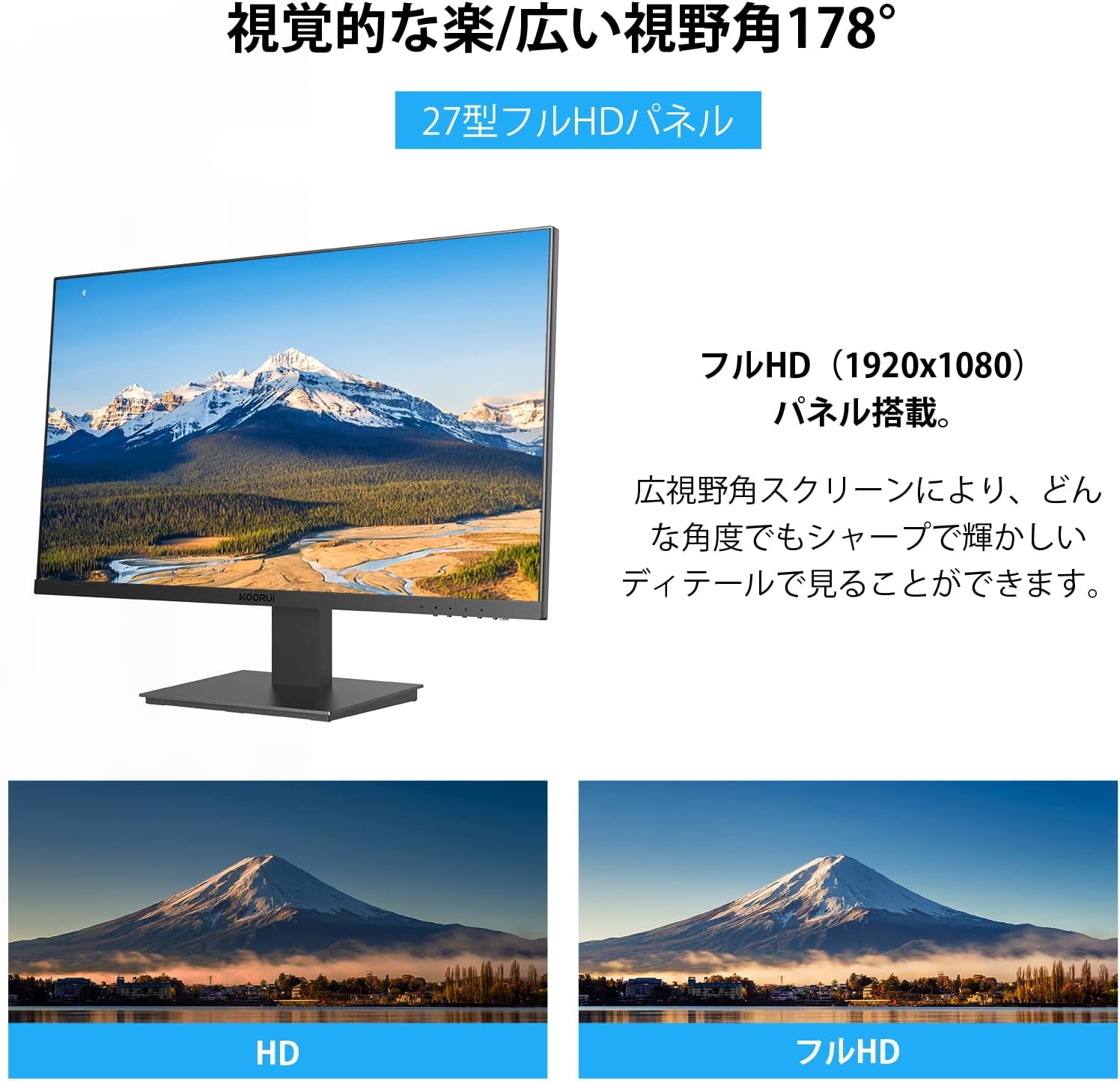
Image 6.2: Illustration of the 178° wide viewing angle and comparison between HD and Full HD image quality.

Image 6.3: Demonstrates the wide 178° viewing angle, allowing multiple viewers to see clear images.
6.3 Ultra-Slim Bezel Design
The monitor features a 3-sided ultra-slim bezel, also known as a "zero-frame design," which maximizes screen space and is ideal for multi-monitor setups.

Тасвири 6.4: Мисample of a multi-monitor setup showcasing the ultra-slim bezel design.

Тасвири 6.5: Дигаре view of a multi-screen setup, highlighting the seamless visual experience.
6.4 Пайвастшавӣ ва иҷроиш
- Интерфейсҳои сершумор: Equipped with HDMI and VGA ports for versatile connectivity with various devices like PCs, laptops, and gaming consoles.
- Суръати навсозӣ 75 Гц: Provides smoother visuals compared to standard 60Hz monitors, beneficial for everyday use and casual gaming.
- 5ms вақти вокуниш: Reduces motion blur and ghosting, ensuring a clear image during fast-paced scenes.

Image 6.6: The monitor is suitable for diverse applications including office work, graphic design, gaming, and movie watching.
7. Нигоҳдорӣ
Нигоҳдории дуруст умри дароз ва кори оптималии мониторро таъмин мекунад.
- Тоза кардани экран: Экранро бо матои мулоим ва бе пахта нарм тоза кунед. Барои аломатҳои якрав, гampen the cloth with a small amount of screen cleaner specifically designed for LCD/LED displays. Do not spray cleaner directly onto the screen.
- Тоза кардани Casing: Барои тоза кардани монитор матои хушк ва мулоимро истифода баред вasinг. Истифодаи тозакунакҳои абразивӣ ё ҳалкунандаҳоро худдорӣ кунед.
- Хомӯш кардани барқ ҳангоми истифода нашудан: Ҳангоми истифодаи муддати тӯлонӣ мониторро хомӯш кунед, то ки қувваи барқро сарфа кунед ва мӯҳлати хизмати онро дароз кунед.
8. Баррасии мушкилот
Агар шумо бо мониторатон мушкилот пайдо кунед, ба мушкилот ва роҳҳои ҳалли зерин муроҷиат кунед:
| Мушкилот | Сабаби эҳтимолӣ | Ҳалли |
|---|---|---|
| Ягон тасвир дар экран нест |
|
|
| Тасвир норавшан ё таҳриф шудааст |
|
|
| Экран мепарад |
|
|
| No sound (Note: This monitor does not have built-in speakers) |
|
|
If the problem persists after trying these solutions, please contact KOORUI customer support.
9. Мушаххасоти
| Хусусият | Тафсилот |
|---|---|
| Бренд | КОРУИ |
| Модели | 27N1FHD |
| Андозаи экран | 27 инч |
| Навъи панел | IPS |
| Резолюция | 1920x1080 (HD Full) |
| Меъёри навсозӣ | 75 Гц |
| Вақти ҷавоб | 5ms |
| Таносуби тараф | 16:9 |
| Viewкунҷи ангушт | 178° (H) / 178° (V) |
| Табобати рӯизаминӣ | Non-Glare / Anti-Glare |
| Пайвастшавӣ | hdmi, vga |
| Мутобиқати VESA | 75х75мм |
| Танзими чархиш | -5° то +15° |
| Баландгӯякҳои дарунсохт | Не |
| Хусусиятҳои нигоҳубини чашм | Flicker-Free (DC Dimming), Low Blue Light Filter |

Image 9.1: Key specifications of the KOORUI 27-inch monitor, including IPS panel, Full HD resolution, 99% sRGB color gamut, and 5ms response time.
10. Кафолат ва дастгирӣ
KOORUI provides a 3-year free exchange warranty for this product. If you encounter any issues or have questions regarding your monitor, please do not hesitate to contact our customer support team.
For support, please refer to the contact information provided on the KOORUI official webсайт ё ҳуҷҷатҳои хариди шумо.


