Муқаддима
The BuzzTV E5 is a 4K UHD Streaming Media Player designed to deliver an immersive viewing experience with its Android 11 operating system. This manual provides essential information to help you set up, operate, and maintain your device.
Мундариҷаи баста
Боварӣ ҳосил кунед, ки ҳама ҷузъҳо дар қуттӣ мавҷуданд:
- BuzzTV E5 Set Top Box
- Таъмини барқи USB Type-C
- 2 x Батареяҳои АА
- IR-200 дурдаст
- Setup/Help Card
- Кабели HDMI

The package includes the BuzzTV E5 Set Top Box, a USB Type-C power supply, two AA batteries for the remote, an IR-200 remote control, a setup/help card, and an HDMI cable.
Маҳсулот ба охир расидview
The BuzzTV E5 is a compact and powerful streaming device.

The device features multiple ports for connectivity, including USB 3.0, LAN, TF card slot, AV, Ethernet, HDMI, Optical, and USB-C power input.
Хусусиятҳои асосӣ
- 4K UHD Streaming: Supports ultra-high-definition 4K resolution for crisp visuals.
- Иҷрои ҳамвор: Equipped with 2GB RAM and 32GB storage for responsive operation.
- OS Android 11: Access to a wide range of apps and streaming services with an intuitive interface.
- Easy Setup and Connectivity: HDMI output for TV connection and reliable Wi-Fi.
- Тарҳрезии компакт: Sleek, space-saving form factor.
Дастури насб
Танзимоти ибтидоӣ
Follow these steps for the initial setup of your BuzzTV E5:
- Ба телевизор пайваст шавед: Connect the BuzzTV E5 to your television using the provided HDMI cable. Insert one end into the HDMI port on the E5 and the other into an available HDMI input on your TV.
- Пайвасти барқ: Connect the USB Type-C power supply to the E5 and plug the adapter into a power outlet.
- Батареяҳоро ворид кунед: Open the battery compartment on the IR-200 remote control and insert the two AA batteries, ensuring correct polarity.
- Фаъол: Press the power button on the E5 device or the remote control to turn on the device.
- Конфигуратсияи ибтидоӣ: Follow the on-screen instructions to select your language, connect to your Wi-Fi network, and log in with your Google account.

Боварӣ ҳосил кунед, ки ҳамаи кабелҳо пеш аз фурӯзон кардани дастгоҳ боэътимод пайваст шудаанд.
Дастурҳои амалиётӣ
Амалиёти асосӣ
Navigate the Android 11 interface using the IR-200 remote control.
- Навигатсия: Use the directional pad and 'OK' button to select items.
- Тугмаи хонагӣ: Press the home button to return to the main screen.
- Тугмаи Бозгашт: Use the back button to go to the previous screen.
- Назорати овоз: Adjust volume using the dedicated volume buttons.
- Дастрасии барнома: Access installed applications from the home screen or the Apps menu.
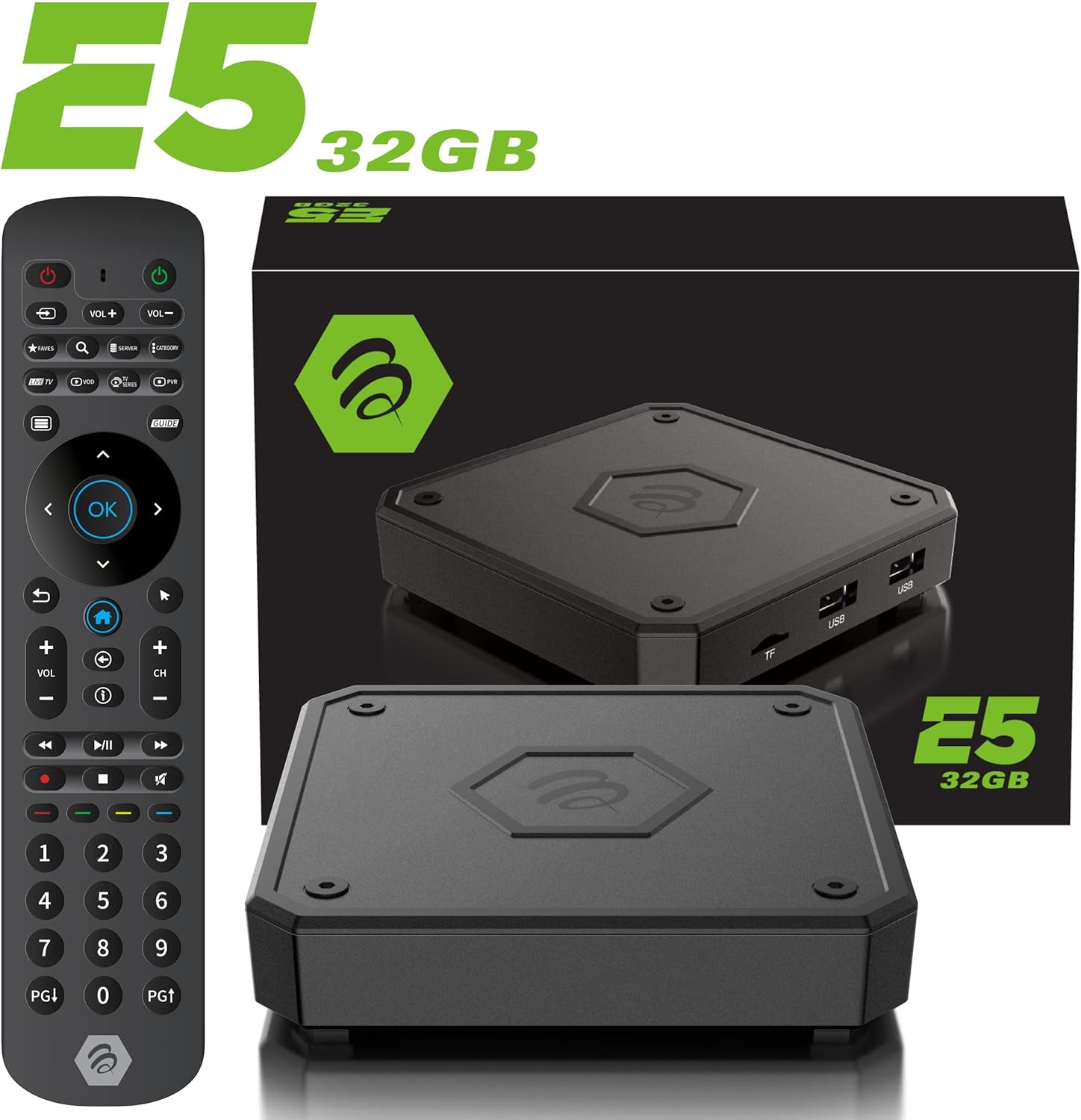
The IR-200 remote provides intuitive control over the BuzzTV E5's functions.
Пайвастшавӣ
Имконоти пайвастшавӣ
- Вай-фай: Supports dual-band Wi-Fi (2.4 GHz and 5 GHz) for wireless internet connection.
- Ethernet: A Gigabit LAN port is available for wired internet connection.
- HDMI: HDMI 2.1 output for high-quality video and audio to your TV.
- USB 3.0: Барои пайваст кардани дастгоҳҳои нигоҳдории беруна ё дастгоҳҳои периферӣ.
- Натиҷаи оптикӣ: For digital audio output to compatible sound systems.
Media Playback & Streaming
Media Playback and Streaming
The BuzzTV E5 supports various media formats and provides access to numerous streaming services via the Google Play Store.
- Хидматҳои дастгирӣ: Access Netflix, Disney+, YouTube, Prime Video, Hulu, and many more.
- ВАО-и маҳаллӣ: ВАО бозӣ кунед fileаз дискҳои USB ё кортҳои TF пайвастшуда.
Official Product Video: Introducing the BuzzTV 5th Generation Lineup
Ин видео бартарият медиҳадview of the BuzzTV 5th Generation lineup, highlighting key features and models.
Мушаххасоти
Мушаххасоти техникӣ
| Хусусият | Тафсилот |
|---|---|
| Номи модел | E5 |
| Низоми амал | Android 11 |
| RAM | 2 ГБ DDR |
| Нигоҳдорӣ | 32 ГБ eMMC |
| Резолюция | 4K UHD |
| Пайвастшавӣ | Wi-Fi (2T2R Dual Band), Ethernet (10/100 Mbps) |
| Портҳо | HDMI 2.1, USB 3.0, USB 2.0, Optical Audio, Power Input, MicroSD |
| ВПМ - Воҳиди Пардозиши Марказӣ | Amlogic S905X4 Quad-core 64bit Cortex-A55 |
| GPU | Мали-G31 MP2 |
| блутуз | 5.0 |
| Андозаҳо | 3 x 12 x 12 инч |
| Вазн | 1.83 фунт |

Detailed technical specifications for the BuzzTV E5 model.
Мушкилкушо
Масъалаҳои умумӣ ва ҳалли онҳо
- Не қудрат: Ensure the power adapter is securely connected to both the device and the power outlet. Check if the power button on the device is pressed.
- Дар телевизион сигнал нест: Verify the HDMI cable is correctly connected to both the E5 and the TV. Ensure your TV input is set to the correct HDMI port.
- Масъалаҳои пайвасти Wi-Fi: Check your Wi-Fi router and ensure it's working. Re-enter your Wi-Fi password in the E5 settings.
- Ҷавоб намедиҳад: Check if the batteries are correctly inserted and have sufficient charge. Re-pair the remote if necessary (refer to the setup card).
- Яхкунӣ/суқути барнома: Try restarting the application. If the issue persists, restart the BuzzTV E5 device.
Кафолат ва дастгирӣ
For warranty information and technical support, please refer to the official BuzzTV website or the contact information provided on your setup/help card. Keep your purchase receipt for warranty claims.
Online resources and FAQs may also be available on the BuzzTV support page.
Official Product Video: MAG555 Google TV 4K UHD Media Player With Voice Control And HDR From Infomir
This video provides an unboxing and setup guide for a similar Google TV media player, demonstrating general functionality and connectivity.
Official Product Video: MAG555 - revolutionize entertainment with the Google TV
This video showcases the features and user experience of the MAG555 Google TV, highlighting its entertainment capabilities.


