1. Муқаддима
The Laserliner MultiWet-Finder Plus is a versatile diagnostic tool designed for non-destructive measurement of material moisture and ambient conditions. It provides quick and reliable readings for various building materials, along with air temperature, relative humidity, and dew point temperature. This manual provides essential information for the safe and efficient operation of your device.

Расми 1: The Laserliner MultiWet-Finder Plus device. This image shows the front view of the device, highlighting its large digital display, control buttons, and the spherical sensor at the top.
2. Дастурамал оид ба бехатарӣ
Лутфан, пеш аз истифодаи дастгоҳ ин дастурҳои бехатариро бодиққат хонед. Риоя накардани ин дастурҳо метавонад боиси зарбаи барқ, сӯхтор ё ҷароҳат гардад.
- Keep the device away from moisture and direct sunlight.
- Do not open the device. Repairs should only be performed by authorized personnel.
- Use only specified batteries. Ensure correct polarity during installation.
- Аз таъсири сахт ё партофтани дастгоҳ худдорӣ намоед.
- Do not use the device in explosive atmospheres or near flammable materials.
- Батареяҳо ва дастгоҳро мувофиқи қоидаҳои маҳаллӣ партов кунед.
3. Маҳсулот ба охир расидview
3.1 Қисмҳои дастгоҳ
The MultiWet-Finder Plus features a robust design with intuitive controls and a clear display.
- Spherical Sensor: For non-destructive material moisture measurement.
- Намоиши LCD: Shows measurement values, modes, and indicators.
- Тугмаи MODE: To switch between measurement modes (Index, CM%, MASS%).
- Тугмаи REF: To set a reference value.
- MAX/SET Button: Ба view maximum/minimum values or confirm settings.
- FIND Button: To activate the measurement.
- Temperature/Humidity Sensors: Located on the side for ambient condition measurements.

Расми 2: Тараф view of the device showing the integrated sensors for air temperature and relative humidity. The image also indicates the measurement ranges for these sensors: air temperature from -10°C to 60°C, relative humidity from 20% to 90% RH, and dew point temperature from -20°C to 60°C.
3.2 Нишондиҳандаҳои намоиш
The LCD display provides comprehensive information:
- Ҳарорат (°C): Ambient air temperature.
- Relative Humidity (% RH): Ambient air humidity.
- Dew Point Temperature (°C): Calculated dew point.
- Moisture Index: A relative value indicating moisture content.
- CM% / MASS%: Specific moisture content for selected materials.
- DRY/WET Bar Graph: Visual indication of moisture level (green for dry, red for wet).

Расми 3: The device's display showing readings in "INDEX MODE". This view includes air temperature, relative humidity, dew point, and a large numerical index value, along with the DRY/WET bar graph.
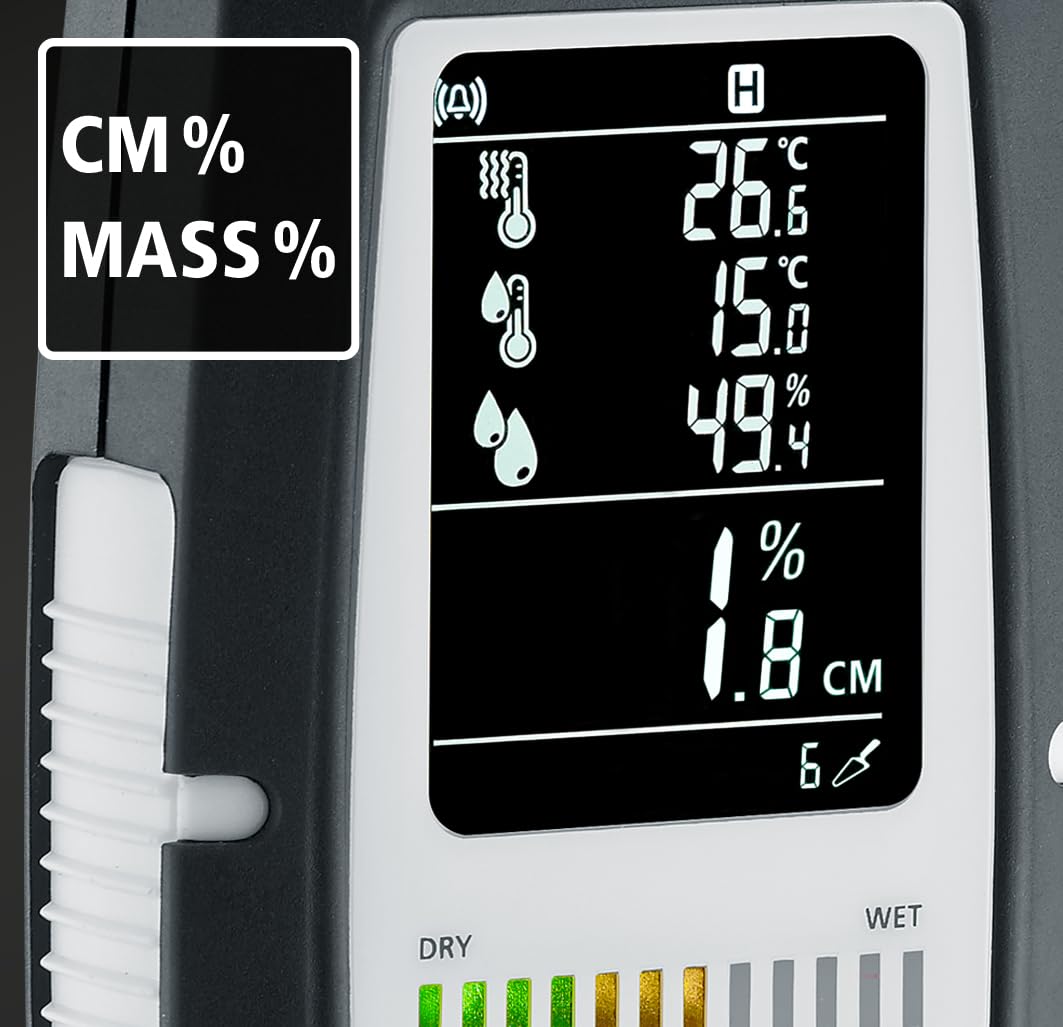
Расми 4: The device's display showing readings in "CM%" or "MASS%" mode. This view provides specific moisture content percentages, alongside the ambient condition readings.
4. Танзимот
4.1 Насби батарея
The MultiWet-Finder Plus requires standard AAA batteries for operation.
- Сарпӯши қисмати батареяро дар қафои дастгоҳ ҷойгир кунед.
- Open the cover by sliding or unscrewing it (refer to the diagram if available).
- Миқдори зарурии батареяҳои AAA-ро ҷойгир кунед, ки қутбияти дурустро таъмин кунед (+/-).
- Сарпӯши қисмати батареяро бехатар пӯшед.

Расми 5: The MultiWet-Finder Plus shown alongside its packaging, which indicates the use of AAA batteries. This image implies the battery type required for the device.
5. Дастурҳои истифодабарӣ
5.1 Фурӯзон/хомӯш кардан
-ро пахш карда нигоҳ доред РЕЖИМ button to power the device on or off.
5.2 Интихоби ҳолати андозагирӣ
-ро кӯтоҳ пахш кунед РЕЖИМ button to cycle through the available measurement modes:
- Реҷаи ИНДЕКС: Provides a relative moisture index, useful for quick comparisons and identifying moisture patterns.
- CM% / MASS% Mode: Displays specific moisture content as a percentage for selected material types. Refer to the device's internal material tables for accurate readings.
5.3 Taking a Material Moisture Measurement
- Select the desired measurement mode using the РЕЖИМ тугма.
- Place the spherical sensor directly onto the surface of the material to be measured. Ensure full contact.
- -ро пахш кунед ЁФТ тугмаи барои оғози андозагирӣ.
- Read the moisture value on the display. The device measures moisture up to a depth of approximately 40 mm.

Расми 6: Illustration demonstrating the non-destructive measurement capability of the MultiWet-Finder Plus. The image shows the spherical sensor penetrating a material surface, indicating a measurement depth of up to 40 mm.

Расми 7: Close-up of the device's display, highlighting the DRY/WET bar graph and the control buttons. The bar graph visually represents the moisture level, transitioning from green (dry) to red (wet).
5.4 Ambient Condition Measurement
The device continuously measures air temperature, relative humidity, and calculates the dew point temperature. These values are displayed on the upper part of the LCD screen.
5.5 Reference Function (REF)
Дар REF button allows you to set a reference value. This is useful for comparing current measurements against a known dry or acceptable moisture level in a specific material.
- Take a measurement on a known dry area of the material.
- -ро пахш карда нигоҳ доред REF button to set this value as the reference.
- Subsequent measurements will show the deviation from this reference.
5.6 Max/Min Function (MAX SET)
-ро пахш кунед MAX/SET тугма ба view the maximum or minimum measured values during a session. This helps in identifying the highest or lowest moisture points.
5.7 Digital Connection (App)
The MultiWet-Finder Plus supports digital connection to a smartphone application for data logging and analysis. Refer to the app's instructions for pairing and usage.
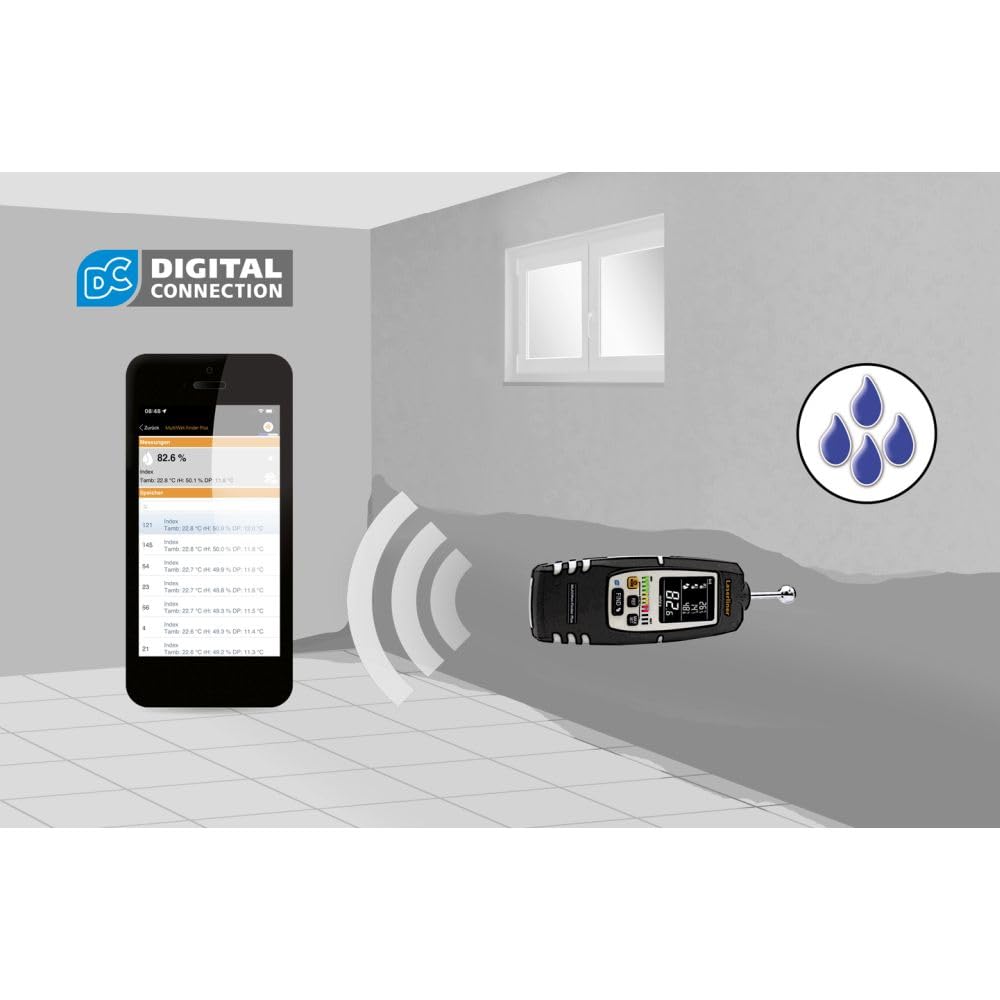
Расми 8: The MultiWet-Finder Plus wirelessly connected to a smartphone displaying the "DIGITAL CONNECTION" feature. This image illustrates the device's capability to transmit data to a mobile application for further analysis and recording.

Расми 9: The MultiWet-Finder Plus being used in a bathroom setting, indicating its application in detecting moisture in damp environments. The image shows the device pointed towards a wall, with a water droplet icon suggesting moisture detection.
6. Нигоҳдорӣ
- Тозакунӣ: Дастгоҳро бо нарм пок кунед, гamp матоъ. Тозакунанда ё ҳалкунандаҳои абразивиро истифода набаред.
- Нигоҳдорӣ: Store the device in a dry, cool place, away from direct sunlight. Remove batteries if storing for extended periods to prevent leakage.
- Калибрченкунӣ: The device is factory calibrated. If you suspect inaccuracies, contact Laserliner support for recalibration services.
7. Баррасии мушкилот
| Мушкилот | Сабаби эҳтимолӣ | Ҳалли |
|---|---|---|
| Дастгоҳ фаъол нест. | Батареяҳои мурда ё нодуруст гузошташуда. | Батареяҳоро бо батареяҳои нав иваз кунед, ки полярии дурустро таъмин кунед. |
| Хондани нодурусти намӣ. | Poor contact with material, incorrect mode selected, or material outside measurement range. | Ensure full contact with the spherical sensor. Select the appropriate material mode. Consult specifications for measurement range. |
| Дисплей холӣ ё милт-милт аст. | Low battery power or internal error. | Replace batteries. If the problem persists, contact customer support. |
8. Мушаххасоти
| Хусусият | Тафсилот |
|---|---|
| Рақами модел | 082.091А |
| Андозаҳои маҳсулот | 5.51 x 5.51 x 8.66 инч |
| Вазн | 1.32 фунт |
| Истеҳсолкунанда | Лазерлайнер |
| Материал | Stainless Steel (sensor ball, device body is likely plastic) |
| Measurement Depth | Approx. 40 mm (non-destructive) |
| Диапазони ҳарорати ҳаво | -10°С то 60°С |
| Диапазони намии нисбӣ | 20% то 90% RH |
| Диапазони ҳарорати нуқтаи шабнам | -20°С то 60°С |
9. Кафолат ва дастгирӣ
For warranty information, technical support, or service inquiries, please contact Laserliner customer service or visit their official webсайт. Квитансияи хариди худро ҳамчун далели харид нигоҳ доред.
Истеҳсолкунанда: Лазерлайнер
Webсайт: www.laserliner.com (Хурampистинод, истиноди воқеӣ метавонад фарқ кунад)


