1. Муқаддима
This manual provides essential information for the proper installation, operation, and maintenance of your LC-Power FHD 32 inch 165Hz Curved Gaming Monitor (Model: LC-M32-FHD-165-C-A). Please read this manual thoroughly before using the product to ensure optimal performance and safety.

Расми 1.1: Пеш view of the LC-Power 32-inch curved gaming monitor.
2. Маълумот оид ба бехатарӣ
Барои пешгирӣ кардани осеб ба монитор ва таъмини амнияти корбар чораҳои зерини бехатариро риоя кунед:
- Мониторро ба борон, намӣ ё ҳарорати аз ҳад зиёд нагузоред.
- Дар атрофи монитор вентилятсияи дурустро таъмин кунед. Кушодани вентилятсияро манъ накунед.
- Танҳо адаптери барқро, ки бо монитор дода мешавад, истифода баред.
- Дар болои сими барқ аз гузоштани ашёи вазнин худдорӣ намоед.
- Сими барқро ҳангоми тӯфони барқ ё ҳангоми муддати тӯлонӣ истифода накардан аз розетка ҷудо кунед.
- Do not attempt to repair the monitor yourself. Refer all servicing to qualified personnel.
3. Мундариҷаи баста
Боварӣ ҳосил кунед, ки ҳама ашё дар баста мавҷуд аст:
- LC-Power 32 inch Curved Gaming Monitor
- Пойгоҳи монитор (поя ва гардан)
- Адаптери барқ ва кабели барқ
- Кабели HDMI
- Дастури корбар
- Бурдҳо барои васлкунии стенд
4. Танзимот
4.1 Ҷойгиркунии стенд
- Мониторро бодиққат аз бастааш хориҷ кунед ва онро дар сатҳи мулоим ҳифз кунед.
- Attach the stand neck to the monitor panel using the provided screws.
- Connect the stand base to the stand neck and secure it with the remaining screws.
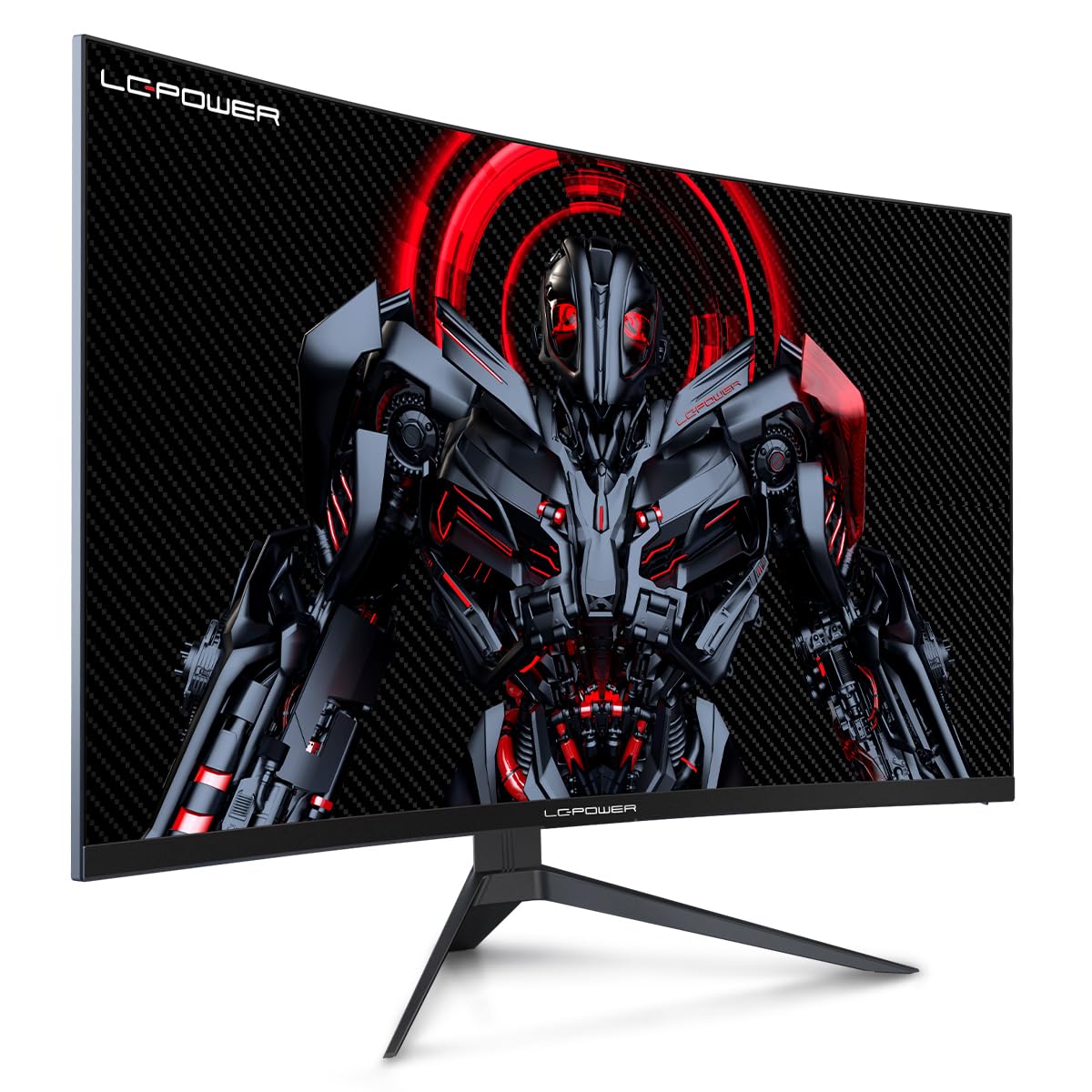
Figure 4.1: LC-Power monitor with stand assembled.
4.2 Кабелҳои пайвастшавӣ
Кабелҳои заруриро ба портҳои пушти монитор пайваст кунед:
- Қувва: Адаптери барқро ба вуруди ҷараёни доимии монитор ва сипас ба розеткаи барқ пайваст кунед.
- Видео дохилӣ: Connect an HDMI or DisplayPort cable from your computer's graphics card to the corresponding port on the monitor.

Расми 4.2: Қафо view of the monitor with input ports.
4.3 Васлкунии VESA (ихтиёрӣ)
The monitor supports VESA 100x100mm mounting. To use a VESA mount, remove the stand and attach the monitor to a compatible VESA bracket using appropriate screws (not included).
5. Дастурҳои истифодабарӣ
5.1 Фаъол кардан/хомӯш кардан
Press the power button, typically located on the back or bottom of the monitor, to turn the monitor on or off. The power indicator light will illuminate when the monitor is on.
5.2 Менюи Намоиши экран (OSD).
The OSD menu allows you to adjust various monitor settings. Use the control buttons (joystick or individual buttons) on the monitor to navigate the menu.
Танзимоти умумии OSD:
- Танзимоти тасвир: Равшанӣ, контраст, равшанӣ ва ҳарорати рангро танзим кунед.
- Интихоби вуруд: Байни вурудоти HDMI ва DisplayPort ба таври дастӣ гузаред.
- Аудио: Adjust volume if external speakers are connected via the monitor's audio output.
- Танзимоти бозӣ: Access features like Overdrive, GamePlus (crosshair overlays), FPS/RTS modes, and Adaptive Sync.
- Танзимоти намоиш: Adjust aspect ratio, resolution, and refresh rate. Ensure your graphics card is configured to output 1920x1080 resolution at 165Hz for optimal performance.
- Low Blue Light & Flicker-Free: These features are designed to reduce eye strain during prolonged use. They can be enabled or disabled in the OSD menu.
6. Нигоҳдорӣ
6.1 Тоза кардани монитор
- Пеш аз тоза кардан ҳамеша мониторро аз розетка ҷудо кунед.
- Аз матои мулоим ва матои пок каме истифода баред гampбо об ё тозакунандаи экрани ҳалим, ки абразив нест.
- Тозакунандаро бевосита ба экран напошед.
- Avoid using benzene, thinner, or ammonia-based cleaners.
6.2 Нигоҳдорӣ
If storing the monitor for an extended period, disconnect all cables, pack it in its original packaging, and store it in a cool, dry place away from direct sunlight.
7. Баррасии мушкилот
Барои масъалаҳои умумӣ ва роҳҳои ҳалли онҳо ба ҷадвали зерин муроҷиат кунед:
| Мушкилот | Сабаби эҳтимолӣ | Ҳалли |
|---|---|---|
| Ягон тасвир дар экран нест | Power cable disconnected; Video cable disconnected; Incorrect input selected | Check power and video cable connections; Select correct input via OSD menu |
| милт-милт задани тасвир | Faulty video cable; Graphics card driver issue; Refresh rate mismatch | Replace video cable; Update graphics drivers; Set refresh rate to 165Hz in OS display settings |
| Рангҳо нодуруст пайдо мешаванд | Color settings in OSD; Graphics card settings | Adjust color settings in OSD; Calibrate colors via graphics card control panel |
| Монитор фурӯзон намешавад | Power cable not connected; Power adapter faulty | Ensure power cable is securely connected; Test power outlet; Contact support if adapter is suspected faulty |
8. Мушаххасоти
Detailed technical specifications for the LC-Power LC-M32-FHD-165-C-A monitor:
| Хусусият | Мушаххасоти |
|---|---|
| Бренд | LC-Power |
| Модели | LC-M32-FHD-165-CA |
| Андозаи экран | 32 инч |
| Ҳалли экран | 1920 x 1080 (FHD 1080p) |
| Меъёри навсозӣ | 165 Гц |
| Вақти ҷавоб | 1 Миллисония |
| Каҷӣ | 1500Р |
| Таносуби тараф | 16:9 |
| Технологияи намоиш | LCD |
| Viewкунҷи ангушт | 178 дараҷа |
| Интерфейси сахтафзор | HDMI, DisplayPort |
| Хусусиятҳои махсус | Curved, Flicker-Free, Low Blue Light, GamePlus, Overdrive, FPS/RTS |
| Мутобиқати VESA | 100х100мм |
| Андозаҳои маҳсулот | 14.3 x 53.8 x 40.6 см (Л x В х Х) |
| Вазни ашё | 8.24 кг |
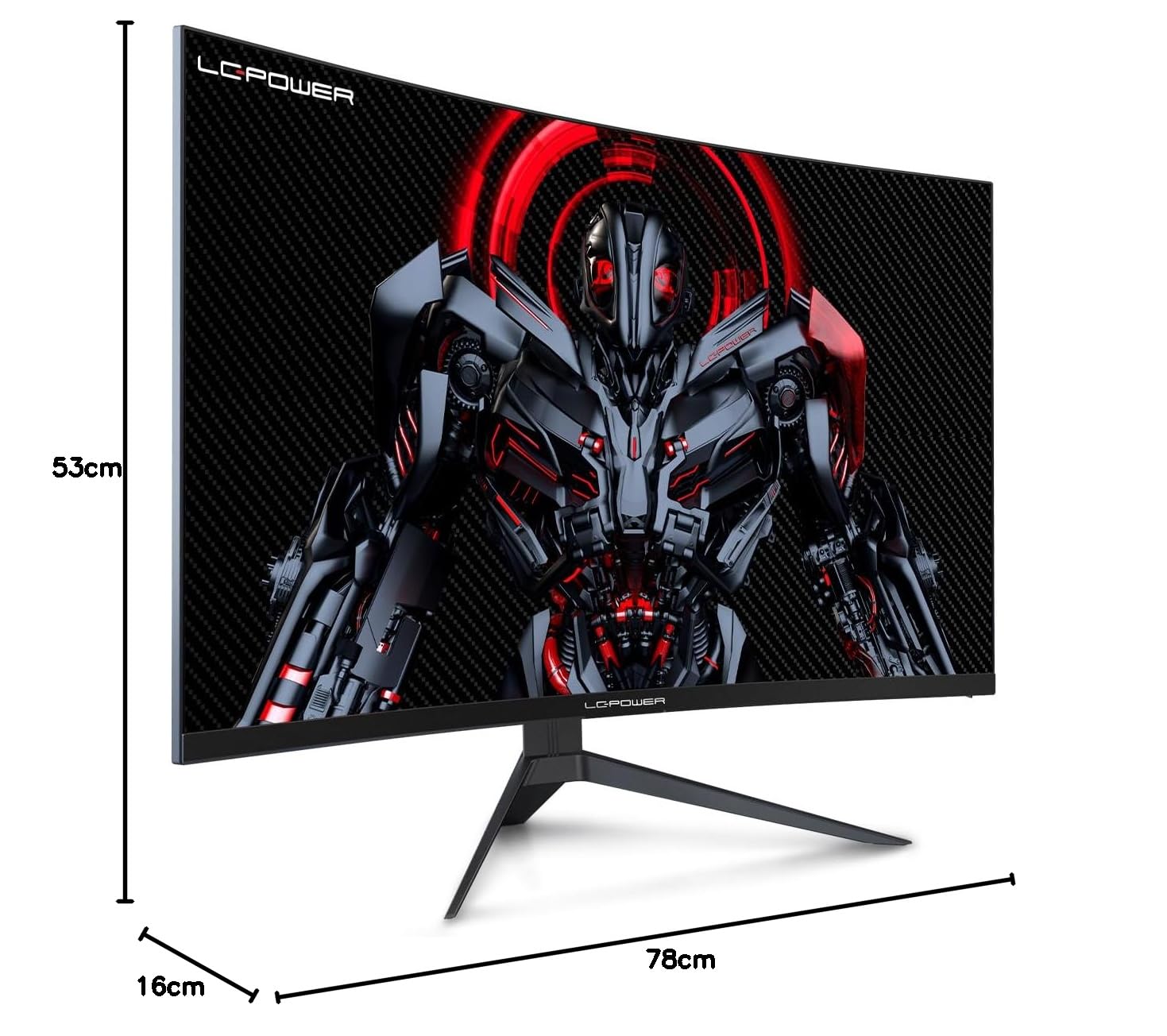
Figure 8.1: Monitor dimensions for planning installation space.
9. Кафолат ва дастгирӣ
LC-Power provides a three-year warranty for this product. Additionally, a twelve-month replacement service is available. For technical assistance or inquiries regarding damage, defects, or missing parts, please contact LC-Power customer support. Telephone technical support is also available.


