1. Муқаддима
Thank you for choosing the Cherry KW 7100 Mini Multi-Device Compact Keyboard. This manual provides essential information for setting up, operating, and maintaining your new keyboard. Designed for versatility and portability, this keyboard offers seamless connectivity across multiple devices.
2. Дар қуттӣ чӣ мавҷуд аст
- Cherry KW 7100 Mini Multi-Device Compact Keyboard
- USB-C to USB-A Charging/Connection Cable
- 2х Батареяҳои AAA
- 2.4 GHz Wireless Nano Receiver (stored magnetically in the keyboard)
- Қуттии интиқол
- Дастури дастурӣ

Расми 1: Аз боло ба поён view of the Cherry KW 7100 Mini Keyboard.
3. Танзимот
3.1. Насби батарея
- Қисмати батареяро дар тарафи поёни клавиатура ҷойгир кунед.
- Сарпӯши қуттии батареяро лағжонда кушоед.
- Ду батареяи AAA-ро ҷойгир кунед, ки қутбияти дурустро таъмин кунед (+/-).
- Сарпӯши қисмати батареяро бехатар пӯшед.
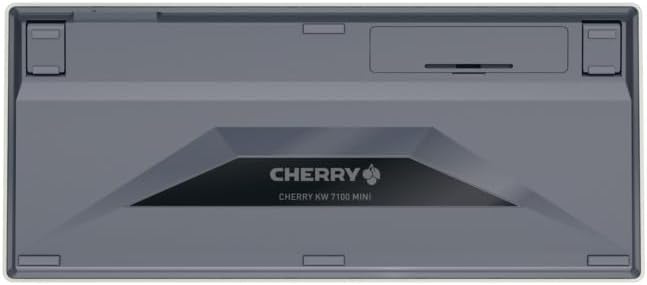
Figure 2: Underside of the keyboard with the battery compartment.
3.2. Пайваст кардани клавиатура
The Cherry KW 7100 Mini supports three connection methods: Bluetooth, 2.4 GHz Wireless, and Wired USB-C.
3.2.1. Bluetooth Connection (Up to 3 Devices)
- Клавиатураро бо истифода аз тугмаи барқ дар паҳлӯ ҷойгир кунед.
- Press and hold one of the Bluetooth channel keys (F1, F2, or F3) for 3-5 seconds until the corresponding LED indicator blinks rapidly. This indicates pairing mode.
- On your device (laptop, smartphone, tablet), navigate to Bluetooth settings and search for available devices.
- Select "Cherry KW 7100" from the list to pair. The LED will stop blinking and remain solid for a few seconds upon successful connection.
- Repeat for up to two additional devices using the other Bluetooth channel keys (F1, F2, or F3).
3.2.2. Пайвасти бесими 2.4 ГГц
- Locate the 2.4 GHz wireless nano receiver, typically stored magnetically in a slot on the underside of the keyboard.
- Insert the nano receiver into an available USB-A port on your computer.
- Бо истифода аз тугмаи барқ клавиатураро фаъол созед. Клавиатура бояд ба таври худкор ба қабулкунак пайваст шавад.
3.2.3. Пайвасти симӣ ба USB-C
- Connect one end of the provided USB-C cable to the USB-C port on the keyboard.
- Қисми дигари сими USB-C-ро ба порти дастраси USB-A дар компютери худ пайваст кунед.
- The keyboard will function as a wired keyboard.
Video 1: Demonstrating the setup and typing experience of the Cherry KW 7100 Mini Keyboard.
4. Истифода бурдани клавиатура
4.1. Гузариш байни дастгоҳҳои пайвастшуда
To switch between paired Bluetooth devices, simply press the corresponding Bluetooth channel key (F1, F2, or F3) that your device is paired to. The keyboard will automatically connect to the selected device.
4.2. Function Keys (FN)
The keyboard features a dedicated FN key, typically located near the right Shift key. This key, in combination with other keys, activates secondary functions such as media controls, screen brightness, and other system commands. Refer to the keycap legends for specific FN key combinations.
4.3. Нишондиҳандаҳои LED
LED indicators on the keyboard provide information about its status:
- Bluetooth Channel LEDs (F1, F2, F3): Indicate the currently active Bluetooth connection or pairing mode.
- LED Caps Lock: Illuminates when Caps Lock is active.
- Ҳолати батарея LED: Сатҳи пасти батареяро нишон медиҳад.
4.4. Пойҳои танзимшаванда
The keyboard is equipped with stable, fold-out feet on the underside. These allow you to adjust the typing angle for improved ergonomics and comfort.
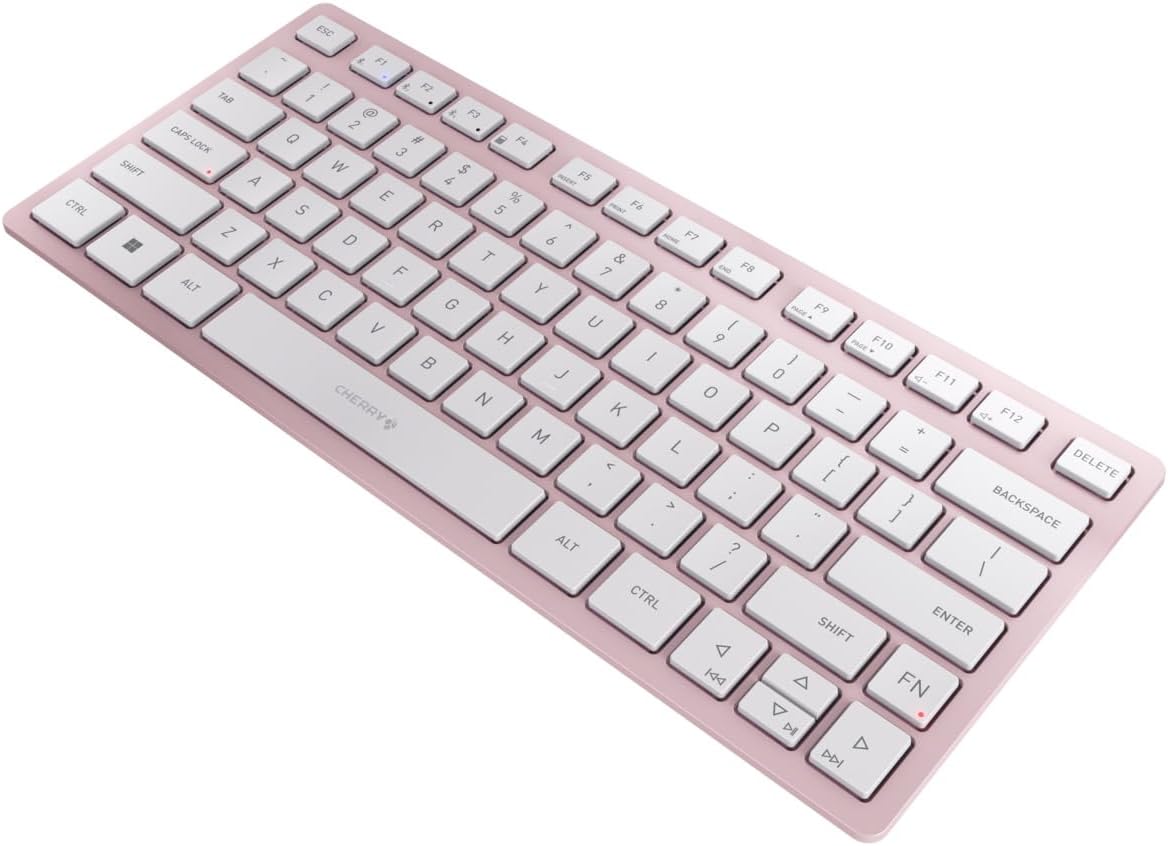
Расми 3: кунҷӣ view of the keyboard, highlighting its slim profile.

Расми 4: Тараф view showing the adjustable feet extended for an ergonomic typing angle.
5. Нигоҳдорӣ
5.1. Тозакунӣ
To clean your keyboard, gently wipe the keycaps and surface with a soft, lint-free cloth. For stubborn dirt, slightly dampen the cloth with water or a mild, non-abrasive cleaning solution. Avoid excessive moisture and do not spray cleaners directly onto the keyboard.
5.2. Нигоҳдорӣ
When not in use, especially during travel, store the keyboard in its included carrying case to protect it from dust, scratches, and minor impacts.

Figure 5: The keyboard stored in its protective carrying case.
6. Баррасии мушкилот
6.1. Keyboard Not Connecting
- Боварӣ ҳосил кунед, ки клавиатура фаъол аст.
- Батареяҳоро тафтиш кунед ва агар лозим бошад, онҳоро иваз кунед.
- For Bluetooth, ensure the correct channel (F1, F2, or F3) is selected and the keyboard is in pairing mode (blinking LED).
- For 2.4 GHz wireless, ensure the nano receiver is securely plugged into a USB-A port.
- Try connecting via the USB-C cable to rule out wireless issues.
- Дастгоҳи худро бозоғоз намоед ва дубора пайваст карданро кӯшиш кунед.
6.2. Калидҳо ҷавоб намедиҳанд
- Check the connection as described above.
- Боварӣ ҳосил кунед, ки дар зери калидҳо ягон партов намондааст.
- Агар пайвасти симӣ истифода баред, порти дигари USB ё сими дигарро санҷед.
6.3. Муҳлати кӯтоҳи батарея
- Боварӣ ҳосил кунед, ки шумо батареяҳои нави AAA-и баландсифатро истифода мебаред.
- Turn off the keyboard when not in use to conserve battery power.
7. Мушаххасоти
| Хусусият | Мушаххасоти |
|---|---|
| Номи модел | КВт 7100 |
| Рақами модели ашё | JK-7100US-19 |
| Бренд | гелос |
| Технологияи пайвастшавӣ | Bluetooth 5.1 (3 channels), 2.4 GHz Wireless, USB-C Wired |
| Дастгоҳҳои мувофиқ | Ноутбук, смартфон, планшет |
| Тавсифи клавиатура | Compact, Multi-Device |
| Механизми калидӣ | CHERRY SX Scissor Mechanism |
| Манбаи нерӯ | 2х Батареяҳои AAA |
| Рамзгузорӣ | AES-128 |
| Андозаҳои маҳсулот | 11.6 x 5.1 x 0.6 инч |
| Вазни ашё | 1.4 фунт |
| Материал | Металл, пластикӣ |
| Ранги | Гули гелос |
8. Кафолат ва дастгирӣ
This product is covered by Cherry's standard manufacturer warranty. For detailed warranty information, technical support, or service inquiries, please visit the official Cherry webсайт ё бевосита бо дастгирии мизоҷони худ тамос гиред.
Истеҳсолкунанда: гелос
Webсайт: www.cherry.de


