1. Муқаддима
This manual provides comprehensive instructions for the safe and efficient installation, operation, and maintenance of the Vertiv VR 100x800x1100 Rack Base. Please read this manual thoroughly before proceeding with any installation or operation.
The Vertiv VR 100x800x1100 Rack Base is designed to provide a stable and secure foundation for server racks and other IT equipment, ensuring proper airflow and support. It is constructed from durable aluminum and features an easy-to-install design.
2. Маълумот оид ба бехатарӣ
WARNING: Failure to follow these safety instructions could result in injury or damage to the equipment.
- Always ensure the installation area is clear and well-lit.
- Use appropriate personal protective equipment (PPE) such as gloves and safety glasses during installation.
- The rack base, once assembled and loaded, can be heavy. Ensure proper lifting techniques are used or seek assistance.
- Do not exceed the maximum load capacity of the rack base (refer to specifications).
- Ensure all components are securely fastened before placing any equipment on the rack base.
- Кӯдакон ва ҳайвоноти хонагиро аз майдони насб дур нигоҳ доред.
3. Мундариҷаи баста
Verify that all components listed below are present and undamaged before beginning installation. If any items are missing or damaged, contact Vertiv customer support.
- Vertiv VR 100x800x1100 Rack Base Frame (1 unit)
- Perforated Panels (100 pieces)
- Assembly Hardware (screws, nuts, washers, etc.)
- Дастури таълимӣ (ин ҳуҷҷат)
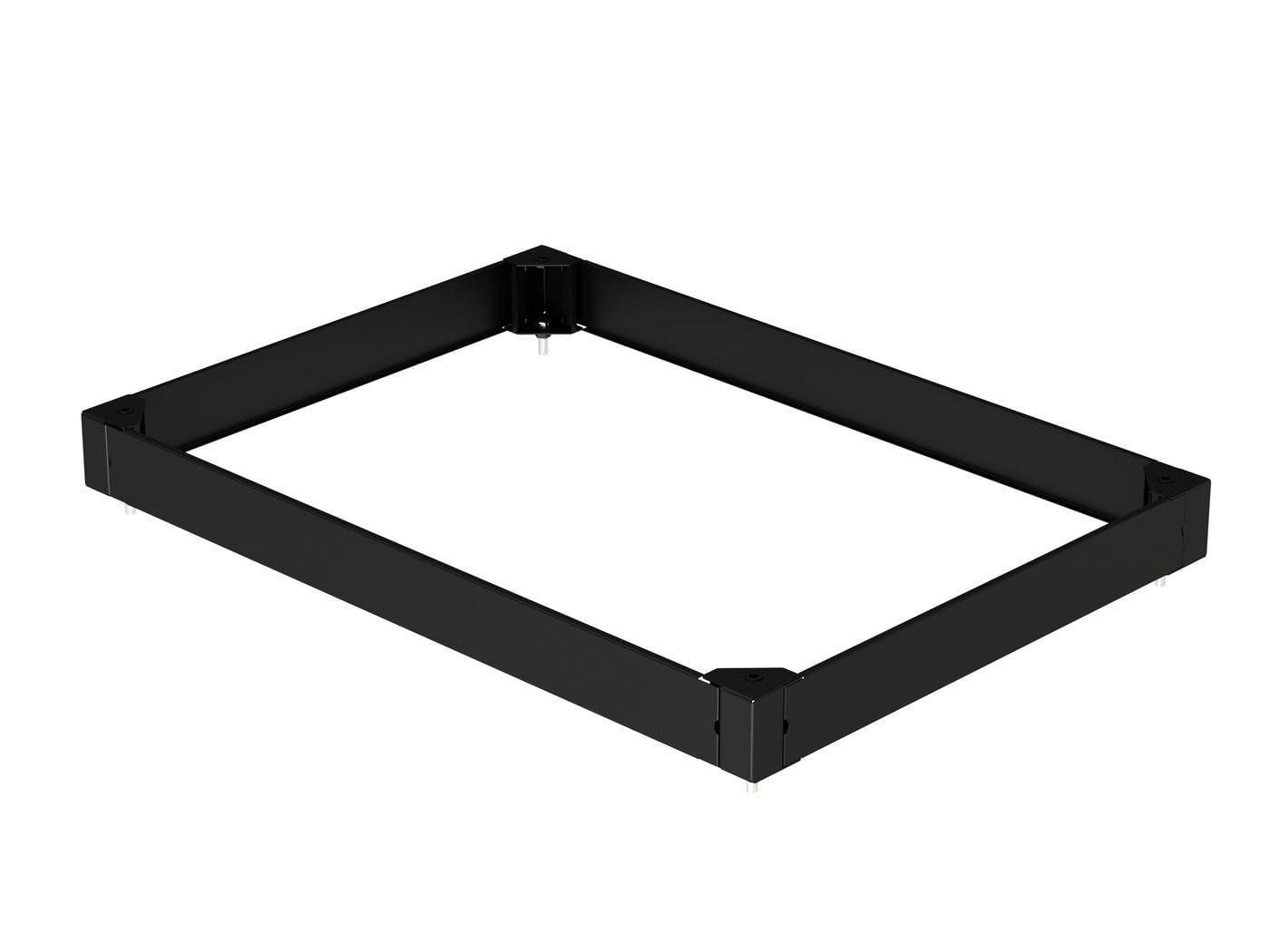
Figure 3.1: Vertiv VR 100x800x1100 Rack Base Frame. This image shows the rectangular frame of the rack base, constructed from black aluminum, with corner brackets and small feet visible at the bottom corners.
4. Танзим ва насб
Follow these steps carefully to assemble and install your Vertiv VR Rack Base.
- Кушодани: Ҳамаи ҷузъҳоро аз бастабандӣ бодиққат тоза кунед. Дар ҳолати зарурӣ, маводҳои бастабандиро барои интиқол ё нигоҳдории минбаъда нигоҳ доред.
- Идентификатсияи компонент: Lay out all parts and identify them against the "Package Contents" list.
- Маҷмаи чаҳорчӯба:
- Connect the aluminum frame sections using the provided assembly hardware. Ensure all connections are secure but do not overtighten initially.
- Verify the frame is square and level before fully tightening all fasteners.
- Perforated Panel Installation:
- Once the main frame is assembled, install the perforated panels into their designated slots or attachment points on the rack base. These panels are crucial for airflow and support.
- Ensure each panel is firmly seated and secured.
- Ҷойгиршавӣ: Position the assembled rack base in its final desired location. Ensure the floor is level and capable of supporting the combined weight of the rack base and the equipment it will hold.
- Сатҳи: Use the adjustable feet (if present) or shims to ensure the rack base is perfectly level. This is critical for the stability of the rack and equipment.
- Санҷиши ниҳоӣ: Before loading any equipment, perform a final visual inspection to ensure all connections are tight, the base is level, and there are no obstructions.
5. Дастурҳои истифодабарӣ
The Vertiv VR Rack Base is a passive component designed to provide structural support. Its "operation" primarily involves proper loading and maintenance.
- Таҷҳизоти боркунӣ: Carefully place your server rack or other equipment onto the assembled rack base. Distribute weight evenly to maintain stability.
- Идоракунии ҷараёни ҳаво: The perforated panels are designed to facilitate airflow. Ensure that the placement of equipment does not obstruct these perforations, maintaining optimal cooling for your IT infrastructure.
- Санҷиши устуворӣ: Periodically check the stability of the rack base, especially after adding or removing equipment.
6. Нигоҳдорӣ
Regular maintenance ensures the longevity and continued performance of your Vertiv VR Rack Base.
- Тозакунӣ: Clean the rack base periodically with a soft, dry cloth. For stubborn dirt, a slightly damp cloth with mild detergent can be used, followed by drying. Avoid abrasive cleaners or solvents.
- Санҷиши бастабандӣ: Annually, or as needed, inspect all screws and fasteners to ensure they remain tight. Retighten any loose connections.
- Leveling Check: Verify the rack base remains level, especially if the rack has been moved or heavy equipment has been added/removed.
- Санҷиши зарар: Inspect the aluminum finish and perforated panels for any signs of damage, corrosion, or deformation. Address any issues promptly.
7. Баррасии мушкилот
This section addresses common issues you might encounter with your rack base.
| Мушкилот | Сабаби эҳтимолӣ | Ҳалли |
|---|---|---|
| Rack base is unstable or wobbles. | Uneven floor; loose fasteners; improper assembly. | Ensure the floor is level. Adjust leveling feet. Check and tighten all assembly fasteners. |
| Perforated panels are loose. | Panels not properly seated or secured. | Re-seat panels firmly into their slots. Ensure any securing clips or screws are in place. |
| Мушкилии васлкунии чаҳорчӯба. | Misalignment of parts; incorrect hardware. | Refer to Section 4: Setup and Installation. Ensure parts are oriented correctly. Verify you are using the correct hardware for each connection. Do not force components. |
8. Мушаххасоти
The following are the technical specifications for the Vertiv VR 100x800x1100 Rack Base (Model: W128434806).
| Аттрибут | Арзиш |
|---|---|
| Бренд | Вертив |
| Рақами модел | W128434806 |
| Навъи маҳсулот | Пойгоҳи раф |
| Андозаҳо (H x W x D) | 100мм x 800мм x 1100мм (тақрибан 3.9 x 31.5 x 43.3 инч) |
| Анҷомдиҳии берунӣ | Алюминий |
| Ранги | Multicoloured (typically black as shown in image) |
| Хусусияти махсус | Насб кардан осон |
| Компонентҳои дохилшуда | Perforated Panels (100 pieces), Manual |
| Вазни ашё | 1.76 pounds (0.8 kg) - Note: This may refer to packaging weight or a single component. The full assembled base may weigh more. |
| Андозаҳои бастаҳо | 9.84 x 6.69 x 6.69 инч (25 x 17 x 17 см) |
9. Кафолат ва дастгирӣ
For information regarding warranty coverage, technical support, or replacement parts, please contact Vertiv directly or visit their official webсайт.
Vertiv Official Webсайт: www.vertiv.com
Please have your model number (W128434806) and purchase information ready when contacting support.


