1. Муқаддима
This manual provides essential instructions for the safe and effective use of your Sony Cyber-Shot RX100 VII Digital Camera (DSC-RX100M7). Please read this manual thoroughly before operating the camera and retain it for future reference. This camera combines a 20.1MP 1-inch stacked CMOS sensor with a versatile ZEISS 24–200 mm zoom lens, offering high-quality imaging in a compact form factor.
2. Танзимот
2.1. Unboxing and Checking Contents
Пеш аз идома додан, боварӣ ҳосил кунед, ки ҳама ҷузъҳо дар баста мавҷуданд:
- Sony Cyber-Shot DSC-RX100 VII Digital Camera (DSC-RX100M7)
- Бастаи батареяи пуршаванда NP-BX1
- Адаптери AC
- Сими Micro USB
- Тасмори дастӣ
- Дастури таълимӣ (ин ҳуҷҷат)
Note: Additional accessories like memory cards, cases, and extra batteries may be included depending on your specific bundle.
2.2. Пуркунии батарея
The supplied NP-BX1 battery pack is not fully charged. Charge it before first use.
- Батареяро ба камера гузоред.
- Connect the camera to the AC Adaptor using the Micro USB cable.
- Plug the AC Adaptor into a wall outlet. The CHARGE lamp равшан мешавад.
- When charging is complete, the CHARGE lamp хомуш мешавад.
Пуркунии пурра одатан тақрибан 150 дақиқа вақтро мегирад.
2.3. Ҷойгиркунии батарея ва корти хотира
Сарпӯши батарея/корти хотираро дар поёни камера кушоед.
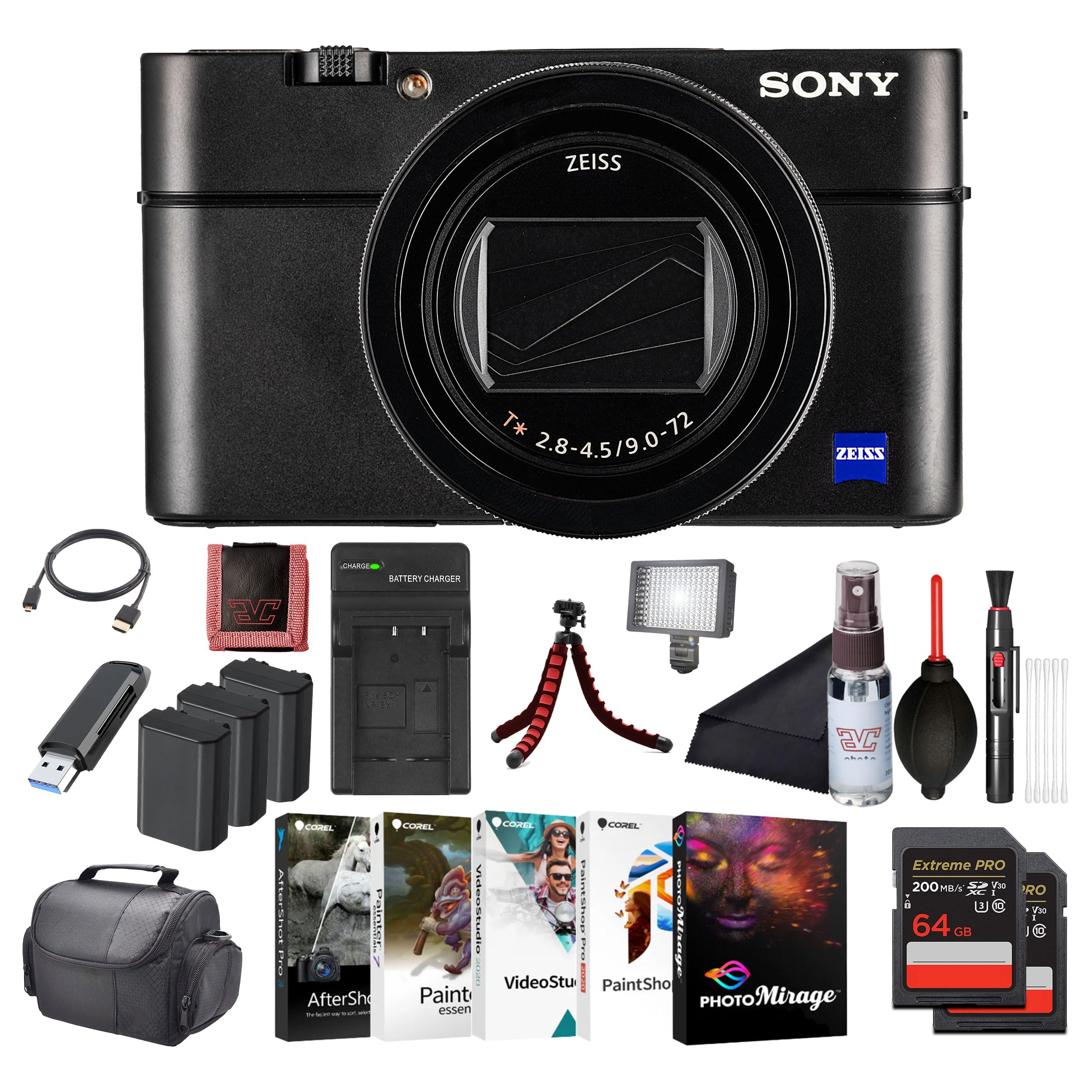
Тасвир: Пеш view of the Sony Cyber-Shot RX100 VII camera, showcasing the ZEISS lens and compact body.
- Insert the battery pack with the arrow pointing into the camera until it clicks into place.
- Insert a compatible memory card (SDXC recommended) with the notched corner facing as shown in the diagram (refer to camera body for specific orientation) until it clicks.
- Сарпӯшро бехатар пӯшед.
2.4. Танзимоти аввалия
When you turn on the camera for the first time, the initial setup screen will appear.
- Сана ва вақт: Сана ва вақти ҷорӣро таъин кунед.
- Area Setting: Select your geographical area.
- Забон: Choose your preferred display language.
Follow the on-screen prompts to complete these settings.
3. Истифода бурдани камера
3.1. Қисмҳо ва дастгоҳҳои камера
Familiarize yourself with the main components and controls of your camera.

Тасвир: Қафо view of the Sony Cyber-Shot RX100 VII, showing the LCD screen, control wheel, and various buttons like MENU, Fn, DISP, and MOVIE.
- Тугмаи барқ: Located on the top panel, used to turn the camera on/off.
- Тугмаи парда: Half-press to focus, full-press to take a picture.
- Рақами рақам: Select shooting modes (P, A, S, M, Auto, Movie, HFR, etc.).
- Чархи идоракунӣ: Менюҳоро паймоиш кунед ва танзимотро танзим кунед.
- Монитори LCD: Display images, videos, and menu options. Can be tilted for various shooting angles.
- Viewдарёфткунанда: Pop-up electronic viewfinder for eye-level shooting.

Тасвир: боло view of the Sony Cyber-Shot RX100 VII with its ZEISS Vario-Sonnar T* lens fully extended, showing the mode dial, power button, and shutter button.
3.2. Тирпарронии асосӣ
- Камераро фаъол кунед: -ро пахш кунед ФУРУШ/ХОМУШ тугма.
- Select a shooting mode: ро гардиш кунед Рақами рақам to your desired mode (e.g., Мошини интеллектуалӣ for simple point-and-shoot).
- Акси худро чаҳорчӯба кунед: Use the LCD monitor or pop-up viewдарёфткунанда.
- Фокус: -ро ним пахш кунед Тугмаи парда to focus. The focus frame will turn green when focus is achieved.
- Гирифтан: Fully press the Тугмаи парда барои гирифтани акс.

Тасвир: Пеш view of the Sony Cyber-Shot RX100 VII with its LCD screen tilted upwards, demonstrating its flexible viewing angles for various shooting positions.
3.3. Режимҳои пешрафтаи тирпарронӣ
- Барномаи худкор (P): Камера диафрагма ва суръати пардаро муқаррар мекунад, шумо танзимоти дигарро идора мекунед.
- Афзалияти диафрагма (A): Шумо диафрагмаро муқаррар мекунед, камера суръати пардаро муқаррар мекунад. Идеалӣ барои назорати чуқурии майдон.
- Афзалияти парда (S): Шумо суръати пардаро муқаррар мекунед, камера диафрагмаро муқаррар мекунад. Идеалӣ барои идоракунии норавшани ҳаракат.
- Таъсири дастӣ (M): Шумо ҳам диафрагма ва ҳам суръати пардаро идора мекунед.
- Усули филм: Dedicated mode for video recording. Press the КИНО тугма барои оғоз/қатъ кардани сабт.
- High Frame Rate (HFR): For capturing super slow-motion video.
3.4. Focusing and Autofocus Features
The RX100 VII features advanced autofocus capabilities:
- Real-Time Eye AF: Automatically detects and tracks human and animal eyes for precise focus.
- Пайгирии вақти воқеӣ: Uses AI-based subject recognition to track moving subjects accurately.
- Минтақаи диққат: Selectable focus areas (Wide, Zone, Center, Flexible Spot, Expanded Flexible Spot, Tracking).
Access these settings via the МЕНЮ тугма.
3.5. Сабти видео
The camera supports high-quality video recording:
- Видеои 4K HDR: Record oversampled 4K video with full pixel readout.
- S-Log3/HLG: For advanced color grading and high dynamic range footage.
- Вуруди берунаи микрофон: Use an external microphone for improved audio quality (via multi-interface shoe).

Тасвир: тараф view of the Sony Cyber-Shot RX100 VII, showing the pop-up electronic viewfinder in its extended position, and the NFC logo.
4. Нигоҳдорӣ
4.1. Тоза кардани камера
- Ҳайати камера: Бо матои хушк ва мулоим хушк кунед. Барои лойи якрав матои сабукро истифода бурдан гampened with water and then wipe dry.
- Линза: Use a lens brush to remove dust, then a lens cleaning cloth with a small amount of lens cleaning fluid. Avoid touching the lens surface directly.
- Монитори LCD: Use a soft cloth specifically designed for LCD screens.
Caution: Do not use organic solvents such as alcohol, benzene, or thinner, as these may damage the camera's finish or lens coatings.
4.2. Нигоҳубини батарея
- Батареяҳоро дар ҷои хунук ва хушк нигоҳ доред, вақте ки истифода намешаванд.
- Батареяҳоро ба гармии аз ҳад зиёд ё нури бевоситаи офтоб нагузоред.
- If the battery will not be used for an extended period, charge it once every six months to maintain its performance.
4.3. Нигоҳубини корти хотира
- Пеш аз истифодаи аввал ҳамеша кортҳои хотираи навро дар камера формат кунед.
- Do not remove the memory card while the camera is writing data (e.g., during shooting or playback).
- Back up important data regularly to prevent loss.
5. Баррасии мушкилот
Агар шумо бо камераи худ бо мушкилот рӯ ба рӯ шавед, ба мушкилоти умумӣ ва роҳҳои ҳалли зерин муроҷиат кунед:
| Мушкилот | Сабаби эҳтимолӣ / Ҳалли |
|---|---|
| Камера фурӯзон намешавад. | Батарея тамом шудааст. Батареяро пур кунед. Батарея нодуруст гузошта шудааст. Батареяро дуруст гузоред. |
| Сурат гирифтан мумкин нест. | Memory card is full. Delete unnecessary images or insert a new card. Memory card is not inserted. Insert a memory card. Lens cap is on. Remove the lens cap. |
| Тасвирҳо норавшананд. | Таҷрибаи камера. Суръати тезтари парда ё устуворсозии тасвирро истифода баред. Subject is out of focus. Ensure the camera has focused correctly. Линза ифлос аст. Линзаро тоза кунед. |
| Батарея зуд холӣ мешавад. | Frequent use of LCD/viewfinder. Reduce screen brightness or use power-saving modes. Battery life naturally degrades over time. Consider replacing the battery. |
For more detailed troubleshooting, please refer to the comprehensive help guide available on the Sony support webсайт.
6. Мушаххасоти
Key technical specifications for the Sony Cyber-Shot RX100 VII (DSC-RX100M7):
- Номи модел: DSC-RX100M7
- Бренд: Sony
- Максимум WebҚарори тасвири cam: 20.1 МП
- Технологияи сенсори акс: CMOS (1-inch stacked)
- Линза: ZEISS Vario-Sonnar T* 24–200 mm F2.8-4.5
- Дарозии максималии фокус: 200 миллиметр
- Диски баландтарин: 2.8 миллиметр
- Устуворсозии тасвир: Digital, Hybrid (Optical SteadyShot)
- Дастгир карда шудааст File Формат: JPEG, хом
- Таносуби тараф: 4:3

Тасвир: Side profile of the Sony Cyber-Shot RX100 VII with its ZEISS lens fully extended, highlighting the compact design even with the zoom engaged.
7. Кафолат ва дастгирӣ
This Sony product is covered by a limited warranty. For specific warranty terms and conditions, please refer to the warranty card included in your product packaging or visit the official Sony support webсайт.
Барои гирифтани маълумоти бештар дар бораи дастгирии техникӣ, бақайдгирии маҳсулот ё дархостҳо оид ба хидматрасонӣ, лутфан ба дастгирии Sony муроҷиат кунед. webба сомона муроҷиат кунед ё бо маркази хизматрасонии муштариёни маҳаллии Sony тамос гиред. Барои даъвоҳои кафолатӣ далели хариди худро нигоҳ доред.
Дастгирии онлайн: www.sony.com/electronics/support


