Муқаддима
This manual provides detailed instructions for the installation, operation, and maintenance of your ARES WING Desk Monitor Mount (Model GDT1003LWH). Please read this manual thoroughly before installation and use to ensure proper function and safety. This monitor mount is designed to support a single monitor, compatible with screens ranging from 17 to 49 inches and weighing between 4.4 to 44 lbs.
Маълумот оид ба бехатарӣ
- Боварӣ ҳосил кунед, ки ҳамаи ҷузъҳо пеш аз васлкунӣ мавҷуд ва осеб надидаанд. Агар ягон қисм мавҷуд набошад ё ноқис бошад, истифода набаред.
- Verify that your monitor's weight and size are within the specified limits (4.4-44 lbs, 17-49 inches). Exceeding these limits can result in instability and damage.
- Confirm your monitor has compatible VESA mounting holes (75x75mm or 100x100mm). If not, a separate VESA adapter is required.
- Ensure your desk thickness is compatible with the chosen mounting method (C-clamp: 0.39-3.34 inches; Grommet: 0.39-1.8 inches).
- Adjust the gas spring tension according to your monitor's weight пеш attaching the monitor to prevent sudden drops or difficulty in adjustment.
- Ҳангоми насб кӯдакон ва ҳайвонотро аз дур нигоҳ доред.
- Винтҳоро аз ҳад зиёд сахт накунед, зеро ин метавонад ба вайроншавӣ оварда расонад.
- For any issues or concerns, contact ARES WING customer support.
Мундариҷаи баста
Please check the package to ensure all the following components are included:
- Мониторинги Ассамблея
- Мизи Clamp (C-clamp)
- Grommet Mount Base
- Судї VESA
- Hardware Kit (screws, washers, spacers)
- Аллен Калидҳо
- Дастури корбар (ин ҳуҷҷат)
Насб ва насб
1. Check Monitor Compatibility
Before proceeding, ensure your monitor meets the following criteria:
- Намунаи VESA: 75x75mm or 100x100mm.
- Андозаи экран: 17" to 49".
- Иқтидори вазн: 4.4 lbs to 44 lbs.

Figure 1: Monitor and Desktop Compatibility Check
For monitors without VESA holes, a separate VESA adapter is required. Some Samsung G9 monitors may come with a VESA adapter; please check your monitor's documentation.

Figure 2: VESA Hole Check and Adapter Preparation
2. Choose Mounting Method
The ARES WING monitor mount supports two installation methods: C-clamp ва васлкунии Громмет.
- C-Clamp: Suitable for desk thickness between 0.39 inches (10mm) and 3.34 inches (85mm).
- Громмет васл: Suitable for desk thickness between 0.39 inches (10mm) and 1.8 inches (45mm). Requires an existing hole in your desk.
3. Install the Desk Mount
Follow the instructions provided with your mount to securely attach the base to your desk using either the C-clamp or grommet method. Ensure the mount is stable before proceeding.
4. Танзими шиддати баҳори газро танзим кунед
It is crucial to adjust the gas spring tension to match your monitor's weight пеш attaching the monitor. This prevents the arm from springing up or sagging.
- Use the provided Allen wrench to adjust the tension screw on the arm.
- Гард ба самти муқобили соат for heavier monitors (to increase tension).
- Гард ақрабаки соат for lighter monitors (to decrease tension).
- Adjust until the arm can hold its position freely when moved without a monitor attached.

Figure 3: Gas Spring Tension Adjustment
5. Attach Monitor to VESA Plate
Secure the VESA plate to the back of your monitor using the appropriate screws and spacers from the hardware kit. Ensure the screws are tightened securely but do not overtighten.
6. Mount Monitor to Arm
Carefully slide the VESA plate with the attached monitor onto the monitor arm's VESA head. Ensure it clicks into place or is secured with any locking mechanism provided.
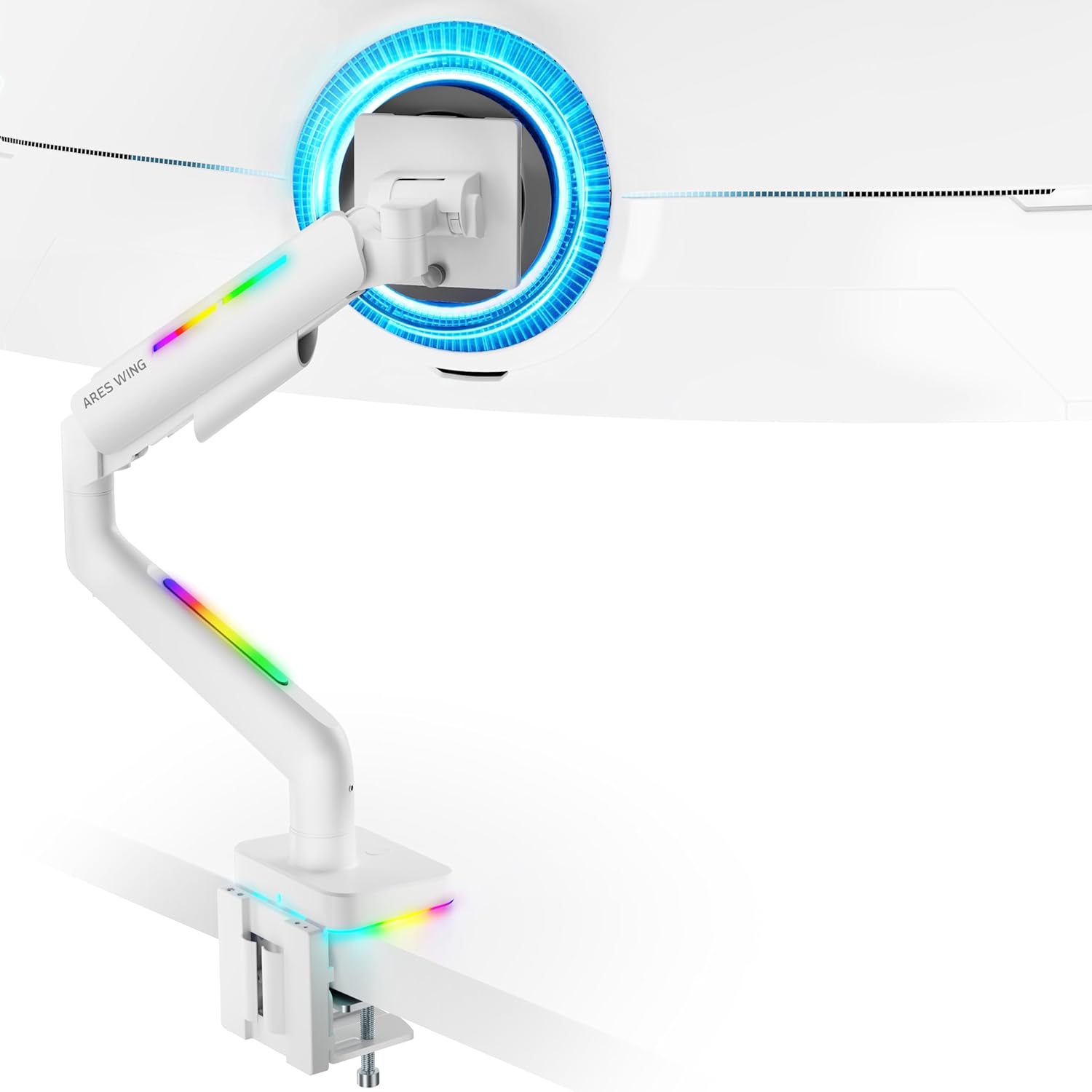
Figure 4: Monitor Mounted on ARES WING Arm
Дастурҳои амалиётӣ
1. Танзими мавқеи монитор
The ARES WING monitor arm offers full motion capabilities for optimal ergonomic positioning:
- Танзими баландӣ: The arm allows vertical movement to raise or lower your monitor to the desired eye level. The height can be adjusted from 8.5 inches to 19.7 inches.
- Ҷома: Tilt your monitor +50° upwards or -20° downwards to reduce glare and find the perfect viewкунҷи дохилӣ.
- Чарх: Swivel the monitor ±90° left or right to share your screen or adjust for different tasks.
- Ротатсия: Барои гузаштан байни самтҳои манзара ва амудӣ, мониторро 360° гардонед.

Figure 5: Full Motion Adjustment Capabilities
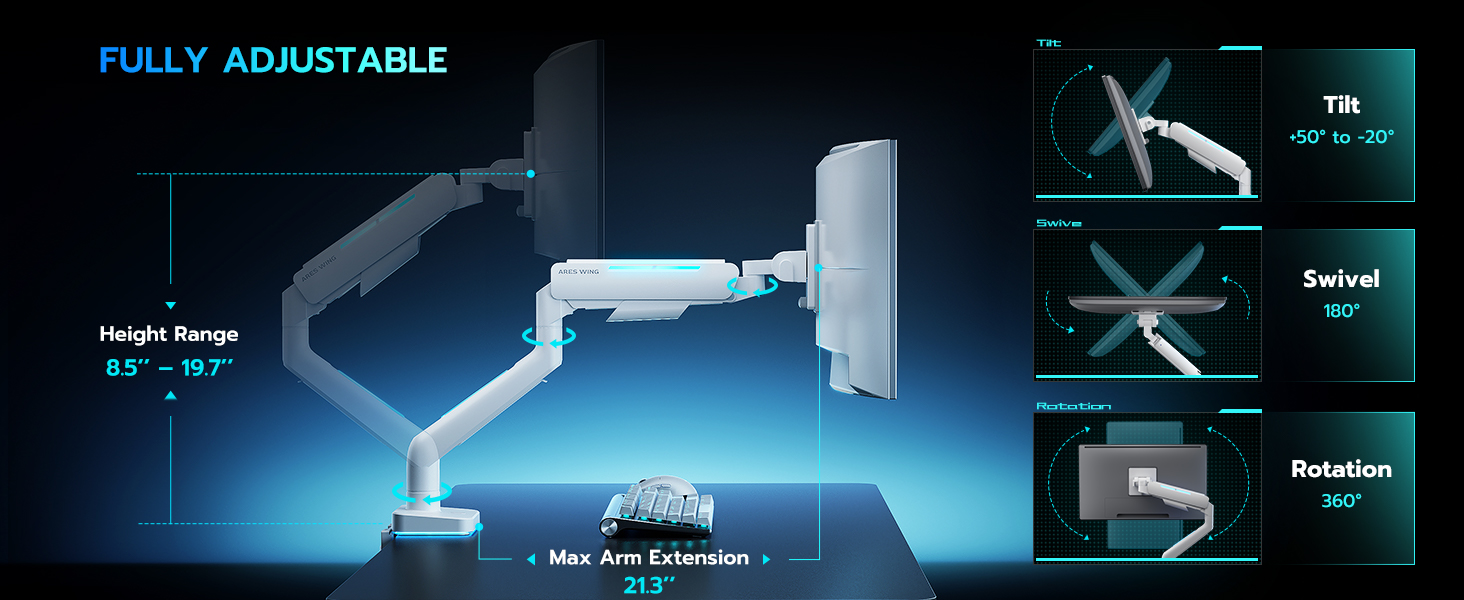
Figure 6: Tilting Ultrawide Monitors
2. Назорати равшании RGB
The monitor arm features integrated RGB lighting with 20 dynamic lighting effects. To control the lighting:
- Connect the USB cable from the monitor arm to a USB port on your computer or a USB power adapter.
- Locate the light control button on the base of the monitor arm.
- Пахш кунед ва доред the button for approximately 2-3 seconds to turn the RGB lighting ON or OFF.
- Ба таври мухтасар пахш кунед to cycle through the 20 different lighting modes (Color Cycle, Chasing, Static, Wave, etc.).
- The lighting will remember the last mode used when turned back on.

Figure 7: RGB Lighting Control
3. Идоракунии кабел
Utilize the integrated cable management channels on the arm to route your monitor and power cables. This helps maintain a clean and organized workspace.
Нигоҳдорӣ
- Тозакунӣ: Wipe the monitor arm with a soft, damp матоъ. Аз тозакунакҳои абразивӣ ё ҳалкунандаҳое, ки метавонанд ба марра зарар расонанд, худдорӣ кунед.
- Санҷишҳои даврӣ: Давра ба давра ҳама винтҳо ва пайвастҳоро тафтиш кунед, то боварӣ ҳосил кунед, ки онҳо мустаҳкам ва бехатар мемонанд. Агар лозим бошад, дубора сахт кунед.
- Баҳори газ: The internal gas spring is designed for long-term durability (fatigue tested 20,000+ times). No specific maintenance is required for the gas spring itself, but ensure its tension is correctly set for your monitor's weight.
Мушкилкушо
| Мушкилот | Сабаби эҳтимолӣ | Ҳалли |
|---|---|---|
| Monitor arm sags or won't stay up. | Шиддати пружинаи газ барои вазни монитор хеле паст аст. | Increase gas spring tension by turning the adjustment screw counter-clockwise. Refer to "Adjust Gas Spring Tension" section. |
| Monitor arm is too stiff or won't move down. | Шиддати пружинаи газ барои вазни монитор хеле баланд аст. | Decrease gas spring tension by turning the adjustment screw clockwise. Refer to "Adjust Gas Spring Tension" section. |
| Равшании RGB фурӯзон намешавад. | USB cable not connected or button not pressed correctly. | Ensure USB cable is securely connected. Press and нигоҳ доред the light control button for 2-3 seconds to activate. |
| Monitor wobbles or is unstable. | Mount not securely fastened to desk or VESA plate not tight. | Check desk clamp/grommet mount for tightness. Ensure VESA plate screws are securely fastened to the monitor and the plate is properly seated on the arm. |
| Monitor cannot tilt smoothly. | Tilt mechanism screw is too tight. | Loosen the tilt adjustment screw slightly until smooth tilting is achieved. Refer to Figure 6. |
Мушаххасоти
| Рақами модел | GDT1003LWH |
| Материал | Алюминий, оҳан |
| Мутобиқати VESA | 75х75мм, 100х100мм |
| Мутобиқати андозаи экран | 17 - 49 inches (flat and curved monitors) |
| Иқтидори вазн | 4.4 - 44 фунт (2 - 20 кг) |
| Диапазони танзими баландӣ | 8.5 - 19.7 инч |
| Кунҷи майл | +50° / -20° |
| Кунҷи гардиш | ±90° |
| Ротатсия | 360° |
| Desktop Thickness (C-Clamp) | 0.39 - 3.34 инч (10 - 85 мм) |
| Desktop Thickness (Grommet) | 0.39 - 1.8 инч (10 - 45 мм) |
| Равшании RGB | 20 dynamic lighting effects |
Кафолат ва дастгирӣ
ARES WING provides a Кафолати 3-солаи Истеҳсолкунанда for this product. For any questions, technical assistance, or warranty claims, please contact ARES WING customer support through the retailer where you purchased the product or visit the official ARES WING webсайт барои маълумоти тамос.
Барои гирифтани маълумоти бештар ва дастгирӣ, шумо метавонед ба ин ҷо муроҷиат кунед ARES WING Store on Amazon.


