Муқаддима
Thank you for choosing the Haino Teko Air-1 Mini Wireless Earbuds. These earbuds are designed to provide a high-quality audio experience with the convenience of wireless connectivity and intuitive touch controls. This manual will guide you through the setup, operation, maintenance, and troubleshooting of your new earbuds to ensure optimal performance and longevity.
Маҳсулот ба охир расидview
The Haino Teko Air-1 Mini earbuds offer a lightweight and comfortable design, making them suitable for various activities. The package includes the earbuds, a portable charging case, and a protective cover.
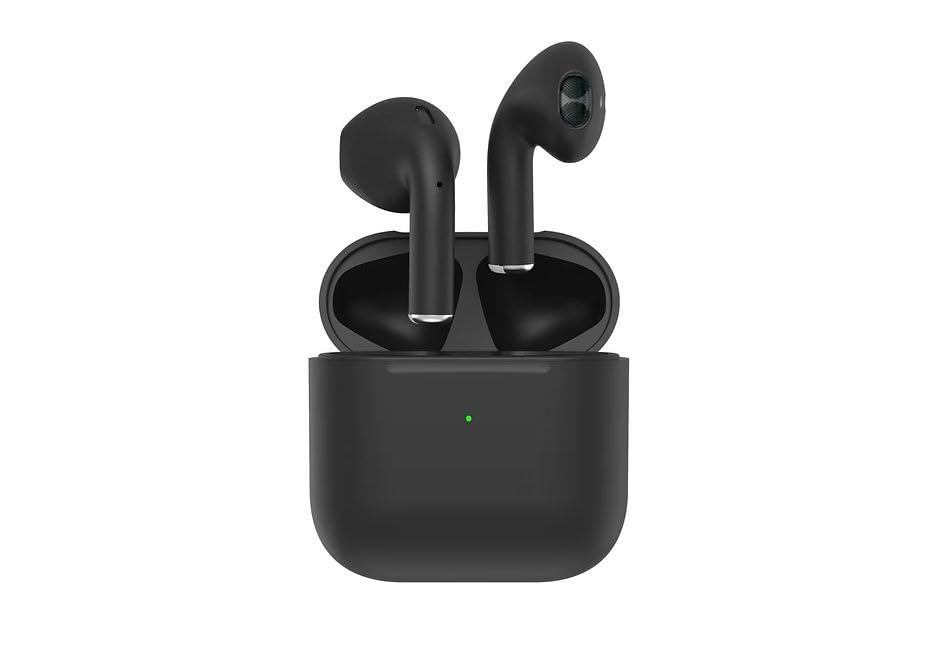
Image: Haino Teko Air-1 Mini Wireless Earbuds and Charging Case. The image displays the black earbuds securely placed within their matching black charging case, with the Haino Teko logo visible.
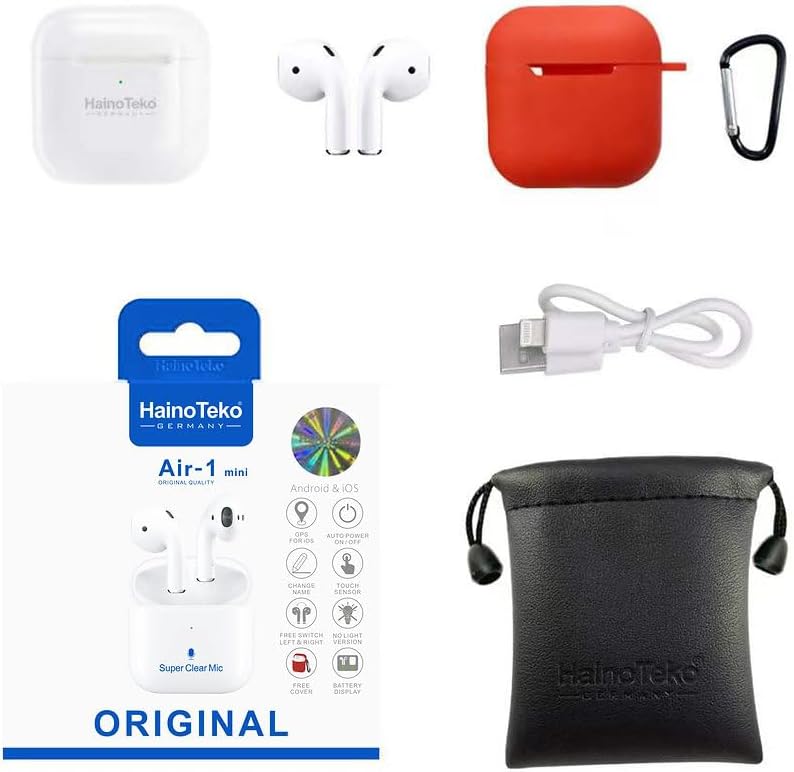
Image: Haino Teko Air-1 Mini Accessories. This image shows the product packaging, a white pair of earbuds, a red silicone protective case with a carabiner, a USB charging cable, and a black drawstring pouch, illustrating the complete set of items included with the earbuds.
Компонентҳои дохилшуда:
- Haino Teko Air-1 Mini Wireless Earbuds (Left and Right)
- Қуттии пуркунандаи бесим
- Парвандаи муҳофизатӣ
- Сими пуркунандаи USB
Ташкил кардан
1. Пур кардани гӯшмонакҳо ва қуттиҳо
Пеш аз истифодаи аввал, гӯшмонакҳо ва қуттии пуркунандаи барқро пур кунед.
- Гӯшмонакҳоро ба қуттии пуркунӣ гузоред. Боварӣ ҳосил кунед, ки онҳо дуруст ҷойгир шудаанд; чароғҳои нишондиҳандаи гӯшмонакҳо бояд фурӯзон шаванд.
- Connect the charging case to a power source using the provided USB cable. The indicator light on the charging case will show charging status.
- Allow approximately 1-2 hours for a full charge. The indicator lights will change or turn off once charging is complete.
2. Пайвастшавӣ бо дастгоҳи худ
The earbuds use Bluetooth 5.0 for a stable wireless connection.
- Open the charging case. The earbuds will automatically power on and enter pairing mode. The indicator light on one earbud will flash, indicating it is ready to pair.
- Дар смартфони худ ё дигар дастгоҳи Bluetooth фаъол, ба танзимоти Bluetooth гузаред.
- Ҷустуҷӯ available devices and select "Haino Teko Air-1 Mini" from the list.
- Once connected, a voice prompt will confirm successful pairing, and the earbud indicator lights will turn off or flash slowly.
- After initial pairing, the earbuds will automatically connect to the last paired device when removed from the case, provided Bluetooth is enabled on your device.
Дастурҳои амалиётӣ
Фаъол/хомӯш
- Фаъол: Қуттии пуркунандаи барқро кушоед ё минтақаи ламсии ҳарду гӯшмонакро барои 3 сония пахш кунед.
- Хомӯш: Гӯшмонакҳоро дубора ба қуттии пуркунӣ гузоред ва сарпӯшро пӯшед, ё минтақаи ламсии ҳарду гӯшмонакро барои 5 сония пахш кунед.
Назорати ламс
The Haino Teko Air-1 Mini features intuitive touch controls on each earbud.
| Амал | Гӯшмонаки чап | Гӯшӣ рост |
|---|---|---|
| Бозӣ/Таваққуф | Як зарба | Як зарба |
| Треки навбатӣ | Ду маротиба клик кунед | Ду маротиба клик кунед |
| Треки қаблӣ | Ламс се маротиба | Ламс се маротиба |
| Ҷавоб додан/Ба занг задан | Як зарба | Як зарба |
| Рад кардани занг | Пахши дароз (2 сония) | Пахши дароз (2 сония) |
| Ёрдамчии овозиро фаъол созед | Пахши дароз (3 сония) | Пахши дароз (3 сония) |
| Ҳолати ANC/шаффофиятро фаъол созед | Пахши дароз (2 сония) | Пахши дароз (2 сония) |
Шарҳ: Volume control may need to be adjusted directly on your connected device.
Пӯшидани гӯшмонакҳо
For optimal sound quality and comfort, ensure the earbuds are properly seated in your ears. Gently insert each earbud into your ear canal and rotate slightly until it feels secure and comfortable. The lightweight design and secure fit are ideal for active use.
Нигоҳдорӣ
Нигоҳубини дуруст умри дароз ва кори гӯшмонакҳои шуморо таъмин мекунад.
- Тозакунӣ: Regularly clean the earbuds and charging case with a soft, dry, lint-free cloth. Do not use harsh chemicals or abrasive materials. For earwax buildup, gently clean the ear tips and speaker mesh with a small, soft brush or cotton swab.
- Нигоҳдорӣ: When not in use, store the earbuds in their charging case to protect them from dust, dirt, and damage. Keep the case in a cool, dry place away from direct sunlight and extreme temperatures.
- Нигоҳубини батарея: Барои нигоҳ доштани мӯҳлати батарея, аз пурра холӣ кардани гӯшмонакҳо ва қуттии пуркунандаи барқ худдорӣ намоед. Онҳоро мунтазам пур кунед, ҳатто агар барои муддати тӯлонӣ истифода нашавед.
- Муқовимат ба об: The earbuds are sweat and water-resistant, but they are not waterproof. Avoid submerging them in water or exposing them to heavy rain. Dry them thoroughly before placing them back in the charging case if they get wet.
Мушкилкушо
If you encounter issues with your Haino Teko Air-1 Mini earbuds, try the following solutions:
| Мушкилот | Ҳалли |
|---|---|
| Гӯшмонакҳо бо дастгоҳ пайваст намешаванд |
|
| Танҳо як гӯшмонак кор мекунад |
|
| Садо ва баландии овоз нест |
|
| Қуттии пуркунандаи барқ пур намекунад |
|
Агар ин қадамҳо мушкилотро ҳал накунанд, лутфан бо дастгирии муштариён тамос гиред.
Мушаххасоти
Key technical specifications for the Haino Teko Air-1 Mini Wireless Earbuds:
| Хусусият | Тафсилот |
|---|---|
| Бренд | Хайно Теко |
| Номи модел | Air-1 Mini |
| Рақами модел | Haino Teko Air-1 Mini |
| Технологияи пайвастшавӣ | Бесимӣ (Bluetooth 5.0) |
| Гӯшмонакҳо омили форм | Дар гӯш |
| Усули назорат | ламс кунед |
| Хусусиятҳои махсус | Wireless Charging, Microphone Included, Active Noise Cancellation |
| Компонентҳои дохилшуда | Wireless Charging Case, Protective Case |
| Материал | Пластмасса |
| Тавсифи доираи синну сол | Калонсол |
Кафолат ва дастгирӣ
For warranty information and customer support, please refer to the documentation included with your purchase or visit the official Haino Teko webсайт. Барои ҳама даъвоҳои кафолат далели хариди худро нигоҳ доред.


