Муқаддима
Thank you for choosing the Aiwa Satori AW-SSB240 Soundbar. This 2.1 channel sound system with a 6.5-inch subwoofer delivers 240W of powerful audio output, designed to enhance your home entertainment experience. This manual provides essential information for setting up, operating, and maintaining your soundbar to ensure optimal performance.
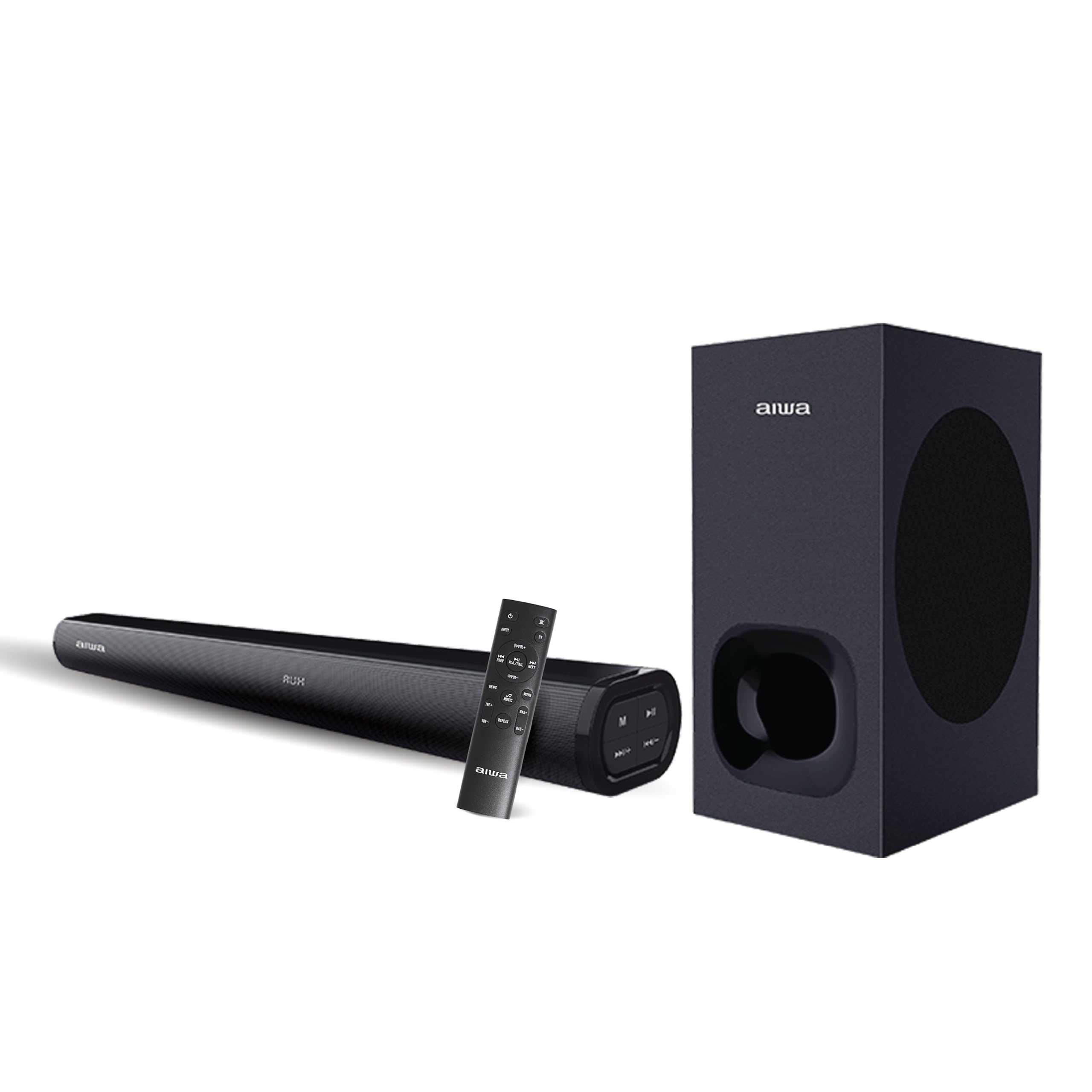
Дар қуттӣ чӣ ҳаст
Carefully unpack your Aiwa Satori AW-SSB240 Soundbar package and ensure all items are present:
- 1N Woofer (Wired)
- 1N Саундбар
- Идоракунии дурдасти 1N
- Дастури корбар 1N
- 1N 3.5mm Audio Cable
- Сими барқи 1N

Ташкил кардан
1. Ҷойгиршавӣ
- Place the soundbar centrally below your television or display for optimal stereo imaging.
- Position the wired subwoofer on the floor, ideally near the soundbar, to enhance bass response. Ensure it has adequate ventilation.
2. Пайвастшавӣ
- Пайвасти сабвуфер: Connect the wired subwoofer to the soundbar using the dedicated subwoofer output port.
- Пайвасти барқ: Connect the power cable to the soundbar's power input and then to a suitable power outlet.
- Пайвасти манбаи аудио: Барои пайваст кардани манбаи аудио яке аз усулҳои зеринро интихоб кунед:
- HDMI (ARC): For the best audio quality and control, connect an HDMI cable from the soundbar's HDMI ARC port to your TV's HDMI ARC port.
- Оптикӣ: Сими оптикиро аз вуруди оптикии саундбар ба баромади оптикии телевизоратон пайваст кунед.
- AUX: Use the provided 3.5mm audio cable to connect your device to the soundbar's AUX input.
- Корти USB/SD: Insert a USB drive or SD card into the respective ports for direct media playback.
Дастурҳои амалиётӣ
1. Фаъол/хомӯш
Барои фаъол ё хомӯш кардани дастгоҳ тугмаи барқро дар панели садо ё пулти дурдаст пахш кунед.
2. Интихоби вуруд
Press the 'Mode' button on the soundbar or the remote control to cycle through available input sources: Bluetooth, HDMI (ARC), Optical, AUX, USB, and SD Card.
3. Назорати баландии овоз
Use the Volume Up (+) and Volume Down (-) buttons on the soundbar or remote control to adjust the master volume.
4. Ҷуфти Bluetooth
- Select Bluetooth mode on the soundbar. The LED indicator will flash, indicating it's in pairing mode.
- Дар дастгоҳи худ (смартфон, планшет ва ғайра) Bluetooth-ро фаъол созед ва дастгоҳҳои дастрасро ҷустуҷӯ кунед.
- Select "AW-SSB240" from the list. Once connected, the LED indicator will stop flashing.
5. Вазифаҳои идоракунии дурдаст
The included remote control provides full functionality for your soundbar, including:
- Фаъол/хомӯш
- Интихоби ҳолати вуруд
- Овози баланд/паст
- Play/Pause, Next/Previous Track (for USB/SD Card/Bluetooth modes)
- Усулҳои EQ: Select from 3 preset equalizer modes to optimize audio for different content (e.g., Music, Movie, News).
- Назорати басс ва требл: Adjust bass and treble levels independently to customize your sound preference.

Хусусиятҳои пайвастшавӣ
The Aiwa Satori AW-SSB240 Soundbar offers a wide range of connectivity options to integrate seamlessly with your devices:
- Bluetooth V5.3: For wireless audio streaming from smartphones, tablets, and other Bluetooth-enabled devices.
- HDMI (ARC): Audio Return Channel for simplified connection and control with compatible televisions.
- Вуруди оптикӣ: High-quality digital audio connection for TVs and other optical-enabled devices.
- Вуруди AUX: Standard 3.5mm audio jack for connecting a wide range of analog audio sources.
- Навозиши USB: Барои навохтани аудио files бевосита аз диски флеши USB.
- Бозикунии корти SD: Барои навохтани аудио files directly from an SD memory card.

Мушаххасоти
| Хусусият | Тавсифи |
|---|---|
| Номи модел | AW-SSB240-SATORI |
| Навъи баландгӯяк | Саундбар |
| Навъи васлкунӣ | Ошёнаи истода |
| Танзимоти канали садои атроф | 2.1 |
| Баландгӯяк Максимум қудрати баромади | 240 Ватт |
| Диаметри сабвуфер | 6.5 инч |
| Андозаи баландгӯяк | 6.6 инч |
| Ҷавоби басомад | 20 Гц |
| Технологияи алоқаи бесим | Bluetooth V5.3 |
| Технологияи пайвастшавӣ | Auxiliary, Bluetooth, HDMI (ARC), USB, Optical |
| Ҳолати баромади аудио | Стерео |
| Усули назорат | дурдаст |
| Дастгоҳҳои мувофиқ | Desktop, Home Theater, Smartphone, Tablet, Television |
| Андозаҳои маҳсулот | 88.9D x 22.9W x 48.3H Сантиметр |
| Вазни ашё | 6 килограмм |
| Манбаи нерӯ | Электри симдор |
| Ранги | SATORI - 240 (Black) |
| Хусусияти махсус | Japanese Technology |
| Кишвари аслӣ | Ҳиндустон |

Мушкилкушо
If you encounter any issues with your Aiwa Satori AW-SSB240 Soundbar, please refer to the following common solutions:
- Не қудрат: Боварӣ ҳосил кунед, ки сими барқӣ ба ҳам саундбар ва ҳам ба розеткаи барқии корӣ пайваст аст.
- Овоз нест: Check that the correct input source is selected. Verify all audio cables are properly connected. Adjust the volume on both the soundbar and your connected device.
- Масъалаҳои пайвасткунии Bluetooth: Make sure the soundbar is in Bluetooth pairing mode. Disable and re-enable Bluetooth on your device, then try pairing again. Ensure no other devices are currently connected to the soundbar.
- Овози вайроншуда: Reduce the volume. Check audio source quality. Ensure cables are not damaged or loose.
- Идоракунии дурдаст кор намекунад: Батареяро дар идоракунии дурдаст санҷед. Боварӣ ҳосил кунед, ки дар байни дурдаст ва панели садо ҳеҷ гуна монеа вуҷуд надорад.
Нигоҳдорӣ
Барои таъмини мӯҳлати хизмати дарозмуддат ва кори беҳтарини саундбар, ин дастурҳои нигоҳдориро риоя кунед:
- Тозакунӣ: Барои тоза кардани сатҳи садобар ва сабвуфер аз матои мулоим ва хушк истифода баред. Моеъҳои тозакунанда ё маводи абразивиро истифода набаред.
- Вентилятсия: Ensure adequate airflow around the soundbar and subwoofer to prevent overheating. Do not block ventilation openings.
- Нигоҳдорӣ: Агар дастгоҳ барои муддати тӯлонӣ нигоҳ дошта шавад, онро аз барқ ҷудо кунед ва дар ҷои хунук ва хушк дур аз нурҳои бевоситаи офтоб ва ҳарорати аз ҳад зиёд нигоҳ доред.
Кафолат ва дастгирӣ
Your Aiwa Satori AW-SSB240 Soundbar comes with a Кафолати 1 сол from the date of purchase, covering manufacturing defects. Please retain your purchase receipt for warranty claims.
For technical support, service, or further inquiries, please contact Aiwa India Sales & Services Pvt. Ltd. at:
- Адрес: ш. 2E/26, Jhandewalan Extn, New Delhi -110055
- Тамос: 1800-120-5619
- Почтаи электронӣ: getintouch@aiwaindia.com


