1. Муқаддима
This manual provides comprehensive instructions for the ShanWan Bluetooth Gamepad Keychain Sized Mini Controller. Please read this manual carefully before use to ensure proper operation and to maximize your gaming experience. This device is designed for use with Android phones and tablets, PS4/Slim/Pro, iPhone, iPad, Nintendo Switch, and Windows PCs.
2. Маҳсулот ба охир расидview
The ShanWan Mini Controller is a compact and versatile gamepad designed for portability and multi-platform compatibility. It features 17 buttons and a D-Pad, all within a keychain-sized form factor.
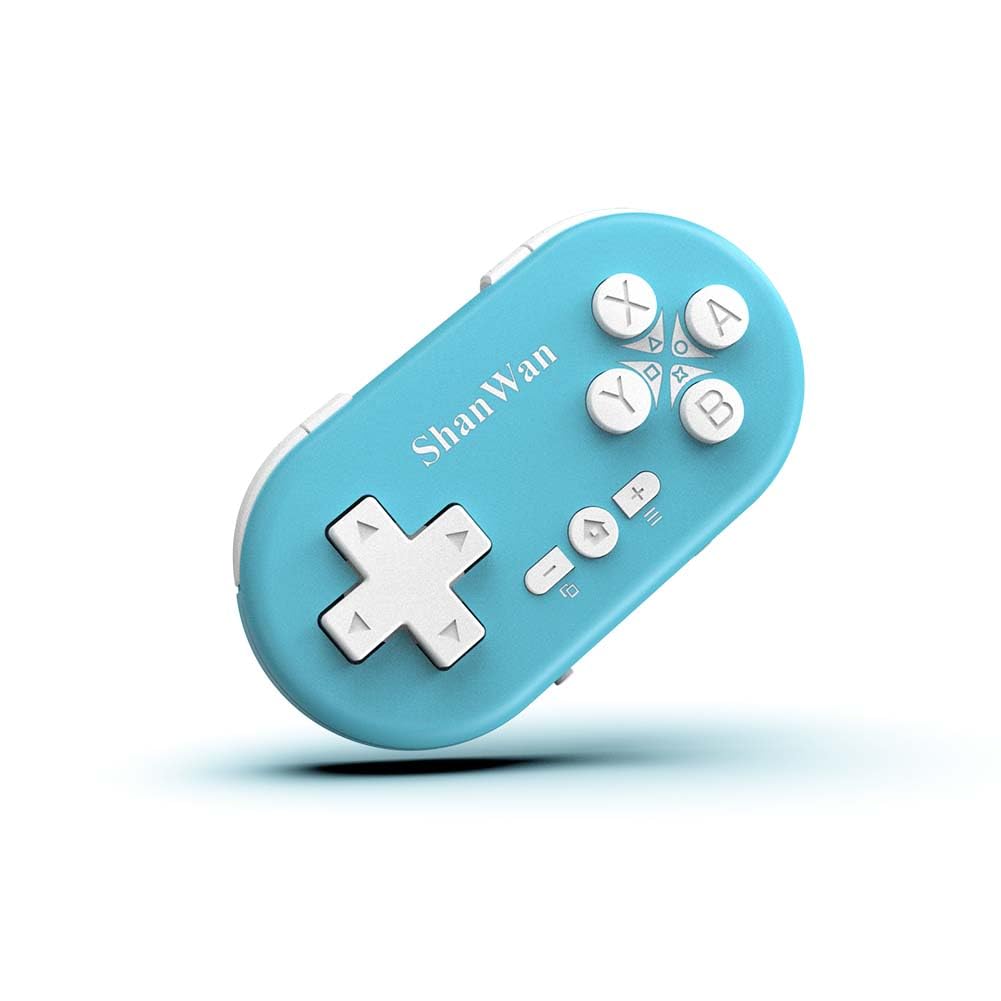
Figure 2.1: ShanWan Mini Bluetooth Gamepad, showcasing its compact design and button layout.

Figure 2.2: Dimensions of the ShanWan Mini Bluetooth Gamepad, measuring 2.83 inches in length, 1.57 inches in width, and 0.55 inches in thickness.
2.1 Мундариҷаи баста
- ShanWan Bluetooth Gamepad Keychain Sized Mini Controller
- Сими пуркунандаи USB
- Дастури корбар (ин ҳуҷҷат)
3. Мушаххасоти
| Хусусият | Тафсилот |
|---|---|
| Рақами модел | Q36-XPS-KABRILAN |
| Пайвастшавӣ | Bluetooth бесими |
| Мутобиқати | Android, iOS, Windows, Nintendo Switch, PlayStation 4 |
| Иқтидори батарея | 180mAh литий полимер (дохил) |
| Вақти пуркунии барқ | Тақрибан 1 соат |
| Вақти амалиёт | То 5-6 соат |
| Диапазони бесим | То 10 метр (33 фут) |
| Андозаҳои маҳсулот | 2.83 x 1.57 x 0.55 инч |
| Вазни ашё | 1.44 унсия (тақрибан 41 грамм) |
| Хусусиятҳои махсус | Gyroscope motion sensing, One-button wake-up function |
4. Насбкунӣ ва пайвастшавӣ
4.1 Пур кардани контроллер
Before first use, fully charge the controller. Connect the provided USB charging cable to the controller's charging port and the other end to a USB power source (e.g., computer, USB wall adapter). The charging indicator light will show the charging status and turn off when fully charged. A full charge typically takes about 1 hour.
4.2 Фурӯзон/хомӯш кардан
- Фаъол: Press and hold the Home button (usually the button with a house icon) for a few seconds until the indicator lights turn on.
- Хомӯш: Press and hold the Home button for approximately 5 seconds until the indicator lights turn off. The controller will also automatically power off after a period of inactivity to conserve battery.
4.3 Bluetooth Pairing Instructions
The controller supports multiple platforms. Ensure the mode switch on the controller is set to the correct platform before pairing.
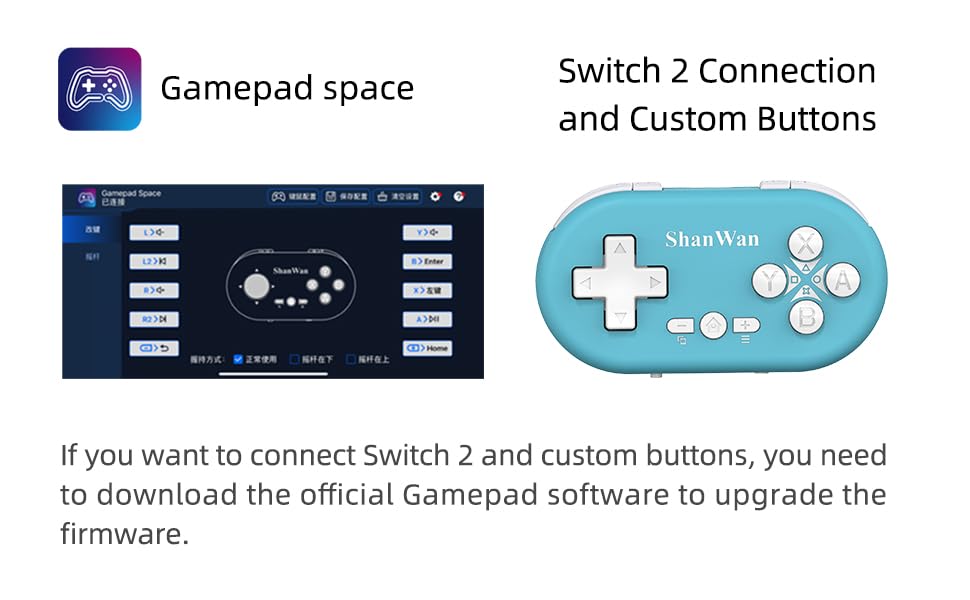
Figure 4.1: The mode switch on the controller, allowing selection between X (Xbox/PC), S (Switch), and P (PlayStation) modes for multi-device compatibility.
4.3.1 Ҷуфтшавӣ бо Nintendo Switch
- On your Nintendo Switch, navigate to the HOME Menu.
- Select "Controllers" then "Change Grip/Order".
- Set the controller's mode switch to "S" (Switch mode).
- Press and hold the "Pair" button on the controller until the indicator lights begin to blink rapidly.
- The Switch will detect the controller. Once paired, the LED indicator on the controller will remain solid, and the controller will be displayed on the Switch host screen.

Figure 4.2: Visual guide for connecting the controller to a Nintendo Switch, showing menu navigation and the pairing button location.
4.3.2 Pairing with Android/iOS Devices
- Set the controller's mode switch to the appropriate mode (e.g., "X" for Android, or a specific iOS mode if available, refer to device-specific instructions).
- On your Android or iOS device, go to Bluetooth settings.
- Боварӣ ҳосил кунед, ки Bluetooth фаъол аст.
- Press and hold the "Pair" button on the controller until the indicator lights blink rapidly.
- Select "ShanWan Controller" or a similar name from the list of available devices on your phone/tablet.
- Пас аз пайвастшавӣ, чароғи нишондиҳанда дар контроллер сахт фурӯзон мешавад.
4.3.3 Pairing with PS4
- Set the controller's mode switch to "P" (PlayStation mode).
- On your PS4, go to "Settings" > "Devices" > "Bluetooth Devices".
- Press and hold the "Pair" button on the controller until the indicator lights blink rapidly.
- Select "ShanWan Controller" or a similar name from the list of available devices on your PS4.
- Пас аз пайвастшавӣ, чароғи нишондиҳанда дар контроллер сахт фурӯзон мешавад.
4.3.4 Pairing with Windows PC
- Set the controller's mode switch to "X" (Xbox/PC mode).
- On your Windows PC, go to "Settings" > "Devices" > "Bluetooth & other devices".
- Ensure Bluetooth is enabled and click "Add Bluetooth or other device".
- Select "Bluetooth".
- Press and hold the "Pair" button on the controller until the indicator lights blink rapidly.
- Select "ShanWan Controller" or a similar name from the list of available devices.
- Пас аз пайвастшавӣ, чароғи нишондиҳанда дар контроллер сахт фурӯзон мешавад.
5. Дастурҳои истифодабарӣ
5.1 Функсияҳои тугмаҳо
The controller features standard gamepad buttons. Their specific function may vary slightly depending on the platform and game.
- D-Pad: Вуруди самт.
- Тугмаҳои A, B, X, Y: Тугмаҳои амал.
- L1, L2, R1, R2 Buttons: Shoulder and trigger buttons.
- Тугмаи хонагӣ: Power on/off, return to home screen (platform dependent).
- Тугмаҳои Плюс (+) / Минус (-): Start/Select or menu functions.
- Тугмаи ҷуфт: Ҷуфтшавии Bluetooth-ро оғоз мекунад.
5.2 Хусусиятҳои махсус
5.2.1 One-Button Wake-Up Function
After initial pairing, you can wake up the controller and reconnect it to the last paired device by simply pressing the Home button. This feature allows for quick resumption of gameplay.
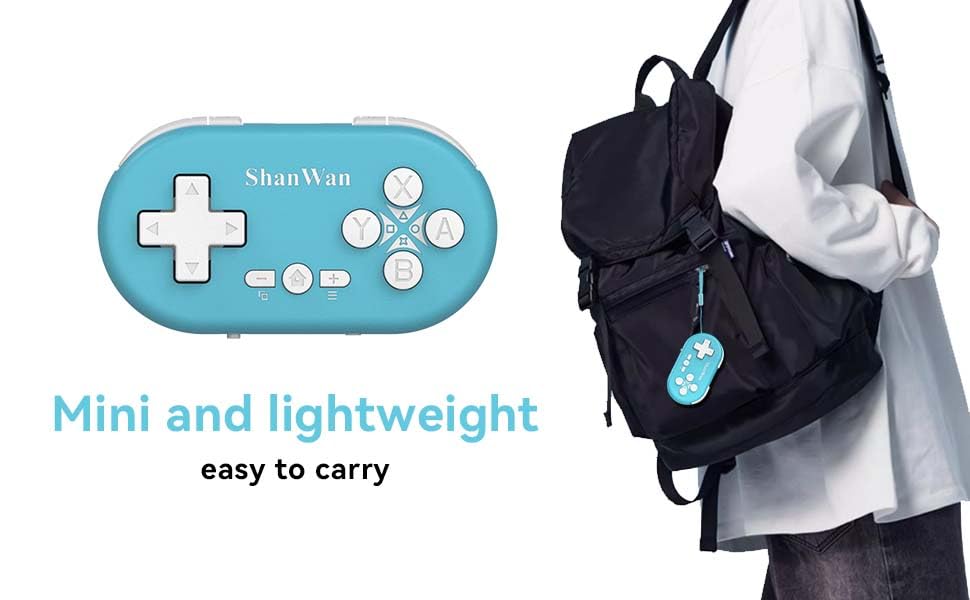
Figure 5.1: Illustration of the one-button wake-up function, highlighting the Home button used to quickly reactivate the controller.
5.2.2 Gyroscope Motion Sensing
The controller is equipped with a gyroscope for motion sensing effects, providing an immersive gaming experience in supported games, particularly on platforms like Nintendo Switch.
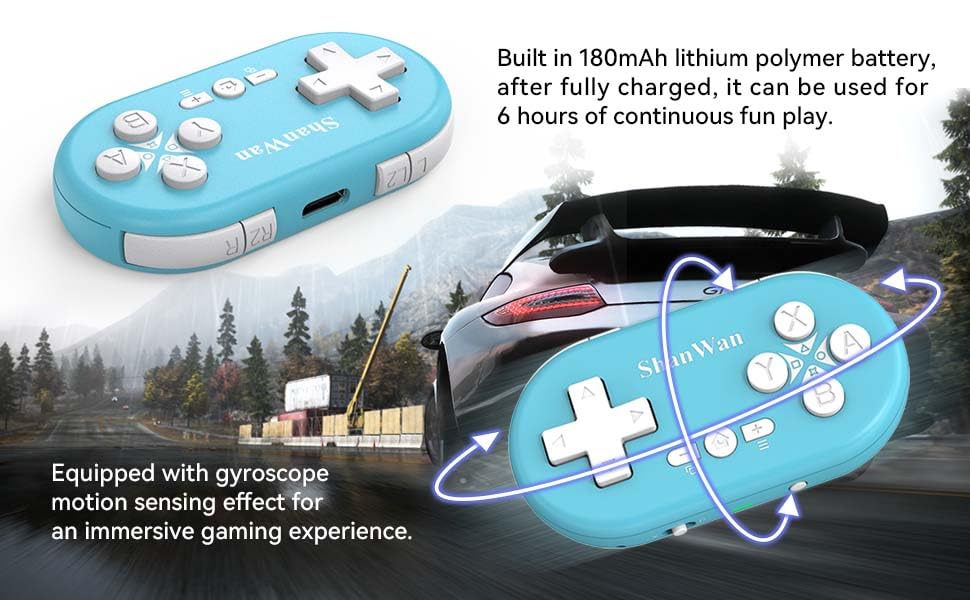
Figure 5.2: Visual representation of the gyroscope motion sensing effect, showing the controller being tilted to influence in-game actions.
5.2.3 Firmware Upgrade for Switch 2 and Custom Buttons
For compatibility with Switch 2 and to customize button mappings, it may be necessary to download the official Gamepad software and upgrade the controller's firmware. Refer to the manufacturer's official website for the latest software and instructions.

Figure 5.3: Screenshot illustrating the "Gamepad Space" software interface, used for firmware upgrades and custom button configurations, particularly for Switch 2 compatibility.
6. Нигоҳдорӣ
- Тозакунӣ: Барои тоза кардани контроллер аз матои нарм ва хушк истифода баред. Аз истифодаи маводи кимиёвии сахт ё маводҳои абразивӣ худдорӣ намоед.
- Нигоҳдорӣ: Контроллерро дар ҷои хунук ва хушк аз нури бевоситаи офтоб ва ҳарорати аз ҳад зиёд дур нигоҳ доред.
- Нигоҳубини батарея: Барои дароз кардани мӯҳлати кори батарея, аз холӣ кардани пурраи батарея зуд-зуд худдорӣ кунед. Контроллерро мунтазам пур кунед, ҳатто агар он муддати тӯлонӣ истифода нашавад ҳам.
- Пешгирӣ кардани таъсир: Do not drop or subject the controller to strong impacts, as this may damage internal components.
7. Баррасии мушкилот
7.1 Контроллер фаъол намешавад
- Ensure the controller is fully charged. Connect it to a power source and allow it to charge for at least 15 minutes before attempting to power on again.
- Verify that the charging cable and power source are functioning correctly.
7.2 Unable to Pair Controller
- Ensure the controller is in pairing mode (indicator lights blinking rapidly).
- Check that the mode switch on the controller is set to the correct platform (S for Switch, X for Android/Windows, P for PS4).
- Make sure Bluetooth is enabled on your device (Switch, phone, PC, PS4).
- Move the controller closer to the device you are trying to pair with.
- Remove any previous pairings of the controller from your device's Bluetooth settings and try pairing again.
- Ҳам контроллер ва ҳам дастгоҳи худро аз нав фаъол созед.
7.3 Таъхири вуруд ё қатъшавии пайвастшавӣ
- Ensure the controller is within the 10-meter wireless range of your device.
- Кам кардани дахолати дигар дастгоҳҳои бесим (роутерҳои Wi-Fi, дигар дастгоҳҳои Bluetooth).
- Ensure the controller is fully charged. Low battery can affect connection stability.
- Кӯшиш кунед, ки контроллерро бо дастгоҳи худ дубора пайваст кунед.
- Update the controller's firmware if available (refer to Section 5.2.3).
7.4 Buttons Not Responding Correctly
- Test the controller on a different game or application to determine if the issue is game-specific.
- Ensure the controller's firmware is up to date.
- Perform a factory reset if possible (refer to manufacturer's support for specific instructions, as this model may not have a dedicated reset button).
8. Кафолат ва дастгирӣ
ShanWan products are designed for reliability and performance. For warranty information, technical support, or further assistance, please visit the official ShanWan webсайт ё бо хидмати мизоҷони худ тамос гиред. Квитансияи хариди худро ҳамчун далели харид барои даъвоҳои кафолат нигоҳ доред.
Official ShanWan Store: ShanWan Store on Amazon
9. Маълумоти иловагӣ
The ShanWan Mini Controller's compact and lightweight design makes it highly portable, allowing users to carry it easily and enjoy gaming on the go.

Figure 9.1: The ShanWan Mini Bluetooth Gamepad attached to a backpack, illustrating its keychain-sized portability and ease of transport.

Figure 9.2: The ShanWan Mini Bluetooth Gamepad being used outdoors with a portable screen, demonstrating its ease of transport and use anywhere.


