1. Муқаддима
The Accsoon CoMo Wireless Headset Intercom System is a 1.9GHz full-duplex communication solution designed for small to medium-sized teams requiring real-time, clear, and reliable audio communication. This system supports up to 9 users, offering an operating range of 1312 feet (400 meters) and features Environmental Noise Cancellation (ENC) for optimal performance in various environments. This manual provides detailed instructions for setting up, operating, maintaining, and troubleshooting your CoMo intercom system.

Image: The Accsoon CoMo Wireless Headset Intercom System, showcasing one host headset, four remote headsets, and various accessories including batteries, charger, ear cushions, microphone windscreens, and storage solutions.
2. Дар қуттӣ чӣ мавҷуд аст
Upon unboxing your Accsoon CoMo Wireless Headset Intercom System, please verify that all the following components are included:
- 1 Host Headset
- 4 Remote Headsets
- 10 Батареяҳо
- Пуркунандаи барқ 1
- 2 Battery Storage Boxes
- 5 Headset Ear Cushions
- 5 Микрофон
- 5 Headset Storage Bags
- 1 Storage Container
- 1 Дастури корбар

Image: A visual representation of the package contents, including the host headset, remote headsets, batteries, charger, and other accessories.
3. Хусусиятҳои маҳсулот
The Accsoon CoMo system is engineered with several key features to enhance your team's communication:
- Wireless Stable Transmission: Utilizes 1.9 GHz frequency for reliable, interference-free communication up to 1312 ft (400 m).
- Crystal-clear Audio with ENC: Features Environmental Noise Cancellation (ENC) technology to actively reduce ambient noise, ensuring clear speech even in loud environments.
- Long-lasting Replaceable Batteries: Each system includes 10 batteries, providing up to 10 hours of runtime for the host headset (with 4 remotes connected) and 13 hours for remote headsets.
- Тарҳрезии сабук ва бароҳат: Ergonomically designed headsets weighing only 257g (with battery), suitable for long-term wear and adjustable for various head sizes. Can be worn on either the left or right ear.
- Expandable Team Communication: The system can be expanded from 1 host + 4 remotes to support up to 9 users simultaneously.
- Микрофонро ба хомӯш кардан: An intuitive design feature that mutes the microphone when positioned at ±45°, allowing for quick and seamless audio control.

Тасвир: Барview of the Accsoon CoMo system's key features, including wireless stability, transmission range, flip-to-mute microphone, dual-mic ENC, external antenna design, full-duplex communication, extended battery life, and support for up to 9 users.
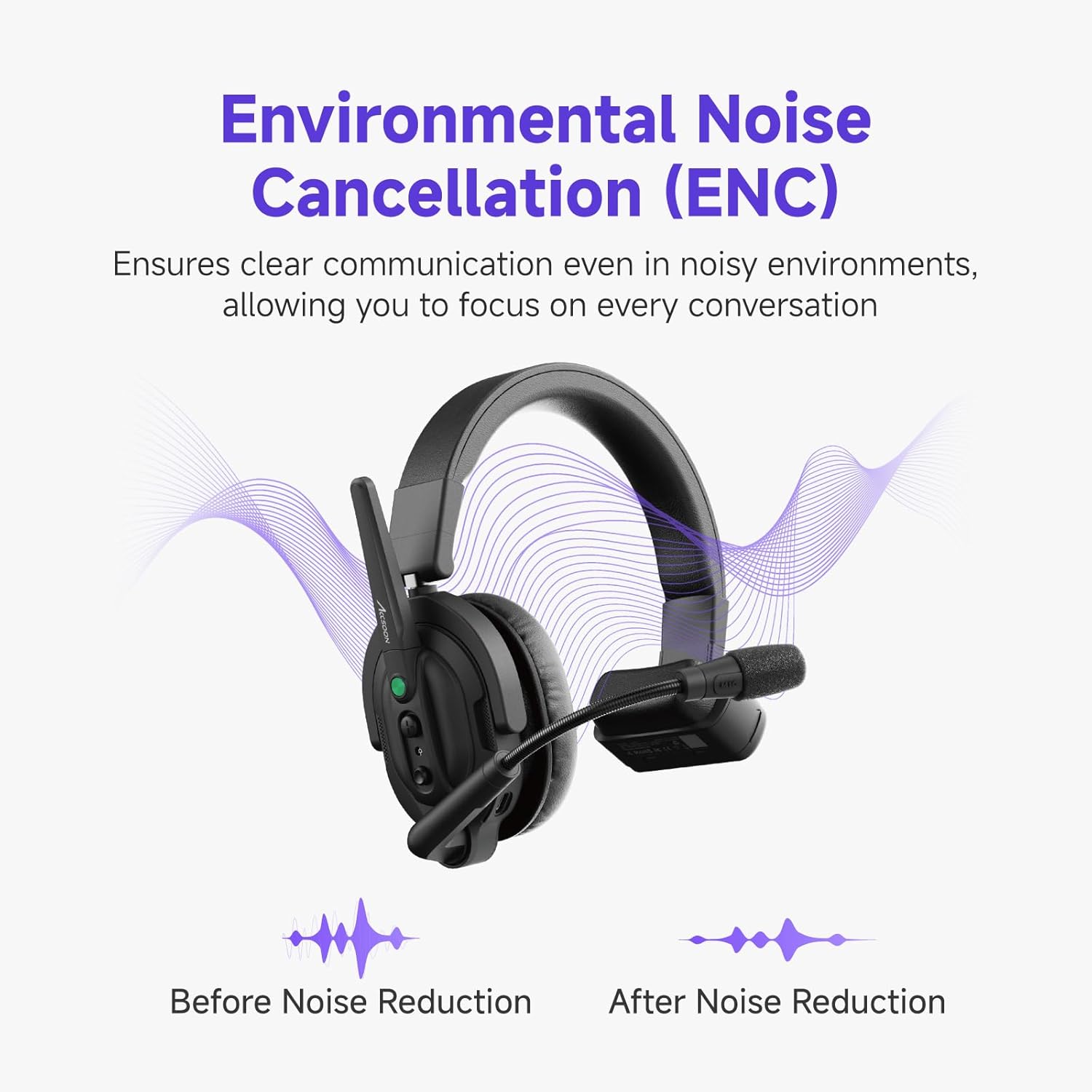
Image: A visual representation of the Environmental Noise Cancellation (ENC) feature, showing sound waves before and after noise reduction, highlighting clearer communication.
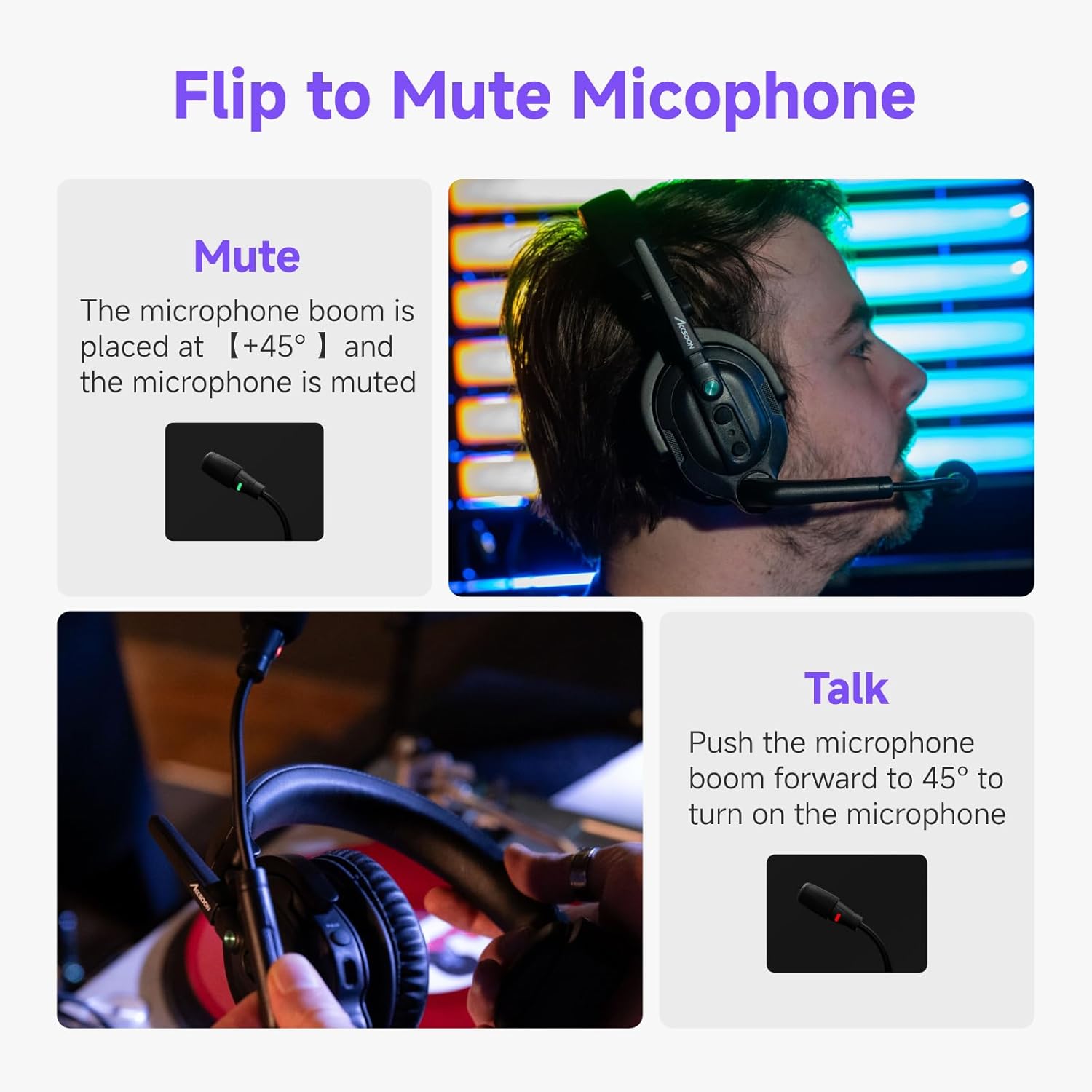
Image: Demonstration of the flip-to-mute microphone feature, showing the microphone in both talk and mute positions.
4. Танзимот
4.1. Пур кардани батареяҳо
- Insert the provided Lithium Ion batteries into the battery charger.
- Connect the charger to a power source. The indicator lights on the charger will show the charging status.
- A full charge typically takes approximately 2 hours. Ensure batteries are fully charged before first use for optimal performance.
4.2. Installing Batteries into Headsets
- Locate the battery compartment on each headset.
- Open the compartment and insert a charged battery, ensuring correct polarity.
- Қисмати батареяро бехатар пӯшед.
4.3. Фурӯзон/хомӯшкунӣ
- To power on, press and hold the power button on each headset until the indicator light illuminates.
- Барои хомӯш кардани барқ, тугмаи барқро то хомӯш шудани чароғи нишондиҳанда пахш карда нигоҳ доред.
4.4. Initial Pairing (Host and Remote Headsets)
The host headset acts as the central communication hub. Remote headsets connect to the host. Refer to the specific pairing instructions in the included user manual for detailed steps, as pairing procedures can vary slightly.
- Typically, you will power on the host headset first.
- Then, power on the remote headsets.
- The system is designed for automatic connection within range once paired. If manual pairing is required, look for a 'PAIR' button or specific button combination on the headsets.
5. Фаъолияти система
5.1. Муошират
- Once headsets are powered on and connected, full-duplex communication is active, allowing all connected users to speak and listen simultaneously.
- Ensure the microphone boom is positioned correctly near your mouth for optimal voice pickup.
5.2. Функсияи хомӯш кардани микрофон
The CoMo system features a convenient flip-to-mute function:
- Ба хомуш your microphone, position the microphone boom upwards to approximately ±45° from its active position. The microphone indicator light will change to confirm mute status.
- Ба хомӯш and talk, push the microphone boom forward to its active position (typically straight down or slightly angled towards your mouth).
5.3. Танзими баландии овоз
Use the volume control buttons located on the headset to adjust the listening volume to a comfortable level.
5.4. Нишондиҳандаи сатҳи батарея
When the battery power is less than 10%, the indicator light on the headset will flash slowly in red, and an audible voice reminder of low power will be provided.
6. Нигоҳдорӣ
6.1. Тозакунӣ
- Wipe the headsets and accessories with a soft, dry cloth.
- Моддаҳои кимиёвии сахт, маҳлулҳои тозакунанда ё шустушӯи қавӣ истифода набаред.
- Regularly replace microphone windscreens and ear cushions for hygiene and optimal audio quality.
6.2. Нигоҳубини батарея
- Always use the provided charger and batteries.
- Батареяҳоро дар ҷои хунук ва хушк нигоҳ доред, вақте ки истифода намешаванд.
- Барои дароз кардани мӯҳлати хизмати батареяҳо зуд-зуд аз пурра холӣ кардани батарея худдорӣ намоед.
6.3. Нигоҳдорӣ
When not in use, store the headsets and accessories in the provided storage container or bags to protect them from dust and damage.
7. Баррасии мушкилот
| Мушкилот | Сабаби эҳтимолӣ | Ҳалли |
|---|---|---|
| Аз гӯшмонак аудио нест | Headset not powered on; Low battery; Not connected to host; Volume too low; Microphone muted. | Ensure headset is powered on; Charge or replace battery; Verify connection to host; Increase volume; Check microphone position (flip-to-mute). |
| Intermittent connection or poor audio quality | Out of range; Obstructions (walls, large objects); Interference from other 1.9GHz devices; Low battery. | Move closer to the host headset; Reduce obstructions between headsets; Avoid areas with high 1.9GHz interference; Charge or replace battery. |
| Headset not turning on | Battery not installed correctly; Battery fully discharged; Faulty battery. | Reinstall battery, ensuring correct polarity; Charge battery fully; Try a different charged battery. |
| Микрофон овозро қабул намекунад | Microphone muted (flipped up); Microphone not positioned correctly; Faulty microphone. | Flip microphone boom down to talk position; Adjust microphone closer to mouth; Contact support if issue persists. |
8. Мушаххасоти
| Хусусият | Тафсилот |
|---|---|
| Номи модел | MIC02-1H4R headset |
| Бренд | Акссон |
| Технологияи пайвастшавӣ | Бесим (RF) |
| Ҷавоби басомад | 1.9 ГГц |
| Диапазони басомад | 20 Гц то 20,000 Гц |
| Диапазони интиқол | 1312 фут (400 м) хатти дидан |
| Назорати садо | Бекоркунии садои фаъол (ENC) |
| Навъи батарея | Иони литий |
| Host Headset Battery Life | 10 hours (with 4 remotes connected), 8 hours (with 8 remotes connected) |
| Remote Headset Battery Life | 13 соат |
| Шакли гӯшмонак | Дар болои гӯш |
| Формаи форма | Дар болои гӯш |
| Item Weight (single headset with battery) | 257г (тақрибан 0.57 фунт) |
| Ранги | Сиёҳ |
9. Кафолат ва дастгирӣ
Accsoon products are designed for reliability and performance. For specific warranty information regarding your Accsoon CoMo Wireless Headset Intercom System, please refer to the warranty card included in your package or visit the official Accsoon webсайт.
For technical support, troubleshooting assistance beyond this manual, or service inquiries, please contact Accsoon customer support through their official channels. You can often find support contact information on the manufacturer's webсайт ё тавассути фурӯшандае, ки маҳсулот харида шудааст.
Шумо инчунин метавонед боздид кунед Accsoon Store on Amazon барои маълумоти иловагӣ ва захираҳои маҳсулот.


