Муқаддима
Thank you for choosing the Grundig Wireless Bluetooth Open-Ear Earbuds. These earbuds are designed to provide a comfortable listening experience with an open-ear design, allowing you to stay aware of your surroundings while enjoying your audio. This manual provides essential information on how to set up, operate, and maintain your earbuds.
Дар қуттӣ чӣ ҳаст
- Grundig Wireless Bluetooth Open-Ear Earbuds
- Сими пуркунандаи USB-C
- Дастури корбар
Маҳсулот ба охир расидview
Familiarize yourself with the components of your earbuds:
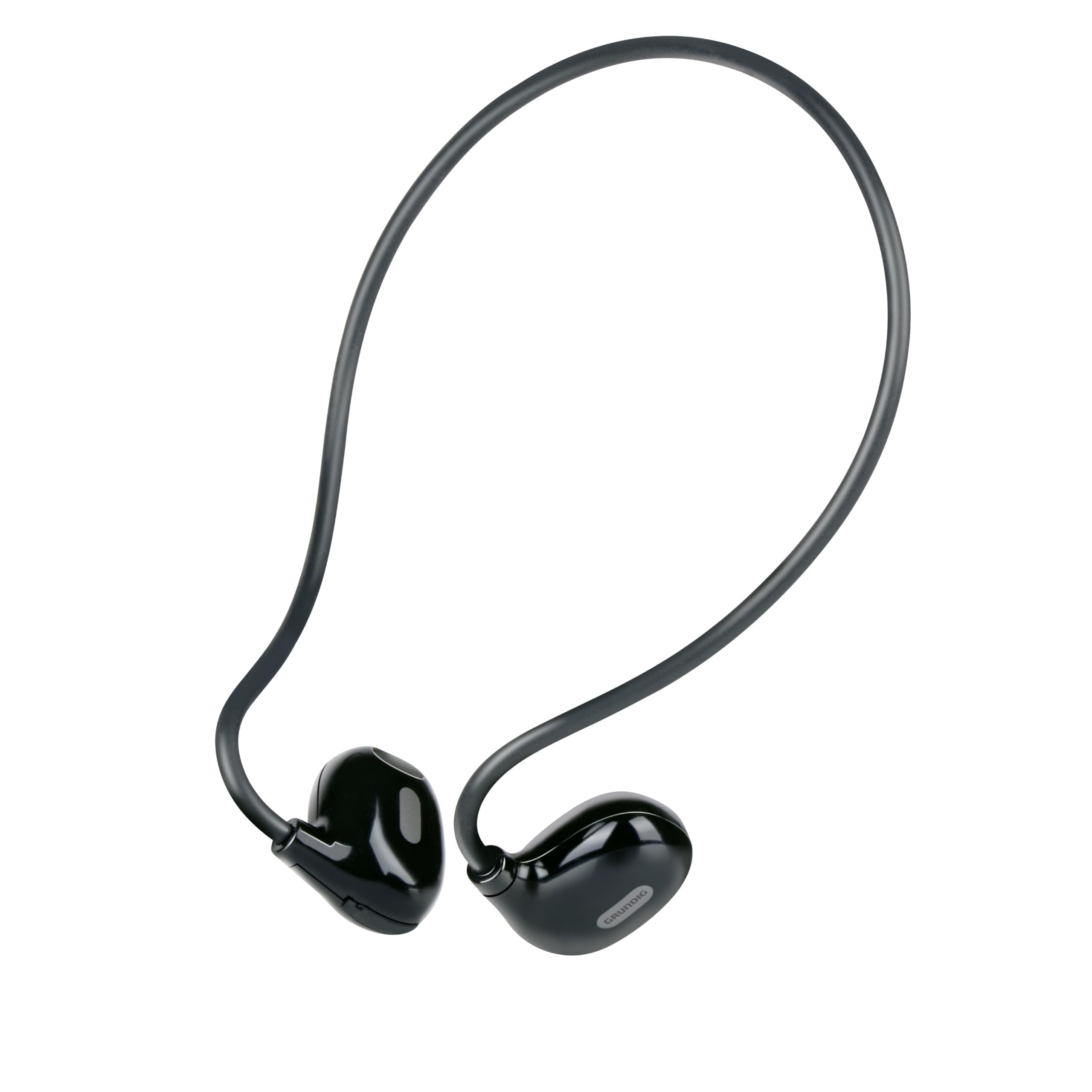
Figure 1: Close-up of a single earbud, highlighting the speaker and flexible ear hook.
- Earbud Unit: Contains the speaker and internal electronics.
- Қалмоқи гӯшии чандир: Designed to fit securely around your ear.
- Микрофон: Барои зангҳои озод.
- Минтақаи назорати ламсӣ: For managing music and calls.
- Порти пуркунандаи USB-C: Located on one of the earbuds for power input.
Ташкил кардан
1. Пур кардани гӯшмонакҳо
- Connect the supplied USB-C charging cable to the charging port on the earbuds.
- Нӯги дигари сими USB-C-ро ба манбаи мувофиқи қувваи барқи USB пайваст кунед (масалан, адаптери деворӣ, порти USB-и компютер).
- The indicator light on the earbuds will show the charging status. A full charge takes approximately 1.5 hours.
- Пас аз пур кардани барқ, сими пуркунандаи барқро ҷудо кунед.
2. Пайвастшавӣ бо дастгоҳ
Барои пайваст кардани гӯшмонакҳои худ ба дастгоҳи дорои Bluetooth:
- Ensure the earbuds are charged and powered off.
- Press and hold the touch control area on one earbud until the indicator light flashes, indicating pairing mode.
- On your device (phone, tablet, laptop), enable Bluetooth and search for available devices.
- Select "Grundig Earbuds" (or similar name) from the list of found devices.
- Once connected, the indicator light on the earbuds will change, usually to a slow flash or off, and you will hear an audible confirmation.
- The earbuds will automatically attempt to reconnect to the last paired device when powered on.
3. Пӯшидани гӯшмонакҳо
For optimal comfort and sound, wear the earbuds as shown:

Figure 2: Proper placement of the earbuds with the ear hook.
- Place the earbud unit near your ear canal, ensuring the speaker is positioned to direct sound into your ear.
- Gently hook the flexible ear hook behind your ear to secure the earbud in place.
- Adjust for a comfortable and stable fit.
Истифода бурдани гӯшмонакҳо
Фаъол/хомӯш
- Фаъол: Press and hold the touch control area for a few seconds until you hear a power-on prompt.
- Хомӯш: Press and hold the touch control area for a few seconds until you hear a power-off prompt.
Навозиши мусиқӣ
- Бозӣ/Таваққуф: Tap the touch control area once.
- Треки навбатӣ: Double-tap the right earbud's touch control area.
- Track гузашта: Double-tap the left earbud's touch control area.
Идоракунии зангҳо
- Ҷавоб додан/Занги хотимавӣ: Tap the touch control area once during an incoming call or an active call.
- Рад кардани занг: Press and hold the touch control area for 2 seconds during an incoming call.
Назорати овоз
Volume control is typically managed directly from your connected device. The earbuds support media control functions for play/pause and track skipping.
Нигоҳдорӣ
- Тозакунӣ: Use a soft, dry cloth to clean the earbuds. Do not use abrasive cleaners or immerse them in water.
- Нигоҳдорӣ: Store the earbuds in a cool, dry place away from direct sunlight and extreme temperatures.
- Нигоҳубини батарея: To prolong battery life, charge the earbuds regularly, even if not in frequent use. Avoid fully discharging the battery for extended periods.
Мушкилкушо
| Мушкилот | Ҳалли |
|---|---|
| Гӯшмонакҳо фаъол нестанд. | Ensure the earbuds are fully charged. Connect them to the USB-C charging cable and allow 1.5 hours for a full charge. |
| Бо дастгоҳ пайваст карда намешавад. | Make sure Bluetooth is enabled on your device. Ensure the earbuds are in pairing mode (indicator light flashing). Move the earbuds closer to your device. Forget previous pairings on your device and try again. |
| Овоз нест ё садои паст. | Check the volume level on both your connected device and the earbuds. Ensure the earbuds are properly seated on your ears. Reconnect the earbuds to your device. |
| Зангҳо норавшананд. | Ensure the microphone is not obstructed. Move to an area with less background noise. Check your device's call settings. |
| Гӯшмонакҳо зуд-зуд аз кор мемонанд. | Ensure the earbuds are within the Bluetooth range of your device. Avoid obstacles between the earbuds and your device. Charge the earbuds if the battery is low. |
Мушаххасоти
| Рақами модел | 8711252259871 |
| Бренд | Грундиг |
| Технологияи пайвастшавӣ | Бесимӣ (Bluetooth 5.3) |
| Ҷойгиркунии гӯш | Гӯши кушода |
| Усули назорат | Назорати ламс |
| Муҳлати батарея | То 5 соат |
| Вақти пуркунии барқ | Тақрибан 1.5 соат |
| Порти пуркунандаи барқ | USB-C |
| Материал | Пластмасса ва силикон |
| Сатҳи муқовимат ба об | Обногузар нест |
| Дастгоҳҳои мувофиқ | Mobile phones, tablets, laptops, game consoles, desktop computers, smart speakers |
| Хусусиятҳои махсус | Fast charging, Hands-free calls |
Маълумот оид ба бехатарӣ
- Барои пешгирӣ кардани осеби шунавоӣ гӯшмонакҳоро бо садои баланд муддати тӯлонӣ истифода набаред.
- Гӯшмонакҳоро дар ҳолатҳое истифода набаред, ки шунидани садоҳои атроф метавонад хатарнок бошад (масалан, рондан, велосипедронӣ, сайру гашт дар нақлиёт).
- Keep the earbuds away from water and moisture.
- Гӯшмонакҳоро ҷудо накунед ё тағир надиҳед.
- Аз дастрасии кӯдакон дур нигоҳ доред.
- Маҳсулотро мувофиқи қоидаҳои маҳаллӣ ба таври масъулиятнок партов кунед.
Кафолат ва дастгирӣ
Grundig products are designed for reliability and performance. For warranty information and customer support, please refer to the documentation provided with your purchase or visit the official Grundig webсайт. Лутфан далели хариди худро барои ҳама даъвоҳои кафолат нигоҳ доред.


