1. Муқаддима
This manual provides detailed instructions for the safe and efficient use of your Coby Portable CD Player with Bluetooth and Wireless Earbuds, Model CD202BK. Please read this manual thoroughly before operating the device and retain it for future reference.
2. Дар қуттӣ чӣ мавҷуд аст
Боварӣ ҳосил кунед, ки ҳама ашё ҳангоми кушодани қуттӣ мавҷуданд:
- Coby Portable CD Player (Model CD202BK)
- Гӯшмонакҳои бесим бо қуттии пуркунандаи барқ
- Гӯшмонакҳои симдор
- Сими пуркунандаи USB
- Дастури дастурӣ
3. Маҳсулот ба охир расидview
The Coby Portable CD Player offers versatile audio playback with both traditional CD support and modern Bluetooth connectivity. It includes wireless earbuds for a complete listening experience.
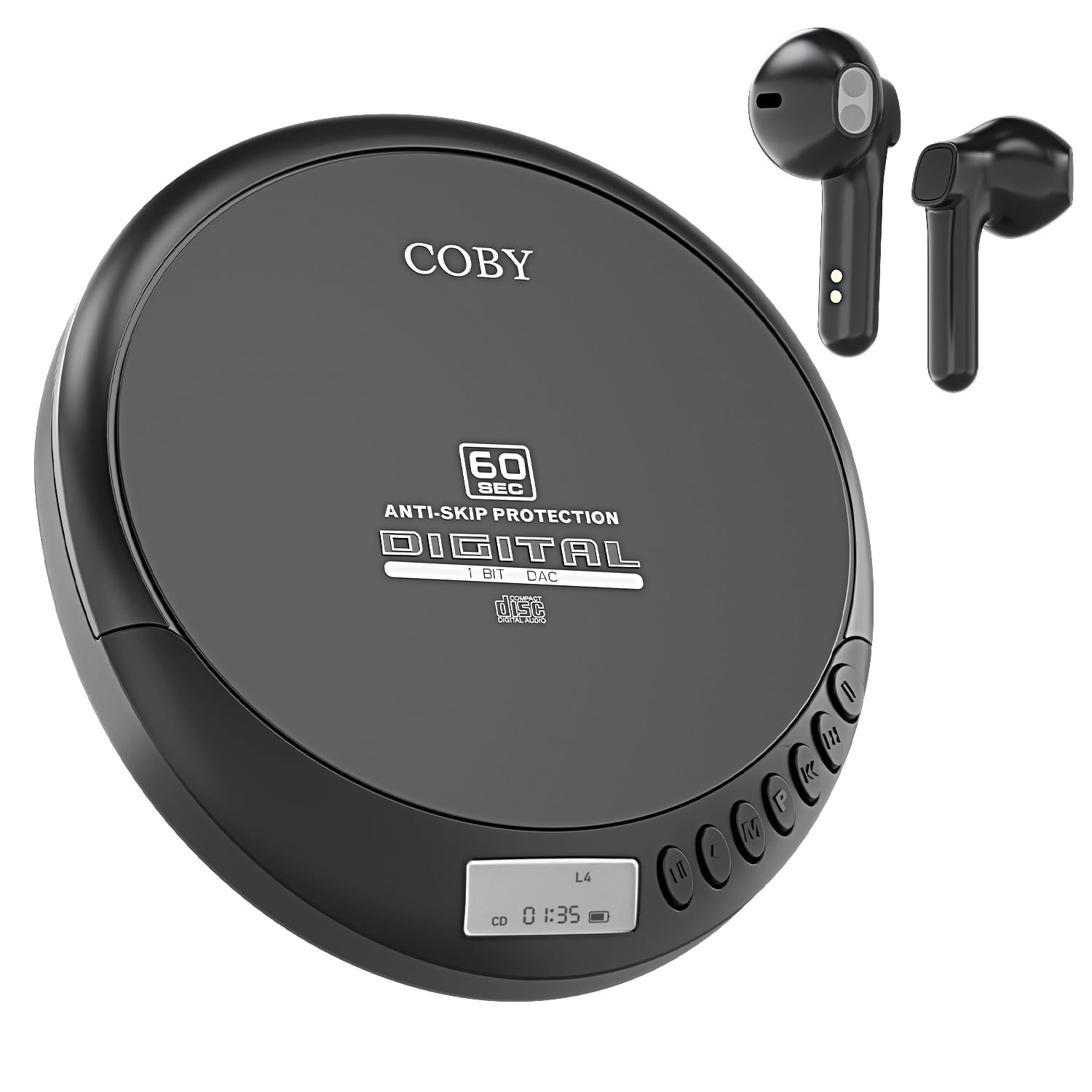
Figure 3.1: Coby Portable CD Player and Wireless Earbuds. The image displays the black portable CD player alongside its accompanying black wireless earbuds in their charging case.
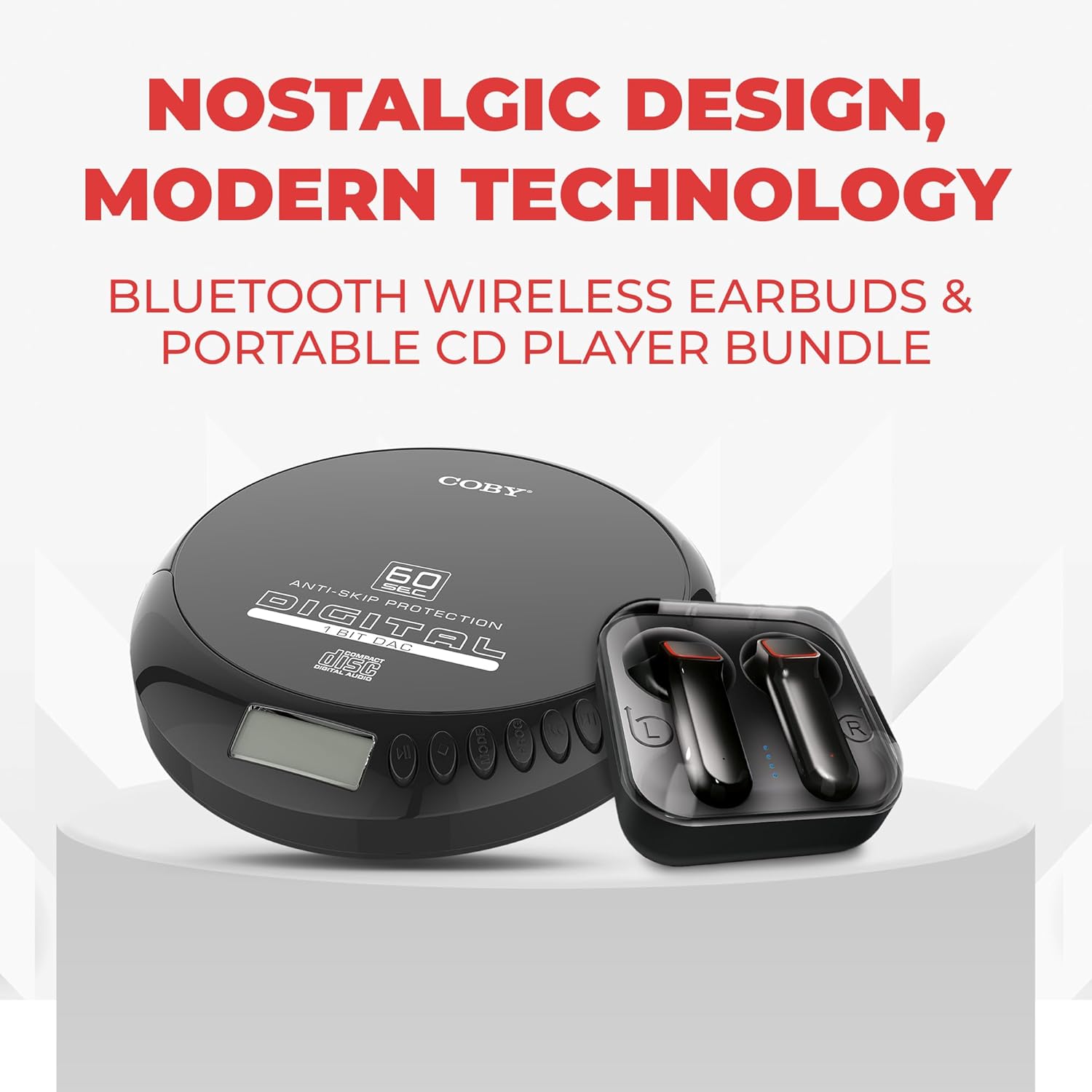
Расми 3.2: Пеш view of the Coby Portable CD Player. The player features a digital display and control buttons along its edge, with 'COBY' branding and 'ANTI-SKIP PROTECTION DIGITAL' text on the lid.

Figure 3.3: Wireless Earbuds in their charging case. The black earbuds are shown inside a clear-lidded charging case, indicating their compact and portable design.
4. Танзимот
4.1 Charging the CD Player
The CD player includes a rechargeable battery. Use the provided USB charging cable to connect the player to a compatible USB power source (e.g., computer USB port, USB wall adapter). The charging indicator will illuminate during charging and turn off when fully charged.
4.2 Charging the Wireless Earbuds
Place the wireless earbuds into their charging case. Connect the charging case to a USB power source using the provided cable. The indicator lights on the case will show the charging status. Ensure the earbuds are fully charged before first use for optimal battery life.
4.3 Bluetooth Pairing (CD Player to Wireless Audio Devices)
To connect your CD player to Bluetooth headphones or speakers:
- Ensure the CD player is powered on.
- Activate Bluetooth pairing mode on your wireless headphones or speaker. Refer to your audio device's manual for specific instructions.
- On the CD player, press and hold the Bluetooth button (usually indicated by a Bluetooth icon) until the Bluetooth indicator light flashes, signifying pairing mode.
- The CD player will search for nearby Bluetooth devices. Once connected, the Bluetooth indicator light will become solid.

Figure 4.1: User enjoying music with the Coby Portable CD Player and Bluetooth headphones. This illustrates the wireless listening capability of the device.
4.4 Ворид кардани CD
To insert a CD:
- Locate the 'OPEN' button on the side of the CD player and press it to open the lid.
- Carefully place the CD onto the center spindle with the label side facing up. Ensure the CD is securely seated.
- Сарпӯшро маҳкам пӯшед, то он даме, ки он дар ҷои худ ҷойгир шавад.
5. Дастурҳои истифодабарӣ
5.1 Бозии CD
After inserting a CD and powering on the device, the player will automatically begin reading the disc. Use the control buttons on the player's edge:
- Навозиш/Таваққуф (►/❚❚): Барои оғоз ё таваққуфи навозиш пахш кунед.
- Next/Previous Track (►►|/|◄◄): Press briefly to skip to the next or previous track.
- Fast Forward/Rewind (►►|/|◄◄): Press and hold to fast forward or rewind within a track.
- Такрор (RPT): Cycles through repeat modes (e.g., repeat one track, repeat all tracks).
- Shuffle (SHUF): Сурудҳоро бо тартиби тасодуфӣ менавозад.
- Super Bass (EQ): Activates or deactivates the Super Bass audio enhancement.
The CD player supports CD, CD-R, and MP3 discs. The anti-skip protection helps prevent interruptions during movement.

Figure 5.1: Coby Portable CD Player highlighting CD playback, FM radio, and MP3 disc support. The image shows the player's features for various audio formats.
5.2 Радиои FM
Барои истифодаи радиои FM-и дарунсохт:
- Press the 'MODE' button to switch to FM radio mode.
- Use the 'TUNE+' or 'TUNE-' buttons to manually scan for stations.
- To auto-scan and save presets, press and hold the 'SCAN' button. The player will automatically find and store available FM stations.
- Use the 'PRESET+' or 'PRESET-' buttons to navigate through saved stations.
5.3 Using Wireless Earbuds
Once paired with your CD player or another Bluetooth device, the wireless earbuds provide up to 12 hours of playtime. They feature touch-enabled controls for managing playback and calls. The ergonomic design ensures a comfortable fit.

Figure 5.2: User wearing Coby Wireless Earbuds, emphasizing noise isolation and clear call capabilities. The earbuds are designed for an immersive audio experience.

Figure 5.3: User engaged in physical activity while wearing Coby Wireless Earbuds, highlighting their secure and comfortable fit for an active lifestyle.
6. Нигоҳдорӣ
6.1 Тозакунӣ
To clean the CD player and earbuds, use a soft, dry cloth. Do not use liquid cleaners or abrasive materials, as these can damage the surfaces. For the CD lens, use a specialized CD lens cleaning kit.
6.2 Нигоҳдорӣ
When not in use, store the device in a cool, dry place away from direct sunlight and extreme temperatures. Keep the earbuds in their charging case to protect them and maintain their charge.
7. Баррасии мушкилот
| Мушкилот | Сабаби эҳтимолӣ | Ҳалли |
|---|---|---|
| CD player does not power on | Батареяи кам; Хомӯш кардани барқ | Charge the CD player; Ensure power switch is in 'ON' position |
| CD skips or stops playback | Dirty or scratched CD; Excessive movement; CD not properly seated | Clean the CD; Minimize movement during playback; Re-insert CD correctly |
| Cannot pair Bluetooth earbuds/speaker | Дастгоҳ дар ҳолати ҷуфтшавӣ нест; берун аз доираи; Дахолат | Ensure both devices are in pairing mode; Move devices closer; Turn off other Bluetooth devices |
| No sound from earbuds/speaker | Volume too low; Device not connected; Earbuds not charged | Increase volume; Re-pair devices; Charge earbuds |
| Қабули радиои FM бад аст | Weak signal; Environmental interference | Move to an area with better reception; Try auto-scanning for stations again |
8. Мушаххасоти
- Номи модел: PORTABLE CD PLAYER WITH BLUETOOTH & WIRELESS EAR BUDS
- Рақами намунавӣ: CD202BK
- Бренд: Коби
- Технологияи пайвастшавӣ: Бесимӣ
- Хусусиятҳои махсус: Anti-Skip Protection, Bluetooth, Built-In Radio, Portable, Rechargeable
- Батареяҳо: 1 батареяи литий ион лозим аст (дохил карда шудааст)
- Вазни ашё: 1.33 фунт
- Андозаҳои баста: 10.31 x 8.27 x 3.5 инч
- Истеҳсолкунанда: Summit Electronics, LLC
9. Кафолат ва дастгирӣ
For warranty information and customer support, please refer to the documentation included with your product or visit the official Coby webсайт. Барои ҳама даъвоҳои кафолат далели хариди худро нигоҳ доред.
Video 9.1: COBY CD Player and Headphone Bundle Overview. Ин видео тасвири визуалиро пешкаш мекунадview of the Coby Portable CD Player and its included accessories, demonstrating its features and components.


