1. Муқаддима
This manual provides essential instructions for the installation, operation, and maintenance of your APPECK Permanent Outdoor Lights (Model C5109-C). These smart RGBW lights are designed for outdoor use, offering a variety of scene modes and control options via app, remote, and voice assistants. Please read this manual thoroughly before use to ensure proper functionality and safety.
2. Мундариҷаи баста
Боварӣ ҳосил кунед, ки ҳамаи ҷузъҳои дар поён овардашуда ба бастаи шумо дохил карда шудаанд:
- 16.4ft String Light x 6
- Адаптери барқ x 1
- Қуттии идоракунӣ x 1
- Remote Controller x 1 (AAA batteries not included)
- Screw Clips Pack x 1
- Tail Plug x 1
- Дастури корбар x 1

Image: Illustration of all components included in the APPECK Permanent Outdoor Lights package.
3. Маълумот оид ба бехатарӣ
- Бехатарии барқ: Ensure the power adapter is connected to a suitable outdoor-rated power outlet. The power plug is not waterproof; use an outlet cover for outdoor installations.
- Насбкунӣ: Do not cut the string lights. The total length of the string lights should not exceed 100ft.
- Диапазони ҳарорат: The lights are designed for outdoor use within a temperature range of -20℃ to 60℃ (-4℉ to 140℉).
- Муқовимат ба об: The string lights and control box are IP65 waterproof.
- Кӯдакон ва ҳайвоноти хонагӣ: Маводҳои бастабандӣ ва қисмҳои хурдро аз дастрасии кӯдакон ва ҳайвоноти хонагӣ дур нигоҳ доред.
4. Танзим ва насб
4.1 Насби ҷисмонӣ
- Санҷиш пеш аз насб: Before mounting, connect all light segments and the power adapter. Power on the lights to ensure they function correctly.
- Омодасозии сатҳи: Clean the installation surface with a cloth to ensure proper adhesion.
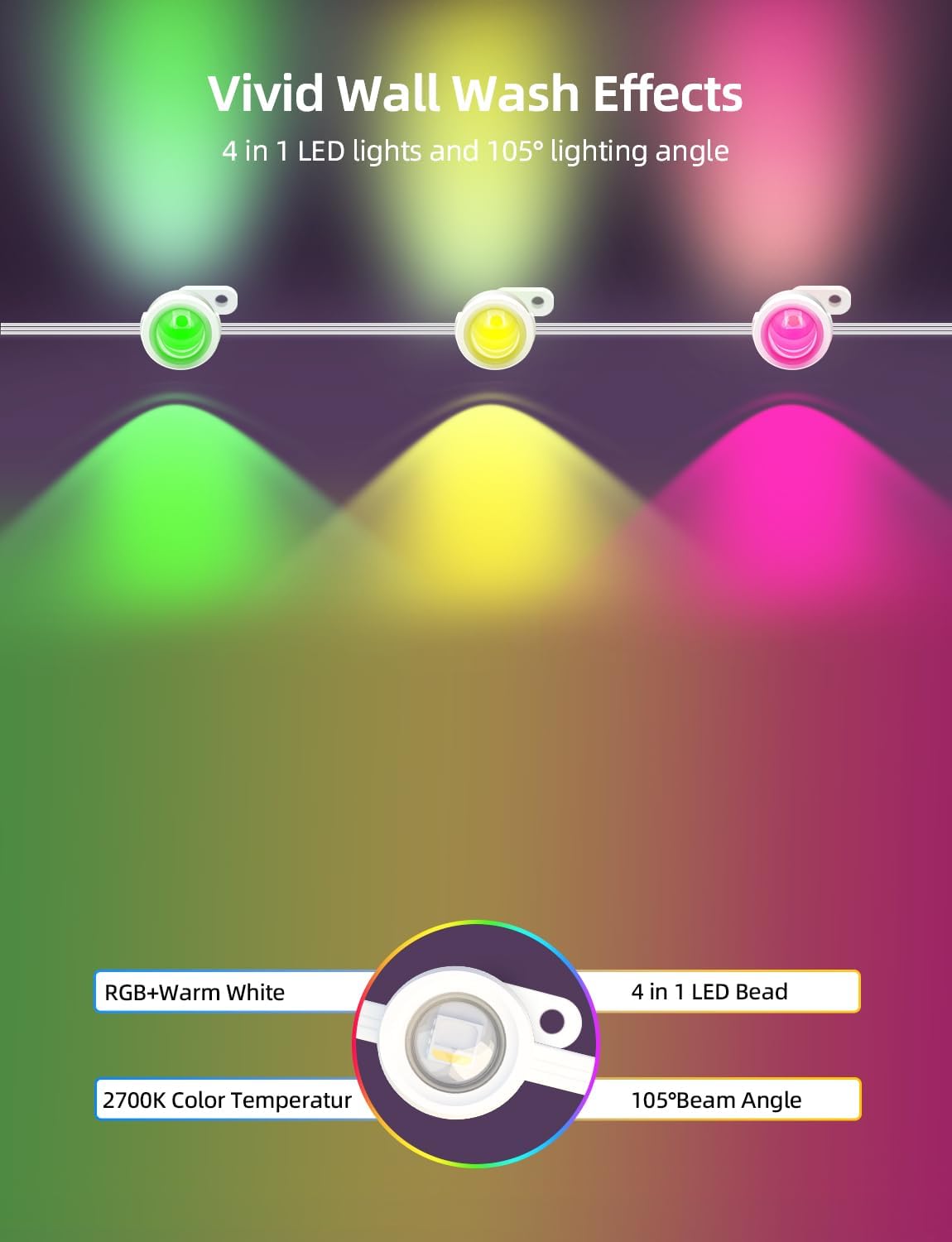
- Ҷойгиркунӣ: It is recommended to install the lights 2-4 inches away from the wall surface to achieve optimal wall washing effects.
- Лентаи часпак: For temporary or initial placement, peel off the backing film from the adhesive tape on the back of each light. Firmly press each light against the surface for more than 8 seconds.
- Бо винтҳо муҳофизат кунед: For long-term and stable installation, use the provided screws and clips to secure each light. This is especially recommended for wooden surfaces.
- Connecting Segments: Connect the 16.4ft string light segments using the waterproof connectors. Firmly screw on the waterproof cap of the last light string section.
Image: Step-by-step guide for physically installing the lights, including surface preparation and securing methods.
Тасвир: Мисamples of compatible installation surfaces such as fiber cement, wood, vinyl, and metal, with a note to use screws for wood.
4.2 Пайвастшавӣ ба барнома
The APPECK Permanent Outdoor Lights utilize the Smart Life App for advanced control. Ensure your Wi-Fi network is 2.4GHz, as 5GHz Wi-Fi is not supported.
- Барномаро зеркашӣ кунед: Download the "Smart Life" app from Google Play Store or Apple App Store.
- Бақайдгирӣ/Воридшавӣ: Бо ҳисоби мавҷуда ворид шавед ё ҳисоби нав эҷод кунед.
- Enable Wireless: Turn on Wi-Fi and Bluetooth on your mobile device.
- Усули ҷуфт: Ensure the lights are powered on. Press and hold the on/off button on the control box for 3-5 seconds until the lights blink red, indicating pairing mode.
- Илова кардани дастгоҳ: In the Smart Life App, tap the "+" icon in the top right corner and search for "C5109".
- Wi-Fi Selection: Шабакаи Wi-Fi-и 2.4 ГГц-и худро интихоб кунед ва паролро ворид кунед.
- Анҷом: Follow the on-screen prompts to complete the pairing process. The device will be added successfully.

Image: Visual guide for connecting the lights to the Smart Life App, detailing steps from app download to device pairing.
5. Дастурҳои истифодабарӣ
5.1 Назорати барнома
The Smart Life App provides comprehensive control over your APPECK lights:
- Individual Light Control: Adjust the color of each light bead individually from 16 million available colors.
- Scene Customization: Access 111 built-in scene modes. Program, save, collect, and loop custom scenes.
- Timing & Length Setting: Set schedules for lights to turn on/off and adjust the duration of specific effects.
- Назорати гурӯҳ: Control multiple sets of lights simultaneously by creating groups within the app.
- Танзими равшанӣ: Dim or brighten the lights. Warm white light brightness up to 40lm each, RGB brightness up to 25lm each.
- Синхронизатсияи мусиқӣ: Synchronize light effects with music for dynamic displays.

Image: The Smart Life App displaying options for individual light color control.

Image: The Smart Life App interface demonstrating scene customization, collection, looping, and timing features.
5.2 Идоракунии дурдаст
Use the included remote controller for convenient operation. (Requires 2 AAA batteries, not included).
- Фаъол / Хомӯш: Чароғҳоро фурӯзон ё хомӯш кунед.
- Интихоби режим: Cycle through various preset scene modes.
- Танзими равшанӣ: Шиддати нурро зиёд ё кам кунед.
5.3 Идоракунии овоз
The lights are compatible with Amazon Alexa and Google Assistant for hands-free control.
- Интегратсия: Link your Smart Life account with Amazon Alexa or Google Assistant through their respective apps.
- Фармонҳо: Use voice commands such as "Alexa, turn on the outdoor lights" or "Hey Google, set outdoor lights to red."
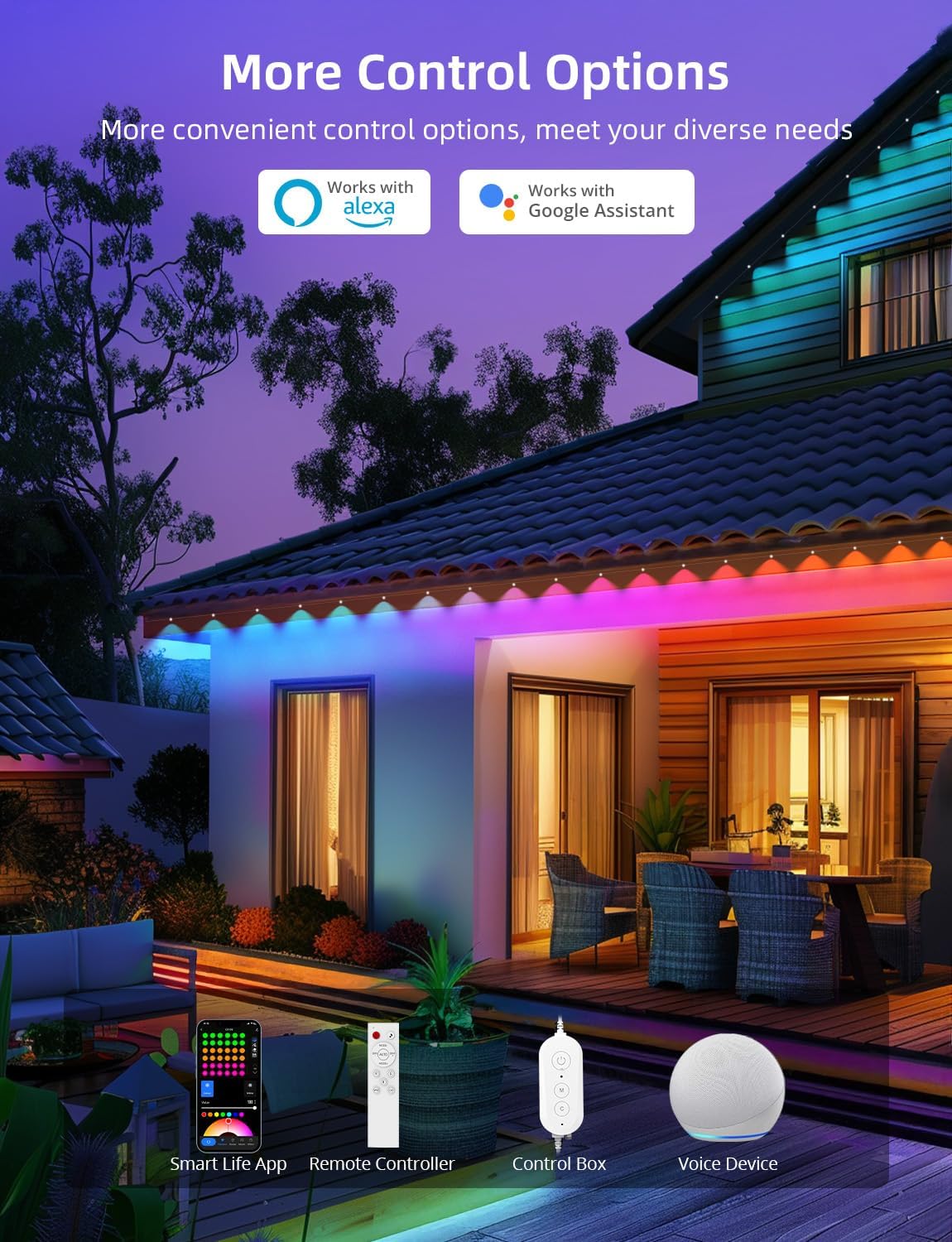
Тасвир: тамомview of the multiple control methods available for the lights, including app, remote, control box, and voice assistants.
6. Нигоҳдорӣ
To ensure the longevity and optimal performance of your APPECK Permanent Outdoor Lights, follow these maintenance guidelines:
- Тозакунӣ: Periodically clean the light beads and housing with a soft, damp матоъ барои тоза кардани лой ва хошок. Моддаҳои кимиёвии сахт ё тозакунандаи абразивиро истифода набаред.
- Санҷиш: Regularly inspect the wiring, connectors, and mounting points for any signs of wear, damage, or loose connections.
- Муҳофизати обу ҳаво: While the lights are IP65 waterproof and UV resistant, ensure the power plug is protected from direct exposure to water. An outdoor outlet cover is recommended.
- Нигоҳдорӣ: If storing the lights for an extended period, disconnect them from power, clean them, and store them in a cool, dry place.
Image: Visual representation of the lights' durability and reliability in different outdoor conditions.
7. Баррасии мушкилот
If you encounter issues with your APPECK Permanent Outdoor Lights, refer to the following common solutions:
| Мушкилот | Сабаби эҳтимолӣ | Ҳалли |
|---|---|---|
| Чароғҳо фурӯзон намешаванд. | Не барқ, пайвасти суст, адаптер хато. | Check power outlet, ensure all connections are secure, test with another power source if possible. |
| Cannot connect to Smart Life App. | Incorrect Wi-Fi frequency, incorrect password, lights not in pairing mode. | Ensure your Wi-Fi is 2.4GHz. Re-enter Wi-Fi password. Put lights into pairing mode (hold control box button for 3-5 seconds). |
| Правленияи дурдаст кор намекунад. | Батареяҳои холӣ, идоракунии дурдаст берун аз масофа, монеа. | Replace AAA batteries. Ensure remote is pointed at the control box and within range. Remove any obstructions. |
| Lights are not displaying correct colors/modes. | App settings incorrect, interference. | Check settings in the Smart Life App. Restart the app and lights. |
8. Мушаххасоти
| Хусусият | Тафсилот |
|---|---|
| Рақами модел | C5109-C |
| Навъи манбаи нур | LED (RGBW) |
| Шумораи манбаъҳои нур | 72 LED |
| Дарозии умумӣ | 100ft (6 x 16.4ft string light segments) |
| Wire Length (Adapter to 1st Light) | 9.19 фут / 2.8 м |
| Wire Length (Between 2 Lights) | 1.31ft / 0.4m (1.97ft / 0.6m with connector) |
| Равшании сафеди гарм | 40lm per light |
| Равшании RGB | 25lm per light |
| Ҳарорати ранг (сафеди гарм) | 2700 Келвин |
| Кунҷи шуоъ | То 105° |
| Амиқ шустани девор | То 16 дюйм |
| Сатҳи муқовимат ба об | IP65 (lights and control box) |
| Ҳарорати корӣ | -20℃ то 60℃ (-4℉ то 140℉) |
| Замони Умр | То 50,000 соат |
| Усулҳои назорат | Smart Life App, Remote Control, Control Box, Amazon Alexa, Google Assistant |
| Мутобиқати Wi-Fi | Танҳо 2.4 ГГц |
| Ҷилдиtage | 24 вольт |
| Ватtage | 54 ватт |
| Материал | Пластмасса |
9. Кафолат ва дастгирӣ
APPECK products are designed for durability and performance. For warranty information, technical support, or any questions regarding your product, please contact APPECK customer service through the retailer's platform or the official APPECK webсайт.
Лутфан квитансияи хариди худро барои даъвоҳои кафолат нигоҳ доред.


