Муқаддима
The R-MUSIC Party Boost S speaker is designed to provide an immersive audio experience, perfect for parties and events. This high-power speaker features Bluetooth 5.3 connectivity, dynamic RGB light effects, a dedicated karaoke mode, and an impressive battery life, combining robust performance with portable design.
This manual provides essential information for setting up, operating, and maintaining your Party Boost S speaker to ensure optimal performance and longevity.
Дар қуттӣ чӣ ҳаст
Upon unboxing your R-MUSIC Party Boost S, please verify that all components are present:
- Party Boost S Speaker
- Микрофони симдор
- Кабели пуркунандаи барқ
- Пуркунандаи барқ
- Дастури корбар (ин ҳуҷҷат)
Маҳсулот ба охир расидview
Familiarize yourself with the key features and components of your Party Boost S speaker.

The R-MUSIC Party Boost S speaker, showcasing its integrated RGB lighting on the front grille and top control panel. The speaker is black with a textured finish on the sides and a convenient carry handle on top.
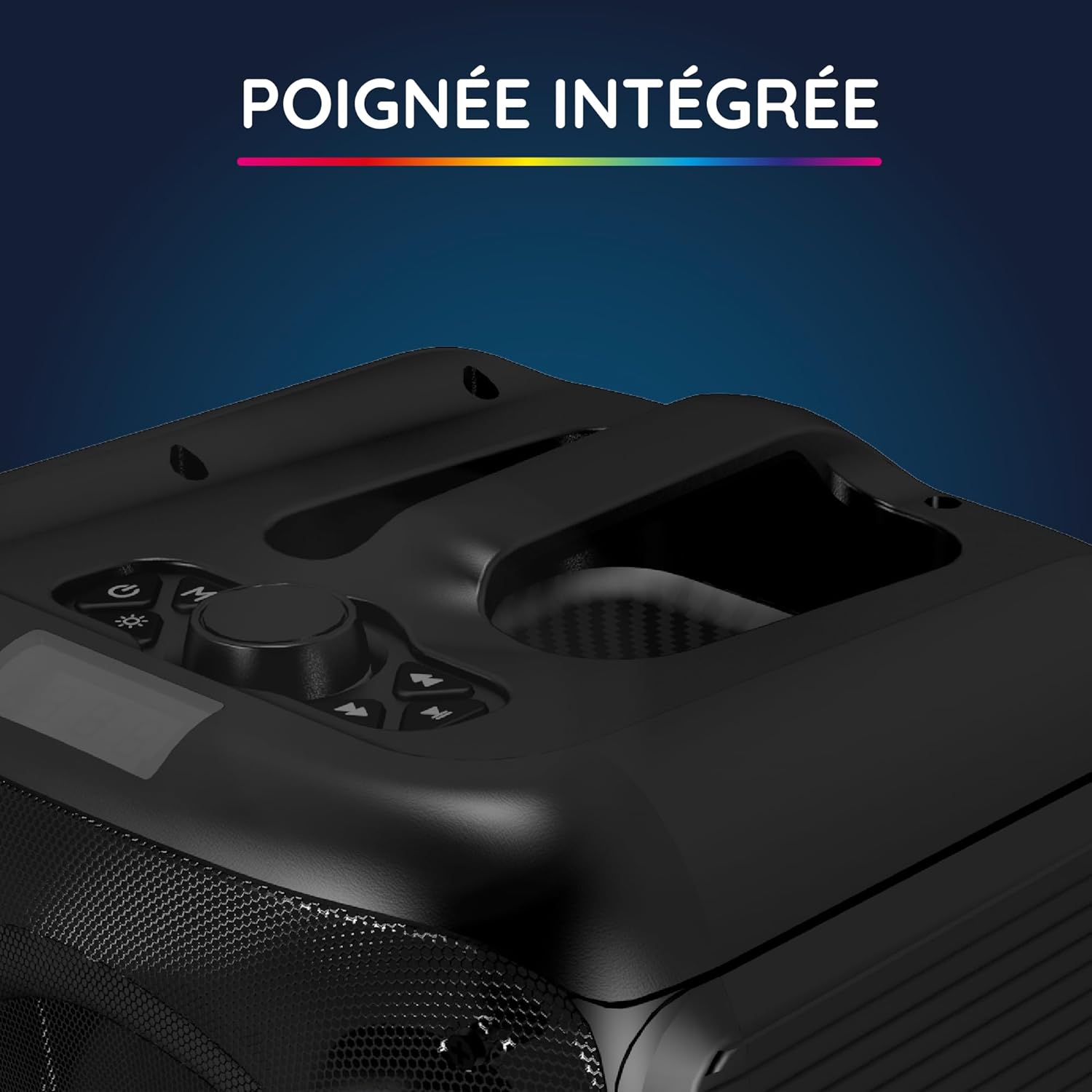
Нақшаи наздик view of the integrated handle located on the top of the Party Boost S speaker, designed for easy portability and transport.

The connectivity panel of the Party Boost S speaker, featuring various input ports including USB, USB-C, AUX, and Micro-SD slots for versatile device connections.

The top control panel of the Party Boost S speaker, showing buttons for equalizer settings, volume adjustment, and echo control, along with a digital display.
Ташкил кардан
Пур кардани баландгӯяк
Before first use, fully charge the speaker. Connect the provided charging cable to the speaker's charging port and the other end to the charger. Plug the charger into a power outlet. The charging indicator will show the charging status. A full charge takes approximately 5 hours and provides up to 10 hours of continuous playback.
Фаъолсозии ибтидоӣ
Locate the power button on the speaker's control panel. Press and hold the power button for a few seconds until the speaker powers on and the LED lights illuminate.
Дастурҳои амалиётӣ
Пайвасти Bluetooth
- Ensure the Party Boost S speaker is powered on.
- Activate Bluetooth on your smartphone, tablet, PC, or laptop.
- Ҷустуҷӯ "R-MUSIC Party Boost S" in your device's Bluetooth settings.
- Select the speaker to pair. A confirmation sound will indicate a successful connection.
- Баландгӯяк Bluetooth 5.3-ро барои пайвасти устувор то 10 метр истифода мебарад.
Using Other Connectivity Options
- Порти USB: Диски USB-ро бо аудио ҷойгир кунед fileс ба порти USB. Баландгӯяк мусиқиро ба таври худкор муайян ва бозӣ мекунад.
- Вуруди AUX: Connect an external audio device (e.g., MP3 player) using a 3.5mm AUX cable to the AUX port.
- Корти Micro SD: Корти Micro SD-ро бо аудио ворид кунед files into the Micro SD slot.
- 6.35 мм Jack: This port is primarily for the wired microphone.
Karaoke Mode and Microphone Use
To use the karaoke feature:
- Connect the wired microphone to the 6.35mm jack port on the speaker.
- Play your desired instrumental track via Bluetooth or other input methods.
- Adjust the microphone volume and echo effects using the controls on the speaker's top panel for an optimal karaoke experience.

The wired microphone included with the Party Boost S speaker, featuring an on/off switch and a standard audio jack for connection.
Sound Adjustment (Bass & Treble)
Use the dedicated controls on the speaker's top panel to adjust the bass and treble levels according to your audio preferences. This allows for fine-tuning the sound output for various music genres or environments.
Таъсири нури RGB
The speaker features integrated RGB light shows that synchronize with your music. Use the light mode button on the control panel to cycle through different light animations or turn them off.
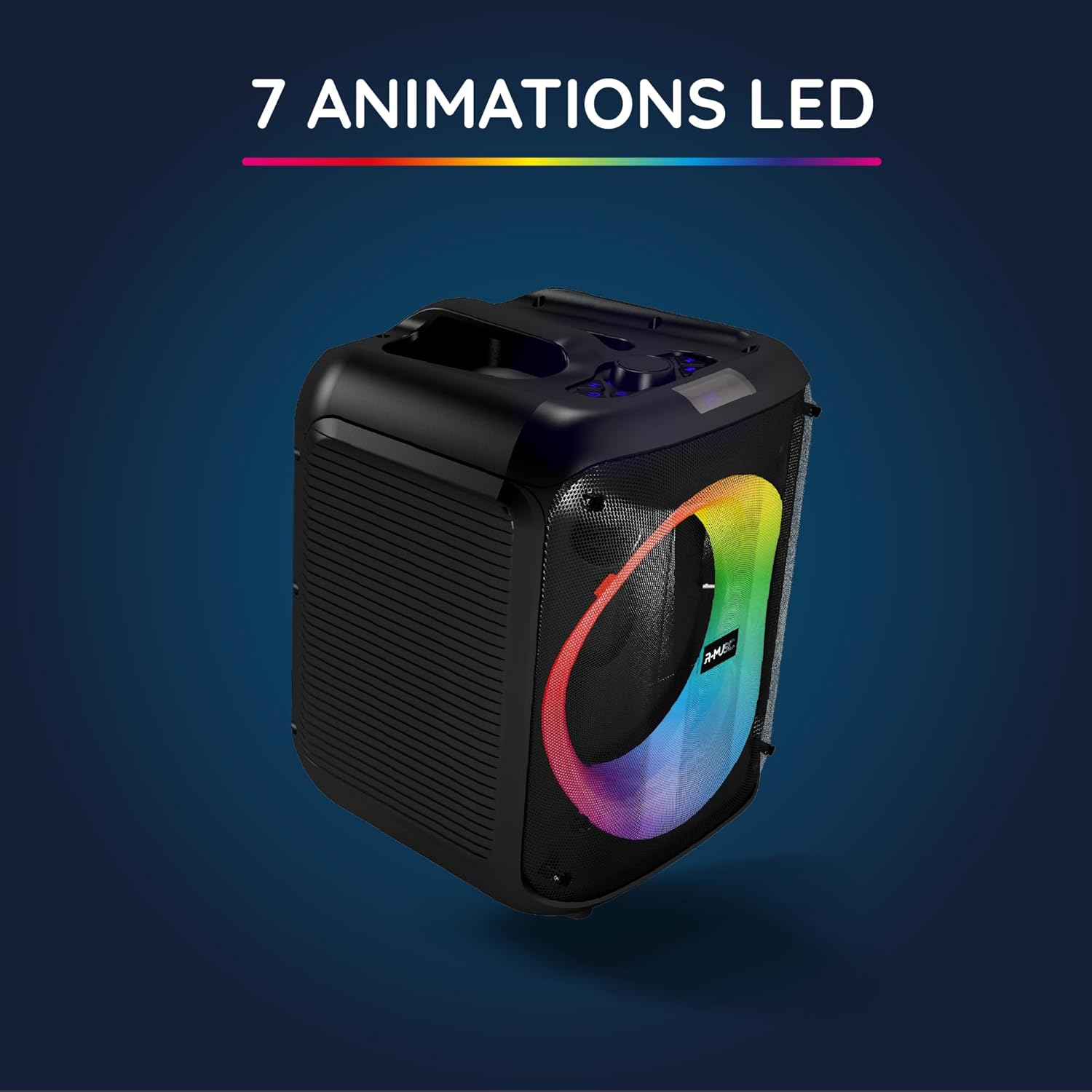
The Party Boost S speaker illuminated with vibrant RGB LED animations, showcasing its ability to create a dynamic visual experience synchronized with audio.
Пайвастшавии бисёрҷониба
For an enhanced stereo experience, you can connect two Party Boost S speakers together. Refer to the specific instructions for TWS (True Wireless Stereo) pairing, usually initiated by a dedicated button or a long press on the Bluetooth button on both speakers. Ensure both speakers are in pairing mode before attempting to connect them to each other.
Нигоҳдорӣ
- Тозакунӣ: Барои тоза кардани берунии баландгӯяк матои мулоими хушкро истифода баред. Тозакунакҳои абразивӣ, мумҳо ва ҳалкунандаҳоро истифода набаред.
- Нигоҳдорӣ: Вақте ки барои муддати тӯлонӣ истифода набаред, баландгӯякро дар ҷои хунук ва хушк аз нурҳои бевоситаи офтоб ва ҳарорати аз ҳад зиёд дур нигоҳ доред.
- Нигоҳубини батарея: Барои дароз кардани мӯҳлати хизмати батарея, аз пурра холӣ кардани батарея зуд-зуд худдорӣ намоед. Баландгӯякро, ҳатто агар истифода набошанд, мунтазам пур кунед.
- Муқовимат ба об: This speaker is not water-resistant. Avoid exposure to liquids.
Мушкилкушо
| Мушкилот | Сабаби эҳтимолӣ | Ҳалли |
|---|---|---|
| Не қудрат | Батарея тамом шудааст; Сими барқ дуруст пайваст нашудааст. | Баландгӯякро пурра пур кунед; Боварӣ ҳосил кунед, ки сими барқӣ боэътимод пайваст аст. |
| Садо нест | Volume is too low; Incorrect input source selected; Device not paired correctly. | Increase volume on speaker and connected device; Select correct input (Bluetooth, AUX, USB, SD); Re-pair Bluetooth device. |
| Пайвасти Bluetooth ноустувор | Device is out of range; Interference from other devices. | Move device closer to speaker (within 10m); Move speaker away from other wireless devices. |
| Микрофон кор намекунад | Microphone not plugged in correctly; Microphone switch is off. | Ensure microphone is fully inserted into the 6.35mm jack; Turn on the microphone switch. |
Мушаххасоти
| Рақами модел | RM484529 |
| Бренд | R-MUSIC |
| Намуди пайвастшавӣ | Bluetooth 5.3 |
| Вурудоти аудио | Bluetooth, USB, 6.35mm Jack, AUX, Micro SD |
| Ҷавоби басомад | 20 Гц - 20 кГц |
| Муҳлати батарея | Up to 10 hours (3600mAh Lithium-ion) |
| Вақти пуркунии барқ | тахминан. 5 соат |
| Андозаҳо (L x W x H) | 29 х 34 х 26 см |
| Вазн | 3.95 кг |
| Ранги | Сиёҳ |
| Дастгоҳҳои мувофиқ | Smartphones, Tablets, PCs, Laptops |
| Хусусиятҳои махсус | Integrated RGB Lights, Karaoke Mode, Wired Microphone Included, Bass & Treble Adjustment, Multi-speaker Connection (TWS), Integrated Handle |
Кафолат ва дастгирӣ
Кафолати истеҳсолкунанда
The R-MUSIC Party Boost S speaker comes with a Кафолати 2-солаи истеҳсолкунанда аз санаи харид. Ин кафолат камбудиҳои мавод ва корҳоро ҳангоми истифодаи муқаррарӣ фаро мегирад. Он зарареро, ки дар натиҷаи истифодаи нодуруст, садамаҳо, тағйироти беиҷозат ё фарсудашавии муқаррарӣ ба вуҷуд омадааст, фаро намегирад.
Лутфан далели хариди худро барои даъвоҳои кафолат нигоҳ доред.
Дастгирии муштариён
For technical assistance, warranty claims, or any questions regarding your R-MUSIC Party Boost S speaker, please contact your retailer or the manufacturer's customer support. Refer to the product packaging or the retailer's webсайт барои маълумоти тамос.


