1. Муқаддима
This manual provides essential information for the setup, operation, maintenance, and troubleshooting of your MINISFORUM MS-A1 Workstation Barebone Mini PC. The MS-A1 is designed as a high-performance barebone system, offering flexibility for users to customize components such as the CPU, RAM, SSD, and operating system.

Image: The MINISFORUM MS-A1 Workstation Mini PC, showcasing its compact design and various ports from front and side perspectives.
2. Маълумот оид ба бехатарӣ
- Пеш аз иҷрои ягон насб ё нигоҳдорӣ ҳамеша барқро ҷудо кунед.
- Handle internal components with care to avoid electrostatic discharge. Use an anti-static wrist strap if available.
- Барои пешгирии гармшавии аз ҳад зиёд дар атрофи дастгоҳ вентилятсияи дурустро таъмин кунед.
- Дастгоҳро ба намӣ ё ҳарорати аз ҳад зиёд нагузоред.
- Танҳо адаптери барқ ва сими додашударо истифода баред.
3. Мундариҷаи баста
Боварӣ ҳосил кунед, ки ҳама ашё дар бастаи шумо мавҷуданд:
- 1x MS-A1 Mini Workstation
- 1х адаптери барқ
- 1х Сими барқ
- 1x кабели HDMI
- 1x Manual (this document)
4. Setup & Hardware Installation
As a barebone system, the MS-A1 requires user installation of the CPU, RAM, SSD, and operating system. Follow these steps for initial setup and component installation:
4.1. Component Installation (DIY)
The MS-A1 supports AMD AM5 Socket CPUs. For memory, it features two DDR5-5200 slots, allowing for up to 96GB of RAM. Storage options include one M.2 2280 PCIe4.0 SSD slot (compatible with RAID0 and RAID1) and three additional M.2 NVMe SSD slots for extensive storage capacity.
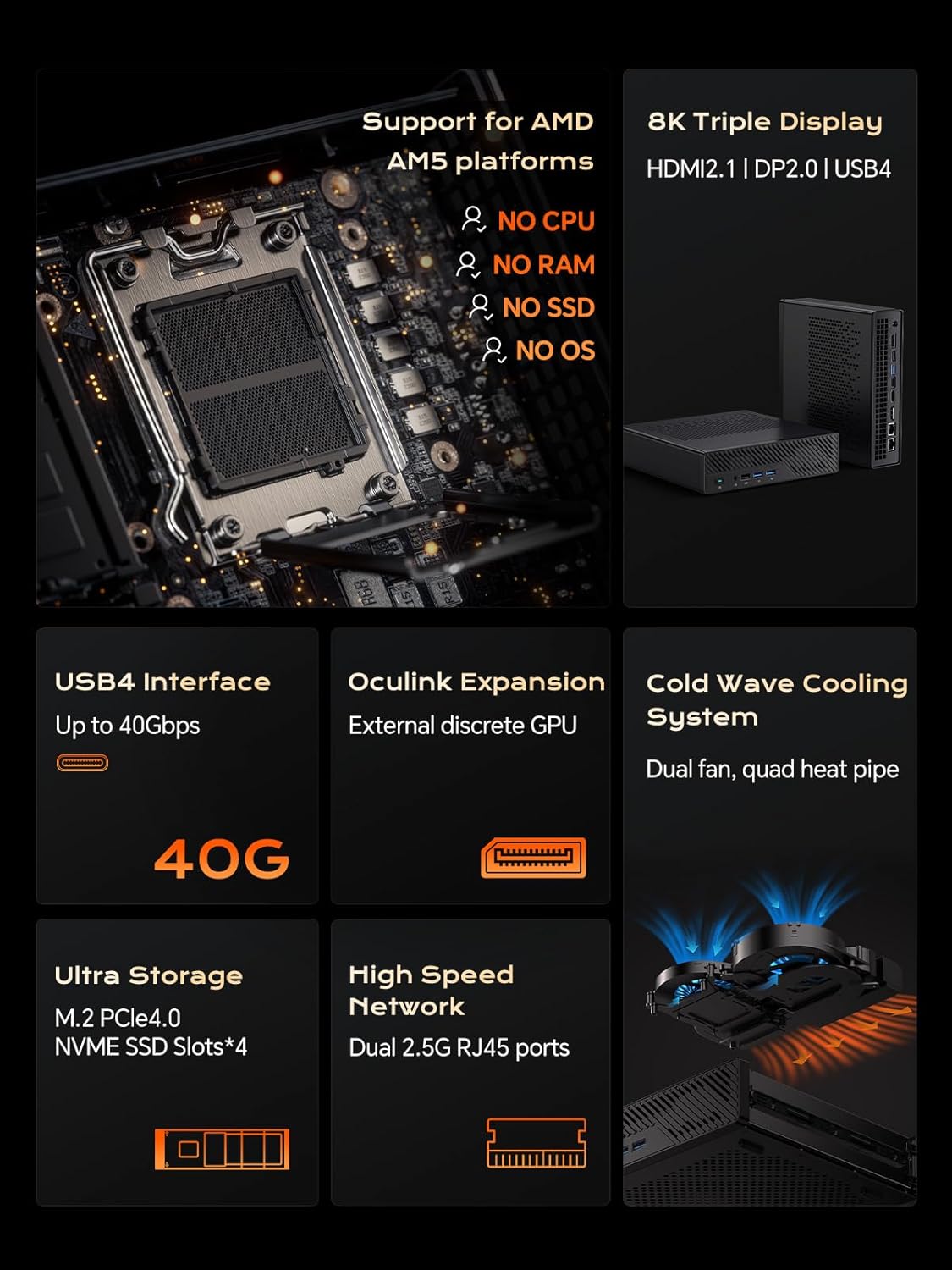
Тасвир: дохилӣ view of the MS-A1, highlighting the AMD AM5 CPU socket, DDR5 RAM slots, and M.2 SSD expansion slots.
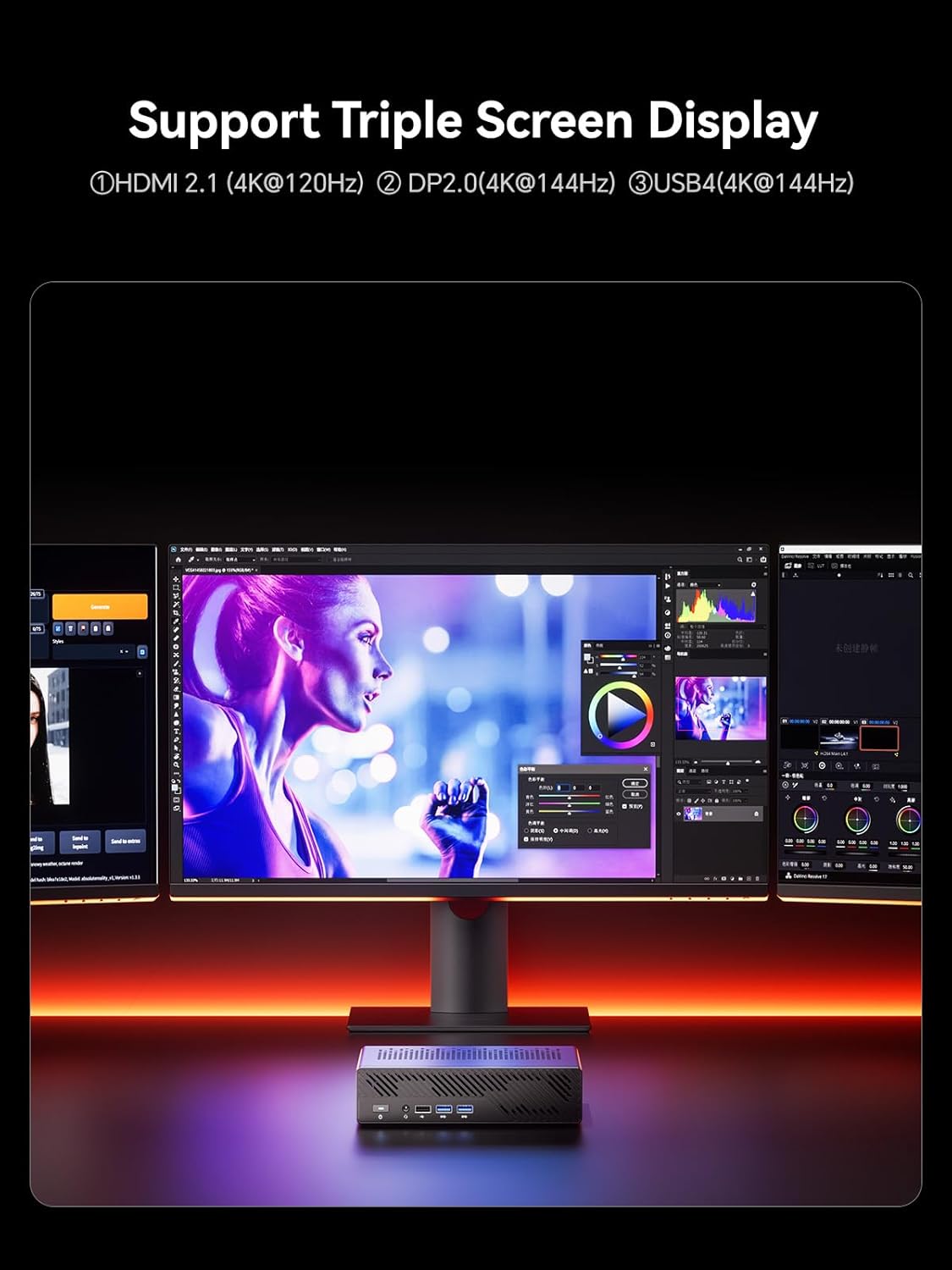
Тасвир: Муфассал view of the MS-A1's storage capabilities, showing flexible expansion with multiple M.2 PCIe4.0 NVMe SSD slots.
4.2. Пайвастҳои беруна
Connect your peripherals and displays to the available ports:
- Намоиши натиҷаҳо: 1x HDMI (4K@60Hz), 1x DP (4K@144Hz), 1x USB-C (Alt DP, 4K@144Hz) for triple display support.
- Портҳои USB: Multiple USB 2.0 and USB 3.0 ports for connecting keyboards, mice, and other USB devices.
- Шабака: 2x 2.5G RJ45 LAN ports for high-speed wired network connections.
- Аудио: 3.5mm Combo Jack for headphones/microphone.
- Қувва: Connect the provided power adapter to the DC-in port.
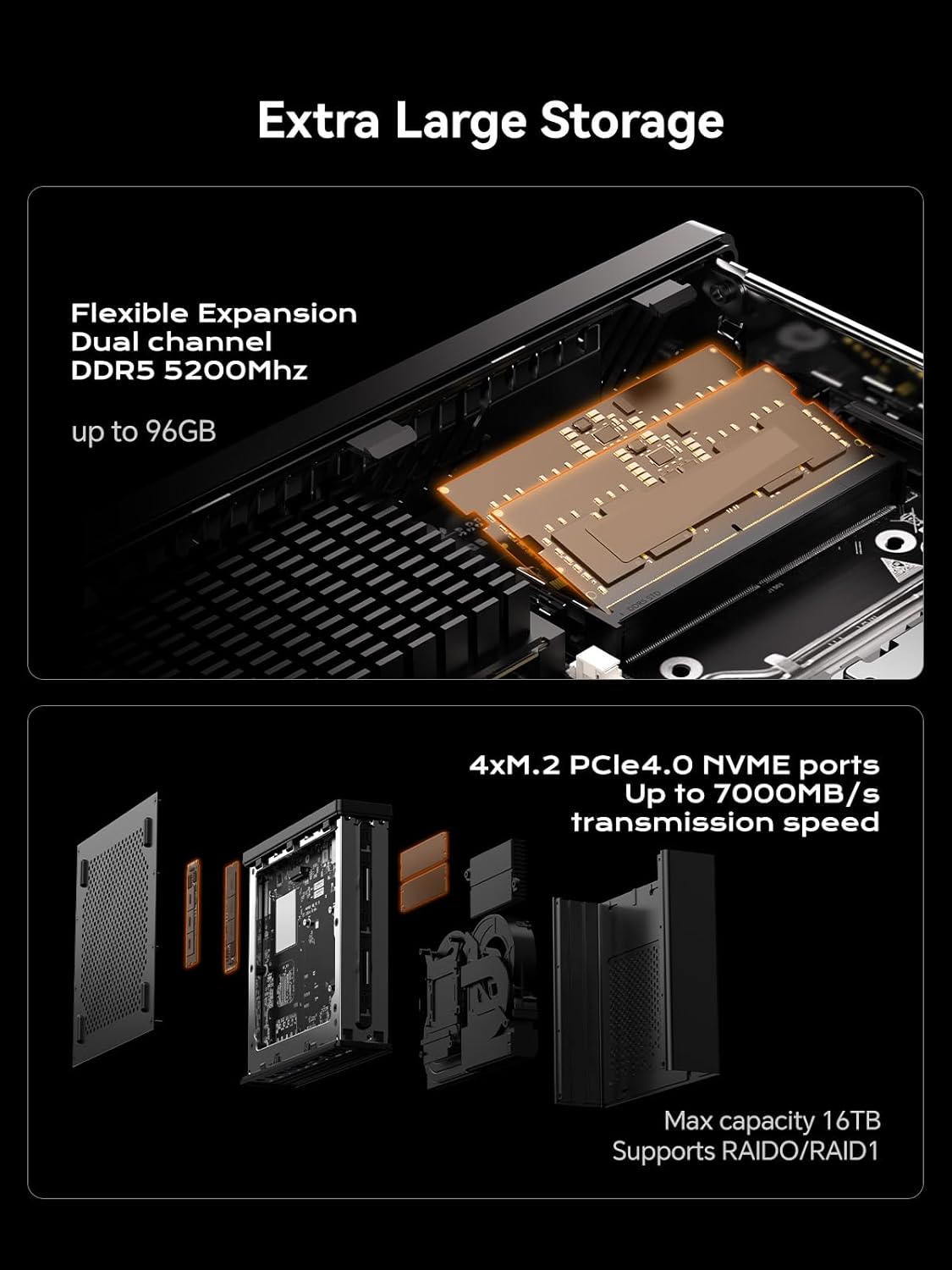
Image: A diagram illustrating the layout of all front and rear ports on the MINISFORUM MS-A1 Workstation.

Image: Close-up of the dual 2.5Gbps RJ45 Ethernet ports and a full-capacity USB4 Speed Port on the MS-A1.
Барои дидани визуалӣview of the workstation, refer to the following video:
Видео: мухтасарview of the MINISFORUM MS-A1 Workstation, demonstrating its compact size and various connectivity options.
5. Operating Your MS-A1
5.1. Фаъол/хомӯш
Press the power button located on the front panel to turn the device on or off. A short press will initiate power-on, while a longer press (typically 5 seconds) will force a shutdown.
5.2. Танзимоти намоиш
The MS-A1 supports up to three independent displays simultaneously, utilizing its HDMI, DisplayPort, and USB-C (Alt DP) outputs. This allows for an expanded workspace and improved multitasking capabilities.

Image: The MS-A1 connected to three monitors, demonstrating its triple display output capability for an expansive visual experience.
5.3. Пайвастшавӣ ба шабака
Utilize the dual 2.5G RJ45 LAN ports for robust and high-speed wired network connections. The device also includes Dual Band WiFi and Bluetooth 5.2 for wireless connectivity to networks and peripherals.
6. Нигоҳдорӣ
Regular maintenance ensures the longevity and optimal performance of your MS-A1 Workstation.
- Тоза кардани чанг: Periodically clean the ventilation grilles and internal components (if comfortable opening the chassis) to prevent dust buildup, which can hinder cooling performance.
- Системаи хунуккунӣ: The workstation features an upgraded dual-fan 4-heat pipe cooling system. Ensure that the fans are not obstructed and are operating correctly.

Image: A diagram illustrating the internal components of the MS-A1's Cold Wave Pro Cooling System, featuring dual fans and four heat pipes.
7. Баррасии мушкилот
If you encounter issues with your MS-A1, consider the following common solutions:
- Не қудрат: Ensure the power adapter is securely connected to both the device and a working power outlet. Verify the power cord is properly seated.
- Намоиши: Check all display cable connections (HDMI, DP, USB-C). Ensure your monitor is set to the correct input source.
- Масъалаҳои ронандагӣ: After installing an operating system, ensure all necessary drivers are installed. MINISFORUM typically provides drivers on their official webсайт.
- SSD Speed: If experiencing slower-than-expected SSD performance, check the BIOS settings under "Advanced" -> "AMD PBS" to ensure M.2 NVMe SSD slots are configured for Gen4 speed if your SSD supports it. Note that setting Gen4 mode may increase heat.
- Overheating/Noise: Ensure the device has adequate airflow. Consider adjusting fan settings in the BIOS (e.g., "Quiet" or "Balance" mode) or disabling CPU boost if sustained high loads cause excessive heat or noise.
8. Мушаххасоти
| Хусусият | Тафсилот |
|---|---|
| Бренд | МИНИСФОРУМ |
| Номи модел | DeskMini (MS-A1) |
| Васлаки CPU | AMD AM5 Socket (CPU not included) |
| Навъи хотира | DDR5 RAM (2x SODIMM slots, up to 96GB, 5200 MHz) |
| Нигоҳдорӣ | 1x M.2 2280 PCIe4.0 SSD slot (RAID0/RAID1), 3x additional M.2 NVMe SSD slots (Max 16TB) |
| Натиҷаи графикӣ | 1x HDMI (4K@60Hz), 1x DP (4K@144Hz), 1x USB-C (Alt DP, 4K@144Hz) |
| Шабака | 2x 2.5G RJ45 LAN Ports, Dual Band WiFi, Bluetooth 5.2 |
| Портҳои USB | 2x USB 2.0, 3x USB 3.0, 1x USB-C (USB4, 40Gbps) |
| Системаи хунуккунӣ | Dual-fan 4-heat pipe cooling (noise levels as low as 37 dB) |
| Андозаҳо | 9.92 x 9.92 x 7.64 инч (Баста) |
| Вазн | 7.98 фунт (маблағ) |
| Ранги | Сиёҳ |
9. Кафолат ва дастгирӣ
For warranty information and technical support, please refer to the official MINISFORUM webсайт ё бевосита бо хадамоти муштариёни худ тамос гиред. Квитансияи хариди худро барои даъвоҳои кафолат нигоҳ доред.
MINISFORUM is committed to providing innovative products and customer satisfaction. For driver downloads or further assistance, visit the official MINISFORUM support page.
Ҳуҷҷатҳои марбут - MS-A1
 |
Дастури истифодабарандаи MINISFORUM MS-A1 нави Gen Mini Workstation Series Дастури корбар ва дастури насб барои MINISFORUM MS-A1 New Gen Mini Workstation Series. Танзим, бехатарӣ, интерфейс ва насби ҷузъҳоро фаро мегирад. |
 |
Дастури корбар ва дастур оид ба насби Minisforum Mini PC Дастури корбар барои компютерҳои Minisforum Mini, танзими муфассал, функсияҳои порт (USB4, HDMI, DisplayPort, OCulink), насби DDR ва SSD ва дастурҳои амалиётӣ. Маълумоти мувофиқати FCC-ро дар бар мегирад. |
 |
Дастури истифодабарандаи Minisforum UM760 Mini PC Дастури корбар барои Minisforum UM760 Mini PC, тафсилоти мундариҷаи баста, сахтафзорview, мушаххасоти интерфейс, дастури танзим, насби DIY RAM ва SSD, ва дастурҳои васлкунӣ. |
 |
Minisforum MGP01 Switch Wireless Controller User Manual and Specifications Comprehensive guide to the Minisforum MGP01 wireless controller, detailing its features, connectivity options for Switch, PC, Android, and iOS, macro programming, Turbo function, vibration settings, and technical specifications. |
 |
MINISFORUM MKB i83 Клавиатураи механикии се-режими Дастури оғози зуд Дастури мухтасар барои клавиатураи механикии MINISFORUM MKB i83, ки танзимот, пайвастшавӣ (Bluetooth, 2.4G, Wired), калидҳои функсионалӣ, равшании пуштибонӣ ва мушаххасотро дар бар мегирад. |
 |
MINISFORUM Дастури корбарии нави Gen Venus Series Mini PC Дастури мукаммали корбар барои MINISFORUM New Gen Venus Series PC Mini. Маълумоти муфассалро дар бораи мундариҷаи баста, система ба даст оредview, портҳо, интерфейсҳо ва дастурҳои бехатарӣ барои компютери хурди MINISFORUM-и шумо. |