Муқаддима
This manual provides essential instructions for the safe and effective use of your himaly IF1010AR USB Rechargeable Bluetooth Body Fat Scale. This digital scale is designed to measure body weight and analyze various body composition metrics, including body fat percentage, muscle mass, and BMI, through its integrated app.
Лутфан пеш аз истифодаи аввал ин дастурро бодиққат хонед ва онро барои истинод дар оянда нигоҳ доред.

Тасвир: The himaly IF1010AR digital scale, black-navy blue, displaying a weight reading, alongside a smartphone showing the 'Moving Life' app interface with body composition data.

Тасвир: Як барview graphic of the himaly Smart Bluetooth Body Fat Scale, detailing its key features including 4 high-precision sensors, HD LCD display, 15 measurement indicators, 0.2-180kg capacity, and compatibility with iOS, Android, and Bluetooth.
Мундариҷаи баста
- himaly Digital Body Weight Scale
- Сими пуркунандаи USB
- Дастури корбар
Ташкил кардан
1. Пур кардани тарозу
The himaly IF1010AR scale features a built-in rechargeable battery. Before initial use, ensure the scale is fully charged.
- Locate the USB charging port on the side or back of the scale.
- Connect the provided USB charging cable to the scale and to a standard USB power adapter (not included) or a computer USB port.
- The display will indicate charging status. Charge until the battery indicator shows full.

Тасвир: Аз наздики view of the himaly scale's USB charging port, highlighting the built-in rechargeable battery feature.
2. Насбкунӣ ва ҷуфткунии барнома
To utilize the full body composition analysis features, download and install the "Moving Life" app on your smartphone or tablet.
- Scan the QR code provided in the manual or search for "Moving Life" in the Apple App Store (for iOS devices) or Google Play Store (for Android devices).
- Install the app and create your user profile.
- Боварӣ ҳосил кунед, ки Bluetooth дар дастгоҳи шумо фаъол аст.
- Step onto the scale to activate it. The scale will automatically attempt to pair with the app via Bluetooth 4.0+.
- Follow the on-screen prompts in the "Moving Life" app to complete the pairing process.

Тасвир: Diagram illustrating Bluetooth 4.0 connectivity between the himaly scale and the "Moving Life" app, with icons for iOS and Android app stores.
Дастурҳои амалиётӣ
1. Гирифтани андозагирӣ
For accurate readings, place the scale on a hard, flat surface. Avoid carpets or uneven flooring.
- Боварӣ ҳосил кунед, ки пойҳои шумо тоза ва хушк ҳастанд.
- Step onto the scale barefoot, placing your feet on the metal electrodes. Stand still until your weight is displayed and stabilized.
- If the app is open and connected, your measurements will automatically sync.
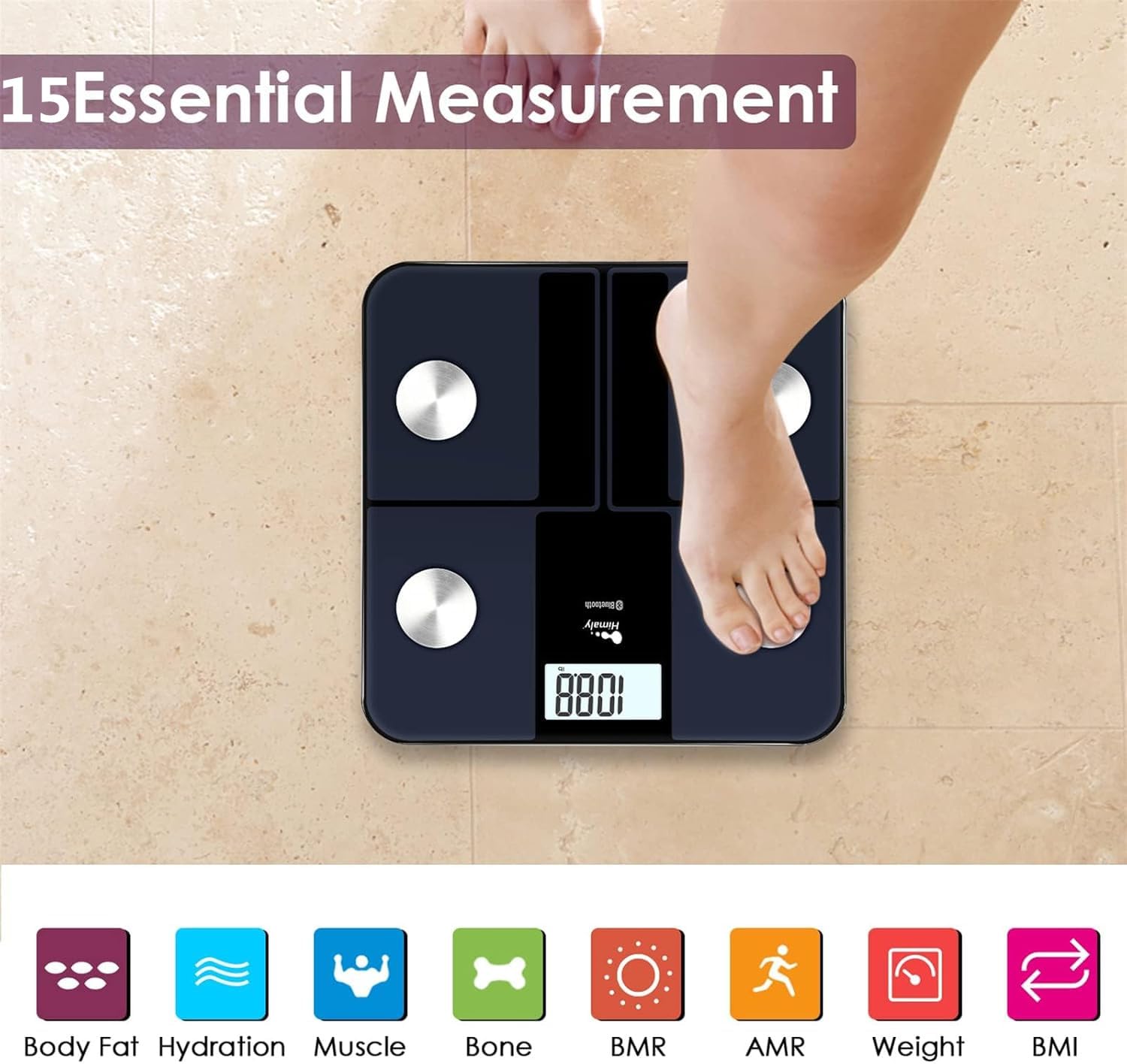
Тасвир: A person's bare feet positioned on the himaly scale, illustrating the process of taking a measurement for 15 essential body composition metrics.
2. Understanding Body Composition Metrics
The himaly scale, in conjunction with the "Moving Life" app, provides 15 essential body composition measurements. These include:
- Вазни бадан
- Фоизи фарбеҳи баданtage
- BMI (Индекси массаи бадан)
- Массаи мушакҳо
- Hydration (Water Content)
- Массачаи устухон
- BMR (Меъёри метаболикии асосӣ)
- AMR (Active Metabolic Rate)
- Ва бештар.

Тасвир: A visual representation of the various body composition metrics measured by the scale, including Body Fat, Hydration, Muscle, Bone, BMR, AMR, Weight, and BMI, depicted with illustrative icons.
The scale's display also uses color-coded indicators to reflect different body fat levels for easy interpretation.

Тасвир: A person's feet on the himaly scale, with the digital display showing a weight reading and color-coded indicators representing different body fat levels (Thin, Slim, Normal, Heavy, Overweight).
3. App Features and Data Tracking
The "Moving Life" app allows you to:
- Monitor health trends over time (daily, weekly, monthly, yearly).
- Visualize progress through graphs and charts.
- Sync data with other health apps like Fitbit, Apple Health, and Google Fit.
- Идоракунии мутахассисони сершуморfileс барои аъзоёни оила.
- Utilize a baby/pet weighing mode.

Тасвир: A woman looking at her smartphone, which displays a graph of health data from the 'Moving Life' app, demonstrating the 'Results at a Glance' feature.

Тасвир: A woman performing a plank exercise, with the himaly scale in the foreground and a graphic overlay showing a trend chart of weight and body fat percentagд бо мурури замон.

Тасвир: A graphic illustrating continuous health data tracking and automatic synchronization, with a person performing a yoga pose in the foreground, emphasizing consistent body monitoring.
4. Табдили воҳид
To switch between measurement units (e.g., pounds to kilograms), locate the "UNIT" button on the underside of the scale and press it to toggle.

Тасвир: The underside of the himaly scale, highlighting the 'UNIT' button for measurement conversion and the non-slip mats for stability.
Нигоҳдорӣ
- Сатҳи миқёсро бо таблиғ тоза кунедamp cloth and mild detergent. Avoid abrasive cleaners or submerging the scale in water.
- Тарозуро дар ҷои хушк дар ҳарорати хонагӣ нигоҳ доред.
- Аз партофтани тарозу ё дучори таъсири сахти он худдорӣ намоед.
- Regularly charge the scale to maintain battery health.
Мушкилкушо
| Мушкилот | Сабаби эҳтимолӣ / Ҳалли |
|---|---|
| Миқёс фаъол намешавад. | Battery is low or depleted. Charge the scale using the provided USB cable. |
| Хониши нодуруст. |
|
| Нокомии пайвасти Bluetooth. |
|
| App not syncing data. |
|
Мушаххасоти
| Хусусият | Тафсилот |
|---|---|
| Рақами модел | IF1010AR |
| Бренд | химии |
| Иқтидори максималӣ | 400 фунт / 180 кг |
| Афзоиши андозагирӣ | 0.2 фунт / 0.05 кг |
| Сенсорҳо | 4 High-Precision Sensors |
| Пайвастшавӣ | Bluetooth 4.0+ |
| Мутобиқати барнома | "Moving Life" App (iOS & Android), Syncs with Fitbit, Apple Health, Google Fit |
| Манбаи нерӯ | Батареяи пуркунандаи USB |
| Навъи намоиш | LCD рақамӣ |
| Андозаҳо | 11.81 in x 11.81 in (approx. 30 cm x 30 cm) |
| Ранги | Black-Navy Blue |

Тасвир: An image showing the physical dimensions of the himaly IF1010AR scale, indicating its length and width as 11.81 inches and thickness as 0.79 inches.
Кафолат ва дастгирӣ
For warranty information and customer support, please refer to the contact details provided with your purchase or visit the official himaly webсайт. Квитансияи хариди худро ҳамчун далели харид барои даъвоҳои кафолат нигоҳ доред.
Истеҳсолкунанда: химии


