Муқаддима
This manual provides detailed instructions for the setup, operation, and maintenance of your AT&T CL84218 DECT 6.0 Corded/Cordless Home Phone system. This system includes a corded base unit and two cordless handsets, offering features such as a digital answering machine, Smart Call Blocker, and Caller ID. Please read this manual thoroughly to ensure proper use and to maximize the benefits of your new phone system.

This image displays the complete AT&T CL84218 phone system, including the corded base unit with its integrated handset and two additional cordless handsets with their respective charging stations.
Мундариҷаи баста
Боварӣ ҳосил кунед, ки бастаи шумо ҷузъҳои зеринро дар бар мегирад:
- Воҳиди асосӣ
- 1 Corded Phone (integrated with base unit)
- 2 Дастгоҳи бесим
- 2 Handset Chargers
- 3 адаптерҳои AC
- Сими хати телефон
- 2 бастаи батарея
- Дастури оғози зуд
Ташкил кардан
Follow these steps to set up your AT&T CL84218 phone system:
- Пайваст кардани блоки асосӣ: Plug one end of the telephone line cord into the TEL LINE jack on the back of the base unit and the other end into a telephone wall jack. Plug one of the AC adapters into the POWER jack on the base unit and the other end into an electrical outlet.
- Батареяҳои телефонро насб кунед: Open the battery compartment cover on each cordless handset. Connect the battery pack connector securely into the jack inside the compartment. Place the battery pack inside the compartment and close the cover.
- Гӯшмонакҳои пуркунанда: Place each cordless handset in its respective charger. The CHARGE light on the handset will illuminate, indicating it is charging. Allow the handsets to charge for at least 16 hours before initial use.
- Connect Handset Chargers: Plug the remaining two AC adapters into the power jacks on the cordless handset chargers and then into electrical outlets.
Дастурҳои амалиётӣ
General Phone Functions
- Занг задан ва қабули зангҳо: Use the corded handset or any cordless handset to make and receive calls. The system supports both corded and cordless operation.
- Баландгӯяк: -ро пахш кунед СУХАНХО button on the base unit or cordless handset to activate the speakerphone for hands-free conversations. The simulated full-duplex speakerphone allows both parties to speak and be heard simultaneously.
- Назорати овоз: Adjust the earpiece or speakerphone volume using the VOL + / - тугмаҳо.
- Хомӯш кардан: -ро пахш кунед ХОМУШ button during a call to temporarily silence your microphone.
Хусусиятҳои асосӣ
- Unsurpassed Range with DECT 6.0: The DECT 6.0 technology provides extended range and clear audio quality, allowing you to use your cordless handsets throughout your home and property.
- Эълони ID-и занг: The base unit and cordless handsets will audibly announce the name of the caller, allowing you to screen calls without needing to look at the display.
- Line-Powered Mode: The base unit can operate in a line-powered mode, enabling you to make and receive calls even during a power outage.
- Large Backlit Display and Big Buttons: Both the 3.5-inch base unit display and the 2-inch handset displays feature high-contrast backlighting for easy viewing. The large, backlit keys on the keypad facilitate dialing in various lighting conditions.
- Push-To-Talk (PTT), Intercom & Conference: Use the PTT feature to instantly communicate between handsets like a walkie-talkie. The intercom function allows private conversations between handsets, and conference calling enables multiple parties to join a call.
- Аудиои баландсифат: Experience enhanced sound quality with HD audio, featuring an equalizer for customized audio preferences.
- 9-Рақами зудранг: Store up to 9 frequently called numbers for quick and easy dialing.
- Download Cellphone Phonebook: Transfer up to 1,000 names and numbers from your cellphone's phonebook to the AT&T CL84218 system.

This image depicts a house with the phone system, indicating the extensive coverage provided by DECT 6.0 technology, allowing communication over long distances from the base unit.

This image shows the phone's display announcing an incoming call with the caller's name, 'Call from Johnson', demonstrating the Caller ID Announce feature.

The phone is depicted in a low-light setting, emphasizing its ability to function and allow calls even during a power outage, thanks to its line-powered base unit.

This image highlights the large, high-contrast backlit displays on both the 3.5-inch base unit and the 2-inch cordless handset, designed for easy readability of caller ID and call history.

Бузургшуда view of the phone's keypad, showcasing the large font and extra-large backlit keys designed for easy dialing and visibility in various lighting conditions.

This image illustrates the Push-To-Talk feature, allowing the phone system to function like a walkie-talkie between handsets, with an inset showing the PTT button on the handset.
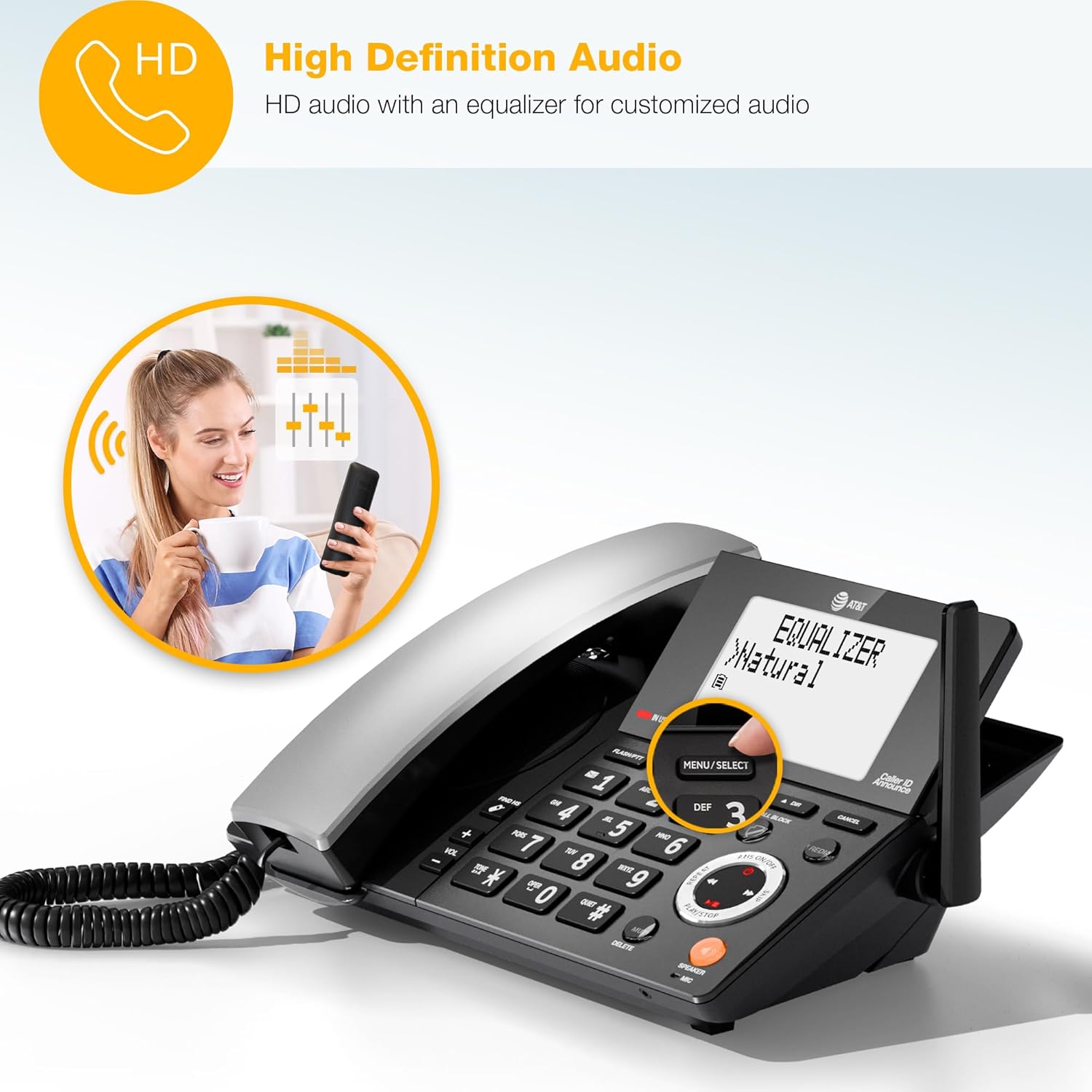
A woman is shown having a phone conversation, representing the high-definition audio feature with an equalizer for customized sound quality.
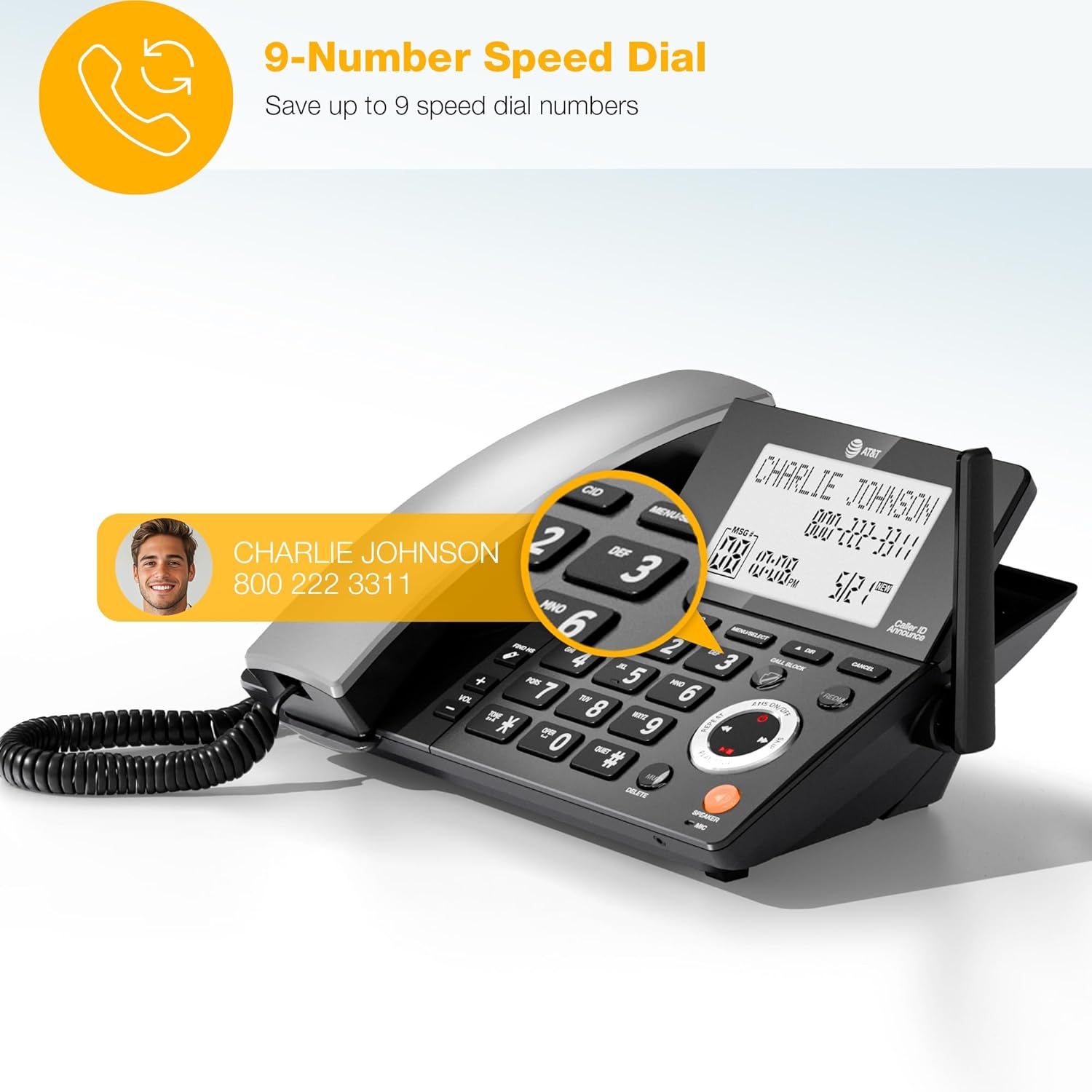
The phone's display shows a contact being accessed via speed dial, illustrating the ability to save up to 9 frequently called numbers for quick access.

This image demonstrates the feature allowing users to download up to 1,000 names and numbers from a cellphone's phonebook to the AT&T CL84218 system.
Забони Smart Blocker
The Smart Call Blocker feature helps you manage unwanted calls:
- Automatic Robocall Blocking: Robocalls are automatically blocked from ringing through, even on the first attempt.
- Block List: Store up to 1,000 names and numbers in your block list.
- One-Touch Blacklisting: Permanently blacklist any unwanted caller on the spot by pressing the dedicated БЛОКИ ЗАНГ key on the handset or base unit.

The phone's display screen is shown with a list of numbers that have been blocked by the Smart Call Blocker feature, preventing unwanted calls from ringing through.

Муфассал view of the dedicated 'CALL BLOCK' button on the phone's base, which allows for instant blacklisting of unwanted callers with a single press.
Системаи посухдиҳии рақамӣ
The integrated digital answering system records incoming messages and memos:
- Вақти сабт: Up to 22 minutes of recording time for messages.
- Voice-Guided Setup: Easy navigation through setup options with voice prompts.
- Message Retrieval: Listen to messages from the base unit or any cordless handset.

The phone's screen shows a message indicator, illustrating the digital answering system's capability to record messages. The background suggests the user can retrieve messages even when away from the phone.
Нигоҳдорӣ
To ensure the longevity and optimal performance of your phone system, follow these maintenance guidelines:
- Тозакунӣ: Clean the phone's surfaces with a soft, damp матоъ. Аз истифодаи кимиёвии сахт ё тозакунандаи абразив худдорӣ намоед.
- Нигоҳубини батарея: Replace handset batteries when they no longer hold a charge effectively. Use only the specified battery type.
- Ҷойгиршавӣ: Place the base unit and chargers in a dry area, away from direct sunlight, heat sources, and moisture.
Мушкилкушо
If you encounter issues with your phone system, refer to the following common troubleshooting steps:
- Оҳанги занг нест: Ensure the telephone line cord is securely connected to both the base unit and the wall jack. Check if the AC adapter is properly connected to the base unit and a working electrical outlet.
- Handset Not Charging: Verify that the handset is correctly seated in its charger and that the charger's AC adapter is plugged into a working electrical outlet. Clean the charging contacts on both the handset and charger.
- Сифати пасти садо: Move closer to the base unit if using a cordless handset. Check for interference from other electronic devices. Ensure the telephone line cord is not damaged.
- ID-и зангзананда нишон дода намешавад: Тасдиқ кунед, ки шумо аз провайдери хидматрасонии телефони худ ба хидмати ID-и занг обуна шудаед.
- Answering System Not Recording: Check if the answering system is turned on. Ensure there is sufficient recording time available.
Мушаххасоти
Detailed specifications for the AT&T CL84218 phone system:
| Хусусият | Мушаххасоти |
|---|---|
| Андозаҳои маҳсулот (асосӣ) | 8.9 x 7.38 x 4.15 инч |
| Вазни ашё | 3.12 фунт (1.42 килограмм) |
| Рақами модел | CL84218 |
| Батареяҳо | 2 батареяи AAA лозим аст (дохил карда шудааст) |
| Истеҳсолкунанда | AT&T |
| Ранги | Сиёҳ ангиштсанг |
| Навъи телефон | Симдор/симдор |
| Материал | Пластмасса |
| Манбаи нерӯ | Электри симдор |
| Навъи рақамкунанда | Клавиатураи ягона |
| Навъи системаи ҷавоб | Рақамӣ |

A detailed diagram providing the height, width, and depth measurements for both the corded base unit and the cordless handset.
Дастгирӣ ва Кафолат
For technical support, warranty information, or to purchase accessories, please refer to the contact information provided in your Quick Start Guide or visit the official AT&T support webсайт. Квитансияи хариди худро ҳамчун далели харид барои даъвоҳои кафолат нигоҳ доред.


