1. Муқаддима
This manual provides comprehensive instructions for the safe and effective use of your Artfone Smart_500 Smartphone. Please read this manual thoroughly before operating the device and retain it for future reference. The Artfone Smart_500 is designed with ease of use in mind, featuring large icons, a clear display, and essential functions for communication.
2. Дастгоҳ тамом шудview
Familiarize yourself with the components of your Artfone Smart_500 smartphone.

Тасвири 2.1: Пеш ва қафо view of the Artfone Smart_500 smartphone placed in its charging dock. The front displays a simplified interface with large icons for Phone, Contacts, Camera, and Photos. The back shows the camera module and the SOS button.

Image 2.2: Multiple views of the Artfone Smart_500 smartphone, illustrating its front, back, and side profiles. This provides a comprehensive look at the device's physical design and button placement.
Компонентҳои асосӣ:
- Намоиши пеши: 5-inch IPS screen for clear viewмуошират ва ҳамкорӣ.
- Тугмаҳои ҷисмонӣ: Dedicated buttons for call answer/end, volume control, and power.
- Тугмаи SOS: Located on the rear for emergency alerts.
- Камераҳо: Rear 13MP camera with LED flash, Front 5MP camera.
- Порти пуркунандаи барқ: Порти USB-C дар поён.
- Истгоҳи непугири: Included for convenient desktop charging.
3. Танзимот
3.1 Насби SIM корт ва корти Micro SD
- Дастгоҳро пурра хомӯш кунед.
- Locate the SIM/Micro SD card tray on the side of the phone.
- Барои кушодани табақ асбоби барориши SIM-ро истифода баред.
- Carefully place your Nano-SIM card(s) and/or Micro SD card into the designated slots. Ensure correct orientation.
- Табақро бо мулоҳиза ба телефон тела диҳед, то он даме, ки он ба ҷои он клик кунад.
3.2 Фаъолсозии ибтидоӣ
- Press and hold the Power button (usually on the right side) until the screen lights up.
- Барои анҷом додани танзимоти аввалия, аз ҷумла интихоби забон, пайвасти Wi-Fi ва танзими ҳисоби Google, дастурҳои дар экран бударо иҷро кунед.
3.3 Пур кардани дастгоҳ
The Artfone Smart_500 can be charged using the included USB-C cable or the charging station.
- Истифодаи истгоҳи пуркунандаи барқ: Place the phone into the charging station, ensuring the charging contacts align. The phone will indicate that it is charging.
- Истифодаи кабели USB-C: Connect the USB-C cable to the phone's charging port and the other end to a compatible power adapter.
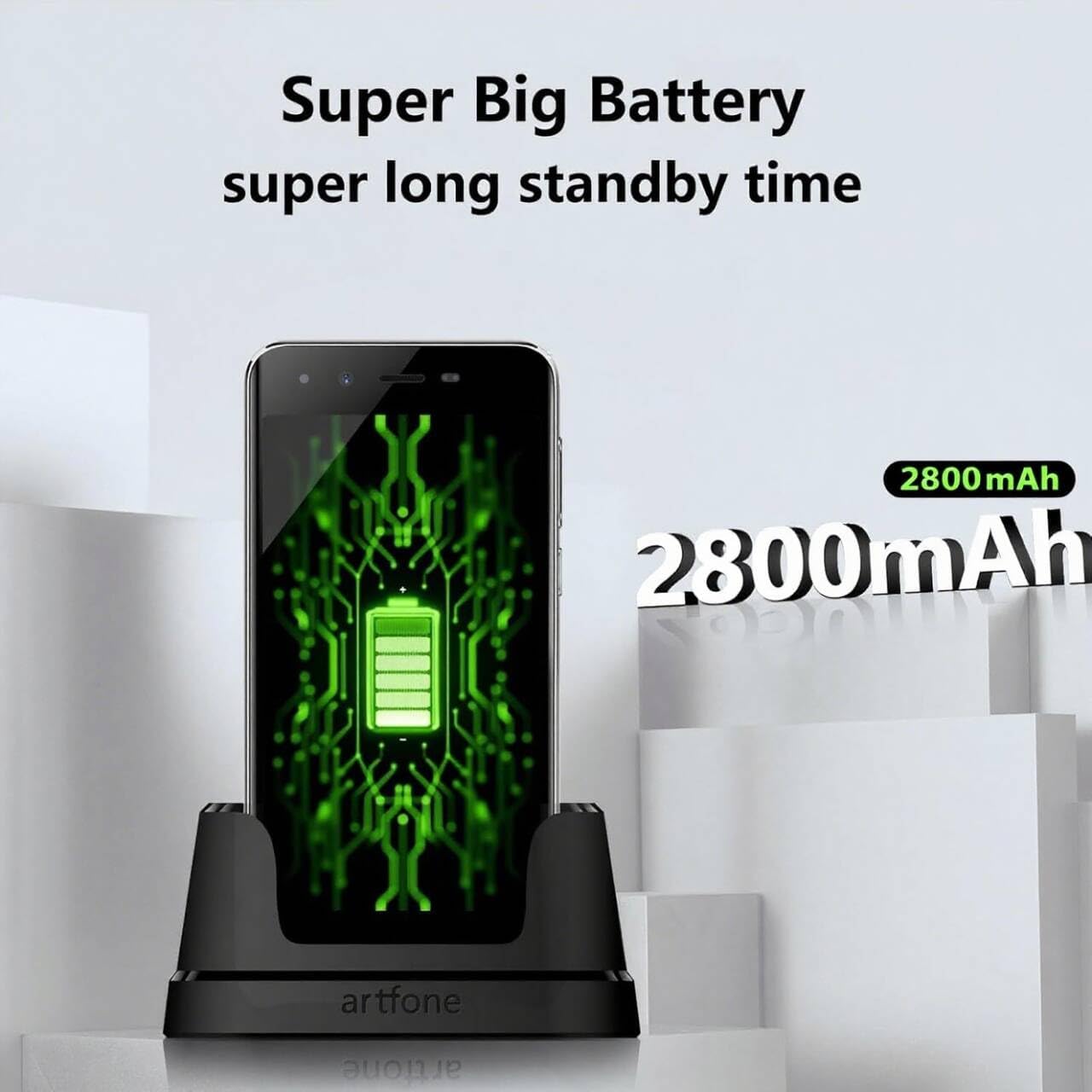
Image 3.1: The Artfone Smart_500 smartphone in its charging dock, displaying a battery icon on the screen. Text indicates 'Super Big Battery' and 'super long standby time', highlighting the device's 2550mAh battery capacity.
4. Амалиёти асосӣ
4.1 Навигатсия
- Шишаи ламсӣ: Tap icons to open applications, swipe to navigate between screens.
- Экрани асосӣ: Features large, easy-to-identify icons for common functions like Phone, Contacts, Camera, and Photos.
- Тугмаи Бозгашт: Ба экрани пешина бармегардад.
- Тугмаи Барномаҳои охирин: Барномаҳои ба наздикӣ истифодашударо намоиш медиҳад.
4.2 Зангҳо ва қабули зангҳо
- Занг задан: Tap the 'Phone' icon, enter the number using the large keypad, then tap the green call button.
- Қабули занг: When a call comes in, tap the green 'Answer' button on the screen or press the dedicated answer button.
- Анҷом додани занг: Tap the red 'End Call' button on the screen or press the dedicated end call button.
4.3 Алоқаҳо
- Илова кардани мухотиб: Tap the 'Contacts' icon, then tap the '+' or 'Add New Contact' button. Enter the contact's name and phone number, then save.
- Занг задан ба мухотиб: Tap the 'Contacts' icon, select the desired contact, then tap the phone icon next to their name.
4.4 Паёмнависӣ
- Tap the 'Messages' icon (if available on home screen, otherwise find in app drawer).
- Tap 'Start new chat' or the '+' icon.
- Enter the recipient's number or select from contacts, then type your message and tap 'Send'.
4.5 Камера
The Artfone Smart_500 features a 13MP rear camera and a 5MP front camera.

Image 4.1: A hand holding the Artfone Smart_500 smartphone, with text emphasizing its 13-megapixel camera for high-definition photography.
- Tap the 'Camera' icon on the home screen.
- Камераро ба сӯи объекти дилхоҳ равона кунед.
- Tap the shutter button on the screen to take a photo.
- Use the LED flash in low-light conditions.
4.6 Функсияи SOS дар ҳолати фавқулодда
The SOS button is a critical safety feature for emergencies.

Image 4.2: A visual representation of the SOS button located on the back of the Artfone Smart_500 smartphone. The diagram illustrates how pressing this button can alert pre-set emergency contacts such as family members (daughter, son, spouse), a doctor, or first responders.
- Setting up SOS Contacts: Navigate to the SOS settings in the phone's menu to add up to 5 emergency contact numbers.
- Фаъолсозии SOS: In an emergency, press and hold the SOS button on the back of the phone.
- The phone will automatically call the pre-set emergency numbers one by one until a connection is made.
- Simultaneously, an emergency SMS message, including your location, will be sent to these contacts.
5. Хусусиятҳои пешрафта
Системаи амалиётии 5.1 Android 12
Your Artfone Smart_500 runs on Android 12, providing access to a wide range of applications and features.
- Дӯкони Google Play: Access the Play Store to download additional applications such as WhatsApp, social media, and utility tools.
- Бознигарии Интернет: Use the pre-installed browser to access the internet.
- Мултимедиа: View videos, photos, and listen to music.
5.2 Пайвастшавӣ

Image 5.1: A prominent 4G logo positioned above the Artfone Smart_500 smartphone, which displays a strong 4G signal indicator. This highlights the device's 4G connectivity for high-definition voice calls and faster internet.
- 4G/3G/2G: Supports various cellular networks for reliable communication.
- 4G VoLTE: Ensures high-quality voice calls with reduced background noise.
- Вай-фай: Барои дастрасӣ ба интернет ба шабакаҳои бесим пайваст шавед.
- Блутуз: Pair with wireless headphones or other Bluetooth devices.
6. Нигоҳдорӣ
6.1 Нигоҳубини батарея
- To prolong battery life, avoid exposing the phone to extreme temperatures.
- Батареяро мунтазам пур кунед, аммо аз пур кардани он ё холӣ кардани он дар муддати тӯлонӣ худдорӣ кунед.
- Use only the original charger and charging station provided with the device.
6.2 Тозакунӣ
- Экран ва баданро бо матои мулоим ва бе пахта хушк кунед.
- Аз истифодаи кимиёвии сахт ё маводи абразивӣ худдорӣ намоед.
7. Баррасии мушкилот
Мушкилот ва роҳҳои ҳалли умумӣ:
- Телефон хомӯш нест: Боварӣ ҳосил кунед, ки батарея пур карда шудааст. Ба пуркунандаи барқ пайваст шавед ва бори дигар кӯшиш кунед.
- Сифати пасти занг: Check network signal strength. Ensure VoLTE is enabled in settings if available.
- Барномаҳо ях мекунанд: Close background applications. Restart the phone.
- Батарея зуд холӣ мешавад: Reduce screen brightness. Close unused apps. Check battery usage in settings to identify power-hungry apps.
- SOS button not working: Verify that emergency contacts are correctly set up in the SOS settings.
Агар мушкилот идома ёбад, лутфан бо дастгирии муштариён тамос гиред.
8. Мушаххасоти
| Хусусият | Мушаххасоти |
|---|---|
| Номи модел | SMART_500 |
| Низоми амал | Android 12.0 |
| Намоиш | Экрани сенсории 5-дюймаи IPS |
| Протсессор | 1.5 GHz Quad-Core (MTK 6739WW) |
| RAM | 3 ГБ |
| Захираи дохилӣ | 32 GB (Expandable via Micro SD) |
| Камераи пушти | 13 мегапиксел бо флеши LED |
| Камераи пеши | 5 МП |
| Иқтидори батарея | 2550 мАч литий-ион |
| Вақти интизорӣ | 50-80 hours (average) |
| Вақти гуфтугӯ | 5-6 hours (average) |
| Пайвастшавӣ | 4G, 3G, 2G (4G VoLTE) |
| Порти пуркунандаи барқ | USB Type-C |
| Хусусиятҳои махсус | SOS Button, Charging Station, Large Icons, High Volume |

Image 8.1: A visual representation of the phone's internal platform, highlighting the MTK 6739WW processor, 32GB of ROM (internal storage), and 3GB of RAM.
9. Кафолат ва дастгирӣ
For warranty information and customer support, please refer to the documentation included in your product packaging or visit the official Artfone website. Information regarding spare parts availability and software updates is not available at this time.
Истеҳсолкунанда: artfone


